
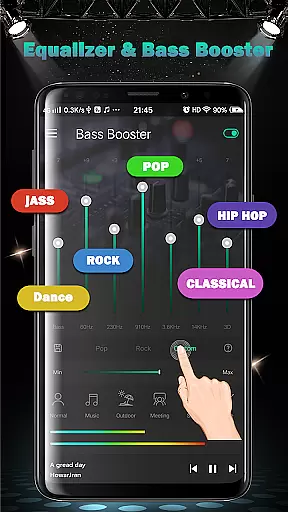
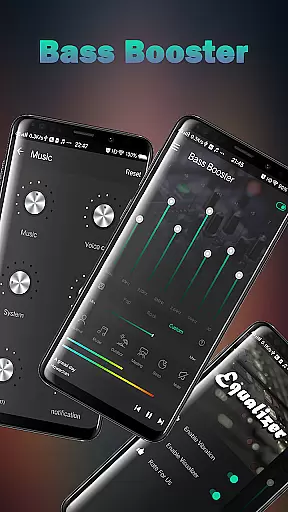
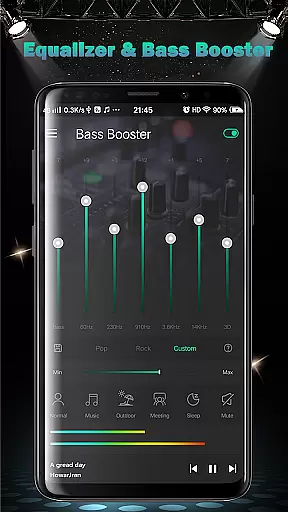
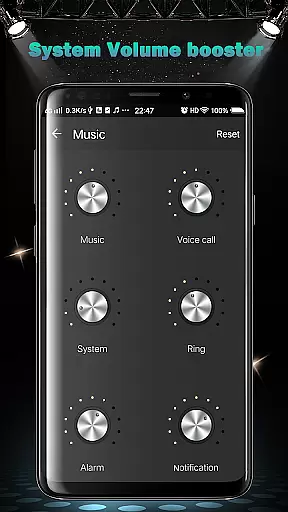
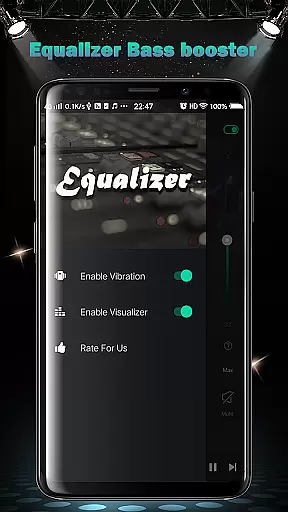
Equalizer FX Pro is a comprehensive audio enhancement application designed for music and audio enthusiasts who seek to optimize their listening experience on Android devices. This app combines equalizer, bass booster, and volume booster functionalities to significantly improve sound quality across all media players.
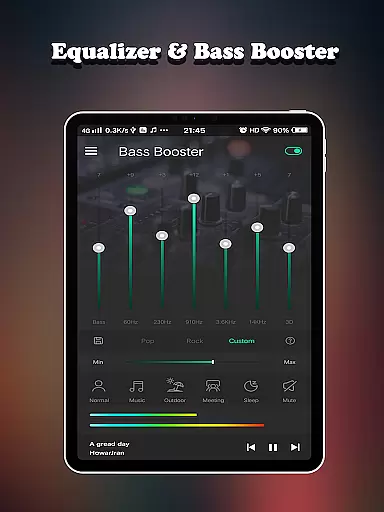
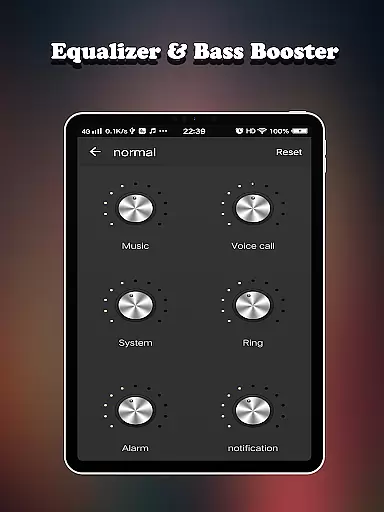
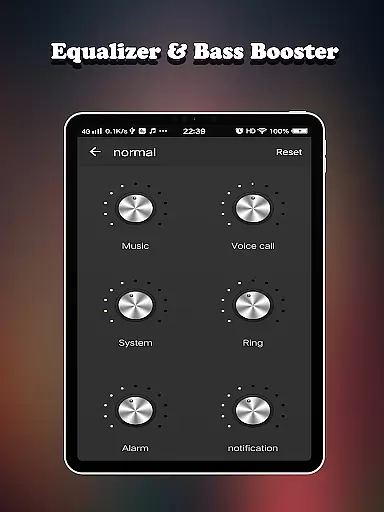
The core feature set includes a 7-band equalizer with 10 presets, virtualizer effect, and 6 volume modes tailored for different scenarios such as music, outdoor, meeting, sleep, mute, and custom settings. Users can precisely control various volume types including media, voice, system, ringtone, alarm, and notification sounds.
Ideal for audiophiles and casual listeners alike, Equalizer FX Pro enables users to enjoy enhanced audio quality regardless of their choice of media player or audio source. The combination of professional-grade audio tools makes it particularly valuable for those who want maximum control over their device's sound output.
Equalizer FX Pro stands out through its sophisticated feature set that addresses multiple aspects of audio enhancement. The application provides two visual spectrums for real-time audio visualization alongside advanced playback controls that work seamlessly with any music or video player.
A key innovation is the implementation of 6 dedicated volume boosters working in tandem with the equalizer and bass booster. The app's ability to function independently of the media player ensures universal compatibility while maintaining superior sound quality. Users can choose from 10 carefully crafted equalizer presets or create custom settings using the 7-band equalizer.
What sets this application apart is its comprehensive approach to system-wide audio management. From basic playback controls to advanced frequency adjustments, each feature is designed to give users complete command over their audio experience while maintaining intuitive usability through a well-structured interface.
Equalizer FX Pro offers a comprehensive suite of audio enhancement features that effectively transform your listening experience. Although it doesn't provide a music library, its compatibility with all audio players ensures that you can apply its powerful equalizer and bass boost effects across any music collection.
The app includes 10 professional-grade equalizer presets, catering to various music genres. These presets are crafted by sound engineers, ensuring the utmost quality and authenticity in audio adjustments. This attention to detail guarantees that users can enjoy an optimized and genuine sound profile for every track they play.
With 7 bands of equalization, users have extensive control over their audio output. The ability to fine-tune each frequency band allows for personalized audio experiences while maintaining the integrity of the original recordings. This level of precision ensures that sound modifications remain true to the artist's intent while delivering enhanced listening pleasure.
Audio quality options in Equalizer FX Pro are exceptionally diverse, offering users multiple ways to enhance their listening experience. The application provides 6 volume modes including normal, music, outdoor, meeting, sleep, and mute settings, allowing users to customize their audio output according to different environments and situations.
The inclusion of virtualizer effects and 2 visual spectrums adds depth to the audio experience. These features create an immersive soundscape that simulates live performances or concert hall acoustics. Users can visually monitor frequency responses while adjusting their audio settings for optimal results.
Volume booster functionality extends across 6 different audio types, enabling precise control over media, voice, system, ringtone, alarm, and notification volumes. This comprehensive approach to audio management ensures that users can achieve crystal-clear sound quality at safe listening levels, regardless of the audio source or playback device.
Universal media player compatibility
Advanced 7-band equalizer
Multiple volume control options
Professional audio effects
User-friendly interface design
Premium version requires purchase
Some features need manual activation
Interface may feel complex to beginners
Occasional stability issues reported
System resource consumption noticeable

Simply convert wav to mp3. Clear. Reliable. Safe.
 4.2
4.2
Your HD audio recorder on the go for music, meetings, ambience, animal sounds…
4.30
Offline and always ad-free - stream in the highest quality available.
4.10
VB-AUDIO Software / VBAN-Receptor allows listening to any VBAN Streams
4.10
Bass Booster Pro takes auto-equalizing to the next level!
4.30
The best music and audio player, with beautiful UI, music search and equalizer.
4.60
24,000 free audio books and no ads!
4.90
Enjoy singing any song, no matter how high or low it is
4.30
The Minimalistic Premium Music Player. Handmade with passion for music
2.20
Offline Music Player & MP3 Player.Powerful equalizer, Lyrics, Themes, Tag Editor
4.80
Listen radio AM / FM Stations. Live AM / FM Radio App Station. Radio Com.
4.70
Listen to live FM radio stations, sports, music and news on global radios online
4.70
Learn the notes on the guitar fretboard fast with this easy and fun app
4.60
Enhance the sound quality of your devices, listen to what you want
4.50
Network/Cloud Streaming, Visualization, Graphic Equalizer and Sound Effects.
4.20
A sleek, no-frills player designed for true music lovers.
4.20
Smart piano keyboard, Classical to Pop, Real-time multiplayer connection!
4.20
USB audio recording and playback finally possible on Android 3.1 or higher!
3.90
Make music anywhere. Turn your device into an instrument.
4.0


User Reviews