
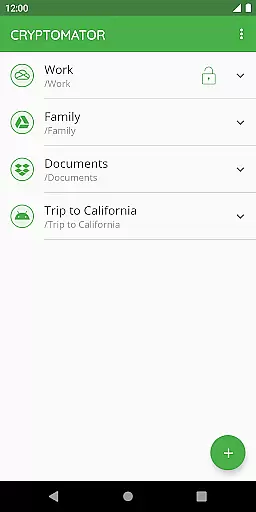
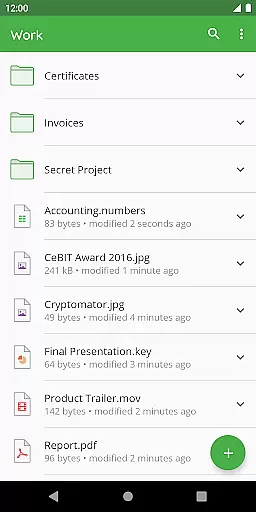
Cryptomator is a user-friendly encryption tool designed to secure your cloud-stored data. With its intuitive interface, users can easily create secure vaults and protect their files with AES encryption using a 256-bit key length. The app ensures that your data remains private even when stored on third-party cloud services like Dropbox, Google Drive, or OneDrive.
Designed for compatibility across all major operating systems, Cryptomator allows you to access your encrypted files from any device. Whether you're using Android's local storage or WebDAV-based cloud services, the app provides seamless integration and automatic locking of vaults when not in use. This robust security measure ensures enhanced protection against unauthorized access.
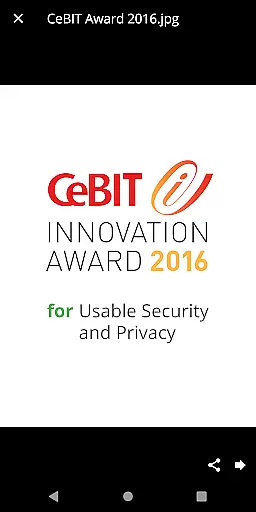
The true value of Cryptomator lies in its open-source nature, allowing anyone to inspect the code. This transparency builds trust and ensures that the app follows best practices in digital security. Recognized with the CeBIT Innovation Award 2016 for Usable Security and Privacy, Cryptomator continues to provide reliable privacy solutions for hundreds of thousands of users worldwide.
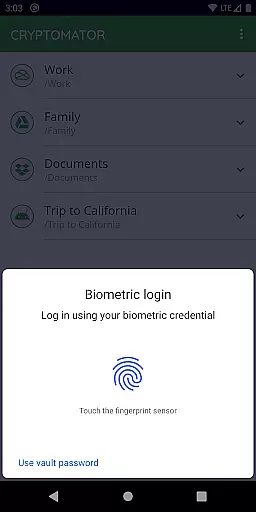
Cryptomator offers a comprehensive set of features that make it an essential tool for securing your digital life. One standout feature is its ability to encrypt both file content and filenames, ensuring complete privacy. Users can unlock their vaults conveniently using fingerprint authentication, adding an extra layer of security without compromising ease of use.
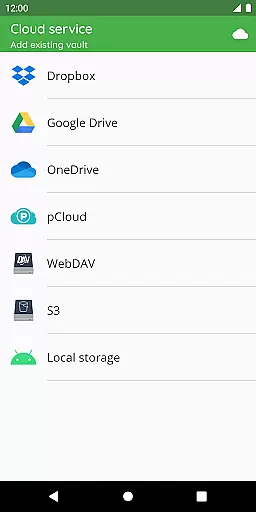
Another significant advantage is its compatibility with various cloud storage services including Dropbox, Google Drive, OneDrive, and WebDAV-based options. This flexibility allows users to integrate Cryptomator into their existing workflows effortlessly. Additionally, the app supports local storage encryption, making it versatile for different use cases such as working with third-party sync apps.
Cryptomator also implements advanced cryptographic techniques such as scrypt for password protection, enhancing resistance against brute-force attacks. Its publicly documented crypto implementation further reinforces transparency and trustworthiness. By participating in the active Cryptomator community, users can engage with fellow enthusiasts and stay updated on the latest developments in digital security.
In the realm of productivity, managing tasks efficiently is paramount. Cryptomator excels by providing users with a seamless way to organize and secure their digital files, akin to managing tasks in a highly encrypted environment. The application allows you to create 'vaults' which act as secure containers for your data, ensuring that each task or file is systematically organized and protected.
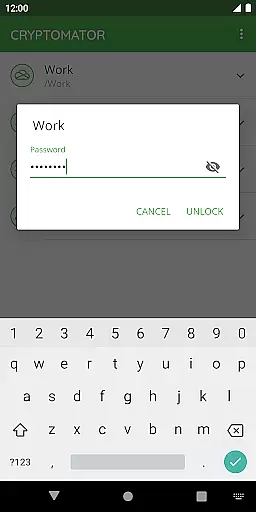
With Cryptomator, the simplicity of task management is enhanced through its intuitive interface. You can easily unlock these vaults with a password or even your fingerprint, streamlining access while maintaining security. This ease of access ensures that users can focus on their core activities without being bogged down by complex security protocols, yet they can trust that their information remains safeguarded against unauthorized access.
The true power of Cryptomator's task management capability lies in its compatibility across various platforms and cloud services. Whether you're using Dropbox, Google Drive, or any WebDAV-based cloud storage, Cryptomator ensures that all your tasksu2014or filesu2014are synchronized and accessible from any device. This cross-platform functionality means your productivity isn't confined to one location or device; instead, it matches the pace of your dynamic lifestyle.
Cross-device synchronization is crucial for maintaining workflow efficiency in todayu2019s fast-paced world. Cryptomator addresses this need by offering reliable synchronization across multiple devices. Once you create and secure a vault on one device, accessing it from another is straightforward and instantaneous, ensuring that your work is always up-to-date regardless of where you are.
The reliability of Cryptomator's synchronization is reinforced by its robust encryption standards. Every file within your vault is encrypted using AES with a 256-bit key length, ensuring top-notch security during transfers between devices. This means not only is your data available everywhere, but it also remains impervious to unauthorized access throughout the synchronization process.
Moreover, Cryptomator's open-source nature adds an extra layer of trust and transparency to its synchronization feature. Users can verify the integrity of the encryption methods employed, fostering confidence in the safety of their synchronized data. With automatic locking after sending the app to the background, you're assured that your sessions are secure, preventing any unintended access when switching between devices.
Easy-to-use interface
Strong AES encryption
Compatible with multiple cloud services
Open-source transparency
Active user community
No built-in cloud storage
Limited free features
Fingerprint sensor required
Occasional performance lags
Advanced settings may confuse beginners

A lightweight JSON & XML files creator, editor and viewer (Premium Version)
 4.40
4.40
Mind Map and brainstorm, note taking and idea collection
4.80
IP Camera Viewer - Android TV : RTSP Surveillance camera viewer for Android TV
4.0
All document reader, all in one file viewer read PDF, DOCX, XLS, PPT, TXT files.
4.60
Calendar 2023 widget for Android. Appointment scheduler, planner, and reminder
4.60
A Pixel Art watchface inspired by other iconic 90s designs for Wear OS devices!
4.40
Secure your apps with lock screens, use custom themes and different features.
4.40
AI Chatbot and AI writing assistant powered by ChatGPT.
4.60
Seamlessly read, manage, and organize all your PDF files solution in one place
4.40
Seamlessly integrate data and reports to build your presentation to impress
4.80
Use powerful, industry-leading AI tools to generate visual charts from any data
4.80
Stay on top of your to-dos with Google Tasks, part of Google Workspace.
4.60
A simple Whisper AI keyboard for reliable speech transcription and rewording
4.60
Planet Free VPN - The best Fast Unlimited and Secure VPN Without Logs
4.50
Share files & memories safely. Keep your photos and videos secure.
4.40
Experience real multitasking on your Android!
4.00
Wake up & get tasks done! Add alarms & reminders on the Clock Launcher.
4.00
The upgraded version of Name Wheel with AI and the power to add your own wheels.
4.3
A comprehensive suite of tools designed specifically for Lactation Consultants
4.1


User Reviews