
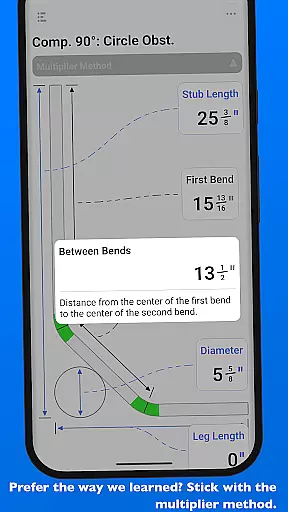
QuickBend is a cutting-edge conduit bending calculator app designed for electricians and professionals working with conduit systems. The app provides the most accurate measurements by incorporating the radius of the shoe and bender, conduit type, and size diameter into its calculations. Using the centerline radius algorithm, QuickBend ensures precision in every bend, making it an indispensable tool for both seasoned professionals and DIY enthusiasts.
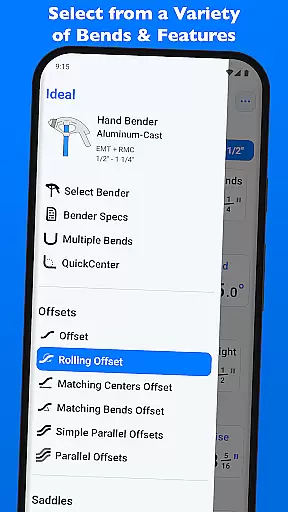
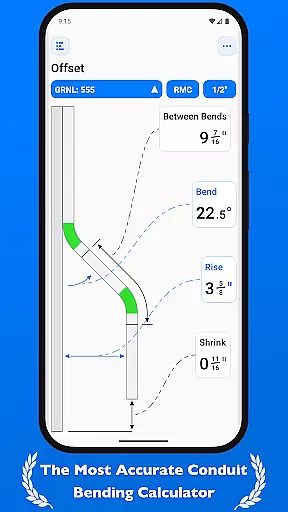
Beyond basic calculations, QuickBend offers advanced features such as QuickCheck, which visually indicates the feasibility of bends through color-coded text. This intuitive design helps users avoid mistakes, save time, and reduce material waste. With support for various types of bends including Offset, Rolling Offset, Three-Point Saddle, and more, QuickBend caters to a wide range of professional needs while maintaining ease of use.
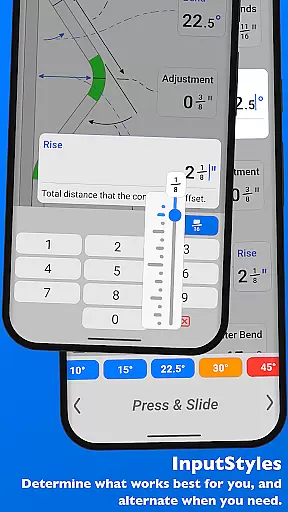
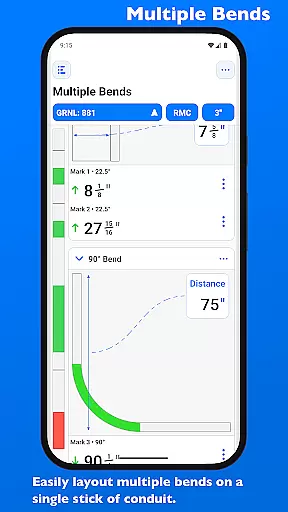
The app's interface allows seamless switching between different input styles like number pads or slider bars, catering to user preferences. Additionally, QuickBend supports multiple measurement units (inches and centimeters) and enables layout planning for multiple bends on a single conduit. Its comprehensive functionality makes it ideal for anyone seeking efficiency and accuracy in their electrical projects.
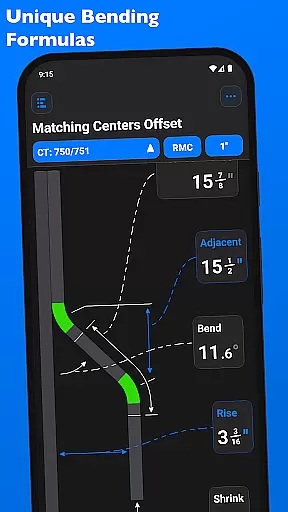
QuickBend stands out with its innovative features tailored specifically for productivity in electrical work. One of its key highlights is the ability to calculate precise measurements using the centerline radius algorithm, ensuring reliable results for complex conduit bends. The app supports over 15 types of bends, including Offset, Parallel Kick, Compound 90°, and Segmented 90°, providing versatility for diverse project requirements.
Another standout feature is QuickCheck, which uses color-coded feedback (red for impossible bends, orange for unlikely ones) to guide users during input. This proactive approach prevents errors before finalizing calculations. Users can also toggle between inches and centimeters, switch input methods (number pad or slider bar), and customize their workflow based on personal preference.
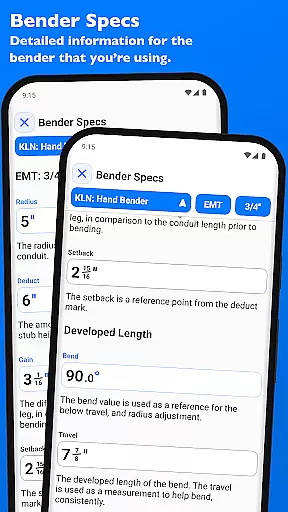
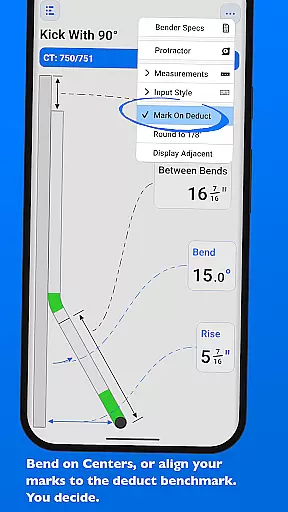
For added convenience, QuickBend lets users pin frequently used benders for quick access and edit detailed specifications like centerline radius, deduct, gain, and setback. These capabilities are presented within an intuitive interface that minimizes navigation complexity, allowing users to focus on their tasks without unnecessary interruptions.
At the heart of QuickBend lies its core task management system, meticulously designed to streamline conduit bending calculations for electricians and DIY enthusiasts alike. This functionality ensures that every project detail is captured and processed accurately.
The app allows users to input data through various methods such as a number pad or slider bar, catering to different preferences and working styles. This flexibility in data entry enhances precision and efficiency when planning complex bends.
QuickBend supports multiple measurement systems including inches and centimeters, providing adaptability across global projects. Users can seamlessly switch between these units, ensuring compatibility with diverse work environments.
With features like QuickCheck, the app provides real-time feedback on bend feasibility through color-coded warnings. This proactive approach helps prevent costly mistakes and ensures projects stay on track.
While QuickBend primarily functions as a standalone application, its reliability extends to maintaining consistent performance across different devices. This ensures that users experience uniform quality regardless of their chosen platform.
The app maintains rigorous processing standards and field-tested algorithms, guaranteeing that calculations remain precise whether accessed from a smartphone or tablet. This consistency is crucial for professionals who rely on accurate measurements.
Although direct cross-device synchronization isn't explicitly mentioned, QuickBend offers comprehensive bender specifications that can be edited and viewed across sessions. These detailed settings ensure that personalized configurations are preserved.
Users benefit from the ability to pin frequently used benders, allowing quick access to preferred tools without repetitive setup. This feature effectively mimics synchronization benefits by streamlining workflow across different usage scenarios.
Highly accurate calculations
User-friendly interface
Wide range of supported bends
Color-coded error prevention
Customizable bender specs
Premium version required
Steep learning curve
Limited free features
No offline mode
Occasional bugs

All in one sketching tool. Technical and General drawing. Online Maps support.
 3.70
3.70
Android Wallet Password Manager
4.80
IP Camera Viewer - Android TV : RTSP Surveillance camera viewer for Android TV
4.5
ID.me Authenticator is a simple and free Two Factor Authentication solution
3.50
Calendar 2023 widget for Android. Appointment scheduler, planner, and reminder
4.60
Best Tool for the professionals Electrician, Electrical contractors, etc.
4.90
A Pixel Art watchface inspired by other iconic 90s designs for Wear OS devices!
4.40
Understand anything with a personalized AI research assistant
4.80
Daily processing of PDF documents.
4.40
Scientific calculator for Android - looks and operates like the real thing!
4.90
Seamlessly integrate data and reports to build your presentation to impress
4.80
Direct Chat without saving contacts & Dual WA Account on Single Device
4.70
The Pro Version of Android's tiniest Notepad app. Just 0.3MB but feature-packed!
4.60
App Lock with fingerprint, password: Lock apps & hide photos with lock screens
4.60
All document reader, all in one file viewer read PDF, DOCX, XLS, PPT, TXT files.
4.60
Lightweight PDF, Word, Excel reader.
4.60
A lightweight JSON & XML files creator, editor and viewer (Premium Version)
4.40
AI Video AI Image Private LLM AI Browser Llama Gemma Ollama Connect LLM Studio
4.5
Create study competitions, track your hours, and stay consistent with friends
4.2


User Reviews