
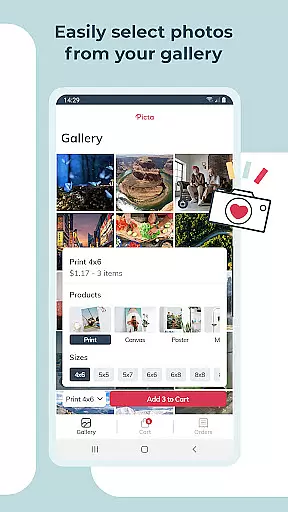
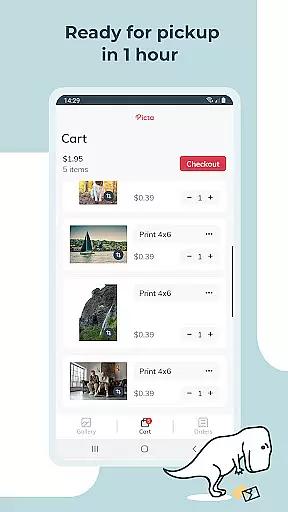
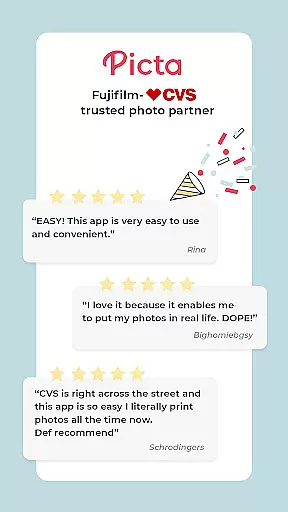
Picta x CVS Photo Print is a mobile application designed to simplify the process of photo printing. This app allows users to effortlessly print their digital photos directly from their smartphones and pick them up at their nearest CVS store within an hour. With a user-friendly interface, customers can choose from various print sizes including 4x6, 5x7, square prints, and more, as well as create personalized gifts such as magnets and greeting cards.
The app stands out with its fast and secure photo transfer capabilities, organizing galleries by date, and providing real-time order tracking. All products are manufactured in the United States, ensuring professional-quality glossy prints. Picta x CVS Photo Print transforms digital memories into tangible keepsakes, making it convenient for users to preserve and share their special moments.
Picta x CVS Photo Print offers a range of features that cater to both convenience and quality. Users can select their preferred photo size and quantity, customize their images with cropping and zooming tools, and even design custom photo products like cards and invitations. The app's intuitive gallery organizes photos by the date they were taken, simplifying the selection process.
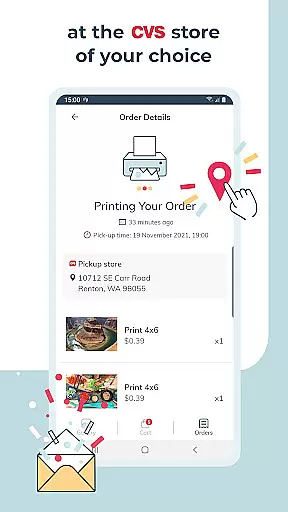
One of the standout features is the enhanced CVS store locator, which helps users find the nearest location for quick pickup. Orders placed through the app are typically ready in less than an hour, streamlining the traditional photo printing experience. Additionally, users benefit from app-exclusive deals and can opt-in for notifications to stay informed about promotions, ensuring they save both time and money while printing their cherished memories.
Real-time capture and preview functionality is essential for ensuring that users can accurately select and edit photos before printing. With Picta x CVS Photo Print, the app provides an intuitive interface where users can instantly see their selected images in various print sizes and formats.
The app allows users to crop and zoom each picture easily within the application, ensuring that the final print matches their expectations. This real-time editing capability helps prevent any unwelcome surprises when the prints are picked up, enhancing user satisfaction.
By offering a seamless transition from photo selection to print preview, the app ensures that users can visualize the end product. This feature not only saves time but also adds a layer of convenience, making it easier for users to produce high-quality prints directly from their mobile devices.
Ultimately, the real-time capture and preview feature empowers users to turn their digital memories into tangible keepsakes with confidence, knowing exactly how the printed photos will look.
AI beauty and enhancement features have become increasingly popular in photography apps, allowing users to improve their photos with natural-looking results. Picta x CVS Photo Print leverages AI technology to enhance photo quality without compromising the authenticity of the original image.
The app offers professional-quality photo printing services, utilizing AI to optimize colors, contrast, and sharpness. This ensures that every print, whether it's a standard 4x6 or a larger format like 8x10, maintains a high level of detail and vibrancy. The AI enhancements are subtle yet effective, preserving the essence of the original photo.
Users benefit from this technology by receiving prints that look polished but not over-processed. The AI-driven enhancements help bring out the best in each photo, making them suitable for both personal keepsakes and professional displays. This balance between enhancement and naturalness sets the app apart from other photo printing solutions.
In summary, the AI beauty and enhancement features in Picta x CVS Photo Print provide users with the tools to create stunning, high-quality prints that retain the natural beauty of their original photos, ensuring customer satisfaction and repeat usage.
User-friendly interface
Fast photo pickup
Customizable products
Real-time order tracking
App-exclusive deals
Limited to CVS stores
Requires physical pickup
No direct payment option
Occasional delays
Location-dependent service

HD Photo gallery and photo manager to edit, hide private photos, videos & albums
 4.5
4.5
An interval timer to automate photo taking process for timelapse
2.90
Create collages easily! Nice pic collage maker & background eraser for Instagram
4.50
Transform photos into videos! Create realistic or anime-style images easily!
4.50
Photo editor & gallery. Crop pictures & edit photos offline, no wifi!
4.50
A reflected light meter with spot metering and incident light metering.
4.40
Professional quality photo edits with the new Snapseed.
4.00
Unblur, enhance & restore photos with powerful AI photo enhancer tools.
4.60
Turn photos into cartoons & avatars! - Photo Editor, Cartoon Face!
3.90
PhotoSync Bundle Add-On License. Enables all features and services in PhotoSync.
4.60
Cut and paste photo editor & eraser to customize photos easy and swap faces fun
4.50
Effortlessly organize, view and share your photos & videos with Gallery app!
4.40
Professional camera app that brings DSLR manual photography controls to Android.
4.20
The #1 app for B&W film developing featuring an advanced darkroom timer.
4.10
Transform Photos: Edit, Beautify and Craft Memories & Make Collages!
4.10
Photo editor: face & body editor, beauty cam, filters and quality enhancer.
4.00
Astrophotography with your smartphone, photo live stacking and much more!
3.90
Hair color changer, AI haircut app, fun hair editor and buzz cut filter for all!
3.80
Snap photos remotely using your Garmin watch as the camera trigger
4.5


User Reviews