
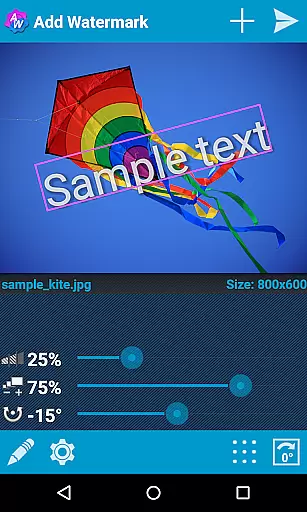

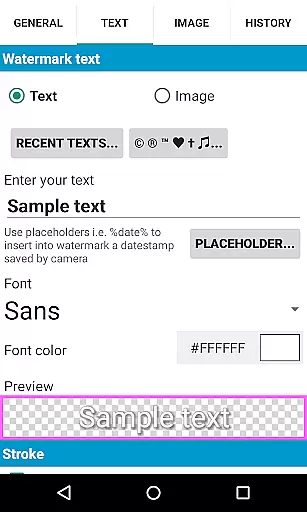
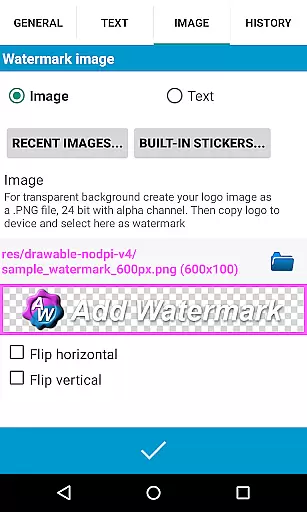
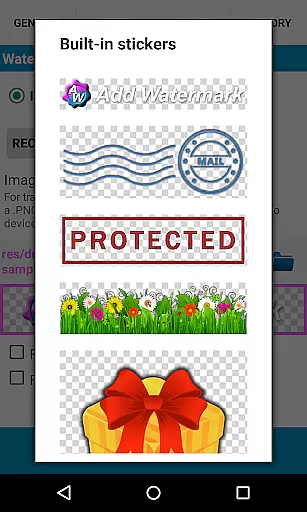
Add Watermark is a powerful photography app designed to help users protect their digital content by adding customizable watermarks to images. The app allows you to embed personalized text or logo watermarks into photos, with options to adjust size, transparency, rotation, and alignment. Whether you're a professional photographer or a casual blogger, this tool provides essential features for safeguarding your work while maintaining creative control.
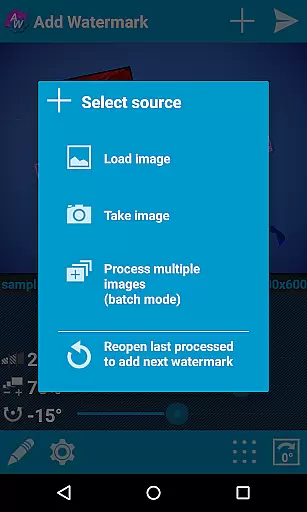
One of the standout capabilities of Add Watermark is its batch processing mode, which enables users to watermark multiple images simultaneously. This feature, combined with automatic processing through sharing from other apps, makes it an indispensable tool for streamlining workflows. Additionally, the app supports advanced settings such as timestamp insertion, EXIF metadata handling, and 360° panorama compatibility, ensuring that both amateur and professional users can enhance their image management process effectively.
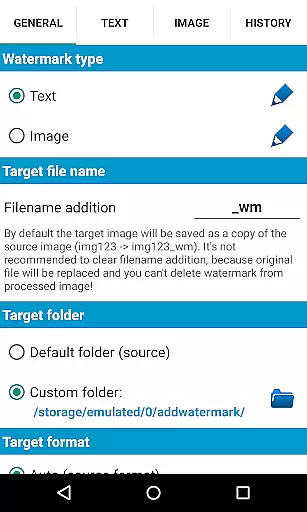
Add Watermark offers a comprehensive suite of features tailored for photographers and content creators who need efficient ways to protect their visual assets. With support for transparent PNG images as watermarks, users can overlay logos or custom graphics seamlessly onto their photos. The app includes 72 built-in fonts and allows importing up to 20 custom fonts, giving users extensive typographic flexibility when creating text-based watermarks.
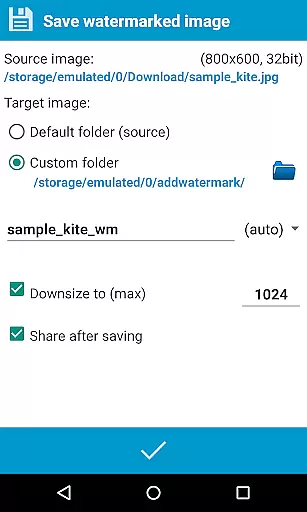
Advanced functionalities like auto-processing via shared images from other applications and batch mode streamline repetitive tasks, saving time and effort. Users also benefit from quick sharing options to platforms like Instagram, Facebook, and Flickr, along with cloud backup for settings. These robust tools ensure that Add Watermark remains a versatile solution for anyone looking to secure their digital imagery efficiently.
Real-time capture and preview functionality is essential for ensuring that the watermark you add to your images appears exactly as intended. Add Watermark offers a seamless experience where users can instantly see the effects of their edits on photos.
The app allows for precise adjustments in size, transparency, rotation, and alignment of both text and image watermarks. This real-time feedback ensures that before saving or sharing an image, users can tweak settings to perfection, thus maintaining high standards in their photography or blogging workflow.
For professional photographers and bloggers who rely on quick yet accurate image processing, this feature significantly enhances productivity. The ability to visualize changes immediately reduces the time spent on trial and error, allowing more focus on creative aspects.
Ultimately, real-time capture and preview empower users with greater control over their final product. Whether adding simple text or intricate logo overlays, seeing immediate results helps in making informed decisions about design elements, leading to visually appealing outcomes.
While primarily focused on watermarking, Add Watermark also incorporates features akin to AI beauty and enhancement tools, ensuring that added watermarks blend naturally into images without detracting from their original quality.
Users have access to numerous customization options such as transparency levels, color effects, and font styles which collectively contribute to a natural integration of the watermark within the photo. These settings help maintain the authenticity of the image while still protecting it with visible ownership marks.
The application supports advanced formats like transparent PNGs for logos, enabling sophisticated designs that do not overshadow the main subject of the photograph. By offering these capabilities, Add Watermark ensures that even after applying protective measures, photos retain their aesthetic appeal.
This balance between protection and preservation is crucial for professionals who wish to safeguard their work without compromising its visual integrity. With thoughtful implementation of enhancement features, Add Watermark provides a solution that respects both security needs and artistic expression.
User-friendly interface
Batch processing available
Extensive font options
Quick sharing to social media
Supports EXIF metadata
Free version has limitations
No video watermarking
Occasional bugs reported
Limited free font imports
Paid upgrade required

Photo editor: face & body editor, beauty cam, filters and quality enhancer.
 4.00
4.00
An interval timer to automate photo taking process for timelapse
2.90
AI photo editor with hair editor, retouch tools, hair color changer & filters!
4.50
Photo Exif Editor allows to view, add and modify EXIF data of multiple photos
4.50
HD Camera Pro with HD Video shooting, Panorama, Photo editor , Beauty Camera.
4.50
Gallery Slideshow is slideshow maker app for slideshow from your gallery photos.
3.90
Smart, light, and fast photo and video gallery
4.30
Hair color changer, AI haircut app, fun hair editor and buzz cut filter for all!
3.80
Unblur, enhance & restore photos with powerful AI photo enhancer tools.
4.60
Find time and duration of different sunlight phases at any location
4.90
Photo prints, cards, & gifts at Walgreens. Easy ordering & fast local pickup !
4.80
Photo editor: AI filters, photo enhancer, pic collage maker, AI art generator.
4.80
Discover & download millions of art for The Frame TV or Hisense CanvasTV
4.60
Create collages easily! Nice pic collage maker & background eraser for Instagram
4.50
Transform photos into videos! Create realistic or anime-style images easily!
4.50
AI photo enhancer with Sora 2! Enhance, descratch, and colorize your old photos.
4.50
Easily stitch panoramas from multiple photos or video.
4.40
Create AI Photos, Improve and restore quality of blurry, old or damaged pics.
4.20
Pet Camera
3.70


User Reviews