
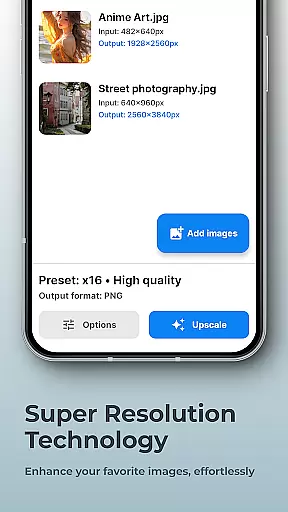
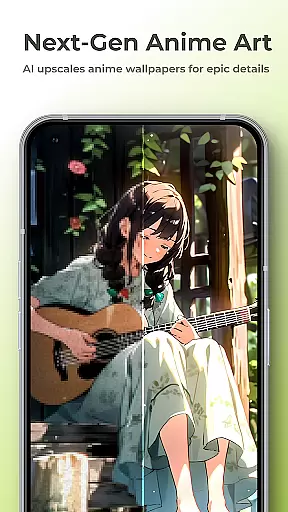
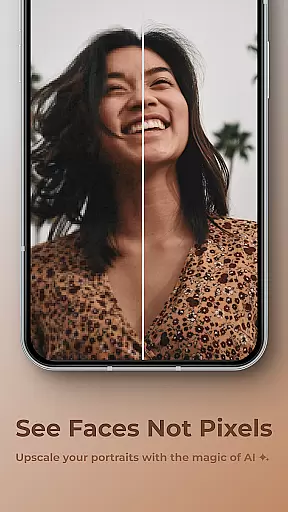
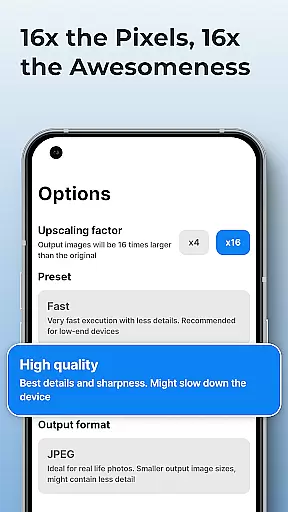
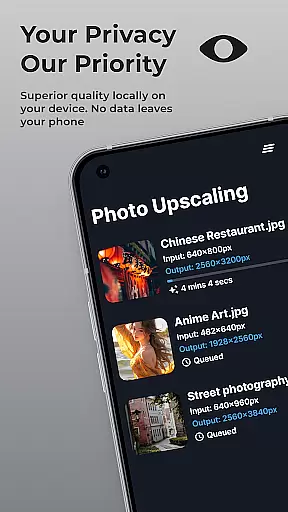
SuperImage Pro is a comprehensive AI-powered photo editing application designed for photography enthusiasts and professionals alike. This app offers advanced image processing capabilities that run entirely on your device, ensuring complete privacy and security. With features like background removal, portrait enhancement, and image upscaling up to 16x resolution, it provides users with powerful tools to transform their photos without any subscription fees or cloud uploads.
The application stands out with its on-device AI processing, which utilizes optimized models for modern hardware. This ensures fast performance while maintaining the privacy of user data. Whether you're looking to enhance facial details in portraits or create transparent cutouts for professional projects, SuperImage Pro delivers exceptional results securely and efficiently.
Perfect for creative professionals who require high-quality image manipulation without compromising privacy, SuperImage Pro is especially useful for photographers, designers, and marketers who need reliable offline solutions for their photo editing needs.
SuperImage Pro boasts an impressive array of features tailored for advanced photo editing. One of its standout capabilities is the on-device AI processing, which allows users to perform complex tasks such as background removal, subject isolation, and creating transparent cutouts instantly and securely. The app's AI models are optimized for modern hardware, ensuring fast and efficient performance without requiring an internet connection.
In addition to its privacy-focused design, SuperImage Pro offers powerful enhancement tools. Users can sharpen details, refine facial features, and improve the clarity of low-resolution portraits. The app also supports image upscaling up to 16x the original resolution, making blurry pictures a thing of the past. For advanced users, the ability to load custom models in formats like PyTorch, ONNX, and MNN provides unparalleled customization options.
These features collectively enable users to achieve professional-grade results while maintaining control over their data. Whether you're enhancing personal photos or working on commercial projects, SuperImage Pro's innovative tools ensure your images look their best without ever leaving your device.
Real-time capture and preview functionality is essential for photography apps as it allows users to see exactly what the camera is capturing before taking a shot. SuperImage Pro excels in this area by providing an intuitive interface that displays accurate colors, lighting, and details.
The app leverages advanced AI models optimized for modern hardware to ensure that the preview is smooth and responsive. This means you can adjust settings like exposure, focus, and white balance in real time, giving you greater control over your final image.
Users benefit from this feature by being able to make precise adjustments on the fly, ensuring that their photos are perfectly framed and exposed every time. The ability to preview these changes instantly enhances the overall photography experience.
Ultimately, SuperImage Pro's real-time capture and preview capabilities empower photographers to take better photos with confidence, knowing exactly how each adjustment will affect the final result.
AI beauty and enhancement features have become increasingly popular in photography apps, offering tools to refine facial features and enhance images naturally. SuperImage Pro stands out by using on-device AI processing to ensure privacy while delivering powerful enhancements.
This app provides various tools to sharpen details, refine facial features, and improve background clarity without compromising the natural look of portraits. It intelligently applies enhancements that respect the original photo's integrity, making subjects look their best without appearing overly edited.
For users, this means achieving professional-quality results with minimal effort. Whether enhancing a casual selfie or refining a portrait, SuperImage Pro ensures that edits are subtle yet effective, preserving the authenticity of the moment captured.
By prioritizing naturalness in its AI-driven enhancements, SuperImage Pro offers a superior user experience that respects both privacy and aesthetic quality, setting a new standard in mobile photography.
Advanced AI tools
Complete privacy
No subscriptions
High-quality results
Custom model support
Steep learning curve
Resource-intensive
Limited free features
Requires modern hardware
Occasional bugs

Effortlessly organize, view and share your photos & videos with Gallery app!
 4.40
4.40
1M influencer's special filter
4.60
What celebrity do you look like? Celebs will find your celebrity match!
4.10
Create collages easily! Nice pic collage maker & background eraser for Instagram
4.50
Be your best in every shot! Fix, edit and retouch your face in selfies & photos.
3.70
Photo Exif Editor allows to view, add and modify EXIF data of multiple photos
4.50
Hair color changer, AI haircut app, fun hair editor and buzz cut filter for all!
3.80
PhotoSync Bundle Add-On License. Enables all features and services in PhotoSync.
4.60
Your Family Calendar + Photos. Manage your Skylight Calendar and Skylight Frame.
4.40
Photo editor: AI filters, photo enhancer, pic collage maker, AI art generator.
4.80
Android Native system HD camera app. Never been so simple and faster.
4.70
See your baby AI baby face generator AI baby maker Face generator babymaker fun!
4.70
Use AI Video Generator to turn your words to ai generated videos.
4.50
Search, tag and rate your way to an organized image gallery
4.40
All-in-One Editor & AI Photo Enhancer, Beautify & Retouch, Collage, Cartoonify
4.20
How would you look like with a differently shaped nose, chin or lips?
3.90
USB Storage Access for Photos, Videos, Music and Documents
3.80
Pet Camera
3.70
Superimpose one photo on top of another using the original Superimpose app!
3.20


User Reviews