
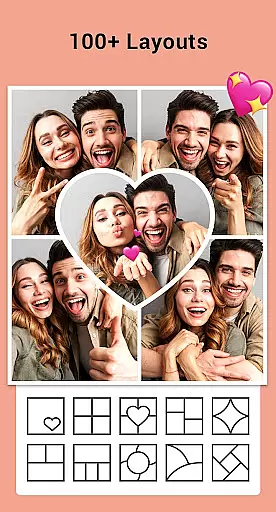
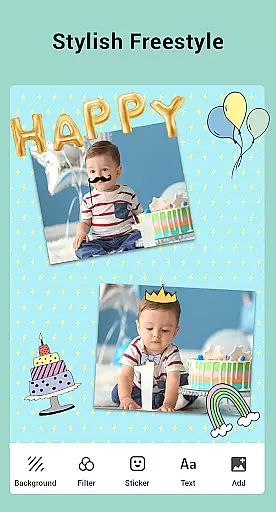

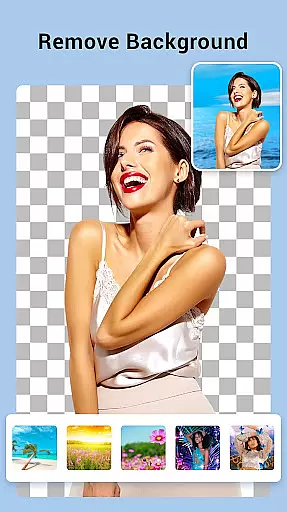
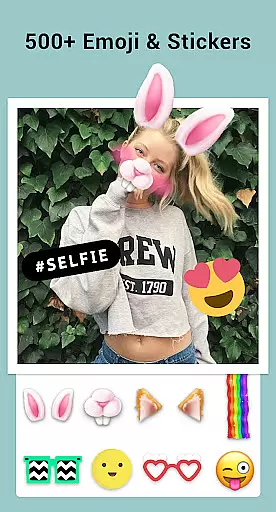
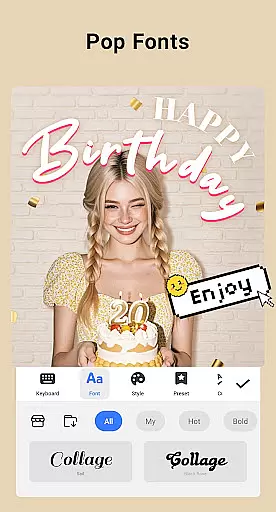
Collage Maker is a versatile photo collage and editing application designed for creative enthusiasts. The app allows users to instantly combine multiple photos into stunning collages using over 100 layouts, backgrounds, stickers, fonts, and other customization tools. With its AI Photo Enhancer feature, users can transform low-quality or damaged images into high-definition masterpieces with just one tap.
In addition to creating collages, the app supports side-by-side photo arrangements, making it ideal for before-and-after comparisons, YouTube thumbnails, and Instagram posts. Users can also edit photos by applying filters, cropping, adding text, doodles, and frames. Its multi-fit functionality ensures compatibility with various social media platforms like Instagram, while the freestyle mode lets users design scrapbook-style creations. Whether you're looking to enhance your photos or create visually appealing content, Collage Maker provides all the necessary tools in one place.
Collage Maker offers an extensive range of features that cater to both casual users and professional designers. One standout feature is the ability to combine up to 100 photos into a single collage, complete with customizable layouts, borders, and backgrounds. The app includes over 100 grid styles and freeform options, allowing users to tailor their designs precisely as they envision. Additionally, the inclusion of advanced editing tools such as filters, stickers, texts, and doodles ensures that every collage is unique and personalized.
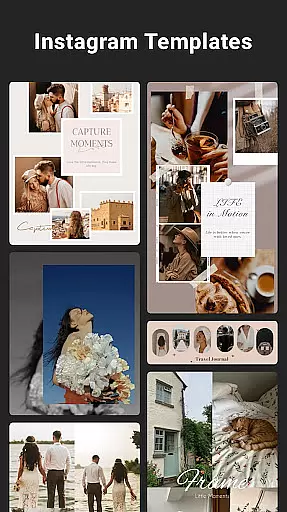
The AI Photo Enhancer tool elevates the app's capabilities by automatically improving image quality, making old or blurry photos look vibrant and clear. For social media enthusiasts, the Insta square photo option with blur or white backgrounds helps optimize images for platforms like Instagram. Moreover, the app provides story templates inspired by film, magazines, and ripped paper aesthetics, enabling users to craft engaging Instagram stories. These comprehensive features make Collage Maker not only a collage creator but also a full-fledged photo editor suitable for diverse creative projects.
Real-time capture and preview functionality is essential for photography apps like Collage Maker, allowing users to see exactly what their final creation will look like as they design it.
This app provides an intuitive interface where users can instantly see changes applied to their photos, such as filters, stickers, and text. This immediate visual feedback ensures that users can make precise adjustments to their collages without any guesswork.
With the ability to preview different layouts, borders, and backgrounds in real time, users can create professional-looking photo collages tailored to their preferences. The instant visualization of edits enhances the creative process and saves time.
The real-time editing feature empowers users to produce high-quality content ready for social media sharing, ensuring their creations meet their expectations before publishing. This seamless experience boosts user satisfaction and engagement with the app.
AI Beauty and Enhancement features are revolutionizing photo editing by offering natural enhancements that preserve the authenticity of images. Collage Maker incorporates advanced AI technology to transform low-quality or damaged photos into stunning visuals effortlessly.
Users can enhance their pictures with just one tap, utilizing AI-driven tools that intelligently adjust image quality while maintaining a realistic appearance. This ensures that edited photos do not appear overly processed or artificial.
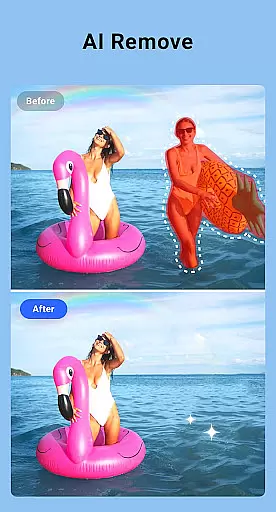
The app's AI capabilities extend beyond basic editing, providing options to upscale blurry images, restore old photos, and correct imperfections seamlessly. These enhancements elevate the overall aesthetic of collages without compromising the original essence of the captured moments.
By integrating sophisticated AI algorithms, Collage Maker delivers professional-grade results accessible to all users, enhancing both individual photos and complete collages with remarkable ease and impressive naturalness.
User-friendly interface
Extensive layout options
AI-powered photo enhancement
Versatile editing tools
Social media optimization
Requires storage permissions
Premium features may cost extra
Occasional ads in free version
Learning curve for beginners
Limited offline resources

Photo editor: face & body editor, beauty cam, filters and quality enhancer.
 4.00
4.00
Trendy TikTok time warp scan funny filter app brings you unique photos & videos.
4.40
Find time and duration of different sunlight phases at any location
4.90
Photo prints, cards, & gifts at Walgreens. Easy ordering & fast local pickup !
4.80
Take videos and pictures with the popular TikTok TIME WARP SCAN filter.
4.60
Superimpose one photo on top of another using the original Superimpose app!
3.20
Light-weight Media Gallery app for Android made with Jetpack Compose
4.60
The #1 app for B&W film developing featuring an advanced darkroom timer.
4.10
Create AI photos & videos with Enhancer; restore, fix, beautify, enhance photos
4.50
AI Photo Editor with 100+ Filters, Effects! Remove BG, Retouch & Photo Enhancer.
4.80
Easily create custom gifts, cards, photo books & more on the Shutterfly app!
4.60
Unblur, enhance & restore photos with powerful AI photo enhancer tools.
4.60
Cut and paste photo editor & eraser to customize photos easy and swap faces fun
4.50
Create Business Headshots, Polaroid Filter, Retake Photos,Profile Pics,AI Photos
4.50
RAW video capture with advanced controls
4.40
Smart, light, and fast photo and video gallery
4.30
Create AI Photos, Improve and restore quality of blurry, old or damaged pics.
4.20
A light meter for true photographers.
4.20
All-in-One Editor & AI Photo Enhancer, Collage, Cartoonify, Funny Stickers & BGS
4.10


User Reviews