
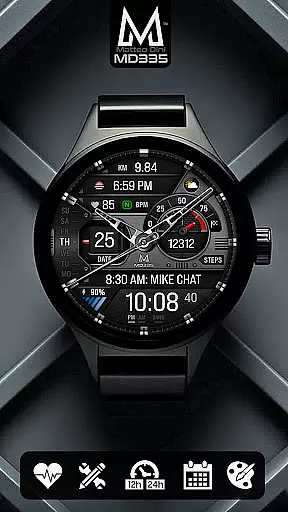
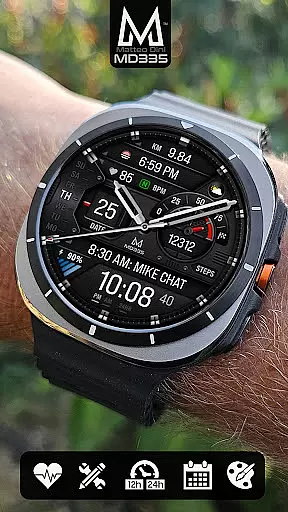
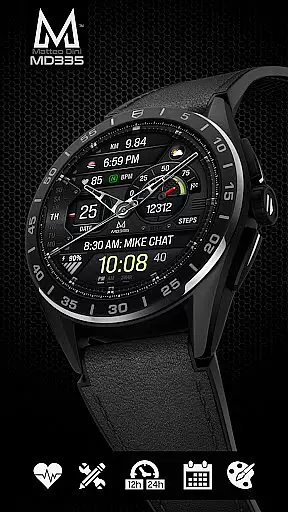
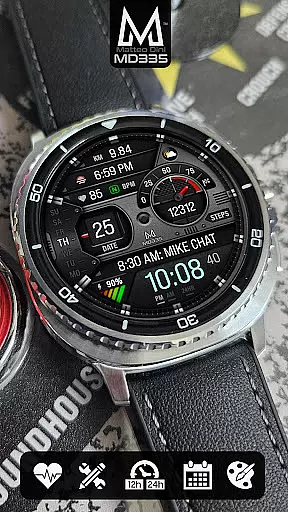
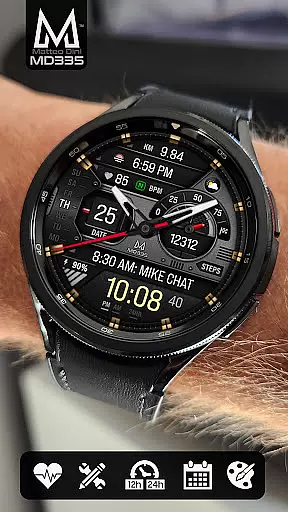
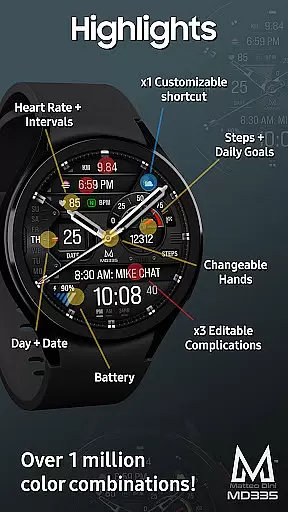
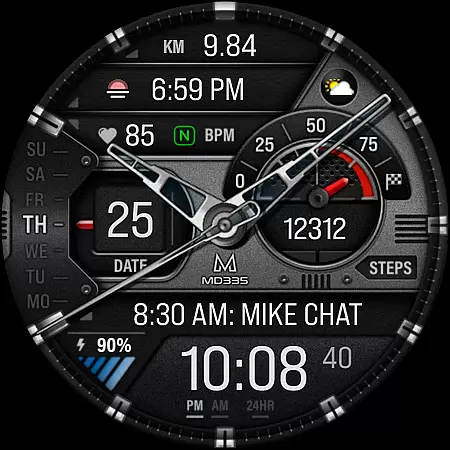
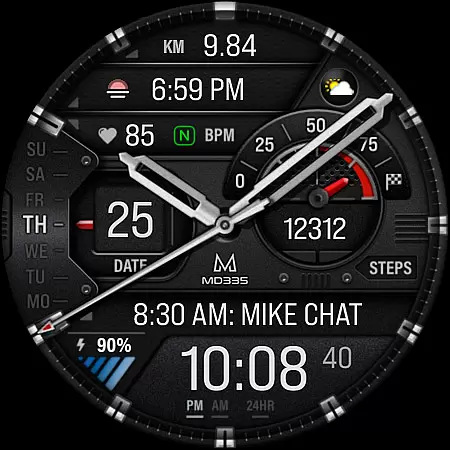
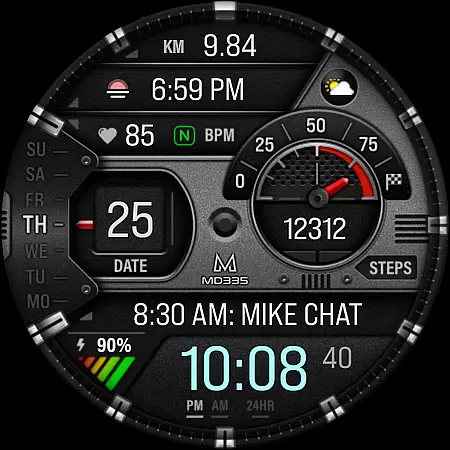
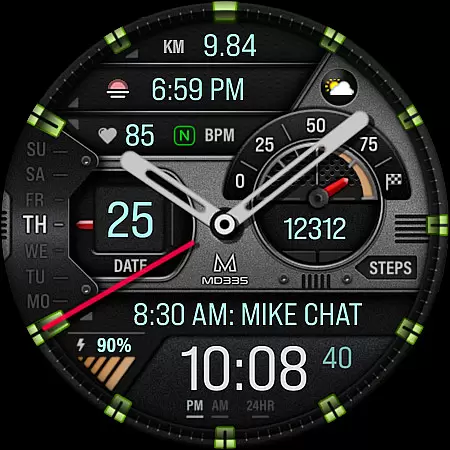
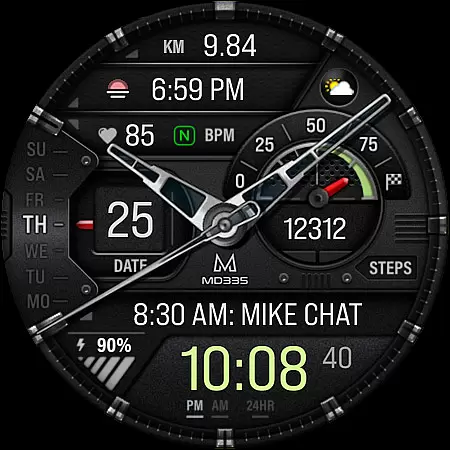
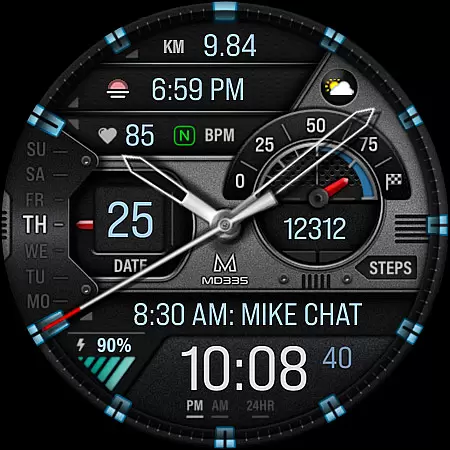
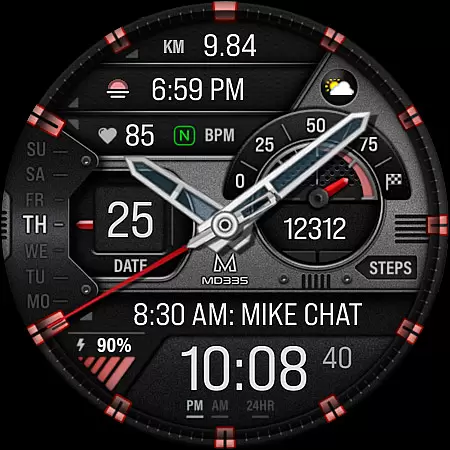
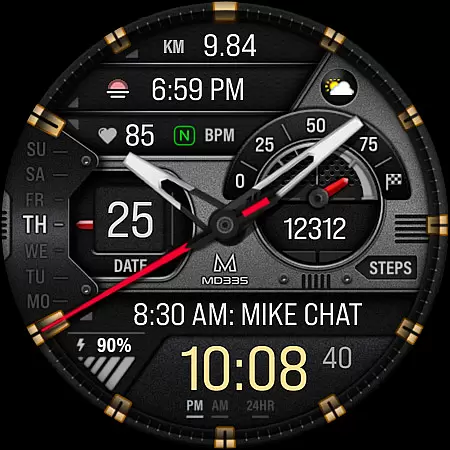
MD335 Hybrid watch face offers a versatile and customizable experience for Wear OS users. This sophisticated watch face supports all Wear OS devices with API Level 33+ and includes features like 12/24hr time display based on phone settings, hybrid design with hideable hands, date, day, battery status, heart rate monitoring, and more.
With 4 preset app shortcuts, 1 customizable shortcut, and 3 customizable complications, users can personalize their watch face to display preferred data such as weather, barometer readings, distance walked, calories burned, UV index, and chance of rain. The customization extends to changeable hands, themes (dark/light), and various color options for time, battery level, goal level, markers, and general colors.
Whether you're an athlete tracking daily goals or a professional needing quick access to calendar and alarms, MD335 caters to diverse needs while maintaining a sleek design suitable for any occasion.
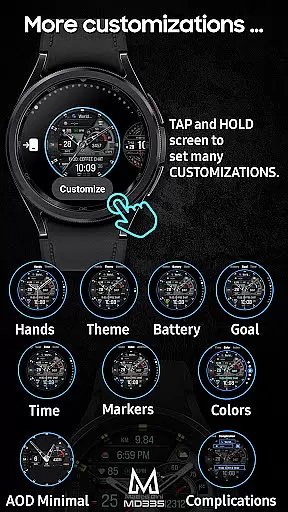
MD335 stands out with its comprehensive feature set tailored for personalization. Users can customize the watch face directly on their device by tapping and holding the screen, then selecting the customize option. This process allows access to different elements including time format, health data like heart rate intervals, steps counting towards daily goals, and even Always-On-Display (AOD) settings.
The inclusion of preset app shortcuts such as Calendar, Battery check, Measure Heart Rate, and Set Alarms ensures that essential functions are readily accessible. Moreover, through complications - external apps providing additional data - users can further tailor their experience by adding information like world clock times or barometric pressure readings. Note that some complications may require separate installation if not pre-installed on your watch.
This flexibility in customization empowers users to create a personalized yet functional interface that aligns perfectly with their lifestyle and preferences.
Companion app integration is essential for hybrid watch faces like MD335, ensuring seamless functionality between the wearable and smartphone. This connection allows users to customize their watch face directly from their phone, enhancing user experience.
The Samsung Wearable app provides a platform for this customization, although complex designs may encounter loading issues. To counteract this, MD335 enables direct on-watch customization, allowing users to modify shortcuts and complications without relying solely on the companion app.
Through the companion app or direct watch interface, users can access features such as heart rate monitoring, step tracking, and customizable complications. This flexibility ensures that despite any temporary limitations in the companion app, the watch face remains highly functional and personalized.
MD335 Hybrid watch face supports all Wear OS devices with API Level 33+, including Samsung Galaxy Watch series and Pixel Watch models. This wide compatibility ensures that users across various devices can enjoy the advanced features of this dynamic watch face.
With support for both 12 and 24-hour time formats based on phone settings, MD335 offers a personalized experience tailored to individual preferences. The hybrid design includes hideable hands and multiple customizable elements, providing versatility for different user needs.
Device compatibility extends to include functionalities such as AOD (Always-On Display), customizable themes, and color options. These features collectively enhance usability while maintaining aesthetic appeal, making MD335 suitable for both casual users and tech enthusiasts alike.
Highly Customizable
Versatile Complications
User-friendly Interface
Wide Device Support
Comprehensive Health Tracking
Complex Setup Process
Limited Default Complications
Potential Compatibility Issues
No Direct Control Over Complications
Dependent on External Apps

Christmas - Festive - Christmas Village - Winter - Christmas lights
 5.00
5.00
Animated Watch Face and Customizable with 24 Backgrounds. Perfect for Christmas!
3.90
A Wintery Snow Globe on Your Wrist; now celebrating Christmas!
4.0
The most customizable minimal watch face. For Wear OS 5.0, API 34+ and later
4.70
Fitness interactive virtual pet super fighter boy watch face
4.2
Kia Access makes getting your vehicle information easier than ever
4.60
Find EV charging stations
4.30
Real-time results, stats, schedules and player profiles for all leagues
4.60
Track your active life in one place and share the journey with friends.
4.40
Gym Log & Workout Tracker | Fitness Journal, Training & Weight Lifting Planner
4.90
Your second brain for organizing your life: to-do, calendar, reminder.
4.70
Simple, helpful messaging by Google
4.60
MyNISSAN® lets you remotely control your car from your phone.*
4.50
Connect to your Bluelink equipped Hyundai vehicle from your smartphone.
4.50
Locate your family members by GPS phone location tracker everywhere and anytime
4.30
Watch face for Wear OS.
4.20
Structured watch face with seven complications and modular UI elements
3.90
A watch face that fuses motorsport precision with contemporary smartwatch design
4.1
Contemporary digital watch face with five complications
4.0


User Reviews