
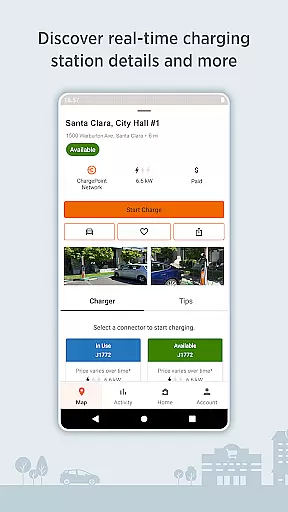
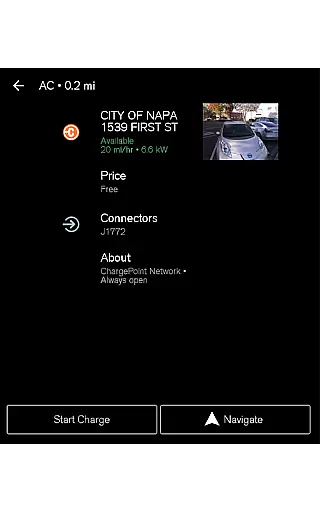
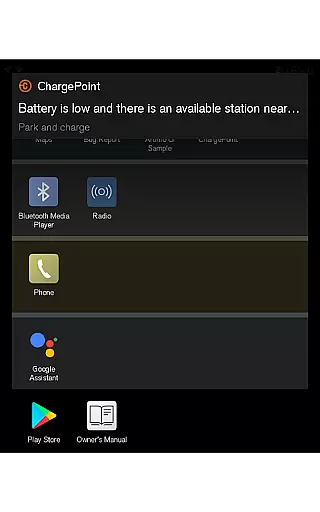
ChargePoint is the ultimate app for electric vehicle (EV) drivers, offering seamless access to the world's largest EV charging network. With hundreds of thousands of stations and roaming partners like FLO, EVgo, and Greenlot, it provides real-time station availability, customizable filters, and essential information such as pricing and driver tips.
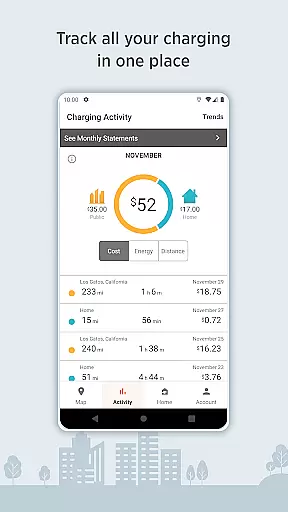
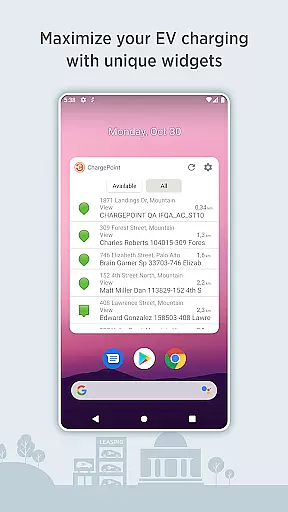
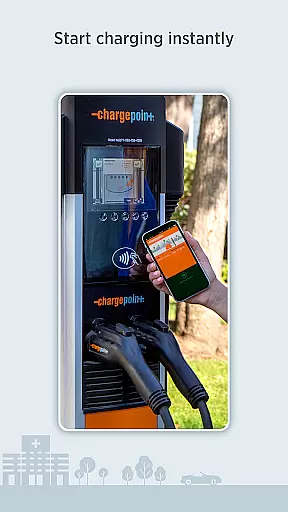
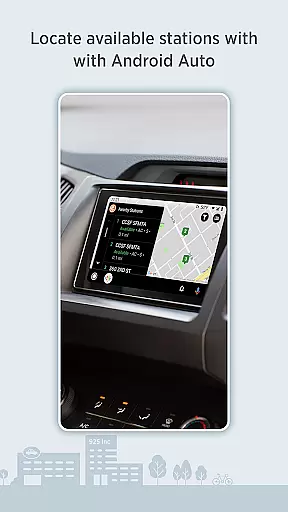
The app allows instant charging through Tap to charge or RFID cards, while also enabling users to track their complete charging activity including costs and miles added. It features convenient widgets, live updates on charging status, and integration with Wear OS by Google and Android Auto for an enhanced experience.
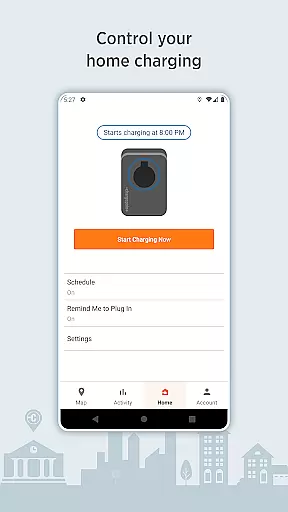
Whether you're charging at public stations or at home using ChargePoint Home Flex, this all-in-one solution lets you manage everything from a single platform. The app even supports virtual waitlists for reserving spots remotely, making it indispensable for modern EV drivers.
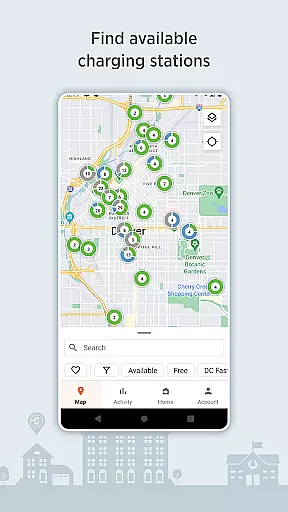
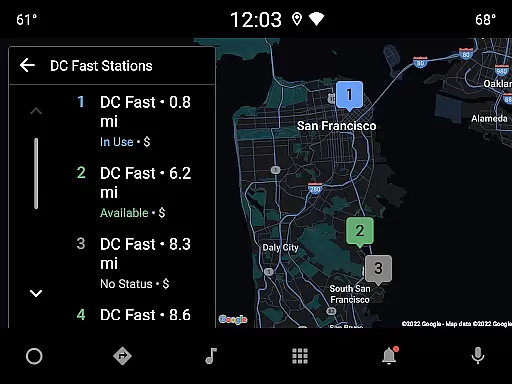
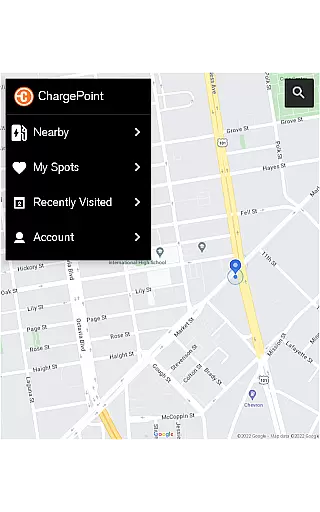
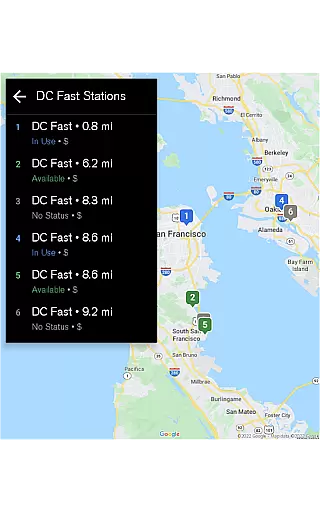
ChargePoint stands out with its comprehensive feature set tailored for EV drivers. The app provides real-time station availability through an intuitive map interface, allowing users to filter stations based on compatibility with their car and preferred charger type (AC or DC fast chargers).
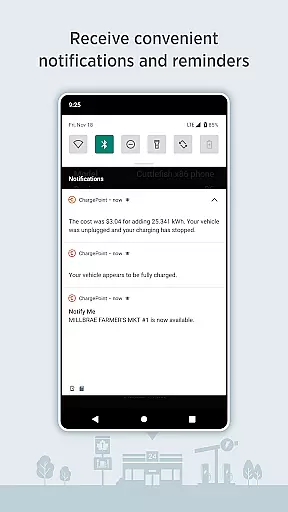
One of the key highlights is the ability to start charging instantly via Tap to charge functionality or RFID cards. Users can also track their charging history, receive live updates about station availability, and get notifications when their vehicle finishes charging or when costs are updated.
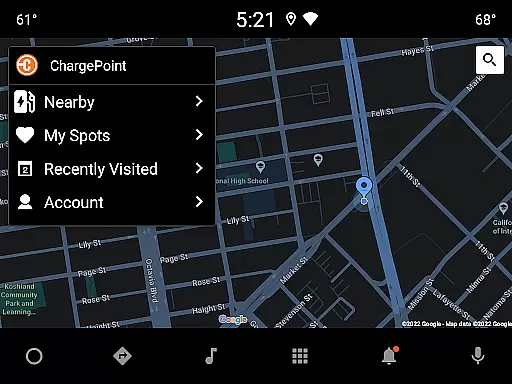
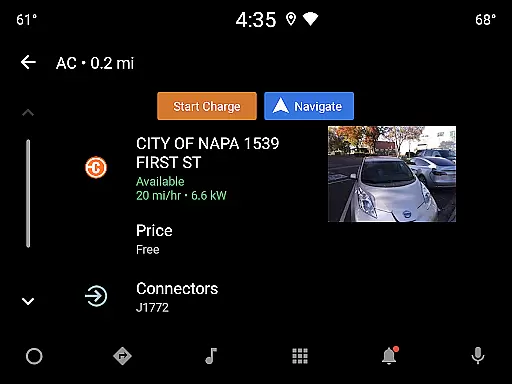
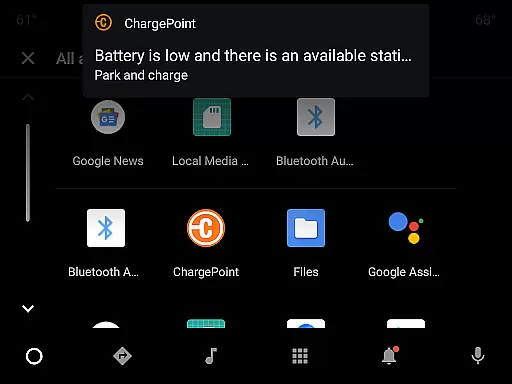
Additional premium features include widgets for quick access to nearby stations, integration with Wear OS by Google for tap-to-charge capabilities, and Android Auto support for easy navigation while driving. Driver tips and photos further enhance the user experience by providing valuable insights into individual charging locations.
Companion app integration is essential for a seamless user experience across multiple devices. The ChargePoint app excels in this area by offering comprehensive connectivity between smartphones and Wear OS by Google devices.
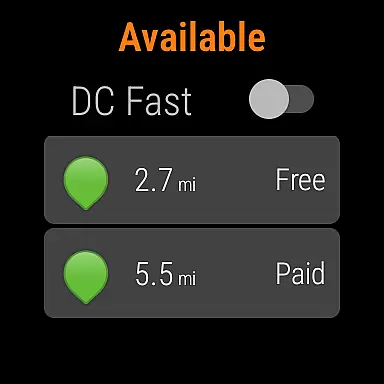
ChargePoint ensures that users can effortlessly transition from their mobile app to their wearable device without losing any functionality. This includes the ability to start charging instantly via 'Tap to charge' directly from a Wear OS device, providing unparalleled convenience.
The integration extends beyond just initiating charges; it allows users to view crucial information such as miles added to their EV's range directly on their smartwatch. This real-time data access enhances the overall user experience by keeping drivers informed at all times.
By prioritizing robust companion app integration, ChargePoint delivers a unified ecosystem where users can manage their EV charging needs efficiently, regardless of the device they are using. This interconnected approach not only simplifies daily operations but also enriches the user's interaction with the service.
Device compatibility is a cornerstone of modern app development, ensuring that applications function optimally across various platforms. For the ChargePoint app, compatibility with Wear OS by Google is a standout feature that significantly enhances its utility.
ChargePoint has meticulously designed its app to work seamlessly with Wear OS devices, allowing users to leverage advanced functionalities right from their wrists. This includes the ability to initiate charging sessions through simple tap gestures, streamlining the entire process.
Beyond just initiating charges, the app provides critical updates and information directly on the wearable interface. Users can easily monitor their EV's charging status, including real-time updates on miles added to their vehicleu2019s range, enhancing convenience and peace of mind.
This level of Wear OS/device compatibility underscores ChargePoint's commitment to delivering a versatile and user-friendly experience. By ensuring that their app integrates smoothly with wearable technology, ChargePoint caters to tech-savvy EV owners who demand flexibility and efficiency in managing their charging needs.
User-friendly interface
Extensive charging network
Real-time station updates
Convenient payment options
Advanced filtering tools
Limited offline functionality
Occasional connectivity issues
Premium feature subscription cost
Dependent on network coverage
Requires account setup

Current temperature, weather hourly, weather radar by the weather forecast app
 4.40
4.40
Easy Voice Recorder is your everyday companion to record important moments.
4.70
Fitness interactive virtual pet super fighter boy watch face
4.5
Your second brain for organizing your life: to-do, calendar, reminder.
4.70
The Chevron App allows you to pay for fuel from the comfort of your car!
4.80
Minimalistic design modern digital watch face.
4.4
Hybrid Vibrant Health Watch Face for Wear OS
4.5
Your local weather forecast, storm tracker, radar maps & live weather news
3.40
Download full tracks, listen to music offline, make unlimited playlists.
4.80
Beautiful, colorful and practical watch face. For Wear OS devices.
5.00
The most customizable minimal watch face. For Wear OS 5.0, API 34+ and later
4.70
Monitor health with the stress test and pulse checker in the heart rate app.
4.60
Real-time results, stats, schedules and player profiles for all leagues
4.60
Ideal for surviving in the wasteland left after nuclear fallout
4.50
Bold weather Digital watchface with forecast & optional animated background
4.40
Daily Weather forecast with 15 weather images for Day & Night plus Big Bold time
4.10
Artistic Digital Watchface
4.0
Sleek, highly customizable watch face inspired by Galaxy Watch Circle Dashboard.
4.3
Stylish digital watch face for Wear OS devices with customizable features
4.2


User Reviews