
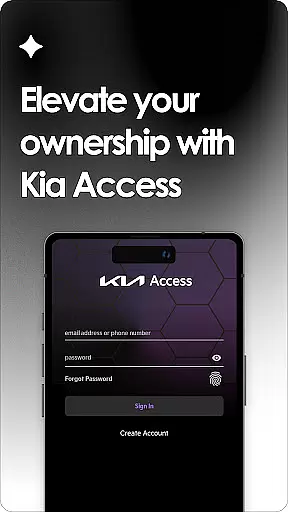
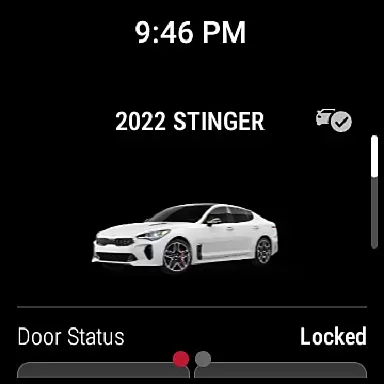
Kia Access is the official owner's application from Kia America, Inc., designed to provide users with seamless access to vehicle information and services. The app combines the benefits of the Kia Owner’s Portal with convenient features of Kia Connect (formerly UVO link), making it easier than ever to manage your vehicle directly from your smartphone or Wear OS device.
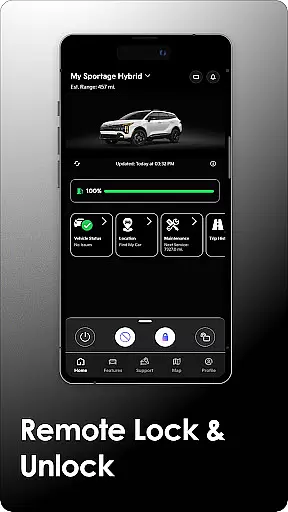
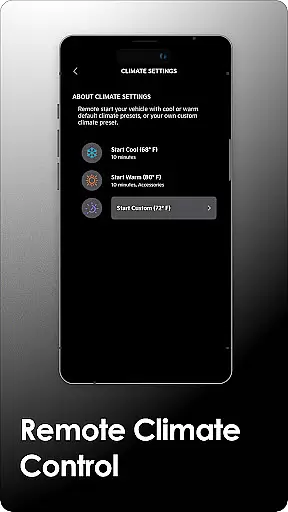
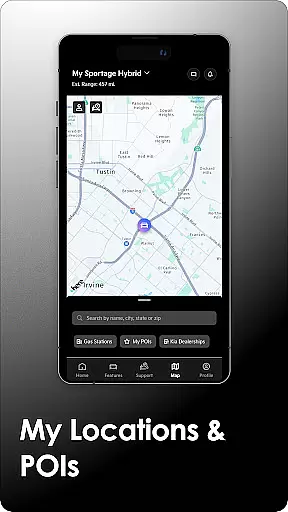
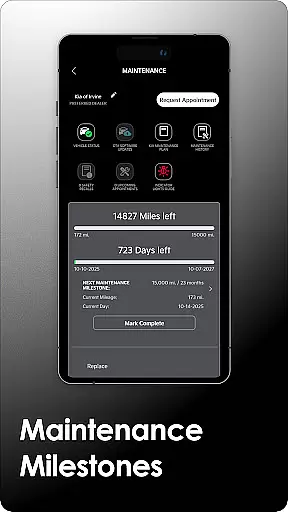
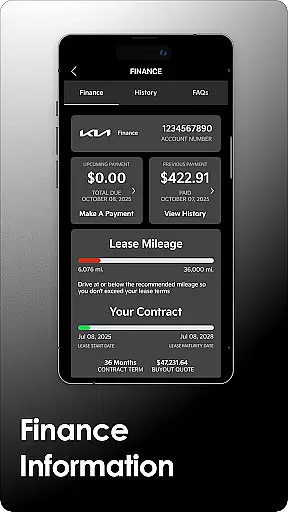
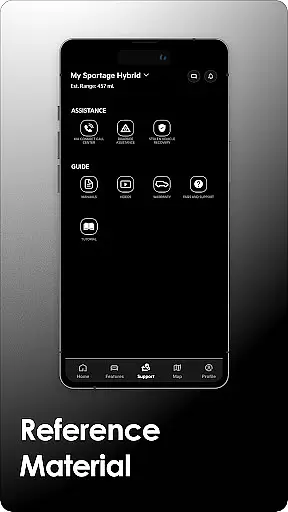
With Kia Access, users can view their Owner’s Manual, access quick guides, videos, warranty details, and check vehicle payment information if financed through Kia Motors Finance. For vehicles equipped with Kia Connect, additional remote features are available, including vehicle health reports, sending locations to the car's navigation system, remote door lock/unlock, and climate control settings. Plug-in hybrid and electric vehicles gain specialized functionalities like battery status checks, locating charging stations, and scheduling charging times.
This app is particularly beneficial for modern Kia vehicle owners who want to stay connected with their cars while on the go. It offers a comprehensive suite of tools that enhance convenience, safety, and vehicle management, ensuring users have all necessary information at their fingertips.
Kia Access boasts an array of innovative features tailored to enhance the vehicle ownership experience. One of its standout capabilities is the integration with Kia Connect, which allows users to remotely interact with their vehicles. This includes locking/unlocking doors, initiating horn and light commands, finding the car's location, and setting the cabin temperature—all accessible via the app.
For environmentally-conscious drivers, the app provides specialized support for plug-in hybrid and electric vehicles. Users can remotely check their vehicle's battery status, estimated driving range, locate nearby charging stations, and even schedule charging times. These features not only promote efficient energy use but also ensure that drivers are always informed about their vehicle's readiness for the road.
Additionally, Kia Access serves as a digital repository for essential documents such as the Owner’s Manual, maintenance guides, and warranty information. By consolidating these resources into one platform, the app simplifies vehicle management and empowers users to maintain their vehicles proactively. The inclusion of Wear OS compatibility further extends its usability, allowing users to access key features directly from their smartwatches.
Companion app integration is a crucial feature for users who want seamless connectivity between their smart devices. Kia Access excels in this area by offering a comprehensive link between your smartphone and Kia vehicle. The app consolidates essential vehicle information, remote control features, and maintenance alerts into one convenient platform.
The level of integration provided ensures that vehicle owners can access key functionalities such as locking/unlocking doors, initiating climate control, and even sending navigation destinations directly to their car's system. This interconnected ecosystem enhances the overall user experience by making vehicle management more intuitive and accessible.
For plug-in hybrid and electric vehicle owners, the app goes a step further by enabling battery status checks, driving range estimation, and charging station location services. These specialized features demonstrate how Kia Access transforms the traditional vehicle ownership experience into a modern, connected lifestyle solution.
Wear OS compatibility is an increasingly important aspect of modern mobile applications, allowing users to extend app functionality to their smartwatches. Kia Access embraces this technology by providing full support for Wear OS devices, ensuring that essential vehicle controls and information remain accessible even when you're away from your phone.
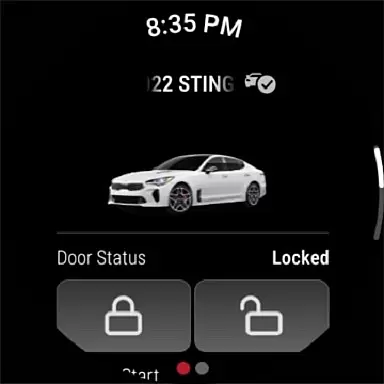
The implementation of Wear OS features maintains the same high standard of functionality found in the main application. Users can remotely lock/unlock their vehicle, activate horn and lights, and locate their car directly from their wrist-worn device. This level of accessibility significantly enhances convenience, especially in situations where handling a smartphone might be impractical.
Furthermore, the app's optimization for Wear OS demonstrates Kia's commitment to embracing current technologies and providing users with flexible control options. By extending core features to wearable devices, Kia Access ensures that vehicle owners maintain constant connection and control over their vehicles, regardless of which device they're using.
User-friendly interface
Comprehensive vehicle management
Remote access features
Specialized EV support
Wear OS compatibility
Limited to Kia vehicles
Subscription required
Dependent on cellular coverage
Varied feature availability
Regional restrictions

WTW M17 is a premium and luxurious hybrid watch face
 4.70
4.70
Wear Os Watch Face - Animated Snow Effect & Magic Spark - 6 Scenes
4.10
Watch face designed for Thanksgiving Day. 7 Background Styles included.
3.20
Digital, flexibly customizable watch face. For Wear OS 5.0, API 34+ and later.
5.00
Fitness interactive virtual pet super fighter boy watch face
4.4
Gym & home workout plans with strength training, exercise tracking, HIIT & more.
4.60
Stay in touch with your friends and family using LINE!
3.40
Retro digital watch face with customizable colors and a unique lighting effect
4.60
From periods to pregnancy & perimenopause, Flo helps you track it all. Try now.
4.70
A modern premium sporty hybrid watch face for Wear OS by Ballozi
4.70
To-Do List: daily schedule planner, task organizer, to do reminder app, calendar
4.60
Calming & relaxing sounds for sleeping and stress relief. Stay focused all day!
4.20
Embrace the festive spirit with our Christmas Countdown watchface for Wear OS
4.10
A digital watch face that celebrates Christmas.
4.00
Viewer for Wyze/Yi/Eufy/Arlo/ONVIF/RTSP/P2P IP cams w/ adv. features & DIY DVR
4.00
an Analog Watch Face for winter season with freeze winter background for Wear OS
4.5
Christmas is near, let's count together the days left until Santa comes
4.0
A Wintery Snow Globe on Your Wrist; now celebrating Christmas!
4.5
Hybrid Vibrant Health Watch Face for Wear OS
4.1


User Reviews