
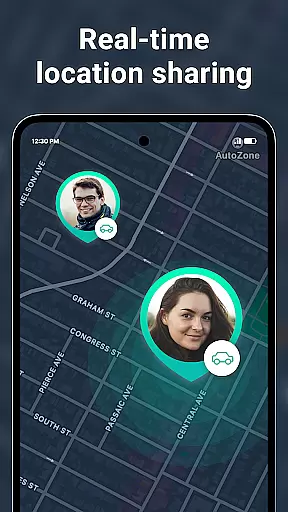
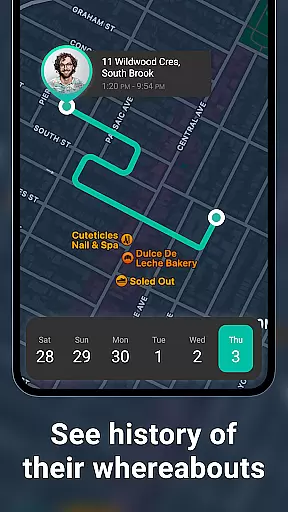
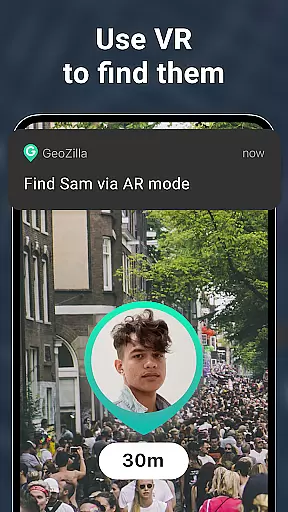

Geozilla is a comprehensive family safety application designed specifically for Android Wear devices, enabling real-time location sharing and emergency monitoring among trusted family members. The app's core functionality revolves around creating private family circles where members can securely share their live GPS locations, receive arrival/departure notifications, and access detailed location histories. What sets Geozilla apart is its robust implementation of privacy controls and transparent user consent mechanisms.
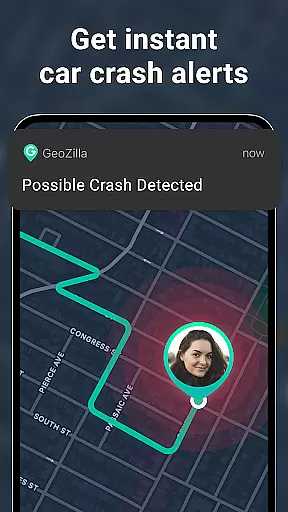
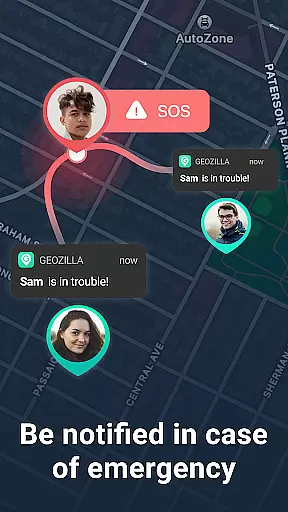
Beyond basic location tracking, Geozilla incorporates advanced safety features including driving behavior analysis, crash detection with automatic SOS alerts, and battery status monitoring. The application's compatibility with Wear OS smartwatches extends its utility, allowing users to manage location sharing directly from their wrist-worn devices. These features collectively provide families with peace of mind while maintaining strict adherence to privacy standards.
The app proves particularly valuable for modern families who need to maintain connection across distances while prioritizing safety and transparency. Whether it's parents monitoring their children's school commutes or adult children checking on elderly parents' well-being, Geozilla serves as a vital tool for maintaining family security without compromising individual privacy rights.
Geozilla distinguishes itself through its sophisticated feature set tailored for family safety and Android Wear integration. The real-time location tracking system operates seamlessly across both mobile devices and Wear OS watches, providing continuous monitoring capabilities that adapt to different usage scenarios. The app's geofencing technology enables precise boundary setting for various locations such as home, school, or workplace, triggering instant notifications when these zones are entered or exited.
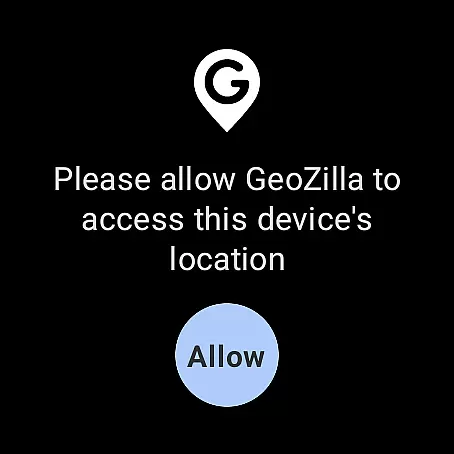
A notable innovation is the app's approach to privacy management. Each feature activation requires explicit user consent through multiple verification steps, ensuring complete transparency in data sharing. The driving insights module goes beyond simple location tracking by analyzing movement patterns to generate detailed safety reports. Additionally, the AR Finder and crash detection systems demonstrate the app's commitment to leveraging advanced technologies for enhanced family protection.
The implementation of background location services showcases technical excellence while maintaining power efficiency. Users benefit from comprehensive activity monitoring without significant battery drain, thanks to optimized algorithms that balance accuracy with resource consumption. This careful engineering makes Geozilla particularly suitable for extended use in family safety scenarios where reliability is crucial.
Companion app integration is essential for wearable devices to function seamlessly with smartphones. Geozilla excels in this area by ensuring that its Android Wear application works in harmony with its mobile counterpart.
Through the companion app, users can access all of Geozilla's core features directly from their smartwatch. This includes real-time location sharing, geofenced alerts, and even SOS notifications, which are crucial for maintaining family safety on the go.
The integration allows for effortless synchronization of data between the phone and watch. Whether it's receiving arrival and departure alerts or monitoring battery levels of loved ones, the information is consistently updated across devices.
This cohesive ecosystem ensures that no matter where you are, you have immediate access to your familyu2019s whereabouts and safety status, providing peace of mind at your wrist.
For an app designed to enhance family safety, compatibility with Wear OS and various devices is vital. Geozilla has been optimized to work with a range of Wear OS devices, ensuring broad accessibility for families invested in wearable technology.
The app supports not only smartphones but extends its functionality to smartwatches, allowing users to stay informed about their family members' locations without needing to check their phones constantly.
Geozilla's commitment to device compatibility means that whether you're using a newer model or an older version of Wear OS, the app maintains its performance and reliability across different hardware specifications.
By focusing on cross-device support, Geozilla guarantees that every family member can benefit from its safety features, regardless of the specific Wear OS device they own.
User-friendly interface
Real-time tracking
Privacy-focused design
Wear OS compatible
Emergency alerts
Premium features locked
Battery consumption
Limited free usage
Complex setup
Subscription required

Calming & relaxing sounds for sleeping and stress relief. Stay focused all day!
 4.20
4.20
Be an elegant and classy secret agent, with this carefully detailed watch face
4.70
Stylish digital watch face for Wear OS devices with customizable features
4.1
Kia Access makes getting your vehicle information easier than ever
4.60
Your second brain for organizing your life: to-do, calendar, reminder.
4.70
Gym & home workout plans with strength training, exercise tracking, HIIT & more.
4.60
Get helpful reminders, take progress photos and find answers to your questions.
3.90
A realistic hybrid watch face with many customization options.
4.60
Start and succeed with PAP
4.10
Christmas Theme Watch Face for Wear Os
5.00
Digital, flexibly customizable watch face. For Wear OS 5.0, API 34+ and later.
5.00
Embrace the holiday spirit with this magical animated watch face!
4.40
Current temperature, weather hourly, weather radar by the weather forecast app
4.40
Digital watch face with big numbers and many customization for Wear OS devices
4.40
Hyper-Realistic Airplane Dashboard Watch Face With 10 Skins and Custom AOD
4.00
A digital watch face that celebrates Christmas.
4.00
Professional weather radar and more
3.90
Your local weather forecast, storm tracker, radar maps & live weather news
3.40
Wear Os Watch Face - Animated Snow - Sesonal for Christmas & Winter
4.0


User Reviews