

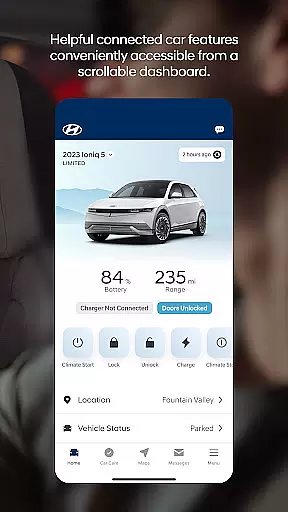
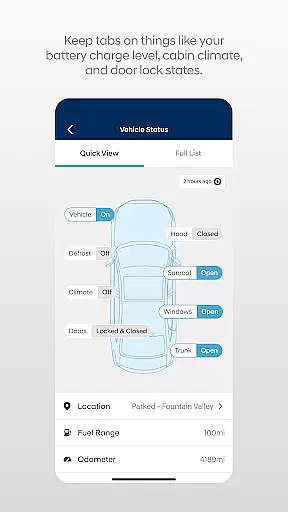

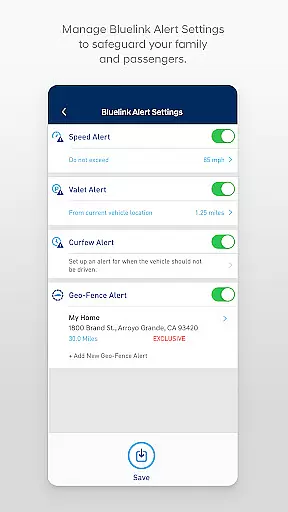
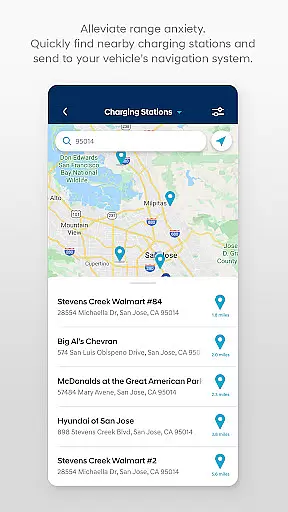
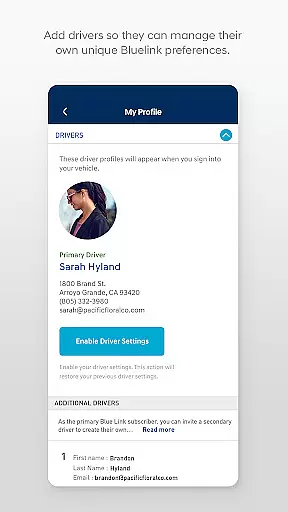
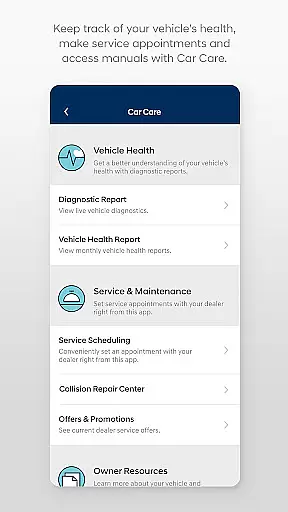
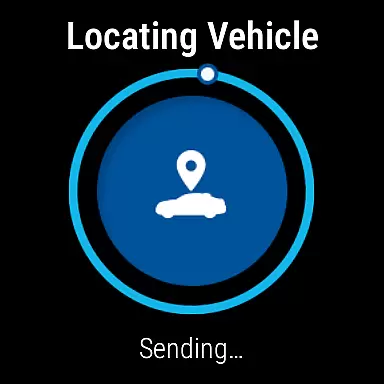
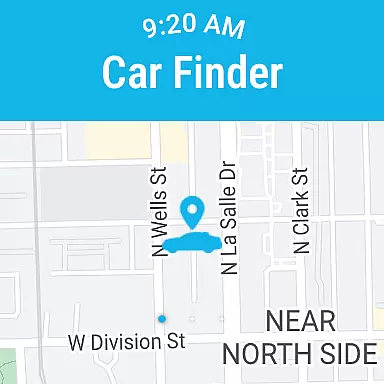
MyHyundai with Bluelink is a comprehensive vehicle management app designed specifically for Hyundai car owners. The application allows users to remotely interact with their Bluelink-enabled vehicles, providing unprecedented convenience and control. Core functionalities include remote start, door lock/unlock, horn and light activation, and vehicle finder features. Additionally, the app offers maintenance scheduling, charging management for electric vehicles, and Point of Interest search capabilities.
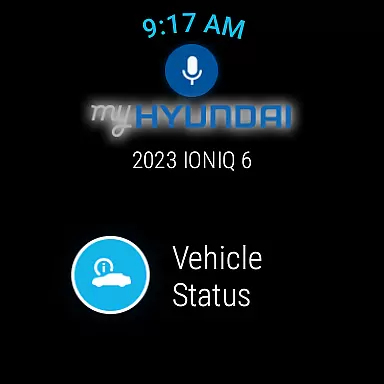
The app's integration with Wear OS smartwatches extends its functionality, enabling voice command support and quick access to essential features through wearable devices. With biometric authentication and widget support, MyHyundai delivers a seamless user experience across multiple devices. These features collectively help Hyundai owners maintain better control over their vehicles while simplifying routine maintenance tasks and enhancing overall ownership experience.
MyHyundai with Bluelink distinguishes itself through its extensive feature set tailored for modern vehicle owners. The app's remote vehicle management capabilities are particularly noteworthy, allowing users to start their engine, lock/unlock doors, and activate horn and lights from anywhere. For electric and hybrid vehicle owners, the app provides detailed charging management tools including schedule customization and status monitoring.
A key innovation is the app's integration with Wear OS smartwatches, which enables hands-free operation of critical functions through voice commands. The implementation of biometric authentication enhances security while streamlining the login process. Additional features like saved POI history, maintenance tracking, and customer care access demonstrate the app's commitment to comprehensive vehicle management. These capabilities collectively create a robust ecosystem that empowers drivers to maintain optimal control over their Hyundai vehicles.
Companion app integration is a crucial feature for wearable devices, ensuring seamless connectivity between the smartphone and wearable. The MyHyundai app offers robust companion app support for Wear OS, allowing users to access essential vehicle controls directly from their smartwatches.
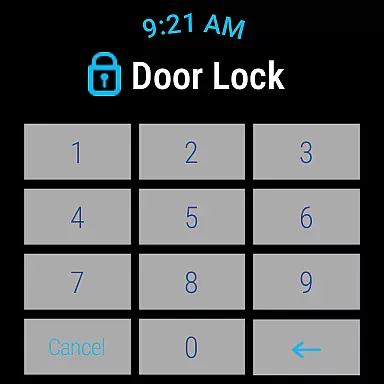
This integration enables key functionalities such as remote start, door lock/unlock, and horn and lights activation, all accessible through voice commands or smartwatch menus. By extending these capabilities to wearable devices, users experience enhanced convenience without needing to reach for their phones.
The benefit of this seamless integration is significant, particularly for users who spend time away from their phones but still wish to maintain control over their vehicles. Whether you're in a meeting or exercising, you can easily activate critical vehicle functions with just a few taps on your smartwatch.
Ultimately, the MyHyundai app's companion app integration exemplifies how modern applications can bridge multiple devices, creating a cohesive ecosystem that enhances user accessibility and convenience.
Device compatibility is vital for apps supporting wearable technology, ensuring they function correctly across various devices and operating systems. The MyHyundai app excels in Wear OS compatibility, providing users with consistent performance and reliable access to vehicle features.
This app supports a range of Wear OS smartwatches, enabling users to utilize voice commands and menu options to manage their vehicles. Key features like remote start, door lock/unlock, and vehicle location are readily available, maintaining the same level of functionality as the smartphone app.
For users, this compatibility means freedom and flexibility. You can choose from a variety of Wear OS devices while enjoying uninterrupted access to essential vehicle controls. This adaptability ensures that no matter what Wear OS device you own, the MyHyundai app will deliver a dependable experience.
In summary, the MyHyundai app's commitment to Wear OS/device compatibility highlights its dedication to delivering versatile and reliable solutions for managing Hyundai vehicles through wearable technology.
User-friendly interface
Comprehensive vehicle control
Biometric authentication
Wear OS integration
Electric vehicle support
Subscription required
Limited vehicle compatibility
Feature restrictions
Device permissions needed
Premium feature costs

Walking app for weight loss: walk & step tracker, pedometer, indoor treadmill
 4.60
4.60
WTW M17 is a premium and luxurious hybrid watch face
4.70
Precision analog watch face with 7 complications and style options
4.2
Analog watch face with 8 complications and expedition styling
4.2
The most customizable minimal watch face. For Wear OS 5.0, API 34+ and later
4.70
Stay in touch with your friends and family using LINE!
3.40
Track your active life in one place and share the journey with friends.
4.40
Fitbit is dedicated to helping people lead healthier, more active lives.
4.10
Control your Samsung Smart TVs, appliances, and SmartThings-compatible devices
4.60
Beautiful, colorful and practical watch face. For Wear OS devices.
5.00
Easy Voice Recorder is your everyday companion to record important moments.
4.70
Highly customizable hybrid watch face for Wear OS, perfect for everyday use.
4.60
Christmas watch face. For Wear OS devices.
4.30
Calming & relaxing sounds for sleeping and stress relief. Stay focused all day!
4.20
A watch face that fuses motorsport precision with contemporary smartwatch design
4.2
Artistic Digital Watchface
4.4
3 Complications. All shadow on/off. 30 Themes color palette...
4.1
Minimalistic design modern digital watch face.
4.2
Hybrid Vibrant Health Watch Face for Wear OS
4.3


User Reviews