
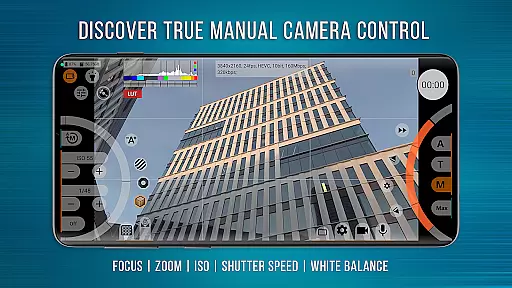
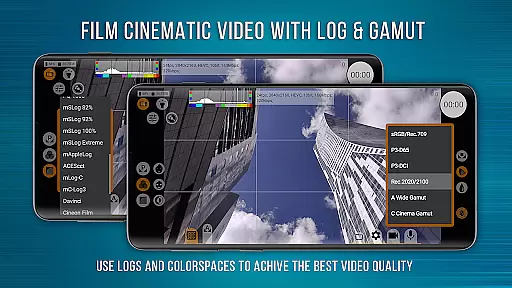
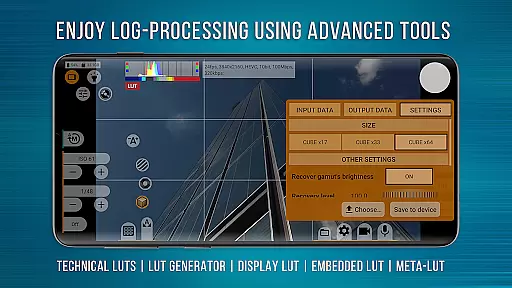
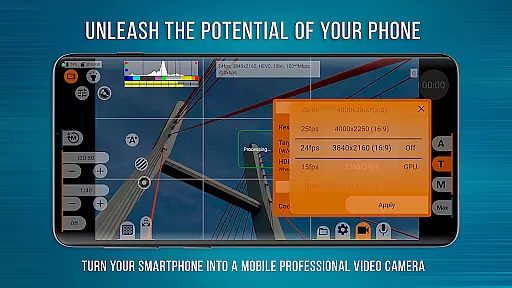
mcpro24fps Manual Video Camera represents the pinnacle of professional mobile videography on Android devices. Designed for advanced users, this app transforms your smartphone into a powerful cinema-grade camera. It offers an extensive suite of features previously exclusive to professional camcorders, including 10-bit shooting, Log video recording without GPU activation, and multiple Log modes for diverse scenarios.
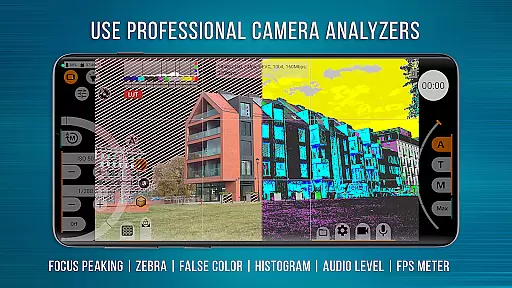
The application provides precise control over every aspect of video production. From Focus Peaking and Expo Peaking for complete frame management to Spectral and Zebra tools for effortless exposure adjustments, mcpro24fps ensures you have all the tools needed for professional-grade filming. Its compatibility with external lenses and programmable focus-zoom functions make it ideal for capturing cinematic masterpieces directly from your phone.
With its robust feature set, mcpro24fps is suitable for videographers working on festival films, music videos, live reports, and commercials. The app's ability to maximize the technical capabilities of Android smartphones makes it an indispensable tool for realizing creative visions in video format.
One of mcpro24fps Manual Video Camera's standout characteristics is its comprehensive feature set tailored for professional videography. The app supports 10-bit video shooting with HLG/HDR10 HDR capabilities, allowing videographers to capture high dynamic range footage on compatible devices. Additionally, it enables recording in Log profiles without engaging the GPU, mimicking professional-grade cameras.
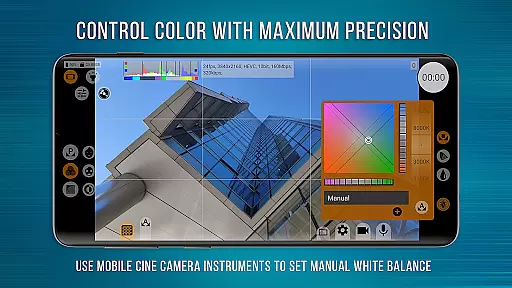
The app includes numerous specialized tools that enhance the filming experience. Users can take advantage of technical LUTs for seamless post-production interpretation of Log footage, on-screen LUTs for accurate framing during shoots, and advanced white balance settings in Kelvins. These features ensure precise color grading and natural-looking images even under challenging lighting conditions.
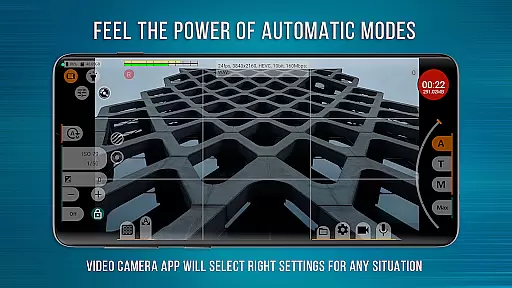
Another remarkable aspect is mcpro24fps's flexible audio handling and extensive use of GPU resources. The responsive interface allows smooth operation while providing reliable automatic modes alongside convenient manual settings. This combination empowers videographers to achieve their desired results efficiently, whether they're shooting documentaries or commercial projects.
Real-time capture and preview functionality is essential for any professional-grade camera application. mcpro24fps offers a responsive interface that ensures videographers can accurately frame and adjust their shots with minimal latency. This feature provides users with the ability to see exactly how their final footage will look while they are filming.
The app supports advanced video settings such as shooting in 10-bit, HLG/HDR10 HDR video, and recording in Log without turning on the GPU. These capabilities allow videographers to achieve cinema-quality visuals directly from their smartphones. The inclusion of technical LUTs further enhances post-production processes by enabling seamless interpretation of Log footage.
For precise control over framing during shoots, mcpro24fps includes features like Focus Peaking, Expo Peaking, Spectral, and Zebra tools. These assist users in managing exposure and focus effectively, ensuring every shot meets professional standards. With these tools at hand, creators can produce visually stunning content with confidence.
While primarily focused on professional video capabilities, mcpro24fps also incorporates AI-driven enhancements that maintain natural beauty in captured footage. Advanced GPU resources enable image adjustments through additional filters, providing subtle enhancements without compromising authenticity. This balance between enhancement and realism ensures that videos retain their original artistic intent.
The application's support for various resolutions and codecs (AVC h264 and HEVC h265) allows videographers to choose the best format for their projects. Additionally, options for optical and digital video stabilization help reduce shakiness, delivering smooth, professional-grade footage. Such features contribute significantly to enhancing overall video quality while preserving natural aesthetics.
Sound plays an equally important role; mcpro24fps offers flexible audio settings including different sampling rates and formats (AAC up to 510 kb/s and WAV). By integrating high-quality sound with enhanced visuals, this app empowers creators to deliver comprehensive sensory experiences that captivate audiences naturally and engagingly.
Advanced video settings
Professional Log modes
Precise focus control
Extensive LUT support
High-quality audio options
Complex for beginners
Device compatibility issues
High battery consumption
Expensive purchase price
Requires Camera2 API

Find time and duration of different sunlight phases at any location
 4.90
4.90
Turn your phone into a professional camera - full DSLR manual photography
4.30
Future baby face generator: AI kids generator, kid face! What my baby look like?
4.40
GCamera allows all GCam features on all phone models! Better photos with GCamera
3.30
See your baby AI baby face generator AI baby maker Face generator babymaker fun!
4.70
Professional quality photo edits with the new Snapseed.
4.00
Smart, light, and fast photo and video gallery
4.30
Use AI Video Generator to turn your words to ai generated videos.
4.50
RAW video capture with advanced controls
4.40
Cartoon and artistic effects for your photos and videos
4.70
Easily view, share, delete photos with Gallery.
4.70
Light-weight Media Gallery app for Android made with Jetpack Compose
4.60
Unblur, enhance & restore photos with powerful AI photo enhancer tools.
4.60
Cut and paste photo editor & eraser to customize photos easy and swap faces fun
4.50
Photo editor & gallery. Crop pictures & edit photos offline, no wifi!
4.50
Fit multiple photos on one post. Create carousels & scroll layouts for Instagram
4.50
How would you look like with a differently shaped nose, chin or lips?
3.90
USB Storage Access for Photos, Videos, Music and Documents
3.80
Long exposure camera with computational photography
2.60


User Reviews