
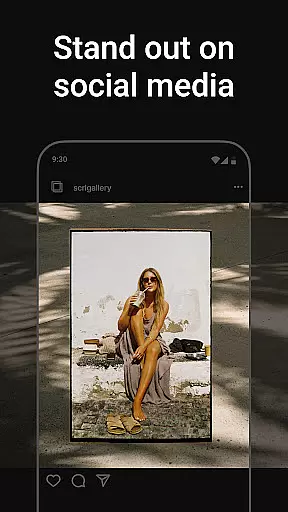
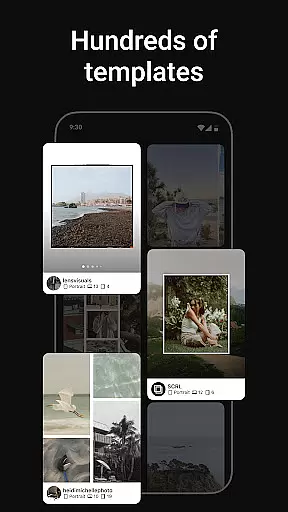
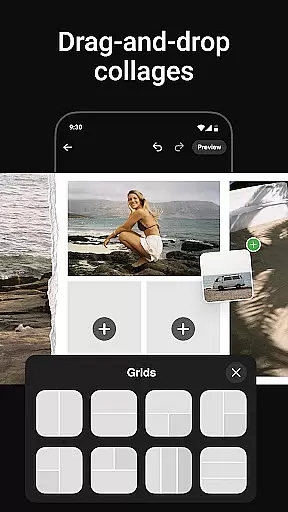
Photo Collage Maker by SCRL is the leading app for creating unique photo collages and seamless Instagram carousels. Designed for influencers, artists, and photography enthusiasts, this app offers a comprehensive suite of tools to make your social media posts stand out. With hundreds of hand-picked templates, you can create collages for various occasions, from travel memories to weddings.
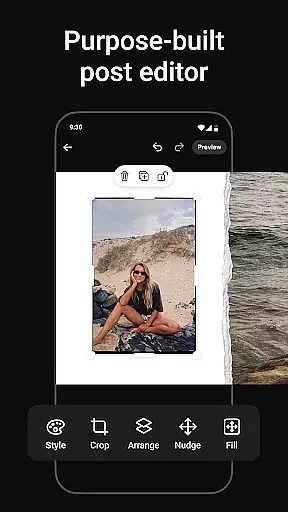
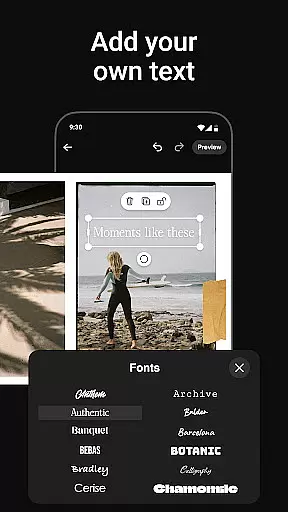
The app also excels in crafting swipe-through carousel posts that captivate audiences on Instagram. Its intuitive design tools allow effortless merging of photos into panoramic layouts, ensuring smooth transitions between images. Additionally, the freeform canvas feature provides ultimate creativity, enabling users to zoom in and out while combining images, stickers, overlays, and text to reflect personal style.
With instant posting capabilities to Instagram, SCRL streamlines the sharing process, eliminating extra steps like saving and re-uploading. For advanced features, SCRL Premium unlocks all templates, additional design tools, and exclusive functionalities such as gradient backgrounds and video integration. Trusted by Grammy Award-winning artists and major festivals, Photo Collage Maker is your go-to solution for stunning social media visuals.
Photo Collage Maker stands out with its rich set of features tailored for creative expression. The app offers an exceptional collage maker equipped with hundreds of professionally designed templates. Each template is carefully curated by design experts to ensure high quality and versatility, catering to different styles and occasions. Regular updates bring fresh options, keeping your designs innovative and engaging.
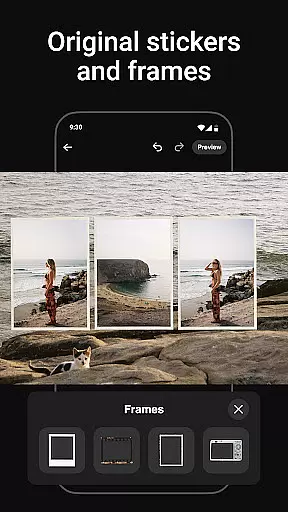
A key highlight is the seamless creation of swipe-through Instagram carousel posts. This functionality allows users to merge multiple photos into captivating layouts where transitions between images feel natural. The app also supports adding more than 10 photos in a single post, breaking traditional limitations and offering more room for storytelling. Furthermore, the extensive library of stickers and overlays enhances collages with fun details, transforming simple projects into polished, professional-looking posts.
For those seeking advanced capabilities, SCRL Premium provides access to exclusive features like gradient backgrounds and video integration. These tools empower users to craft standout collages and carousels consistently. Whether you're a casual user or a professional designer, Photo Collage Maker delivers everything needed to produce visually appealing content effortlessly.
Real-time capture and preview functionality is essential for ensuring that every photo collage or carousel post created with Photo Collage Maker meets your expectations before sharing. This feature allows users to see exactly how their final design will look, making it easier to make adjustments on the fly.
The app provides a seamless experience by enabling instant previews of any changes made during the editing process. Whether you're resizing images, applying filters, or adding stickers, the real-time preview ensures that all modifications appear as intended, maintaining the quality and aesthetic appeal of your creations.
With this capability, users can perfect their designs with confidence, knowing that what they see in the preview is precisely what will be posted. This not only saves time but also enhances creativity, allowing users to experiment with different layouts and styles without the fear of unexpected results.
Ultimately, the real-time capture and preview feature empowers users to produce professional-quality collages and carousels that captivate their audience, ensuring that every post stands out on platforms like Instagram.
AI beauty and enhancement features in Photo Collage Maker offer a natural touch to your photo edits, ensuring that every image looks its best without appearing overly processed. This technology intelligently applies enhancements that preserve the authenticity of the original photos while subtly improving their overall appearance.
The AI-driven tools analyze each image to identify areas for improvement, such as brightness, contrast, and color balance, applying adjustments that enhance the photo's natural beauty. Additionally, the app includes options for skin smoothing and blemish removal, which are executed with precision to maintain a realistic look.
Users benefit from these enhancements by achieving polished yet genuine-looking results. The AI ensures that edits are applied uniformly across all images within a collage or carousel, creating a cohesive and professional presentation. This attention to detail helps elevate the visual storytelling aspect of social media posts.
By leveraging AI beauty and enhancement features, Photo Collage Maker enables creators to produce stunning visuals that resonate with their audience, reinforcing the app's reputation as a top choice for crafting engaging Instagram content.
User-friendly interface
Extensive template library
Instant Instagram posting
Creative freeform canvas
Premium upgrade options
Limited free features
Premium subscription cost
Occasional bugs
Learning curve for new users
Heavy app size

Add Watermark - Sign your pictures with a text or logo. Effective, quick, easy!
 4.50
4.50
1M influencer's special filter
4.60
Photobooth mini FULL app will allow you to add more fun to your parties
4.00
Over 800 film simulation recipes for Fujifilm. Black Friday Offer!
4.2
Create amazing frames with up to five photos. Rounded corners, effects and more!
3.60
See your baby AI baby face generator AI baby maker Face generator babymaker fun!
4.70
Luminar: Photo Editor - easy picture editing with AI
4.20
Collage your moments in one tap: 1000+ layouts, filters, stickers, and texts.
4.90
Edit photos with the picture generator: PS2 & AI Clay filters, cartoon effects.
4.50
Photo prints, cards, & gifts at Walgreens. Easy ordering & fast local pickup !
4.80
HD Camera Pro with HD Video shooting, Panorama, Photo editor , Beauty Camera.
4.50
AI portrait generator and polaroid AI selfie, fun AI generated AI photo creator!
4.30
Turn your phone into a professional camera - full DSLR manual photography
4.30
Create & Edit with AI: AI Remove, Enhance, Retouch, Filter
4.10
Catch sunlight, sunrise sunset times and sun phases with the AR sun tracker.
4.10
live datamoshing
4.00
Gallery Slideshow is slideshow maker app for slideshow from your gallery photos.
3.90
USB Storage Access for Photos, Videos, Music and Documents
3.80
GCamera allows all GCam features on all phone models! Better photos with GCamera
3.30


User Reviews