
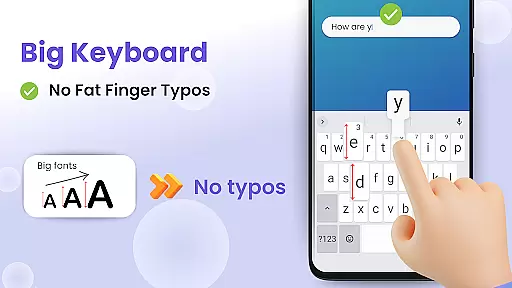
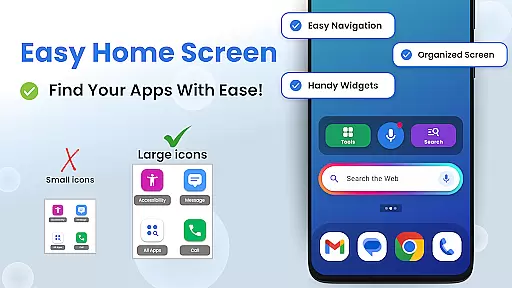
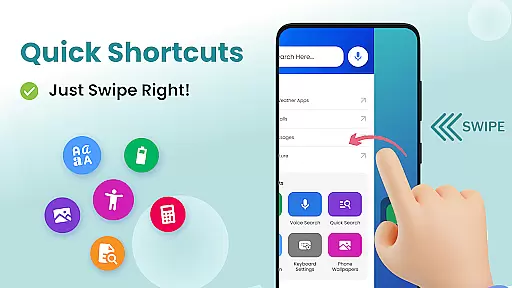

Big Keyboard: Easy Homescreen is a personalization app designed to enhance your smartphone experience through an intuitive home screen layout and practical tools. The app features a new home screen design with quick-swipe shortcuts, making it easier to access your favorite functions. Its standout feature is the enlarged keyboard, which can be up to 70% larger than the standard keyboard, significantly reducing typos and improving typing efficiency.
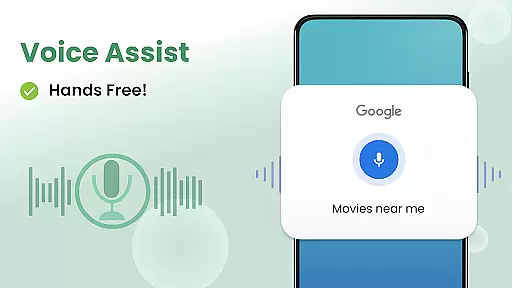
In addition to its big keyboard, the app offers hands-free voice assistance powered by Yahoo for smarter searches, a magnifier tool for reading small text, and customizable wallpapers to personalize your device. These features are particularly beneficial for users who struggle with small fonts or need accessibility options, ensuring that everyone can use their phone more comfortably and efficiently.
The app's combination of functional tools and aesthetic customization makes it ideal for users looking to simplify their phone interactions while also adding a personal touch. Whether you're typing messages, searching the web, or reading menus in low-light environments, Big Keyboard: Easy Homescreen provides a comprehensive solution to make your smartphone experience more enjoyable and accessible.
Big Keyboard: Easy Homescreen stands out with its array of innovative features tailored to improve user interaction. One of its key features is the enlarged keyboard, which can be adjusted up to 70% larger than the default size, allowing users to type with greater accuracy and speed. This feature is especially useful for those who find small keyboards challenging, as it minimizes errors and enhances overall typing comfort.
Another notable feature is the hands-free voice assistant, which enables users to perform searches without needing to type. Powered by Yahoo, this tool delivers quick and relevant search results, making information retrieval effortless. Additionally, the app includes a magnifier and flashlight function, perfect for reading small print in dimly lit environments like restaurants. These practical tools ensure that users can interact with their surroundings more effectively.
Customization is also at the heart of Big Keyboard: Easy Homescreen. Users can personalize their phone backgrounds with free wallpaper options, giving their devices a unique look while maintaining functionality. The app's intuitive home screen layout further simplifies navigation by providing easy access to frequently used features, thus streamlining the overall user experience.
Customization is at the heart of personalizing your smartphone experience, and Big Keyboard offers a range of options to tailor your device to your needs. With features like an intuitive home screen layout, you can enjoy quick access to your favorite tools and shortcuts without the hassle of navigating through cluttered menus.
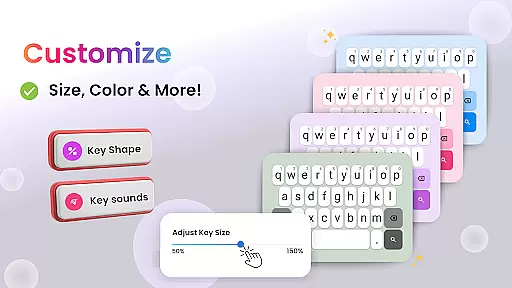
The app provides users with the ability to adjust keyboard size up to 70% larger than the default, ensuring that typing is not only easier but also free from common errors associated with smaller keys. This flexibility in customization extends to visual preferences as well, where users can select from built-in free wallpaper options to give their phone a personal touch.
Moreover, accessibility settings are readily available, allowing individuals to modify display configurations for enhanced comfort and usability. These comprehensive customization features ensure that every user can create an environment on their device that feels both familiar and accommodating.
By offering these diverse customization options, Big Keyboard empowers users to make their smartphones truly their own, enhancing daily interactions with technology by aligning it closely with individual lifestyles and requirements.
Theme compatibility is crucial for users who wish to maintain a consistent look and feel across their smartphone interface, and Big Keyboard excels in this area. The app supports various themes which allows users to seamlessly integrate the keyboard's appearance with other elements of their deviceu2019s aesthetic, creating a unified visual experience.
With Big Keyboard, you're not limited to just one style; instead, you have the freedom to choose from different themes that match your personal taste or mood. Whether you prefer vibrant colors or sleek monochrome designs, the theme options within Big Keyboard cater to all preferences while maintaining harmony with your overall system design.
In addition to its versatile theming capabilities, Big Keyboard ensures that each theme is optimized for readability and ease of use. This means no matter which theme you select, text clarity and button visibility remain uncompromised, providing both form and function.
Ultimately, Big Keyboardu2019s commitment to theme compatibility enhances user satisfaction by delivering a cohesive and visually pleasing interface that complements the personalized nature of today's mobile devices.
User-friendly interface
Enhanced typing accuracy
Voice-assisted search
Magnifier functionality
Customizable wallpapers
Limited design options
Potential performance issues
Occasional ads
No advanced settings
Basic widget support

Stunningly Different look with Line Icons and Neon Colors
 4.60
4.60
A retro cartoon style watch face and a punch right in the face of the copyright
4.60
Personalize your phone with stunning HD and 4K wallpapers!
4.70
Transfer your live wallpapers from Windows to Android using Wallpaper Engine!
4.00 4.50
4.50 4.10
4.10
Embrace the Night. Unleash the power of darkness with Raven Dark Icon Pack
4.60
Unleash Your Creativity and Connect with Loved Ones with Lockscreen Drawing!
4.20
Create unique, fun emojis with Funny Emoji Maker! Unlimited creativity!
4.00
400+ Beautifully crafted widgets inspired by NOTHING.
4.70
Over 28,000 high quality icons to bring color & homogeneity to your phone.
4.60
Icons made of colorful linear lines
4.60
300+ Beautifully crafted widgets inspired by OneUI.
4.60
Beautiful realistic hybrid watch face with numerous customization options.
4.50
Run multiple accounts of the same app on a single device
4.10
Realistic animated snow on your wrist, with 10 images landscapes to choose from
4.00
Ultimate widget creator. Design custom widgets for a truly unique home screen!
3.90
Adaptive Dot Style IconPack with Light & Dark Theme.
3.70
Custom edge gestures for volume control, brightness, apps, and shortcuts.
4.2


User Reviews