
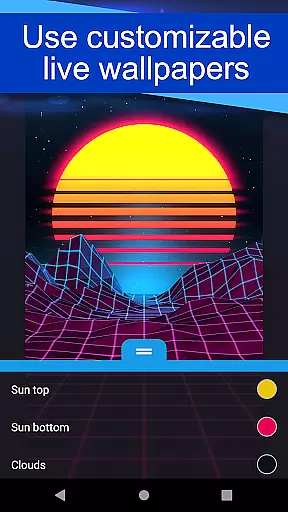
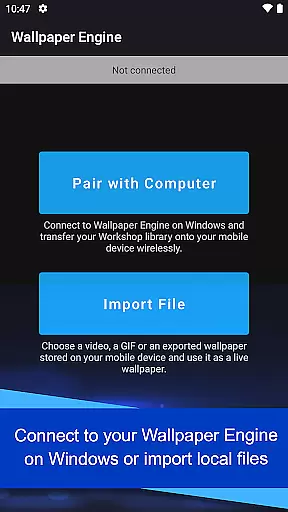
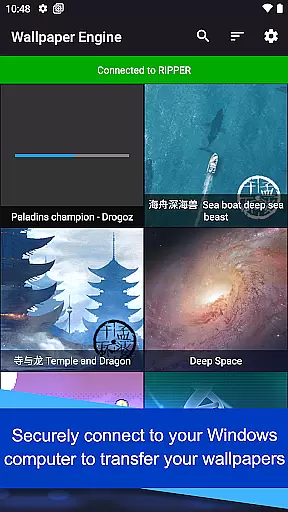
Wallpaper Engine is a personalization app designed to bring your live wallpapers from Windows to Android devices. It allows users to seamlessly transfer their existing collection of animated wallpapers or import local videos and GIFs for use as dynamic backgrounds. The app supports various formats including videos, GIFs, and interactive 2D/3D scenes, offering extensive customization options.
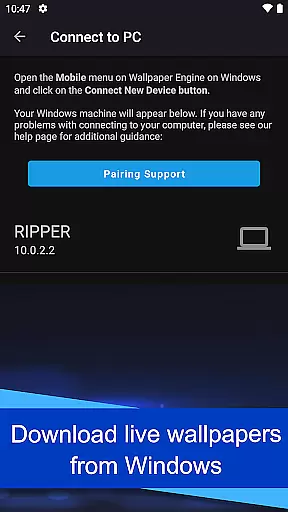
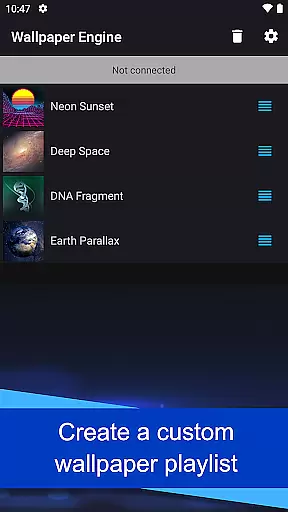
A key feature is the ability to connect with Wallpaper Engine on Windows, enabling direct library transfer. Users can create playlists that cycle wallpapers automatically based on time intervals or time of day. With its ad-free design and privacy-conscious approach, Wallpaper Engine ensures an uninterrupted and secure user experience while enhancing device aesthetics.
Wallpaper Engine stands out with its versatile support for different media types as wallpapers, including videos, GIFs, and interactive scenes. The app's seamless integration with its Windows counterpart allows effortless synchronization of wallpaper libraries between desktop and mobile devices. This makes it easy for users to access their favorite wallpapers across platforms.
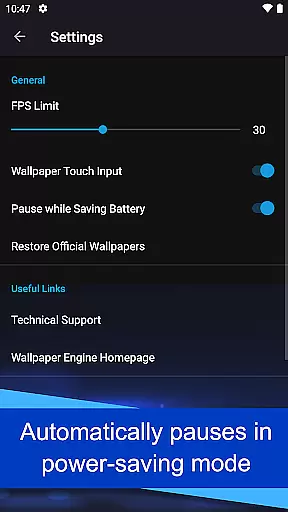
Customization is at the core of Wallpaper Engine's functionality. Users can personalize the appearance and behavior of wallpapers, set up automated playlists, and control playback settings. The app also intelligently pauses wallpapers during power-saving mode, optimizing battery usage without compromising on style. Its ad-free and non-intrusive design further enhances the overall user experience.
Wallpaper Engine offers a diverse range of customization options that allow users to tailor their wallpapers to their personal preferences. The app supports various formats, including videos, GIFs, and interactive 2D/3D scenes, providing a rich selection for users to choose from.
One of the standout features is the ability to connect with the Windows version of Wallpaper Engine. This integration enables users to transfer their existing desktop wallpaper library directly to their mobile devices, ensuring a seamless transition and access to a personalized collection of wallpapers.
In addition to importing wallpapers, the app also allows users to customize the look and feel of each wallpaper. This means you can adjust settings to match your personal style, making your device truly unique. Such extensive customization ensures that your phone reflects your personality and mood.
The flexibility in setting up playlists for wallpapers adds another layer of personalization. Users can configure playlists to automatically cycle through wallpapers at regular intervals or based on the time of day, offering a dynamic and ever-changing visual experience.
Theme compatibility is a crucial aspect of the Wallpaper Engine app, ensuring that all wallpapers function seamlessly across different devices and screen sizes. The app is designed to support a wide array of themes, making it versatile and adaptable to various user preferences and device specifications.
By supporting multiple formats such as videos, GIFs, and interactive scenes, Wallpaper Engine guarantees that users can enjoy a consistent experience regardless of the type of content they choose. This versatility ensures that whether you prefer static images or dynamic scenes, the app maintains high performance and visual quality.
Another significant advantage is the automatic pausing of wallpapers when the device enters power-saving mode. This feature not only preserves battery life but also ensures that the app remains compatible with the device's operational settings, providing a hassle-free experience.
Furthermore, the app is completely ad-free and does not track user behavior, enhancing its compatibility with privacy-conscious themes and user expectations. This commitment to privacy and unobtrusiveness makes Wallpaper Engine a reliable choice for those seeking a customizable and theme-compatible wallpaper solution.
User-friendly interface
Wide format compatibility
Seamless cross-platform sync
Highly customizable options
Privacy-focused design
Limited to Android
Requires Windows version
No iOS support
Resource-intensive
Paid application

Glass style colourful icons with a One UI look and feel
 4.60
4.60
Wear Os Watch Face - Seasonal - Animated Snow Effect - 9 Animals
4.20
Fingerprint Lock Screen & Live Animations with 4K Wallpapers as Live Wallpaper
4.40
Make your phone look simple & luxury, like iDevice
4.60
Customize your home screen with stunning themes, blur, widgets & icons.
4.60
Icons made of colorful linear lines
4.60
Create unique, fun emojis with Funny Emoji Maker! Unlimited creativity!
4.00
Enjoy a variety of amazing live wallpapers and colorful EDGE lighting borders!
4.80
Install amazing sticker packs: endless styles, always cool.
4.70
Dark icon pack based on One 8
4.80
100+ Stylish Fonts, Emojis, Symbols keyboard for Instagram & TikTok!
4.80
350+ widgets with a premium glass-style finish, perfect for home & lock screens.
4.70
Add cute Shimeji pets to screen, interact with them and relax with cute motions
4.60
Vibrant Adaptive Icons with Material You and Enhanced Monet Colors.
4.50
Yandex Browser — stylish and secure, with voice search and data compression
4.40
A light in the dark, a unique style and an andless cutomization!
4.30
Your home screen, just the way you like it.
4.30
Organize and manage your photos and videos effortlessly with Photo Gallery
4.20
Transform your phone with stunning video wallpapers and a unique, personal touch
3.80


User Reviews