
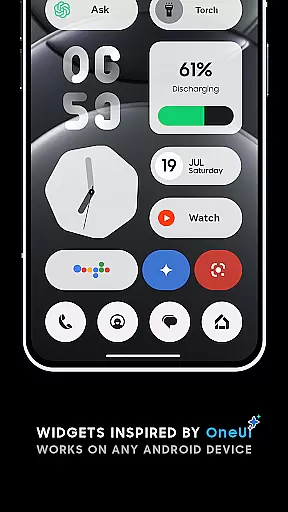
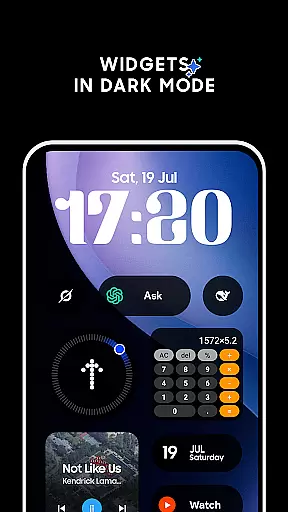
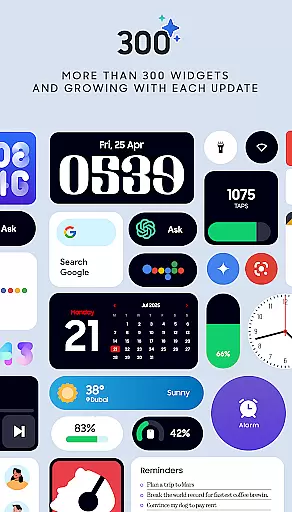
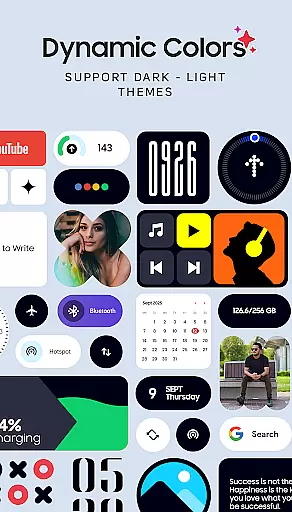
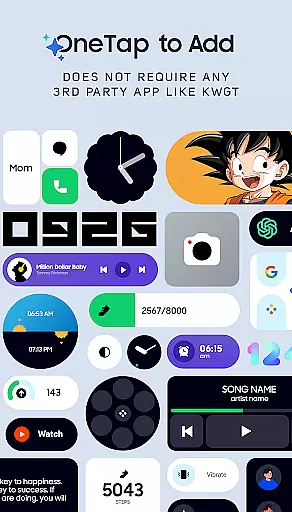
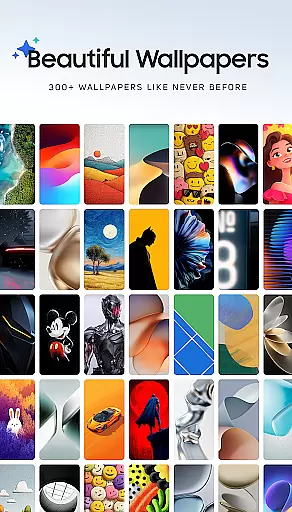
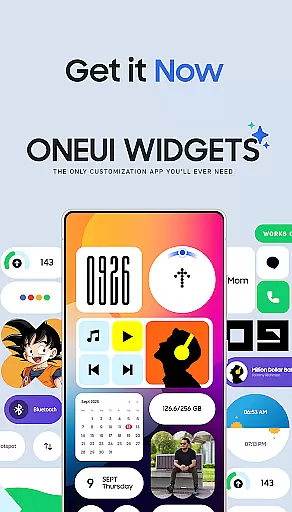
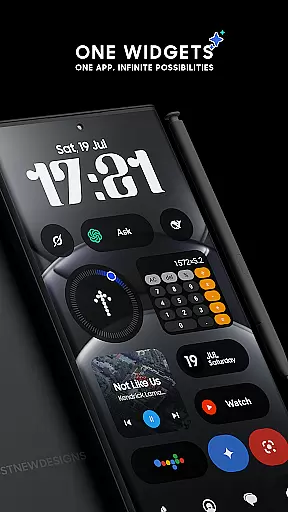
OneUI Widgets offers a transformative experience for Android users seeking to enhance their home screens with beautifully designed, functional widgets inspired by the One UI OS aesthetic. With over 300 customizable widgets, this app allows you to personalize your device without the need for third-party applications.
The widgets are fully resizable and responsive, ensuring they fit perfectly on any home screen setup. Categories include Clock & Calendar, Battery, Weather, Quick Settings, and more, providing both utility and style. Additionally, the app includes 300+ matching wallpapers, completing the aesthetic transformation of your device.
OneUI Widgets stands out with its native functionality, eliminating the need for additional apps like KWGT. The widget categories are diverse, ranging from elegant Clock & Calendar widgets to practical Utility widgets such as a compass and calculator. Each widget is crafted with attention to detail, offering both minimalist and feature-rich designs.
Unique offerings include Game Widgets, where users can enjoy classics like Snake, and Pedometer Widgets that display step counts using the phone's built-in sensors without storing health data. The app also features Quote Widgets for daily inspiration and Photo Widgets to showcase cherished memories directly on the home screen.
OneUI Widgets Pack offers an extensive range of customization options, ensuring that users can tailor their home screens to reflect their personal style and needs. With over 300 beautifully designed widgets inspired by the One UI OS aesthetic, this app provides a plethora of choices for users looking to enhance their Android device's appearance and functionality.
The app includes a diverse selection of widget types, such as Clock & Calendar, Battery, Weather, Quick Settings, Contact, Photo, Google, Utility, Productivity, Pedometer, Quote, and even Game widgets. This variety allows users to not only personalize the look of their home screen with matching wallpapers but also improve their deviceu2019s utility by adding functional elements like toggles for WiFi and Bluetooth or displaying step counts.
Each widget is crafted to offer a seamless native experience without requiring additional apps like KWGT, making it easy for users to add and customize widgets with just a tap. The ability to resize most widgets from small to large ensures they fit perfectly on any home screen layout, providing both aesthetic appeal and practical use.
By offering such a wide array of customization options, OneUI Widgets Pack empowers users to create a truly unique and personalized smartphone experience that caters to their individual preferences and enhances daily interactions with their devices.
Theme compatibility is a crucial aspect of the OneUI Widgets Pack, ensuring that all widgets are visually cohesive and integrate smoothly with various Android themes. The app's design philosophy aligns with the One UI OS aesthetic, which means that each widget complements the overall theme of Samsung Devices and other Android smartphones.
Users will find that these widgets not only match the visual style of their device's operating system but also come with 300+ matching wallpapers, including exclusive designs. This comprehensive approach ensures that every element on the home screen, from functional widgets to background images, works harmoniously to create a unified look and feel.
The responsive nature of the widgets allows them to adapt well to different screen sizes and orientations, maintaining their visual integrity and usability across devices. Whether you're using a compact phone or a larger tablet, the widgets adjust accordingly, providing an optimal viewing and interaction experience.
With its commitment to quality over quantity, OneUI Widgets Pack guarantees that each widget is designed to be useful and creative while maintaining high standards of theme compatibility. This dedication results in a polished and professional home screen setup that users can be proud of and enjoy interacting with daily.
User-friendly interface
Wide variety of widget types
Fully resizable options
Inspired by One UI design
Includes matching wallpapers
Limited to Android devices
No iOS compatibility
Some widgets may feel redundant
Design appeals to specific tastes
Occasional performance issues

Ultra realistic gold analog watch face with lots of customization options.
 4.50
4.50
Sparkle your screen with Glitter Wallpapers For Girls and Cute Backgrounds!
4.80
Add cute Shimeji pets to screen, interact with them and relax with cute motions
4.60
App Icon Changer & Shortcut Creator. Customize your icons without any watermarks
4.30
Design your screen with unique, vibrant clocks
3.80
Crystal-clear, square icon provides a sleek and sophisticated visual upgrade
4.00
Modern Glass Icon Pack with glossy icons, clean minimal theme & aesthetic style
4.4
Emoji Maker app - Design custom emojis and effortlessly blend them with Mixer
3.80
Cool custom fonts & keyboard themes! Symbols & font changer for Instagram
4.50
Nothing Icon pack with more than 3750+ highly crafted icons.
4.70
Vertically oriented rectangular icons
4.70
350+ widgets with a premium glass-style finish, perfect for home & lock screens.
4.70
A minimalist productivity launcher. One-hand-friendly. Zero ads.
4.70
Customizable screen pets that play, climb, and keep you company.
4.50
Art & Emoji Keyboard with Cool Fonts, Cute Themes and Custom Designs.
4.40
Unleash Your Creativity and Connect with Loved Ones with Lockscreen Drawing!
4.20
More than 3000+ themes and 9000+ wallpapers for everybody!
4.10 3.50
3.50
Capture moments that pass like a storm, second by second.
4.1


User Reviews