
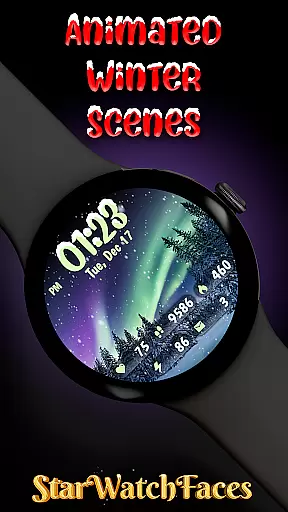
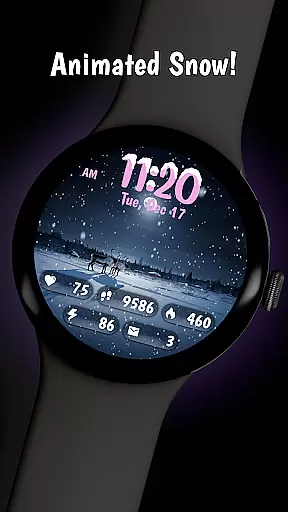
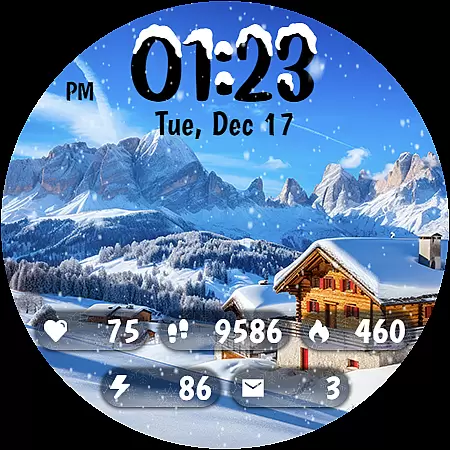
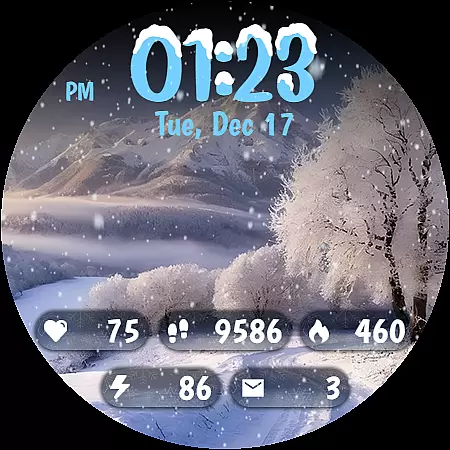
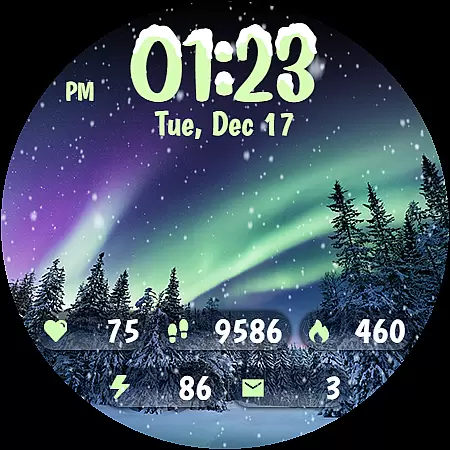
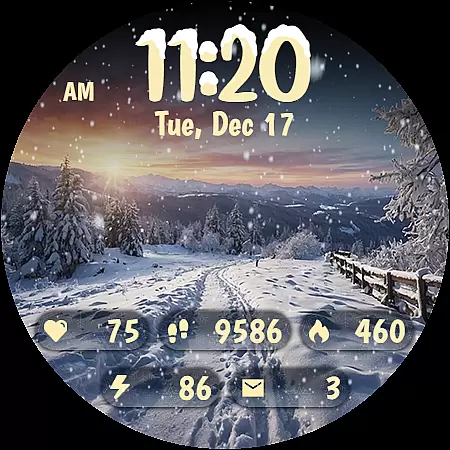
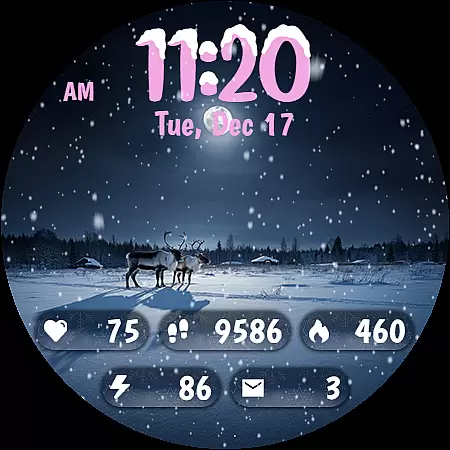
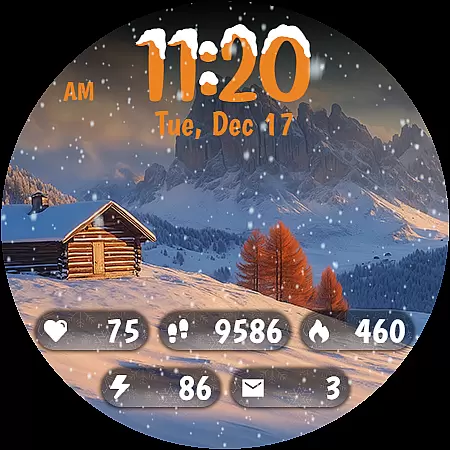
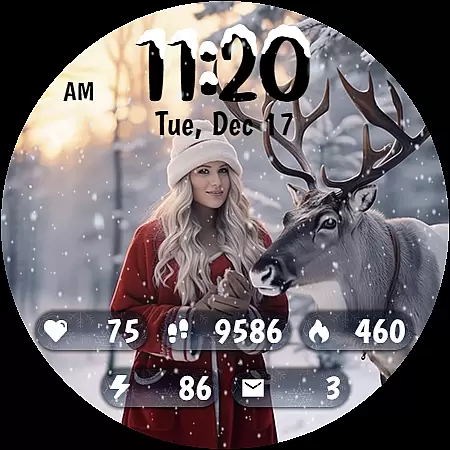
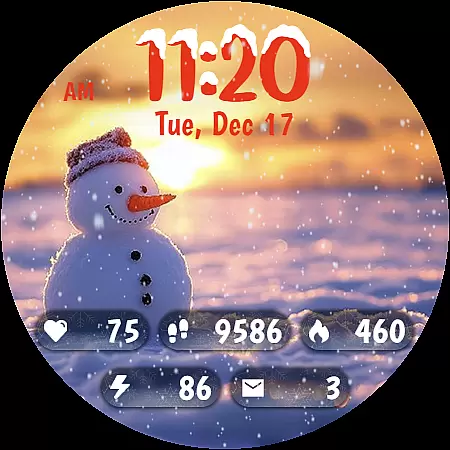
Animated Winter Scenes brings the serene beauty of winter to your Wear OS smartwatch. This personalization app offers a collection of stunning, animated watchfaces that transform your device into a window overlooking enchanting snowy landscapes. With features like animated snowfall, customizable color themes, and integrated health statistics, it creates both a visually appealing and functional experience.
The app includes 10 breathtaking winter-themed backgrounds, a custom digital clock with unique snow accents, and an Always-On Display mode optimized for battery efficiency. Compatible with the latest Wear OS, Animated Winter Scenes is perfect for users who want to carry the magic of winter on their wrist while staying connected to essential information like steps, heart rate, and notifications.
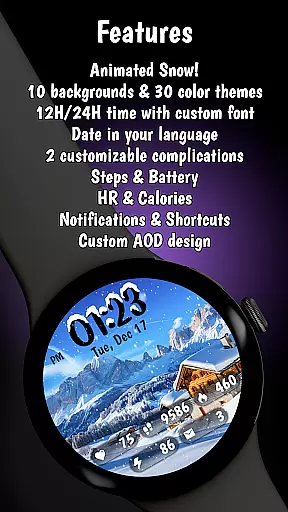
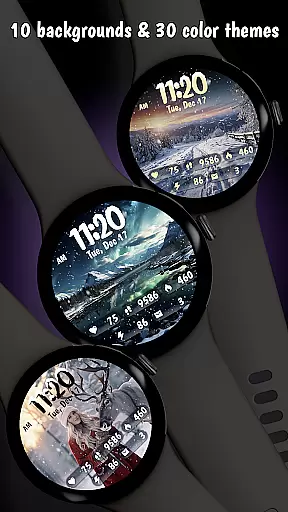
Animated Winter Scenes stands out with its rich feature set tailored for winter enthusiasts. The app provides 10 beautifully designed winter scenes, including forests, mountains, and cozy cabins, each enhanced by realistic animated snowfall that creates a calming atmosphere. Users can choose from 30 unique color themes to personalize their watchface, ensuring it matches their style perfectly.
Functionality meets aesthetics with the custom digital clock, which supports both 12/24-hour formats and integrates seamlessly with health metrics such as step count, heart rate, and calories burned. The date display adapts to your device's language, while the Always-On Display (AOD) mode ensures visibility without compromising battery life. Built using the latest Watch Face Format (WFF), this app guarantees optimal performance on Wear OS devices.
Customization is at the heart of Animated Winter Scenes, offering users a rich tapestry of options to tailor their smartwatch experience. With 10 stunning winter-themed backgrounds ranging from majestic mountains to enchanting forests, users can select the perfect scene that resonates with their personal style.
Beyond backgrounds, the app provides 30 unique color themes, ensuring that there's a palette for every mood and occasion. This extensive customization extends to the digital clock, where users can choose between 12/24-hour formats adorned with charming snow accents, making each glance at the time a delightful experience.
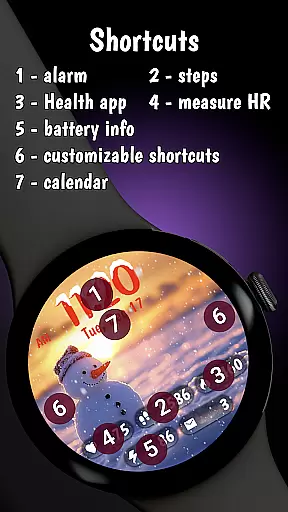
The ability to customize goes further by allowing users to adjust complications, characters, and other elements directly from their wrist. By pressing and holding on the display and tapping the Customize button, wearers of the watch have unparalleled control over their device's aesthetics.
This level of personalization ensures that every user can create a look that is uniquely theirs, enhancing both the functionality and fashion of their Wear OS smartwatch. The versatility offered by Animated Winter Scenes makes it an ideal choice for those looking to infuse their personal flair into their tech accessories.
Animated Winter Scenes excels in theme compatibility, seamlessly integrating with the latest Wear OS to offer a cohesive and optimized user experience. The app leverages the Watch Face Format (WFF) to ensure that all visual elements are perfectly aligned with the operating system's standards.
Users will find that the animated snow and charming winter scenes not only beautify their watch face but also maintain consistency with the deviceu2019s overall design language. This compatibility is crucial for preserving the intuitive nature of the smartwatch interface while delivering a touch of seasonal festivity.
Moreover, the Always-On Display (AOD) mode has been fine-tuned for battery efficiency without compromising on style or functionality. This means users can enjoy their personalized winter wonderland even when the watch is in AOD mode, striking a balance between visibility and power consumption.
By prioritizing theme compatibility, Animated Winter Scenes guarantees that users receive a smooth, visually appealing experience that respects the technical capabilities of their devices. Whether updating steps count or receiving notifications, everything remains beautifully integrated within the serene winter landscapes.
Stunning winter visuals
Customizable themes
Battery-efficient AOD
Integrated health stats
Unique font design
Premium price tag
Limited to Wear OS
No weather updates
Complex customization
Few interactive features

Gun Chase - Let the chase begin.
 4.80
4.80
Personalize your phone with stunning HD and 4K wallpapers!
4.70
Run multiple accounts of the same app on a single device
4.10
Transfer your live wallpapers from Windows to Android using Wallpaper Engine!
4.00
Turn text & photos into stunning AI videos, art, and creative visual stories.
4.50 4.10
4.10
Vibrant Adaptive Icons with Material You and Enhanced Monet Colors.
4.50
Enjoy a variety of amazing live wallpapers and colorful EDGE lighting borders!
4.80
Create stunning widgets with Widget 2026: Aesthetic Widgets for Android!
4.60
Sparkle your screen with Glitter Wallpapers For Girls and Cute Backgrounds!
4.80
400+ Beautifully crafted widgets inspired by NOTHING.
4.70
Stunningly Different look with Line Icons and Neon Colors
4.60
Bring adorable pets to life on your screen. Playful, interactive and full of fun
4.60
Ultimate Gallery Lock App - Hide Pictures, Videos and Lock Apps Instantly!
4.60
Handcrafted pixel art icons, widgets & wallpapers
4.60
Try creating your own keyboard with "Keyboard theme for android" app now!
4.50
AI-powered Copilot. Personalized keyboard with gifs, stickers & themes
4.40
Themes - Widget & Wallpaper: Customize home screen, icon changer w unique themes
4.30
Transform your phone with stunning video wallpapers and a unique, personal touch
3.80


User Reviews