
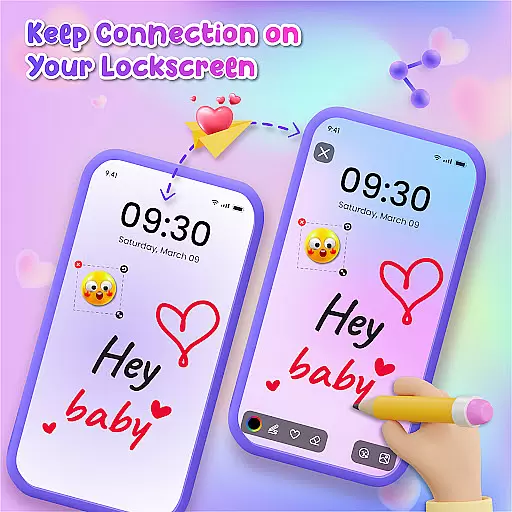
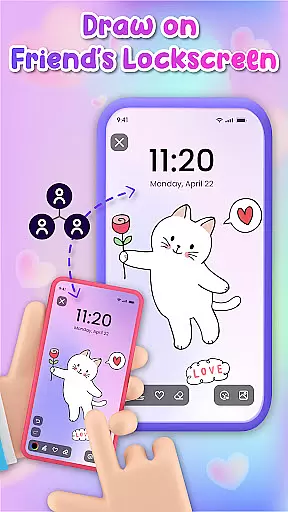
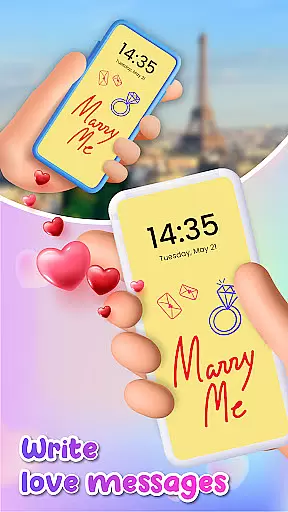
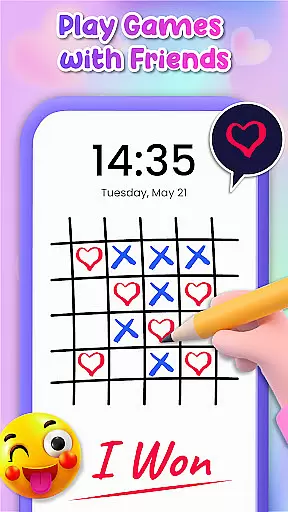
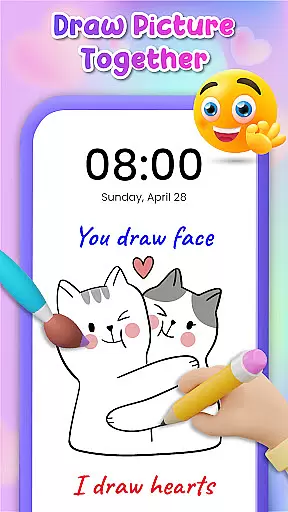
Lockscreen Drawing is a unique personalization app that transforms your phone's lock screen into an interactive canvas. This innovative application allows users to draw directly on their lock screens, share creations instantly with friends, and collaborate in real-time.
The app offers multiple drawing options including the lock screen itself, a dedicated widget, and an in-app canvas. With over 100 stickers and 20+ themed backgrounds, it provides extensive creative possibilities while enabling users to express themselves through personalized artwork.
This functionality is particularly valuable for couples and close friends who want to surprise each other with custom drawings or messages that appear every time they unlock their phones, making daily interactions more meaningful and engaging.
Lockscreen Drawing stands out with its comprehensive set of creative tools. The app's signature feature is its live lock screen collaboration capability, where users can draw simultaneously with connected friends, watching each other's strokes appear in real-time.
Beyond the lock screen, the app includes a convenient widget for quick access to friends' latest creations and an in-app canvas for more detailed artwork. Users can choose from various backgrounds - either personal photos or themed options - and enhance their drawings with over 100 unique stickers.
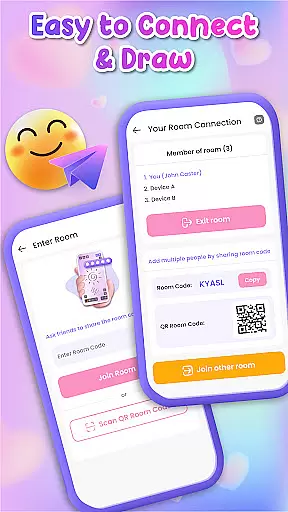
The app also offers multiple connection methods including QR codes, links, and special codes, making it easy to connect with others. Plus, users can save their artwork or share it directly with others, creating a complete ecosystem for creative expression and social interaction.
Lockscreen Drawing offers a rich array of customization options that allow users to transform their lock screens into personalized canvases. With over 100 unique stickers and more than 20 themed backgrounds, the app provides endless possibilities for self-expression.
The ability to choose from various backgrounds, including personal photos or pre-designed themes, ensures that every user can find the perfect setting for their creations. This feature not only enhances visual appeal but also makes each lock screen truly unique.
Moreover, the inclusion of stickers adds an extra layer of personalization, enabling users to infuse their doodles with personality and flair. These elements combine to create a highly customizable experience that caters to diverse artistic preferences.
Theme compatibility is a standout feature of Lockscreen Drawing, ensuring that all customizations are visually cohesive and aesthetically pleasing. The app supports a wide range of themes, from romantic to whimsical, allowing users to select designs that resonate with their mood or style.
This compatibility extends beyond mere aesthetics; it ensures that every element, from stickers to background images, integrates seamlessly. Users can switch between themes without losing the integrity of their artwork, maintaining a consistent look across different sessions.
By prioritizing theme compatibility, Lockscreen Drawing guarantees that users enjoy a smooth and engaging creative process, where every detail aligns perfectly with their chosen aesthetic.
Unique lock screen drawing
Real-time collaboration
Variety of backgrounds
Over 100 free stickers
User-friendly interface
Limited professional tools
Potential battery drain
Privacy concerns
May distract users
Requires constant connection

A Colorful and Minimal icon pack in an Outline Style - Over 13,600 icons!
 4.70
4.70
Capture moments that pass like a storm, second by second.
4.2
A retro cartoon style watch face and a punch right in the face of the copyright
4.60
Fingerprint Lock Screen & Live Animations with 4K Wallpapers as Live Wallpaper
4.40
Themes - Widget & Wallpaper: Customize home screen, icon changer w unique themes
4.30
Try creating your own keyboard with "Keyboard theme for android" app now!
4.50
More than 3000+ themes and 9000+ wallpapers for everybody!
4.10
Transfer your live wallpapers from Windows to Android using Wallpaper Engine!
4.00
Turn text & photos into stunning AI videos, art, and creative visual stories.
4.50
A minimalist productivity launcher. One-hand-friendly. Zero ads.
4.70
Glass style colourful icons with a One UI look and feel
4.60
Over 28,000 high quality icons to bring color & homogeneity to your phone.
4.60
Ultra realistic gold analog watch face with lots of customization options.
4.50
Aesthetic Widgets, HD Wallpapers, Themes in Mico Widget for Home and Lock Screen
4.50
Transform your device in a game console
4.40
A light in the dark, a unique style and an andless cutomization!
4.30
Ultimate widget creator. Design custom widgets for a truly unique home screen!
3.90
Your go to Weather App & Home Screen. Get your weather at a swipe of a finger!
3.80
⭐ OneUI inspired Fluffy Icon Pack – Soft. Stylish. Standout. ⭐
4.5


User Reviews