
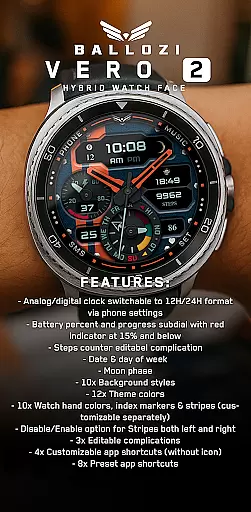
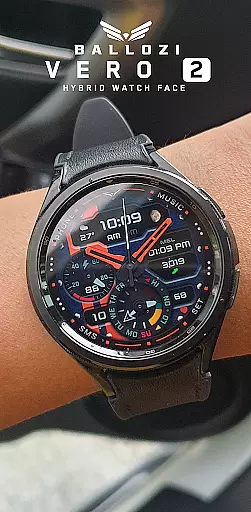
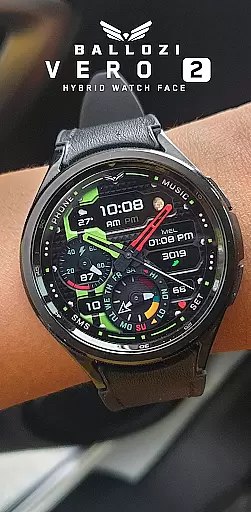
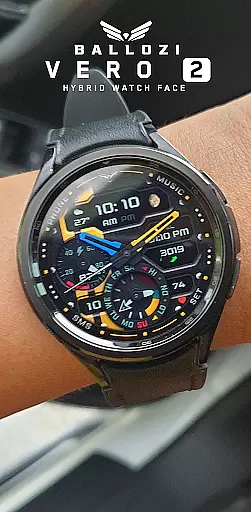
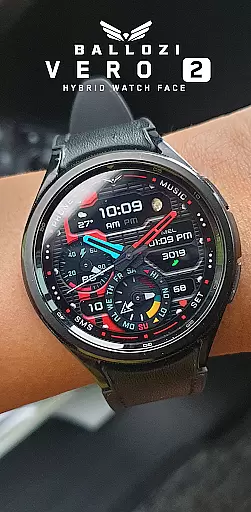
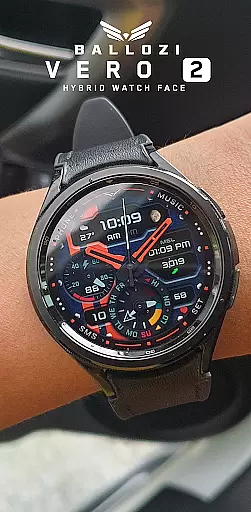
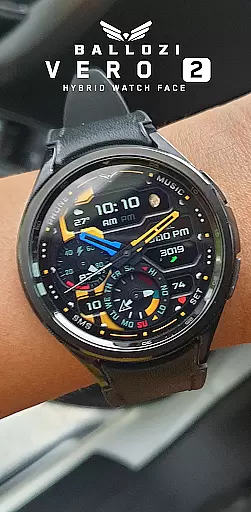
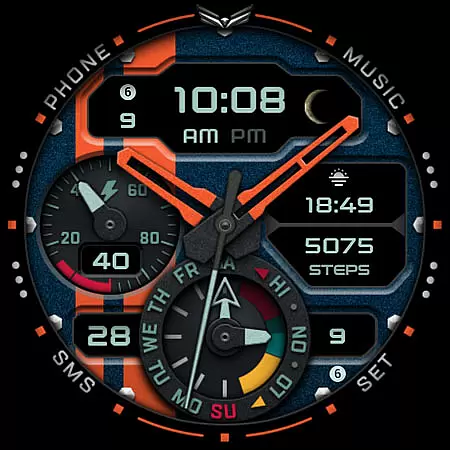
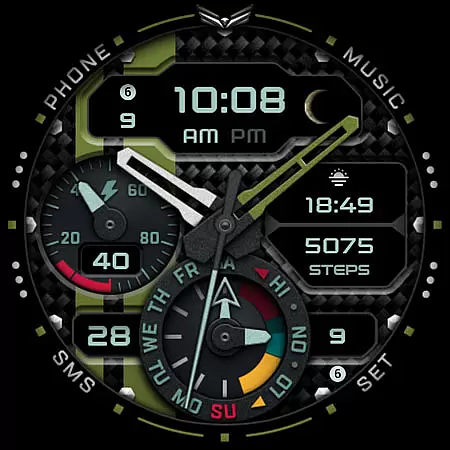
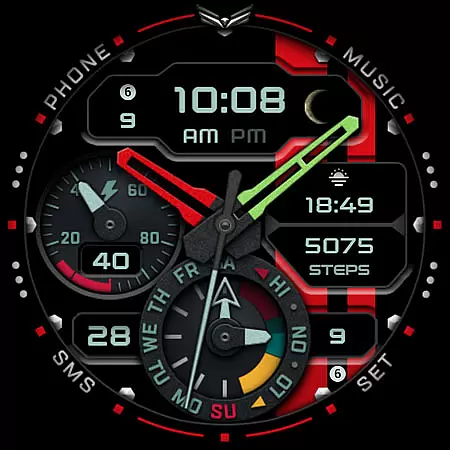
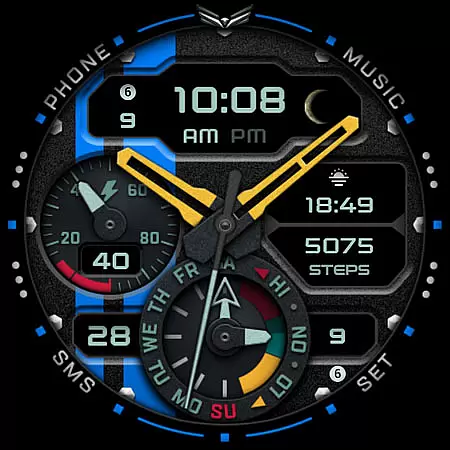
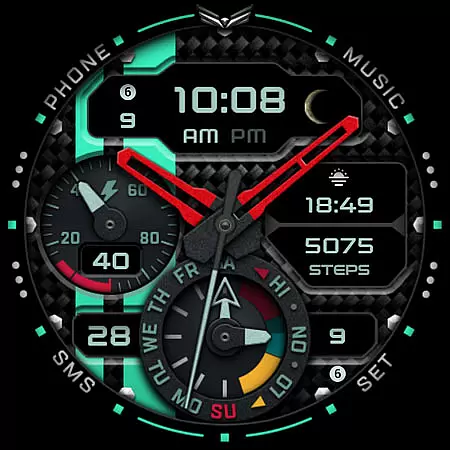
Ballozi VERO 2 Hybrid Analog is a feature-rich Wear OS watch face that combines analog and digital elements for a modern look. This hybrid design offers users the flexibility to customize their smartwatch display while maintaining essential functionality. The watch face supports both 12H and 24H clock formats, includes battery monitoring with visual alerts, and provides various complications like step counters and date displays.
Designed specifically for Wear OS devices running version 5.0 or higher, this app brings extensive customization options including 10 background styles, 12 theme colors, and multiple watch hand designs. Users can personalize shortcuts and complications to suit their preferences, making it a versatile choice for those seeking both style and utility on their smartwatches.
Ballozi VERO 2 stands out with its comprehensive feature set tailored for Wear OS users. The watch face offers switchable analog/digital clocks with customizable time formats through phone settings. A distinctive battery subdial provides visual feedback with a red indicator when power drops below 15%, ensuring users stay informed about their device's status.
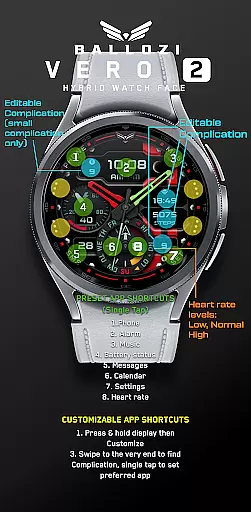
Customization is at the core of this application with 10 background styles, 12 theme colors, and 10 watch hand color options. Users can independently adjust index markers and stripes while enabling or disabling these elements as needed. With three editable complications and four customizable app shortcuts, plus eight preset shortcuts including phone, alarm, and music controls, Ballozi VERO 2 delivers both personalization and practicality.
Companion app integration is essential for a seamless wearable experience. Ballozi VERO 2 Hybrid Analog offers robust connectivity between your smartphone and Wear OS device. The installation process ensures that users can easily access the watch face through their phone's interface, whether using Samsung's Galaxy Wearable app or other brand-specific applications.
This hybrid watch face allows customization directly from the phone, enabling users to adjust settings such as analog/digital clock formats, background styles, and theme colors. With multiple customizable complications and app shortcuts, the companion app provides comprehensive control over the watch face's appearance and functionality.
The ability to customize app shortcuts enhances user convenience by allowing quick access to frequently used apps like Phone, Alarm, Music, and Calendar. This level of integration ensures that users can personalize their smartwatch experience while maintaining synchronization with their mobile device.
Device compatibility is crucial when selecting a Wear OS watch face. Ballozi VERO 2 is designed specifically for smartwatches running Wear OS 5.0 or higher (API level 34+), ensuring optimal performance on supported devices. This compatibility requirement guarantees that users will experience the full range of features without performance issues.
The watch face offers extensive customization options, including 10 background styles, 12 theme colors, and 10 watch hand colors. These features are optimized for compatible devices, providing smooth transitions and accurate display of information such as battery percentage, steps counter, and moon phase.
For users with compatible devices, Ballozi VERO 2 delivers a sophisticated hybrid experience combining analog and digital elements. The watch face's responsive design adapts to various screen sizes while maintaining visual clarity and functionality across different Wear OS devices.
Highly customizable
User-friendly interface
Comprehensive features
Modern hybrid design
Multiple shortcut options
Wear OS only
Complex setup
Limited compatibility
No icon shortcuts
Premium feel

Gym Log & Workout Tracker | Fitness Journal, Training & Weight Lifting Planner
 4.90
4.90
Embrace the festive spirit with our Christmas Countdown watchface for Wear OS
4.10
Analog watch face with 8 complications and expedition styling
4.0
A watch face that fuses motorsport precision with contemporary smartwatch design
4.4
Contemporary digital watch face with five complications
4.1
sleep, alarm, snoring, stress, healing, focus, sound therapy, circadian rhythm
4.10
Hyperlocal rain alerts by MyRadar using patent-pending technology, radar & more
4.80
Track your active life in one place and share the journey with friends.
4.40
From periods to pregnancy & perimenopause, Flo helps you track it all. Try now.
4.70
Christmas - Festive - Christmas Village - Winter - Christmas lights
5.00
Digital, flexibly customizable watch face. For Wear OS 5.0, API 34+ and later.
5.00
Period, ovulation & pregnancy tracker. Fertility insights & menstrual calendar.
4.90
Ideal for surviving in the wasteland left after nuclear fallout
4.50
Embrace the holiday spirit with this magical animated watch face!
4.40
Current temperature, weather hourly, weather radar by the weather forecast app
4.40
Find EV charging stations
4.30
Watch face for Wear OS.
4.20
Professional weather radar and more
3.90
Stay in touch with your friends and family using LINE!
3.40


User Reviews