
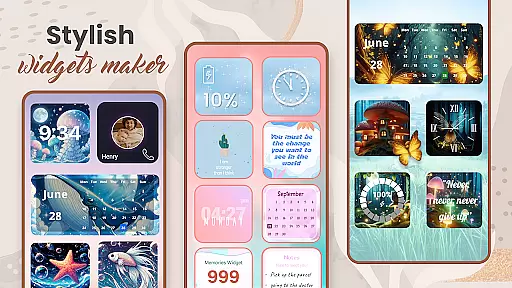
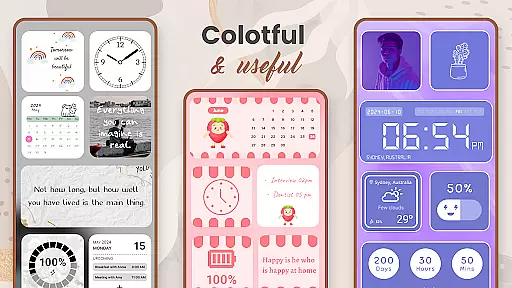
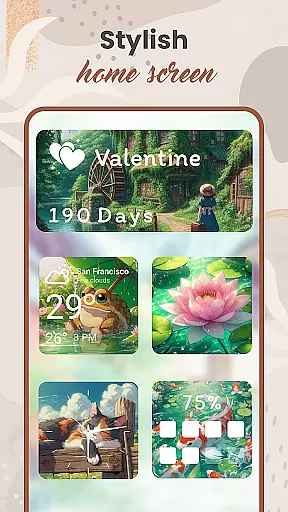
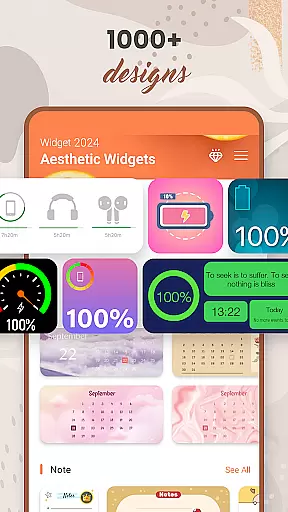
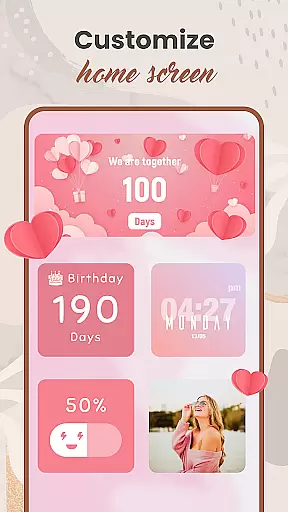
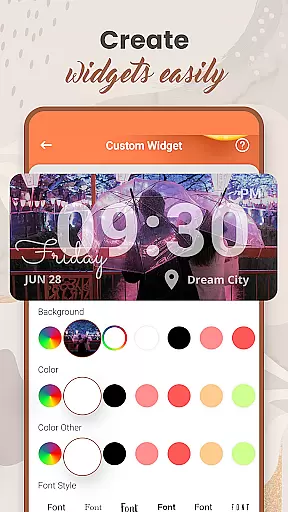
Widget 2025 is a powerful personalization app that allows Android users to transform their home screens with aesthetic widgets. The app offers a comprehensive suite of customization tools, including color widget maker, photo widgets, weather and clock styles, calendar features, countdowns, contact displays, and battery indicators.
With over 1000 stylish templates to choose from, users can create unique home screen layouts that perfectly match their personal style. The intuitive interface makes it easy to customize colors, fonts, styles, and backgrounds, while the powerful widget editor enables precise adjustments to suit individual needs.
This application is particularly valuable for users who want to enhance their Android experience by creating visually appealing and functional home screen setups. Whether you're looking to display important information or simply want to beautify your device, Widget 2025 provides all the necessary tools in one comprehensive package.
The app's feature set includes an extensive collection of customization options. The Color Widget Maker lets users design unique widgets from scratch, while the Photo Widget functionality enables displaying favorite images directly on the home screen. Advanced editing tools allow for precise adjustments of fonts, colors, and layout parameters.
Practical features include weather updates, clock displays, calendar views, day counters, note-taking capabilities, and countdown timers. These functional widgets provide both aesthetic value and practical utility, helping users stay organized while maintaining a personalized look.
One notable innovation is the app's seamless integration of multiple widget types on a single home screen. Unlike many competing solutions, Widget 2025 maintains smooth performance even with numerous active widgets, ensuring that customization doesn't come at the cost of device responsiveness.
Customization is at the heart of Widget 2025, offering users an extensive range of options to personalize their Android devices. With over 1000 aesthetic widgets to choose from, users can tailor their home screens to match their unique style and preferences.
The app provides a powerful widget editor that allows for the creation of custom styles, including color, font, and background adjustments. This flexibility ensures that every user can craft a look that feels personal and enhances their device's usability.
From weather and clock styles to calendar reminders and countdowns, the app offers diverse customization features. Users can easily add photo widgets, quotes of the day, and even battery indicators, ensuring their home screen is both functional and visually appealing.
Widget 2025 excels in theme compatibility, ensuring that all personalized widgets integrate seamlessly with various Android themes. Whether you prefer minimalist designs or vibrant aesthetics, the app adapts to your chosen theme effortlessly.
The Color Widget Maker feature stands out by allowing users to customize widgets that blend perfectly with their device's current theme. This ensures visual consistency across the home screen, enhancing the overall user experience.
Moreover, the app supports multiple widget placements without compromising theme integrity. Users can place numerous photo widgets on their home screen while maintaining a cohesive and attractive appearance, making their devices uniquely theirs.
Extensive customization
User-friendly interface
Versatile widget options
High-performance operation
Regular updates
Premium features locked
Occasional bugs
Steep learning curve
Limited free templates
Device compatibility

Wear Os Watch Face - Seasonal - Animated Snow Effect - 9 Animals
 4.20
4.20
Make your phone look simple & luxury, like iDevice
4.60
Unique Android Launcher
4.60
Gun Chase - Let the chase begin.
4.80
Run multiple accounts of the same app on a single device
4.10
Design your screen with unique, vibrant clocks
3.80
Launcher OS™ Pro without ads help make your phone simple and pretty
4.30
One 8 icons glass color version
4.80
Create unique, fun emojis with Funny Emoji Maker! Unlimited creativity!
4.00
Shimeji adds cute animated characters to your screen, lively and fun.
4.70
300+ Stunning and well-designed widgets inspired by NOTHING.
4.70
400+ Beautifully crafted widgets inspired by NOTHING.
4.70
Embrace the Night. Unleash the power of darkness with Raven Dark Icon Pack
4.60
Transform your phone with Launcher iOS 26 - Smooth & elegant iOS experience
4.50
Color phone with cool effects for call screen, flash alert & ringtones music
4.50
Organize and manage your photos and videos effortlessly with Photo Gallery
4.20
Customizable flower power digital watch face for Wear OS watches.
4.00
Struggling to find apps? Use this app to locate and open any app on your phone!
2.20
Capture moments that pass like a storm, second by second.
4.4


User Reviews