
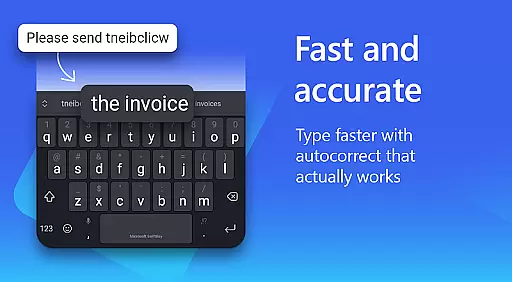
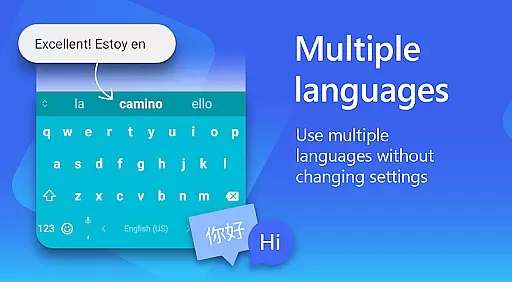
Microsoft SwiftKey AI Keyboard is an advanced personalization tool designed to enhance typing efficiency and style. This intelligent keyboard learns your unique writing patterns, offering personalized autocorrect and predictive text features. With support for over 700 languages and the ability to enable up to five languages simultaneously, it caters to a global user base.
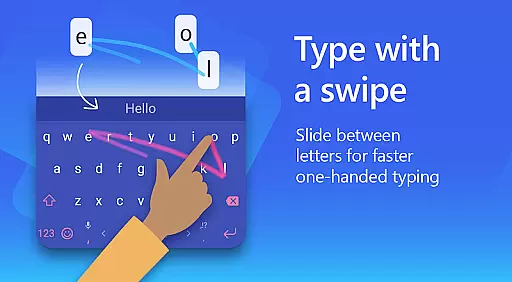
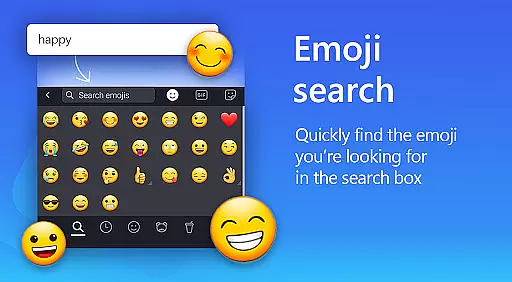
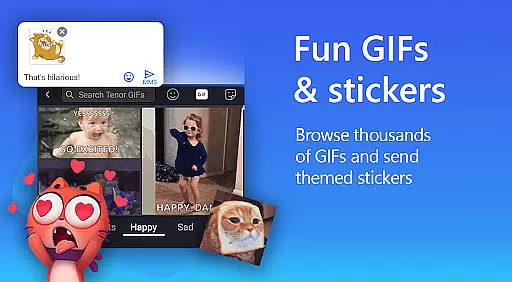
The app goes beyond basic typing by integrating rich content options such as adaptive emojis, GIFs, and stickers. Users can also create custom keyboard themes using personal photos and choose from over 100 colorful themes. The swipe-to-type functionality and AI-powered text rewriting tools help users type faster while maintaining accuracy. Whether you're looking to improve productivity or express yourself creatively, Microsoft SwiftKey offers a comprehensive typing solution.
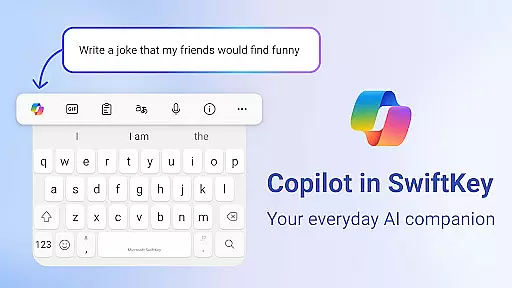
Microsoft SwiftKey stands out with its AI-powered typing features that continuously adapt to individual writing styles. The app's Copilot feature serves as an everyday AI companion, allowing users to ask questions directly within their favorite apps. Its swipe keyboard technology provides accurate predictions even for slang terms and nicknames, making typing more intuitive.
Beyond standard typing functions, Microsoft SwiftKey offers extensive customization options. Users can personalize their typing experience with custom themes, adjustable keyboard sizes, and layouts. The app also includes a custom keyboard toolbar with quick shortcuts and supports multilingual typing with over 700 language options. These features combine to create a versatile typing tool that adapts to various user preferences and needs.
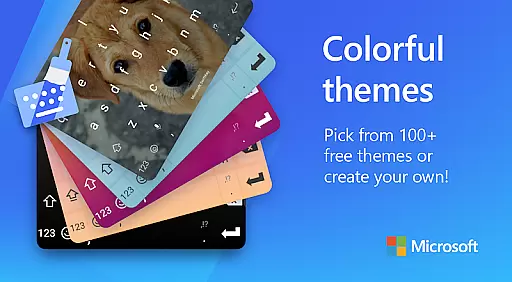
Microsoft SwiftKey AI Keyboard offers an extensive range of customization options that cater to individual preferences and styles. With over 100 colorful keyboard themes, users can select a design that best reflects their personality or mood.
Beyond the preset themes, the application allows for a personalized touch by enabling users to create their own custom keyboard theme. You can use personal photos as the background, making your typing experience truly unique and visually appealing.
In addition to aesthetic personalization, Microsoft SwiftKey provides functional customization. Users have the ability to adjust keyboard size and layout according to their comfort, which is essential for a seamless typing experience. This ensures that whether you prefer swiping or tapping, the keyboard feels intuitive and responsive to your style.
The adaptability of Microsoft SwiftKey's customization features means that it caters to all typing tastes. Regardless of how you type or the content you wish to conveyu2014be it through words, emoji, GIFs, or stickersu2014the keyboard evolves with your input style, including slang and nicknames, offering a highly personalized and satisfying user experience.
Theme compatibility in Microsoft SwiftKey AI Keyboard ensures that regardless of your device or operating system, your chosen keyboard theme will appear as intended. The app supports a wide array of devices and platforms, providing consistent visual quality and coherence across different Android models.
Moreover, the adaptive nature of SwiftKey's theme system means that as you switch between various applications or environments, your selected theme maintains its integrity and appearance. Whether you're texting, emailing, or using social media apps, the continuity of your personalized keyboard aesthetics remains uninterrupted.
For multilingual users, the consistency of theme presentation extends across the board. Even when switching between the supported 700+ languages, the visual elements retain their form, delivering a uniform look and feel. This harmonious blend of form and function enriches the overall user experience without compromising on style or performance.
With Microsoft SwiftKey's commitment to compatibility, users are guaranteed a frustration-free customization journey. The assurance that themes will not only be diverse and vibrant but also fully compatible across different usage scenarios makes SwiftKey a reliable choice for those who value both substance and style in their typing interface.
AI-powered predictions
Customizable themes
Multilingual support
Swipe-to-type functionality
Rich content integration
Optional permissions needed
Feature limitations without permissions
Premium features may require payment
Occasional prediction errors
Learning curve for new users

Capture moments that pass like a storm, second by second.
 4.5
4.5
Unique Android Launcher
4.60
Customizable screen pets that play, climb, and keep you company.
4.50
App Icon Changer & Shortcut Creator. Customize your icons without any watermarks
4.30
Adaptive Dot Style IconPack with Light & Dark Theme.
3.70
Icons made of colorful linear lines
4.60
HappyLighting is a Bluetooth lamp control software.
3.40
Emoji Maker app - Design custom emojis and effortlessly blend them with Mixer
3.80
Amazing letter fonts in your messages and social statuses
4.70
Add cute Shimeji pets to screen, interact with them and relax with cute motions
4.60
Ninja Turtles Cowabunga SE watch face for Wear OS
4.50
Try creating your own keyboard with "Keyboard theme for android" app now!
4.50 4.50
4.50
Yandex Browser — stylish and secure, with voice search and data compression
4.40
Your home screen, just the way you like it.
4.30
Wear Os Watch Face - Seasonal - Animated Snow Effect - 9 Animals
4.20
More than 3000+ themes and 9000+ wallpapers for everybody!
4.10
Your go to Weather App & Home Screen. Get your weather at a swipe of a finger!
3.80
Transform your phone with stunning video wallpapers and a unique, personal touch
3.80


User Reviews