
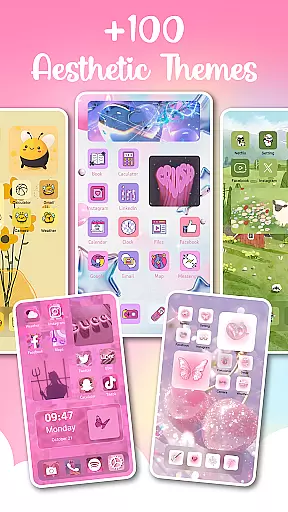
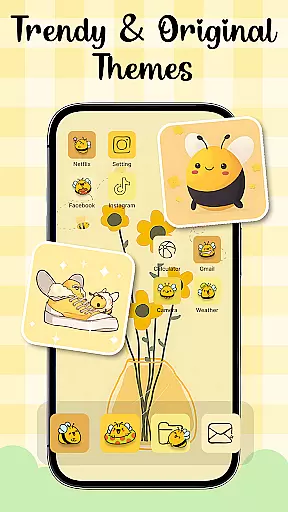
Themes - Widgets, Icon Changer is a powerful personalization app that allows users to fully customize their smartphone's appearance. The app provides an extensive collection of themes, widgets, wallpapers, and icon packs, enabling users to create a unique and personalized phone interface. Whether you prefer anime themes, K-pop aesthetics, or minimalist designs, this app caters to diverse tastes.
One of the standout features is its ability to transform both the home screen and lock screen with just a few taps. Users can choose from hundreds of stylish widgets, change app icons, and refresh wallpapers daily. The app supports complete personalization, including social media icons like Facebook, Instagram, and WhatsApp. With regular updates and new content additions, it ensures users always have fresh customization options.
This app is particularly valuable for users who want to express their individuality through their phone's appearance. It combines aesthetic appeal with user-friendly functionality, making device personalization accessible to everyone.
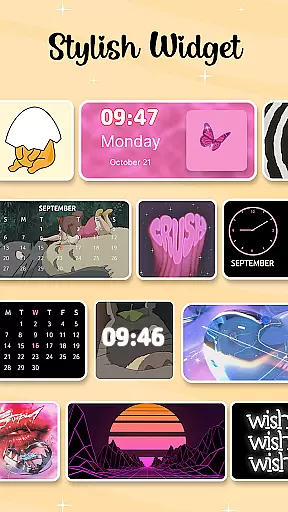
Themes - Widgets, Icon Changer offers a comprehensive suite of customization tools. The app includes over 100 customizable widgets that allow users to replace traditional screen elements with stylish alternatives. These widgets can be personalized further by selecting images from the gallery, giving users limitless creative possibilities.
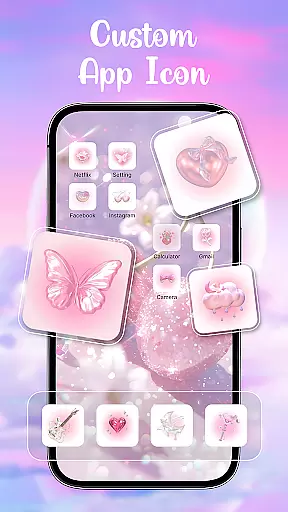
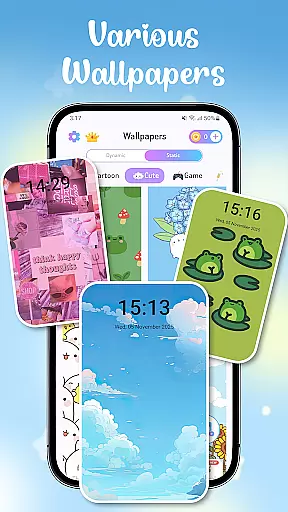
The app also provides a vast library of wallpapers and themes, ranging from anime-inspired designs to holiday-themed options. Users can easily switch between themes based on their mood or preferences. Additionally, the app supports icon pack customization, allowing users to replace default app icons with unique alternatives. Social media icons are also customizable, ensuring a cohesive look across all apps.
Other notable features include one-click wallpaper replacement, daily refresh options, and accessibility service permissions for convenient control center overlays. These tools enhance usability while maintaining privacy, as no personal data is stored or shared. The app's constant updates ensure that users always have access to the latest design trends.
Customization options variety refers to the range and diversity of personalization features available within an application. For Themes - Widgets, Icon Changer, this aspect is at the core of its offering, providing users with a rich selection of themes, widgets, wallpapers, and icon packs.
The app boasts an extensive library that includes trendy and stylish themes such as anime, cute, aesthetic, and Kpop themes, allowing users to tailor their home screens to match their mood and preferences. With over 100 custom widgets, it transforms the traditional appearance of phone screens into something more enjoyable and reflective of individual creativity.
Users can choose unique combinations of themes, widgets, and wallpapers alongside app icons, including various social media icons like Facebook, WhatsApp, Messenger, and Instagram. This level of customization ensures that each user's device becomes a personal masterpiece, truly one-of-a-kind.
By delivering diverse themes and widgets, exquisite wallpapers, and personalized icon packs, Themes - Widgets, Icon Changer empowers users to express themselves through their devices while enjoying ease of use with features like one-click wallpaper changes and daily refreshes based on preferences.
Theme compatibility involves how well different visual elements work together within an application to create a cohesive look and feel. In the case of Themes - Widgets, Icon Changer, ensuring seamless integration between themes, widgets, wallpapers, and icon packs is essential for maintaining visual consistency across the user's device.
This app provides a harmonious blend of design components, from lock screens to home screen aesthetics, all crafted to ensure they complement each other perfectly. Whether opting for minimalist designs or vibrant art styles, users will find everything aligns smoothly without clashing visuals.
With constant updates and additions, Themes - Widgets, Icon Changer guarantees that new content remains compatible with existing features, preserving the integrity of customized appearances. The app also supports easy replacement processes, making sure transitions between old and new themes are fluid and hassle-free.
Ultimately, theme compatibility in this app enhances user satisfaction by delivering a polished and professional finish to every personalized element, reinforcing its position as an indispensable tool for those who appreciate aesthetic coherence in their mobile experience.
User-friendly interface
Extensive theme options
Daily content updates
Customizable widgets
Privacy-focused design
Requires multiple permissions
Premium themes cost extra
May overwhelm new users
Occasional bugs reported
Limited offline functionality

Realistic animated snow on your wrist, with 10 images landscapes to choose from
 4.00
4.00
Adult video chat, dating, making friends, random matching
4.20
Wallpaper HD 4K Live - Thousands of high-quality Anime backgrounds for you.
4.80
Zip lock screen with magic wallpaper to decorate your phone with fun zipper lock
4.60
Embrace the Night. Unleash the power of darkness with Raven Dark Icon Pack
4.60
Your go to Weather App & Home Screen. Get your weather at a swipe of a finger!
3.80
300+ widgets inspired by Material You and Material 3 expressive design.
4.60
Your home screen, just the way you like it.
3.80
Cool custom fonts & keyboard themes! Symbols & font changer for Instagram
4.50
One 8 icons glass color version
4.80
Stunningly Different look with Line Icons and Neon Colors
4.60
Add cute Shimeji pets to screen, interact with them and relax with cute motions
4.60
300+ Beautifully crafted widgets inspired by OneUI.
4.60
Transform your phone with Launcher iOS 26 - Smooth & elegant iOS experience
4.50 4.50
4.50
Yandex Browser — stylish and secure, with voice search and data compression
4.40
Romantic Kiss Stickers App. Start romantic messaging now!
4.30
More than 3000+ themes and 9000+ wallpapers for everybody!
4.10
Turn your lock screen into fun with smile live wallpapers & animated wallpapers!
2.50


User Reviews