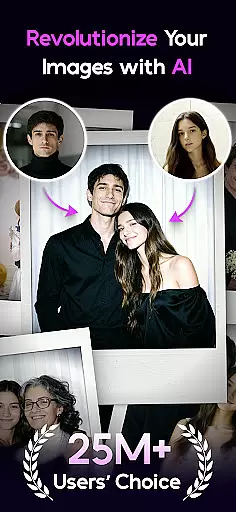

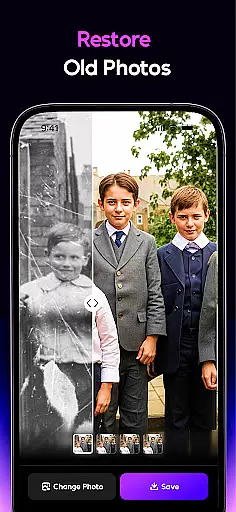
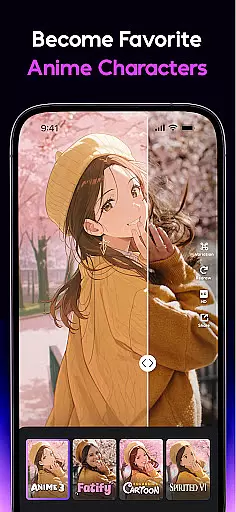
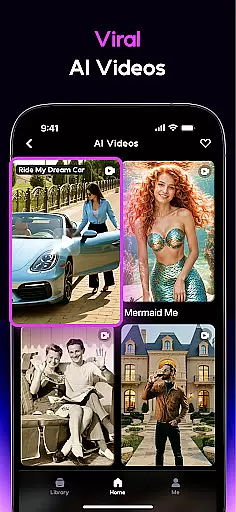

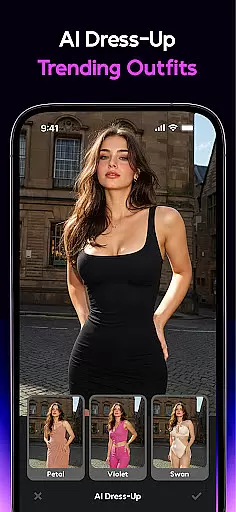
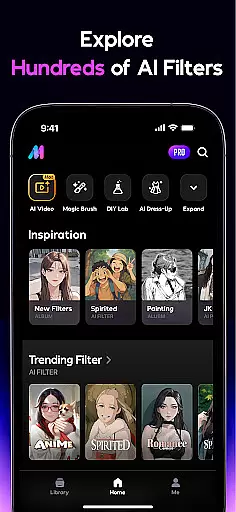
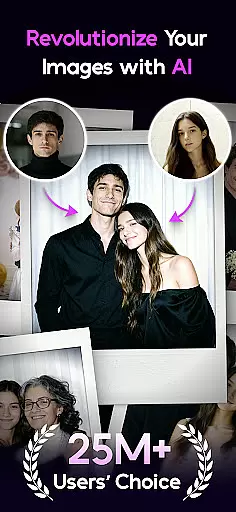

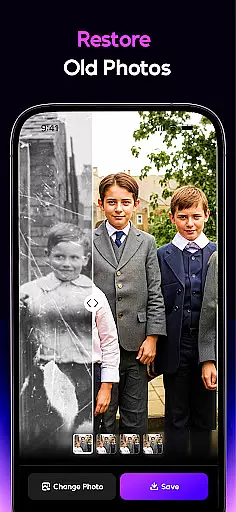
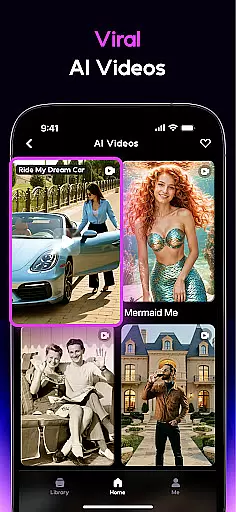
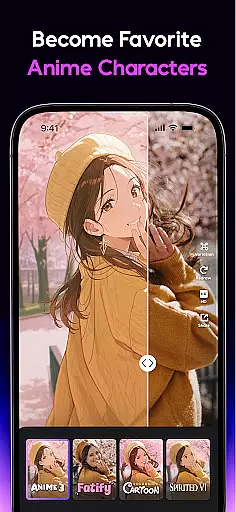

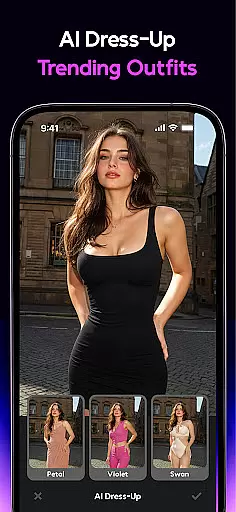
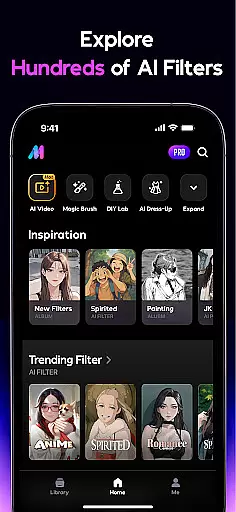
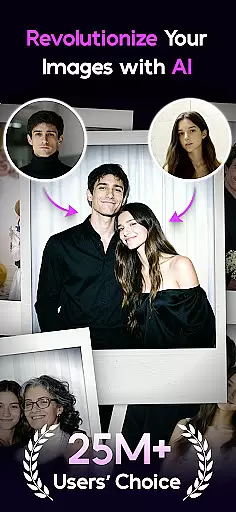

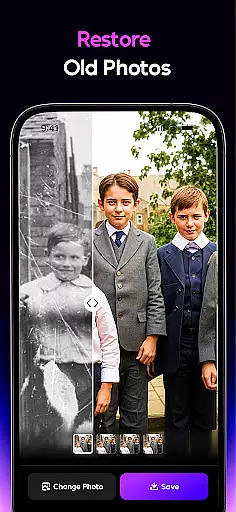
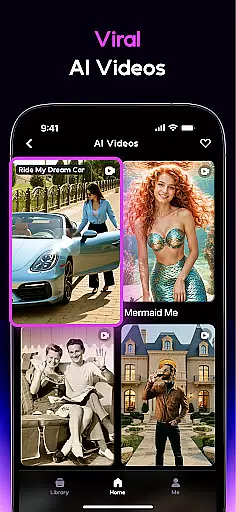
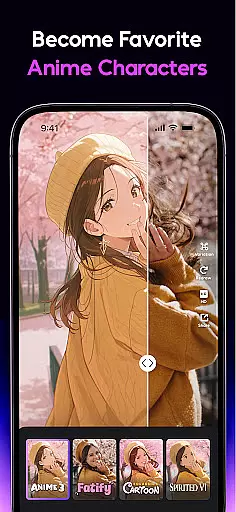

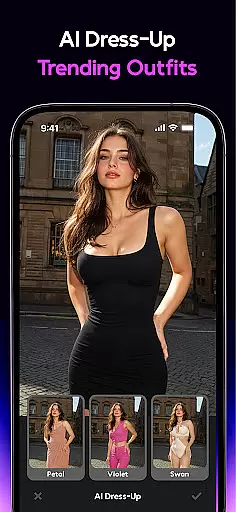
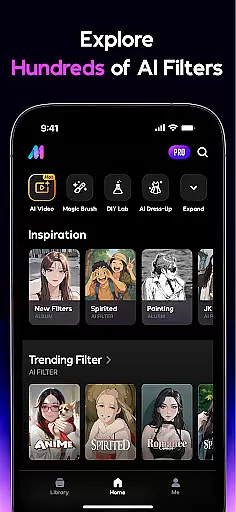
AI Mirror is a cutting-edge photography app designed for both casual users and professionals. At its core, the app leverages artificial intelligence to provide powerful photo and video editing capabilities. Users can apply dozens of AI filters to create anime avatars, restore old photos, and even convert images into videos.
The app supports creative workflows with features like AI Magic Brush, Dress-Up, and Background Replacement. These tools cater to various needs, from virtual try-ons to stylized artistic edits. Whether enhancing family photos or crafting viral TikTok content, AI Mirror delivers studio-grade results. Its versatility makes it ideal for anyone looking to elevate their visual storytelling.
AI Mirror stands out with its diverse range of AI-powered editing tools. The app includes advanced photo restoration technology, capable of repairing scratches and colorizing black-and-white images. Its Anime Generator and Cosplay Creator filters allow users to transform photos into dynamic avatars and themed characters.
Another key feature is the Image-to-Video tool, which brings still photos to life with motion effects. Additionally, the app's AI Hugging and Kissing function lets users merge two photos into lifelike interactions. With weekly updates introducing new filters and templates, AI Mirror ensures users stay ahead of social media trends while delivering professional-quality results.
Real-time capture and preview functionality is essential for modern photography applications, allowing users to see exactly what the camera sees before taking a shot. AI Mirror excels in this area by providing instantaneous feedback on photo compositions, ensuring that users can make necessary adjustments before capturing their images. This feature significantly enhances the user experience by reducing the likelihood of unsatisfactory shots.
The app leverages advanced AI algorithms to optimize real-time previews, adjusting settings such as exposure, white balance, and focus automatically. These intelligent adjustments ensure that every snapshot is clear and vibrant, regardless of lighting conditions or environmental factors. Users can trust that their photos will look professional without needing to manually tweak settings.
Additionally, AI Mirror's real-time capabilities extend beyond static images. The app offers dynamic previews for video creation, enabling users to apply various filters and effects live. This allows creators to visualize how their final videos will appear, streamlining the editing process and saving valuable time. Whether crafting content for TikTok, Instagram, or other platforms, users benefit from seeing immediate results.
AI-powered beauty and enhancement features have become increasingly popular in photography apps, offering users the ability to refine and perfect their images effortlessly. AI Mirror stands out by focusing on natural-looking enhancements that preserve the authenticity of the original photo while elevating its overall quality. This approach ensures that edits are subtle yet effective, maintaining the subject's genuine appearance.
The app employs sophisticated AI models trained to recognize facial features and skin tones accurately. By understanding these elements, AI Mirror applies enhancements that smooth imperfections without creating an artificial or overly processed look. Users can achieve flawless skin textures, brightened eyes, and enhanced smiles, all while retaining their unique characteristics. This level of detail-oriented editing sets AI Mirror apart from competitors.
Moreover, AI Mirror provides customizable options for beauty enhancements, allowing users to adjust intensity levels according to their preferences. Whether aiming for a subtle touch-up or a more dramatic transformation, individuals have complete control over the final outcome. With regular updates introducing new filters and templates, AI Mirror continues to lead in delivering natural and appealing photo enhancements tailored to diverse user needs.
Advanced AI filters
Regular feature updates
User-friendly interface
Professional editing tools
Vibrant community support
Subscription fees apply
Some features are premium-only
Occasional bugs reported
High system requirements
Learning curve for new users

All-in-One Editor & AI Photo Enhancer, Beautify & Retouch, Collage, Cartoonify
 4.20
4.20
Find time and duration of different sunlight phases at any location
4.90
Create AI Photos, Improve and restore quality of blurry, old or damaged pics.
4.20
Over 800 film simulation recipes for Fujifilm. Black Friday Offer!
4.1
Light-weight Media Gallery app for Android made with Jetpack Compose
4.60
HD Camera Pro with HD Video shooting, Panorama, Photo editor , Beauty Camera.
4.50
Automatically backup your photos and videos to computer, NAS and Cloud services
4.60
USB Storage Access for Photos, Videos, Music and Documents
3.80
Solocator stamps photos you take with GPS location, Compass Direction, Date/Time
3.80
Photo editor: AI filters, photo enhancer, pic collage maker, AI art generator.
4.80
Easily view, share, delete photos with Gallery.
4.70
Enhance, retouch & create your story - Share the moment with Photoshop Express.
4.60
Transform photos into videos! Create realistic or anime-style images easily!
4.50
Future baby face generator: AI kids generator, kid face! What my baby look like?
4.40
Photo editor: face & body editor, beauty cam, filters and quality enhancer.
4.00
Hair color changer, AI haircut app, fun hair editor and buzz cut filter for all!
3.80
Be your best in every shot! Fix, edit and retouch your face in selfies & photos.
3.70
Superimpose one photo on top of another using the original Superimpose app!
3.20
Snap photos remotely using your Garmin watch as the camera trigger
4.3


User Reviews