
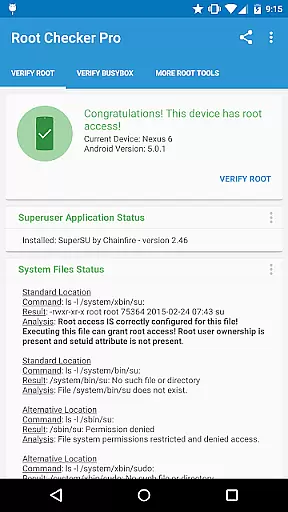
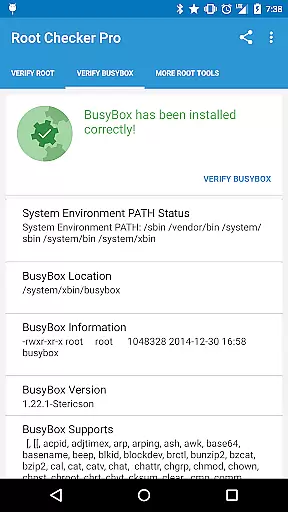
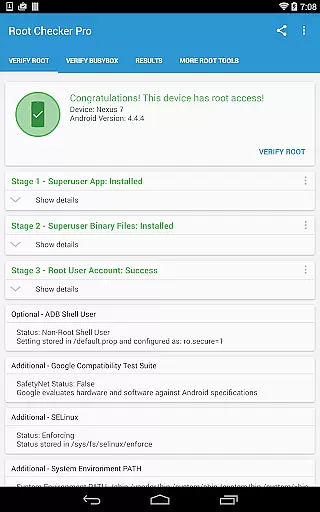
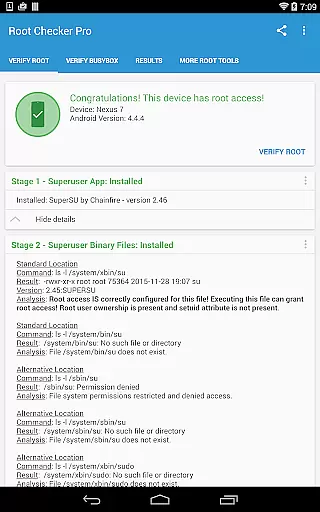
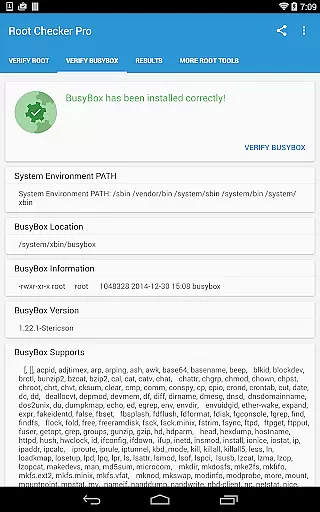
Root Checker Pro is a powerful diagnostic tool designed to verify root access on Android devices. The application provides a comprehensive check of the su binary, BusyBox installation, and related system permissions without requiring root access itself. It presents critical information such as su binary locations, SELinux status, and Superuser app versions in an easy-to-understand format.
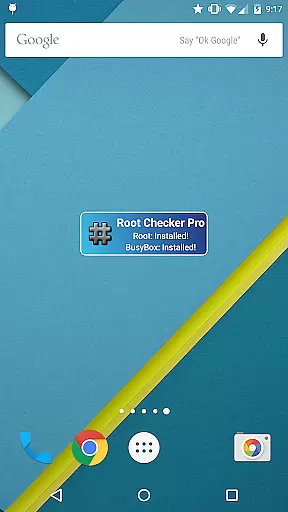
For advanced users, the app offers detailed technical data for troubleshooting root-related issues. It allows exporting diagnostic results via email or social media for collaborative problem-solving. Additionally, the built-in widget enables real-time monitoring of root and BusyBox status, making it an essential utility for both novice and experienced Android users who need to maintain proper root access.
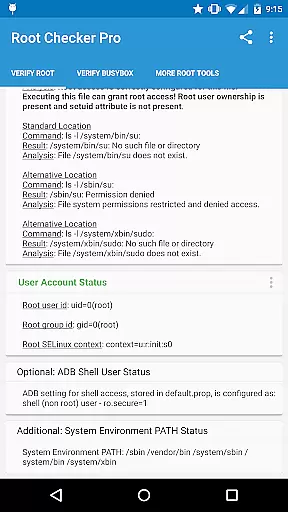
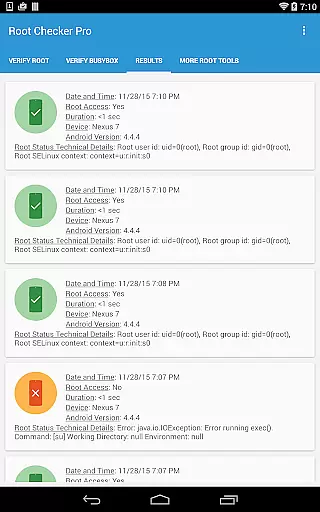
The application stands out with its thorough diagnostic capabilities. It checks multiple aspects of root access including su binary permissions, SELinux context results, and ADB shell user modes. The app's detailed reporting includes standard su binary locations, root uid/gid information, and system PATH details.
One of the key features is its ability to export technical details quickly through various sharing options. The included widget provides continuous monitoring with customizable timer intervals for checking root status. These features, combined with its user-friendly interface, make it valuable for both beginners and advanced users who need accurate root access verification and troubleshooting assistance.
Root Checker Pro excels in delivering accurate and effective core functionality for Android users seeking to verify root access on their devices. The application meticulously checks the presence and status of the su binary, which is critical for granting root permissions.
The app's effectiveness lies in its comprehensive verification process. It examines standard su binary locations, file permissions, and user/group IDs, ensuring that all essential components are correctly configured. This detailed inspection provides users with reliable results regarding their device's root status.
For technically inclined users, the application offers advanced details about the root environment. It presents information about SELinux contexts, Superuser app versions, and ADB shell modes, enabling thorough troubleshooting of potential root-related issues.
The value proposition of Root Checker Pro extends beyond simple verification. Its ability to export detailed reports through email or other installed applications makes it an indispensable tool for both novice and experienced users who need to collaborate on resolving root access problems.
The interface design of Root Checker Pro prioritizes simplicity and intuitive navigation, making it accessible even for non-technical users. The application presents complex technical information in a clear, organized manner across different sections.
Key information about root access and BusyBox installation is displayed in a straightforward format. Users can quickly understand their device's root status through well-structured result screens that highlight critical data points without overwhelming the user.
The application's single-button export feature demonstrates its commitment to user-friendly design. This functionality allows users to share detailed technical information with support teams or online communities without navigating complex menus or settings.
Additional convenience comes from the included widget functionality, which provides at-a-glance monitoring of root and BusyBox status. The widget's customizable timer intervals enable users to maintain constant awareness of their device's root condition without needing to open the main application.
Comprehensive root detection
User-friendly interface
Detailed technical reports
Quick sharing options
Real-time monitoring widget
No actual rooting capability
Requires basic technical knowledge
Limited functionality for non-rooted devices
Premium version cost
Interface could be outdated

 4.50
4.50 4.50
4.50
A recovery soft,it features photo recovery, video recovery, file recovery.
3.40
Head tracking for PC sim games such as MSFS 2024 or Elite:Dangerous. No headset!
4.50
An open-source APK explorer for Android!
4.10
Forza Tuning Calculator App for Forza Horizon 5, Motorsport and Earlier Titles
4.40
Mirror your screen to Chromecast and Android TV - Super fast and simple
4.60
Connect wirelessly to your computer to watch movies, browse the web, play games
5.00
Remote Play with FSR upscaling, low latency & full controller support
4.80
Excellent scientific calculator with symbolic algebra, integrals, derivatives
4.80
Play your X-Box games remotely in 1080p with any controller and zero latency
4.60
Complete kernel toolbox with features to manage and tweak your rooted device
4.30
An easy-to-use calculator designed to save time calculating and bending conduit
4.30
Just one-tap to easy translate in any language after calls within seconds.
4.20
VESC Tool can monitor and configure VESC-compatible devices over BLE and Wifi
4.20
View detailed information about your Nissan Leaf the dealer never shows you.
4.10
Detect hidden spy camera with advanced scanning {{ Premium version }}
4.00
This app unlocks the Pro features of the Central for DayZ app
3.60
Transfer Files, APK from Phone to Watch & Install.
4.4


User Reviews