
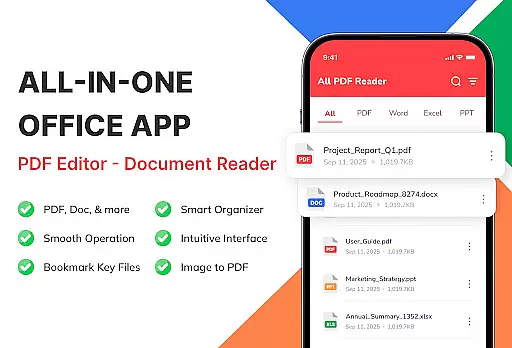
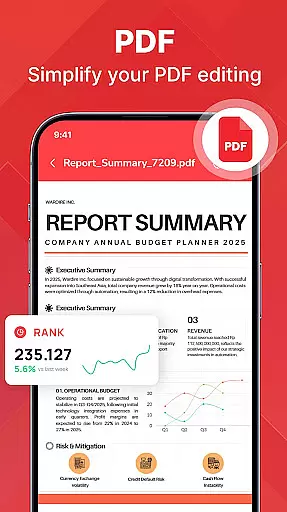
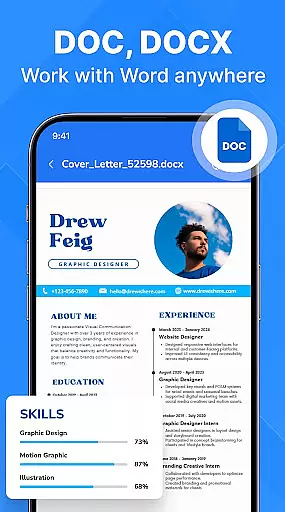
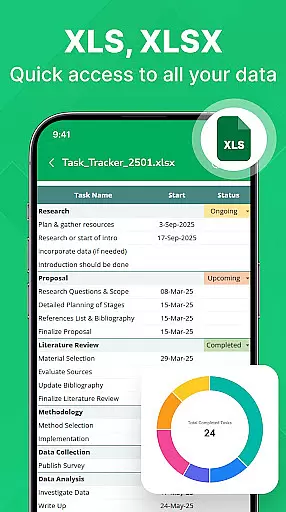
PDF Reader - Document Viewer is a versatile tool designed to streamline document management on Android devices. This application allows users to read, manage, and organize various document formats including PDFs, Word files, Excel sheets, and PowerPoint presentations in one unified location.
The app's core functionality lies in its ability to instantly open and display documents with smooth navigation and perfect formatting retention. Whether you're a student reviewing lecture notes or a professional accessing work reports, this app ensures all your essential files are readily available and well-organized.
With features like automatic file detection, sorting options, and offline access, PDF Reader - Document Viewer proves especially useful for those needing quick and reliable access to their documents anytime, anywhere.
One of the standout features of PDF Reader - Document Viewer is its support for multiple document formats. Users can seamlessly open PDF files for reading eBooks or manuals, review Word documents with preserved formatting, view Excel sheets with clear charts, and swipe through PowerPoint slides without losing any visual details.
The app is optimized for performance, offering fast loading times and smooth page navigation. Its lightweight design ensures stability across various Android devices, making document viewing an efficient and frustration-free experience.
Smart file management tools allow users to automatically detect files on their device, sort them by different criteria, and easily access recent or favorite documents. These capabilities make it simple to keep important files organized and accessible, whether for personal use or professional needs.
PDF Reader - Document Viewer is designed to provide exceptional accuracy and effectiveness in handling various document formats. The app supports multiple file types including PDF, Word, Excel, and PowerPoint, ensuring that each document opens with perfect formatting and clarity. This versatility allows users to view eBooks, reports, manuals, tables, charts, and presentations without any loss of quality or detail.
The core functionality extends beyond just viewing documents. With features like fast scrolling, smooth navigation, and instant file opening, the app ensures a seamless user experience. Whether you're reading lengthy reports or analyzing complex spreadsheets, every interaction is optimized for speed and reliability. These capabilities make it an indispensable tool for students, professionals, and everyday users who need quick access to their important files.
What sets this app apart is its lightweight design and stability across different Android devices. It's engineered to work efficiently without consuming excessive system resources, which translates into faster performance even on older hardware. Users can trust that their documents will load quickly and display correctly every time they use the app. This reliability ultimately enhances productivity by eliminating frustrating delays and technical glitches.
A standout feature of PDF Reader - Document Viewer is its clean and intuitive interface, which makes document management accessible to users of all skill levels. Upon launching the app, users are greeted with a straightforward layout that prioritizes ease of use. Files are automatically detected and organized, allowing users to sort and search documents by name, size, or date effortlessly.
The app offers smart file management tools that simplify organization tasks. Recent and favorite documents are easily accessible, while categorized browsing enables quicker navigation through large collections of files. This thoughtful design ensures that users spend less time searching for documents and more time engaging with their content. Such efficiency is particularly beneficial for remote workers and students managing numerous projects or study materials.
Moreover, the app works offline, providing uninterrupted access to documents without requiring an internet connection. Its privacy-focused approach keeps all files securely stored on the device, giving users peace of mind when handling sensitive information. By combining these practical features with a user-friendly interface, PDF Reader - Document Viewer delivers a streamlined experience that boosts productivity and simplifies daily workflows.
User-friendly interface
Multi-format support
Fast document loading
Offline functionality
Automatic file detection
Limited advanced editing
No cloud integration
Basic annotation tools
Occasional format issues
Ads in free version

 4.50
4.50
FV File Manager Pro, Fast and powerful file manager for Android
4.60
Unlock your Essential Key. Create custom shortcuts to your favorite apps!
4.2
Canon PRINT is a companion app for your Canon printer.
4.60
Smart and comfortable browsing experience.
3.80
The ultimate tool for network analysis, wifi scanning and problem detection.
4.90
The Ultimate Flex Drivers Utility App - Convenient Tapping & Block Filters
4.70
Fun lie-detection pranks for friends and parties.
3.80
Clean up large files and similar photos, fast and easy to use
4.40
Support Fossify apps with a warm thank you!
5.00
Change your GPS location instantly. Simulate routes anywhere in the world.
4.90
Enjoy smooth gameplay with Game Booster
4.90
Extremely fast, secure, and protects your privacy
4.80
Creation, Learning, Entertainment & More — The All-in-One AI Search Engine
4.70
HD Video player and downloader for all formats, fast & smooth 4K video playback.
4.60
Keep track of your Palia friendships, tasks, and inventory with Palia Notebook
4.60
Quickly switch to an encrypted DNS server on Android TV
4.50
pdf merge, word to pdf, jpg to pdf, edit pdf, convert to pdf and much more!
4.20
Detect hidden spy camera with advanced scanning {{ Premium version }}
4.00


User Reviews