
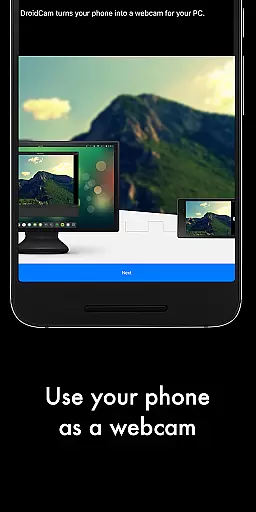
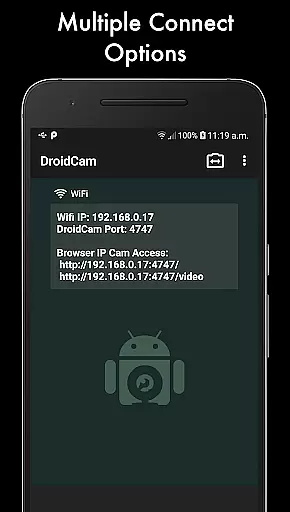
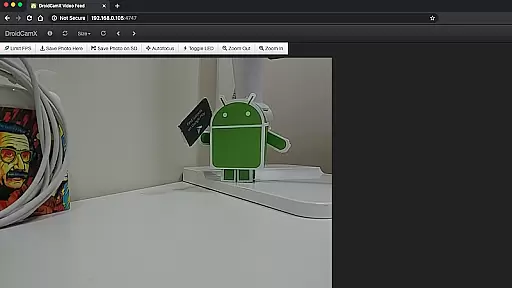
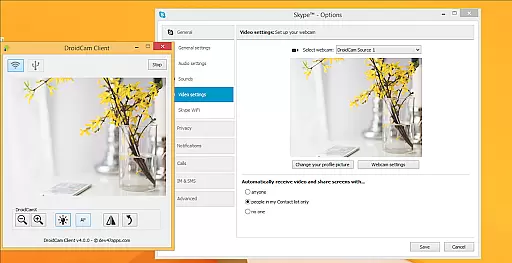
DroidCamX HD (Classic) is a versatile tool that transforms your Android device into a high-quality webcam for your computer. This application supports both video and audio transmission, enabling users to chat with a 'DroidCam Webcam' on their computers. It offers flexible connectivity options, including Wifi and USB, while supporting 720p/1080p video quality in HD mode.
One of the standout features of DroidCamX is its ability to operate seamlessly in the background, allowing users to utilize other apps without interruption. Additionally, it conserves battery by functioning even when the screen is off. With camera controls like auto-focus, zoom, flash, and more, users can capture still images directly from their phones or computers during operation.
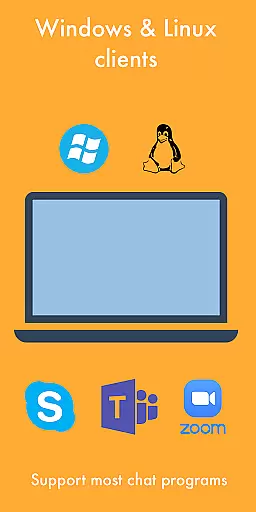
This app is ideal for remote workers, content creators, or anyone needing a reliable webcam solution. By downloading the corresponding PC client from www.dev47apps.com, users can easily integrate their Android devices with Windows or Linux systems, enhancing their video conferencing experience significantly.
DroidCamX HD (Classic) boasts an array of advanced features designed to elevate your webcam experience. The app's support for HD video modes up to 1080p ensures crystal-clear video quality, while the 'Smooth FPS' option provides more stable video performance. Users can also access their camera via IP Webcam MJPEG, making it possible to view the feed through a browser or another device.
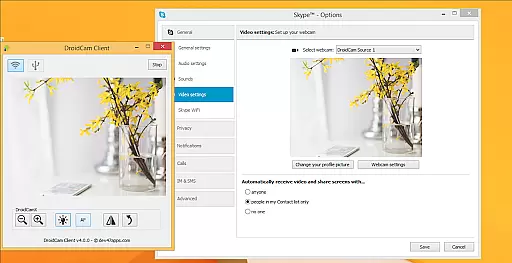
Another notable feature is the app's multitasking capability. You can run DroidCamX in the background while using other applications, ensuring uninterrupted productivity. The app also includes professional controls available on the Windows Client, such as Mirror, Flip, Brightness, and Contrast adjustments, giving users complete control over their video output.
Furthermore, DroidCamX allows capturing still image frames directly from the phone or computer while streaming. These features collectively make DroidCamX a powerful tool for enhancing video communication across various platforms and use cases.
DroidCamX HD (Classic) excels in delivering accurate and effective core functionality by transforming your Android device into a high-quality webcam. This app ensures that both audio and video streams are transmitted seamlessly to your computer, providing a reliable communication tool for various scenarios.
The application supports multiple connection methods including Wifi and USB, ensuring flexibility and convenience. With the added support for 720p/1080p video through HD Mode, users can expect clear and detailed visuals during their chats or recordings. The 'Smooth FPS' option further enhances this experience by stabilizing video transmission, making it ideal for professional and casual use alike.
Moreover, DroidCamX allows users to operate other apps while running in the background, maintaining performance without draining battery life. This multitasking capability is crucial for users who need to access different applications simultaneously without interrupting their video sessions.
The interface design of DroidCamX HD (Classic) emphasizes simplicity and intuitiveness, ensuring that users can easily navigate and utilize its features. Upon launching the app, users are greeted with a straightforward layout that highlights essential functions such as camera controls, which include auto-focus, zoom, flash light, and more.
Connecting your Android device to a computer is streamlined through clear instructions and compatibility with both Windows and Linux clients. By visiting www.dev47apps.com, users can download and install the necessary client software, which facilitates a smooth setup process. This ease of installation underscores the app's commitment to user-friendly experiences.
Additionally, advanced controls available on the Windows Client, such as Mirror, Flip, Brightness, and Contrast adjustments, empower users to customize their video feed according to their preferences. These intuitive controls ensure that even novice users can achieve professional-grade results without extensive technical knowledge.
High-quality video streaming
Flexible connectivity options
Background app operation
Battery conservation features
Comprehensive camera controls
Requires additional PC client
USB setup can be complex
Limited macOS compatibility
Occasional connection issues
Premium version costs extra

Transfer Files, APK from Phone to Watch & Install.
 4.5
4.5
HD Camera captures every special moment.
4.60
Carry a FTP server in your pocket and avoid USB cables for file transfer
4.20
An easy-to-use calculator designed to save time calculating and bending conduit
4.30
A non-root local ADB shell client. READ BELOW!
3.40
Support Fossify apps with a warm thank you!
5.00
Fast Video Downloader, Movie Downloader, Torrent Downloader & Adblock Browser
4.70
Protect your device with antivirus, storage cleanup, and system monitoring
4.70
Enjoy a smooth mobile reading experience!
3.60
Enjoy smooth gameplay with Game Booster
4.90
FV File Manager Pro, Fast and powerful file manager for Android
4.60 4.50
4.50 4.50
4.50
Quickly switch to an encrypted DNS server on Android TV
4.50
Head tracking for PC sim games such as MSFS 2024 or Elite:Dangerous. No headset!
4.50
PC precision for mobile gaming: dominate with keyboard and mouse!
4.30
Effortlessly run ADB commands directly on your device without a PC.
4.20
A simple app to back up and restore SMS & MMS messages and call logs.
4.10
PDF Reader - Document Viewer: Read, Manage & Organize Your Documents
3.10


User Reviews