
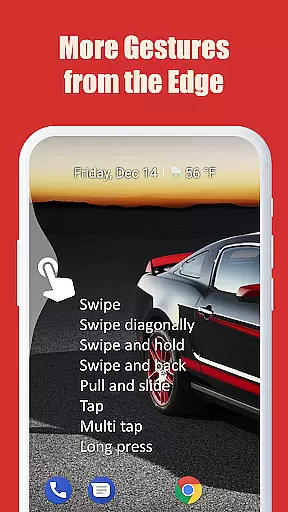
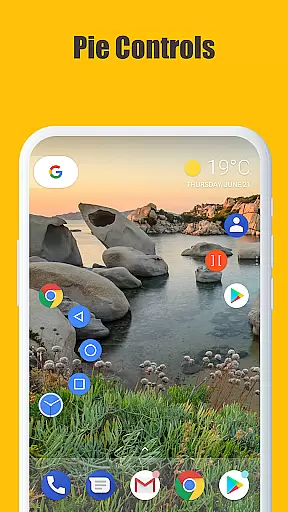
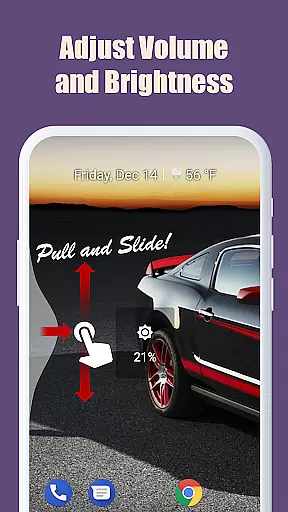
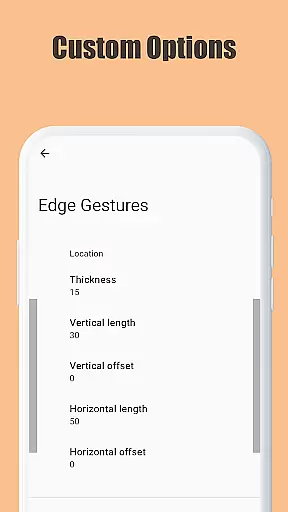
Edge Gestures is a powerful tool designed to enhance your device's navigation through intuitive screen edge gestures. With support for various gesture types, including tap, swipe, and pie controls, it allows users to execute commands quickly and efficiently. The app enables launching applications, controlling soft keys, adjusting settings, and more, all through simple gestures.
Customizable edge areas let users tailor the thickness, length, and position to their preference, ensuring a personalized experience. Whether you're looking to expand the status bar, toggle split screen, or adjust brightness, Edge Gestures provides a seamless way to interact with your device, making daily tasks faster and more convenient.
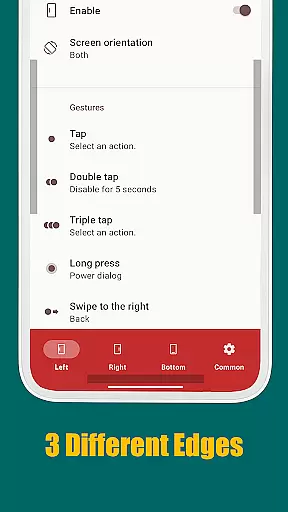
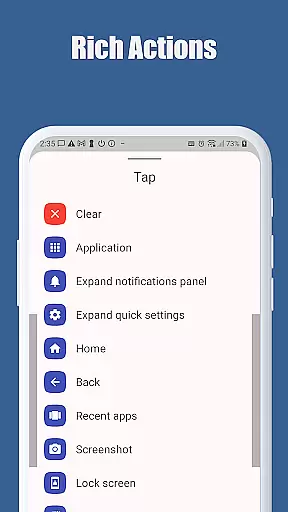
Edge Gestures stands out with its comprehensive set of features tailored for efficiency and customization. It supports multiple gesture types such as tap, double tap, long press, and various swipes, allowing for versatile interactions. Each gesture can be assigned specific actions like launching apps, controlling soft keys, expanding notifications, and even adjusting device settings.
One of the key highlights is the ability to customize the edge area's thickness, length, and position, providing a personalized touch. Additionally, the app uses accessibility service API responsibly, ensuring that permissions are only utilized for intended functions like detecting the foreground app and commanding system actions. This makes Edge Gestures not just feature-rich but also secure and reliable.
Edge Gestures provides a highly accurate and effective way to interact with your device through simple gestures on the screen edge. The app supports a wide range of gesture types, including tap, swipe, and pie controls, each designed to execute specific actions seamlessly.
The application's core functions are implemented using Android's accessibility service API. This ensures that gestures like launching apps, adjusting brightness, or toggling split-screen mode are executed with precision. For instance, when you swipe from the edge of the screen, the app accurately detects this action and performs the corresponding task without delay.
Users benefit from this accuracy as it allows them to navigate their devices more efficiently. Whether it's scrolling to start, switching to the previous app, or expanding the notification panel, Edge Gestures delivers a smooth experience that enhances productivity and ease of use.
Despite its powerful functionality, Edge Gestures maintains a simple and intuitive interface. Users can easily customize the edge area for thickness, length, and position, tailoring the gesture controls to their personal preferences without any hassle.
The app requires only necessary permissions, ensuring a straightforward setup process. By limiting permissions to just what is neededu2014such as detecting the foreground app and commanding system actionsu2014it keeps the user experience clutter-free and easy to manage.
This simplicity extends to daily usage, where users can perform complex tasks like taking screenshots or accessing quick settings with minimal effort. The intuitive design ensures that even those new to gesture-based controls can quickly adapt and enjoy an enhanced mobile experience.
User-friendly interface
Highly customizable
Efficient navigation
Versatile gesture options
Secure permission usage
Limited to Android 6.0+
Requires accessibility permission
May conflict with other gesture apps
Learning curve for new users
Occasional gesture misinterpretation

A powerful, easy-to-use flight computer on your phone or tablet!
 3.80
3.80
Transfer Files, APK from Phone to Watch & Install.
4.4
PDF Reader - Document Viewer: Read, Manage & Organize Your Documents
3.10
Universal TV remote control all TVs, Roku, LG, Samsung, Fire, Vizio, Sony, TCL.
4.40
Amateur Radio app for APRS: Track friends, exchange messages, get tactical info.
3.90
Undelete and recover your lost or deleted files with DiskDigger!
3.40
NFC Tools can read and write NFC tags.
4.70
Creation, Learning, Entertainment & More — The All-in-One AI Search Engine
4.70
The ideal app to be the digital eye of your family
3.40
Support Fossify apps with a warm thank you!
5.00
The ultimate tool for network analysis, wifi scanning and problem detection.
4.90
Unit and currency converter with easy and simple UI.
4.80
HD Camera captures every special moment.
4.60
Button mapper, mouse toggle, sleep timer and a lot of another features
4.50
An easy-to-use calculator designed to save time calculating and bending conduit
4.30
Making emulation easy for everyone!
4.30
Effortlessly run ADB commands directly on your device without a PC.
4.20
Unleash gamepad precision for ultimate mobile gaming dominance.
3.90
card-reader app
2.20


User Reviews