
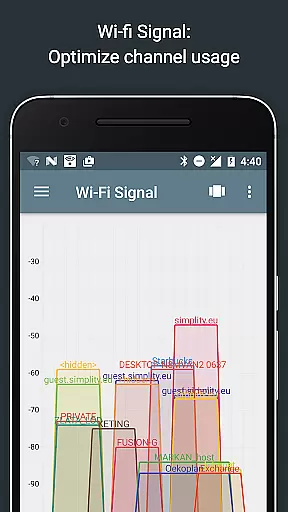
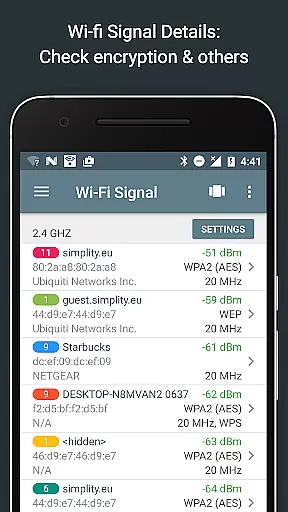
Network Analyzer Pro is a comprehensive network diagnostic tool designed to help users identify and resolve issues related to Wi-Fi networks, Internet connectivity, and remote servers. The app offers an extensive suite of utilities including a fast Wi-Fi device discovery tool, standard network diagnostic instruments like ping and traceroute, and detailed insights into neighboring Wi-Fi networks. With support for both IPv4 and IPv6, it provides complete visibility into your network setup.
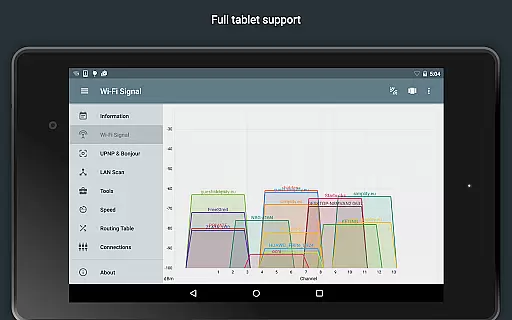
The application stands out with its advanced features such as the Wi-Fi signal meter that graphically represents network channels and signal strengths, alongside providing encryption details and router manufacturer information. Additionally, the LAN scanner detects all network devices swiftly, offering IP addresses, NetBIOS names, and Wake on LAN capabilities. Whether you need to perform a port scan, DNS lookup, or Whois query, Network Analyzer Pro equips you with the necessary tools to maintain optimal network health.
Designed for network administrators and tech-savvy users, this app proves invaluable in diagnosing network problems efficiently. Its ability to display geolocation data, test internet speed, and discover local services like Bonjour and DLNA makes it an essential utility for ensuring robust network performance. By exporting reports and maintaining a history of tasks, it allows users to track changes and improvements over time, making it indispensable for network management.
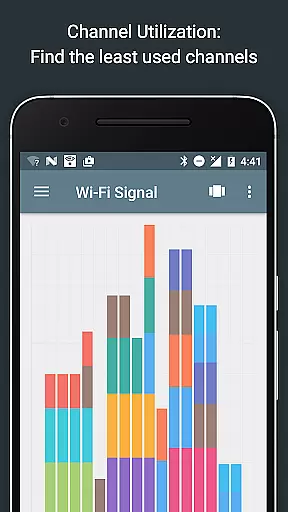
Network Analyzer Pro boasts a rich set of features tailored for network diagnostics and analysis. One of its key functionalities is the Wi-Fi signal meter, which provides both graphical and textual representations of network channels and signal strengths. This feature helps users determine the best channel for their wireless routers by analyzing channel usage graphs and identifying network types and encryptions. Furthermore, the app displays critical details such as BSSID, router manufacturer, and WPS support, empowering users to optimize their Wi-Fi setups effectively.
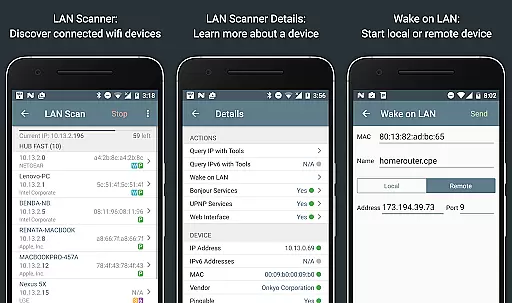
In addition to Wi-Fi analysis, the app includes a powerful LAN scanner capable of detecting all network devices quickly and accurately. It lists IP addresses, performs pingability tests, and supports Wake on LAN (WOL) functionality, including remote WOL. Users can filter and search through discovered devices, customize IP range scans, and view IPv6 availability. These capabilities ensure comprehensive network visibility and control, enabling efficient troubleshooting and device management.
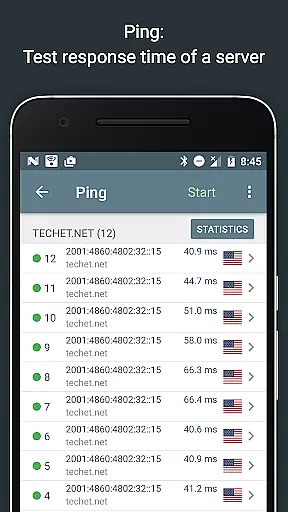
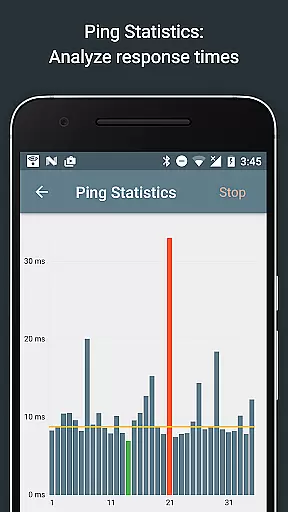
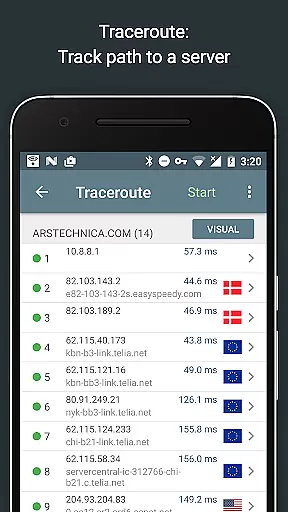
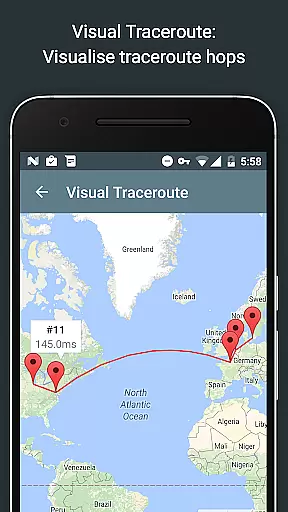
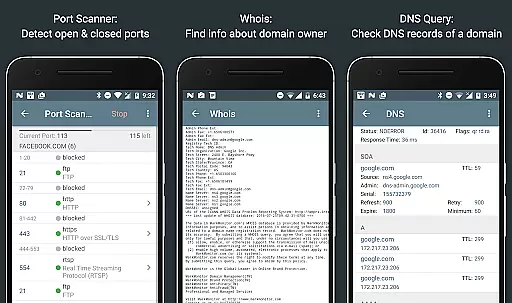
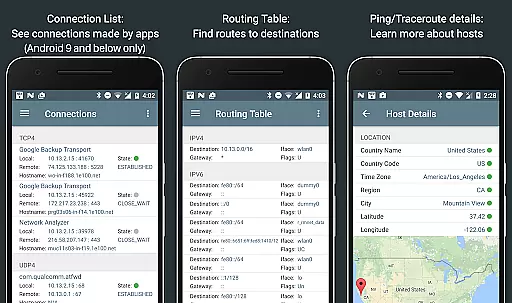
Another standout feature is the integrated ping and traceroute tool, which offers real-time statistics and visualizations. Users can see round-trip delays, geolocation data, and network node information, all displayed on an interactive map. The port scanner employs a fast, adaptive algorithm to detect open, closed, and firewalled ports, providing descriptions of known services. With full IPv6 support across all features, Network Analyzer Pro ensures compatibility and future-proofing, making it an indispensable tool for modern network environments.
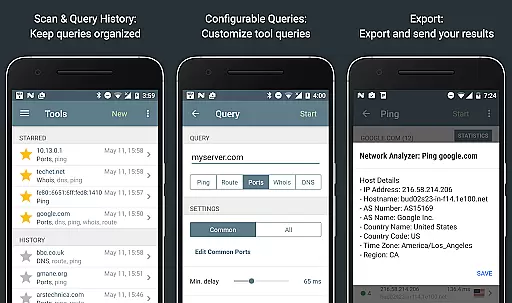
Network Analyzer Pro stands out in its ability to provide accurate and effective network diagnostic tools. The application is equipped with a comprehensive suite of utilities including ping, traceroute, port scanner, DNS lookup, and whois, which are essential for diagnosing network issues.
Each tool within the app is designed to deliver precise results. For instance, the ping and traceroute features offer real-time data on network latency and node geolocation, ensuring users can pinpoint connectivity problems efficiently. This level of detail supports both IPv4 and IPv6 protocols, making it versatile for various networking environments.
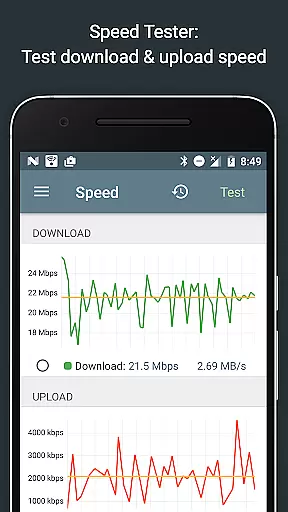
Moreover, the app's speed test feature provides graphical representations of both download and upload speeds, allowing users to visualize their internet performance accurately. With historical data tracking, Network Analyzer Pro enables users to monitor fluctuations in their network quality over time, thus aiding in identifying persistent issues.
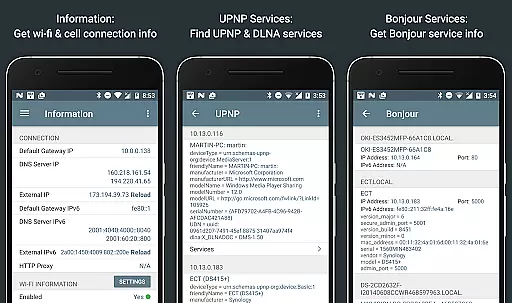
The inclusion of advanced functionalities such as Wake on LAN (WOL), Bonjour/DLNA service detection, and detailed WiFi analytics further enhances the app's effectiveness. These features collectively ensure that users have access to a robust set of tools necessary for maintaining optimal network health.
A key aspect of Network Analyzer Pro is its commitment to providing an intuitive and straightforward user interface. Despite the complexity of the network diagnostic tools it offers, the app maintains a clean layout that simplifies navigation and operation.
Users can easily access a wide array of functions without needing extensive technical knowledge. The main dashboard categorizes tools into distinct sections, each accessible with minimal taps. This organization ensures that even those new to network diagnostics can quickly find and utilize the required features without feeling overwhelmed.
In addition to its organized structure, the app provides detailed help documentation and tooltips. These resources guide users through each tool's functionality, enhancing understanding and ease of use. Such support is invaluable for individuals looking to troubleshoot network issues independently.
Furthermore, the ability to export results via email or other means adds another layer of convenience. Users can share diagnostic reports effortlessly, facilitating collaboration with IT professionals if needed. Overall, Network Analyzer Pro combines powerful capabilities with an accessible interface, ensuring users can effectively manage their networks regardless of their expertise level.
Comprehensive network tools
Fast Wi-Fi device discovery
Advanced signal analysis
IPv6 support
Export and history features
Complex for beginners
Requires technical knowledge
Premium price point
Limited customer support
Occasional bugs

This app unlocks the Pro features of the Central for DayZ app
 3.60
3.60
App to pay for FUTO Keyboard
4.60
Create your own live wallpaper or check out thousands already made presets
3.90
Excellent scientific calculator with symbolic algebra, integrals, derivatives
4.80
The one-and-only remote control for PC, Mac, and Linux
4.70
Create your own custom widget with endless possibilities
3.90
Pro Emulator is an easy to use game console emulator for a range of consoles.
4.40
Automate everything from settings to photos, SMS to speech. ADC2 prize winner.
4.10
Introducing Smart Printer, your ultimate destination for printing solutions!
4.00
Support Fossify apps with a warm thank you!
5.00
Navigate with Ease and Style
4.90
Connect instantly to a fast, encrypted VPN with one tap
4.60
HD Camera captures every special moment.
4.60 4.50
4.50
eXtended Permission Manager - a small app to manage permissions and AppOps
4.50
Fluid navigation gestures for all of us!
4.30
Carry a FTP server in your pocket and avoid USB cables for file transfer
4.20
Signal Strength, Mobile, Wifi, Speed Test, Bad Signals, Cellular, 5G, LTE, 4G
4.20
PDF Reader - Document Viewer: Read, Manage & Organize Your Documents
3.10


User Reviews