
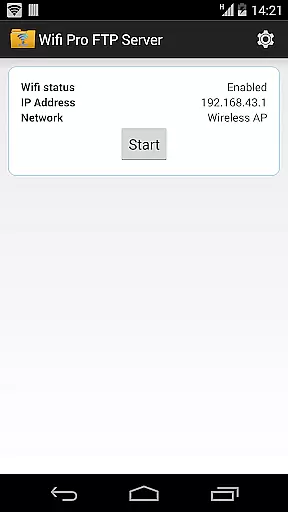
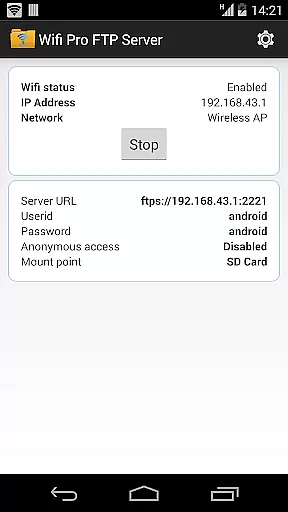
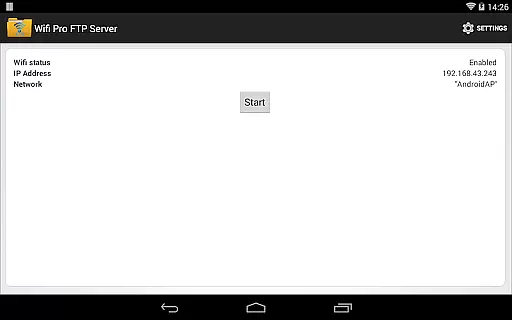
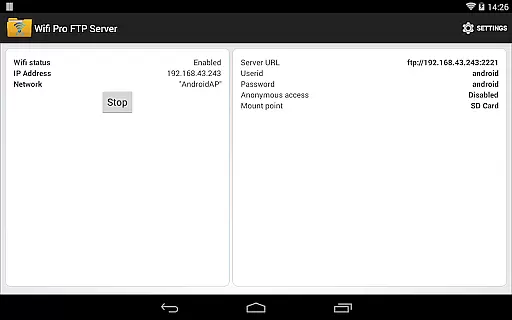
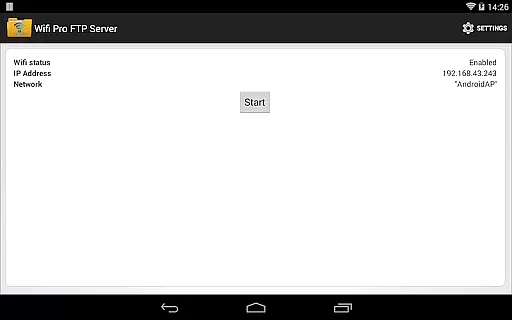
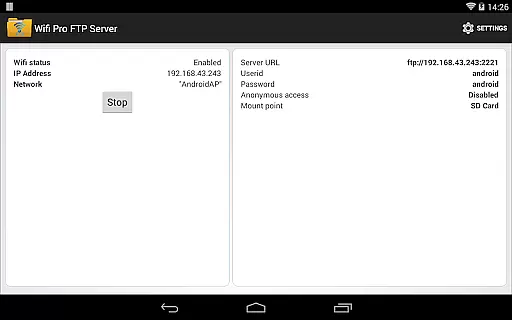
WiFi Pro FTP Server transforms your Android device into a fully functional FTP server, enabling seamless file transfers between your phone or tablet and other devices. With support for FTP over TLS/SSL (FTPS), this app ensures secure data exchanges while offering advanced configuration options such as anonymous access, home folder settings, and user authentication.
This tool is particularly useful for users who want to avoid cumbersome USB cables and prefer wireless file management. Whether you're transferring photos, movies, songs, or documents, the app works efficiently over both standard Wi-Fi networks and hotspot modes, making it versatile for various use cases.
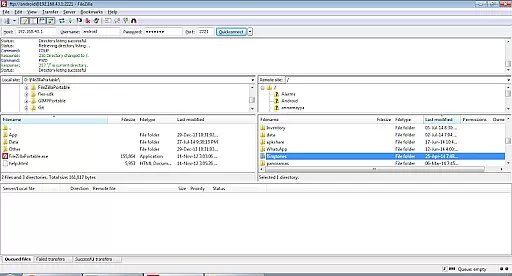
By hosting your own FTP server, you gain complete control over your data and can easily back up or share files with other devices using FTP clients like FileZilla. Its intuitive interface and robust functionality make it an essential utility for anyone seeking efficient wireless file management.
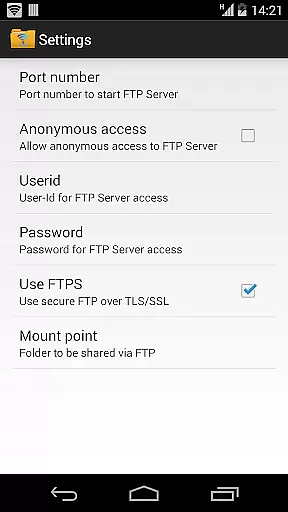
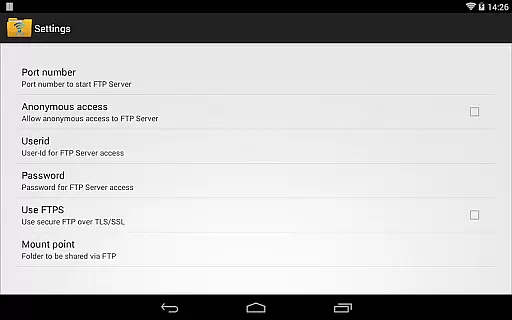
One of the standout features of WiFi Pro FTP Server is its comprehensive FTP capabilities. The app allows users to configure port numbers, ensuring compatibility with different network setups. Additionally, it supports FTPS (FTP over TLS/SSL), providing an extra layer of security during file transfers.
The app offers extensive customization options, including configurable anonymous access, home folder selection, and personalized username/password combinations. These features give users flexibility in managing their FTP server according to specific needs. Furthermore, the app eliminates the need for physical connections by facilitating file transfers exclusively over Wi-Fi or hotspot mode.
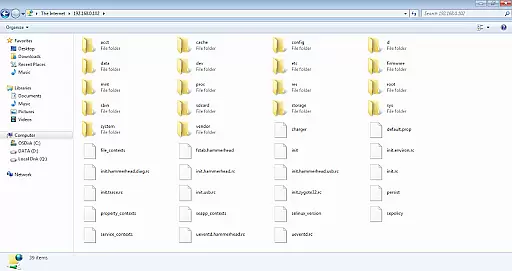
Another notable aspect is its compatibility with popular FTP clients like FileZilla and even Windows File Explorer. This ensures that users can connect to their FTP server effortlessly, regardless of their preferred software. Overall, these features combine to create a powerful yet user-friendly tool for wireless file management.
WiFi Pro FTP Server excels in providing a reliable and efficient file transfer solution. The app transforms your Android device into a fully functional FTP server, enabling seamless file sharing over Wi-Fi networks.
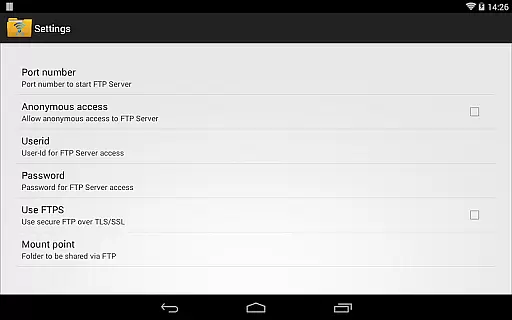
The core functionality includes complete FTP server capabilities with support for FTP over TLS/SSL (FTPS), ensuring secure data transmission. Users can configure port numbers, set up anonymous access, and define a home folder to streamline the file-sharing process.
By avoiding cumbersome USB cables, this app offers a modern wireless alternative for transferring files, photos, movies, and music to and from your Android device. Its compatibility with various FTP clients like FileZilla enhances its versatility.
This application's effectiveness is further demonstrated through its support for both standard Wi-Fi connections and Wi-Fi tethering modes, making it adaptable to different network environments and user needs.
A user-friendly interface is crucial for an effective tool app, and WiFi Pro FTP Server delivers just that. The app provides straightforward navigation and clear options, allowing users to easily configure settings such as port number, username, and password.
Configurable features like anonymous access and home folder settings are presented in an intuitive manner, ensuring that even those new to FTP servers can manage their file transfers with confidence. This simplicity reduces the learning curve typically associated with network configurations.
Moreover, the app includes helpful resources such as links to download compatible FTP clients like FileZilla, enhancing the overall user experience. These resources ensure that users have everything they need to get started quickly and efficiently.
With security considerations built into the interfaceu2014such as default disabled anonymous access and recommended port numbersu2014the app ensures safe and intuitive operations while maintaining ease of use.
Secure FTPS support
Customizable settings
Wireless convenience
User authentication
Versatile connectivity
No SFTP support yet
Limited low-port binding
Default security restrictions
Paid version required
Requires FTP client

Quickly switch to an encrypted DNS server on Android TV
 4.50
4.50
Connect instantly to a fast, encrypted VPN with one tap
4.60
Complete kernel toolbox with features to manage and tweak your rooted device
4.30
Fluid navigation gestures for all of us!
4.30
Universal TV remote control all TVs, Roku, LG, Samsung, Fire, Vizio, Sony, TCL.
4.40
Best leveling tool for your Android device. Hang paintings like a pro.
4.90
View detailed information about your Nissan Leaf the dealer never shows you.
4.10
The Ultimate Bluetooth Keyboard & Mouse. Securely control your PC, Mac, and more
4.50
Screen Mirroring for Roku Sticks, Roku TCL TV and Roku Hisense TV
4.50
Monitor car performance in real time and troubleshoot malfunctions.
4.80
Extremely fast, secure, and protects your privacy
4.80
Protect your device with antivirus, storage cleanup, and system monitoring
4.70
Canon PRINT is a companion app for your Canon printer.
4.60
App to pay for FUTO Keyboard
4.60
Game Booster, GFX Tool is now compatible with newer game update
4.50
Clean up large files and similar photos, fast and easy to use
4.40
pdf merge, word to pdf, jpg to pdf, edit pdf, convert to pdf and much more!
4.20
Family Locator, Share location, StayConnect with your family in real time
3.90
Clean the junk files on your device
3.40


User Reviews