
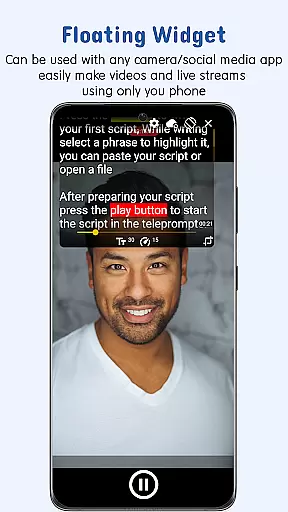
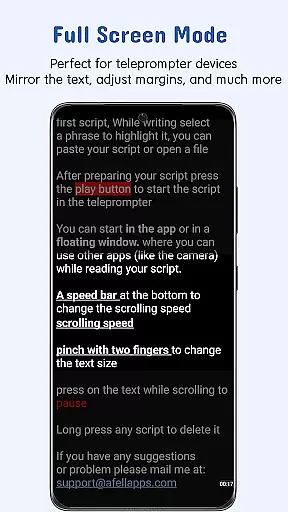
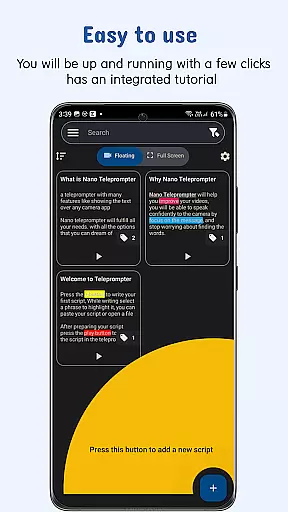
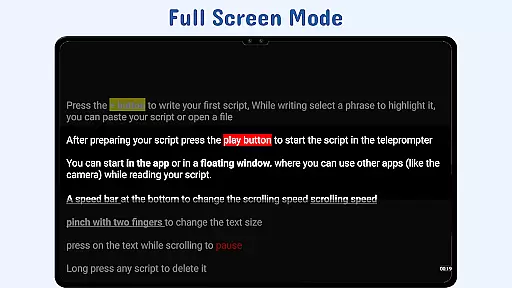
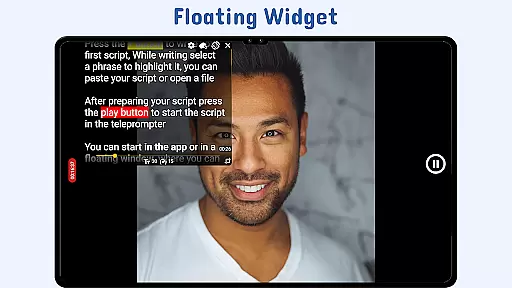
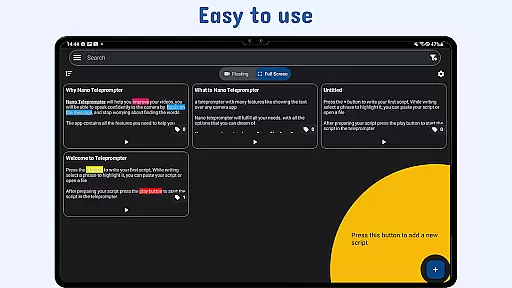
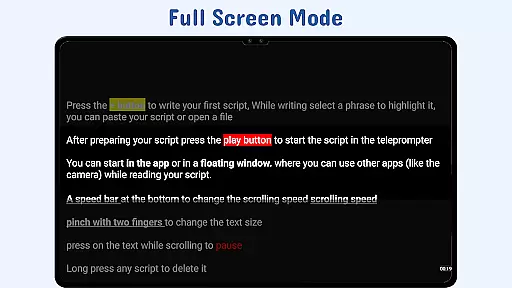
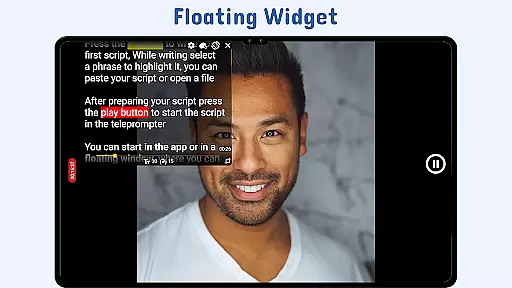
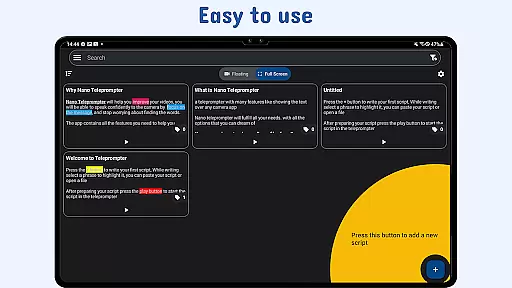
Nano Teleprompter is a versatile productivity tool designed to streamline the process of script reading for video recording, live streaming, and public speaking. The app's standout feature is its floating teleprompter widget, which can be freely resized and positioned on-screen while using any camera application. This ensures seamless integration with your preferred recording setup, whether in landscape or portrait mode.
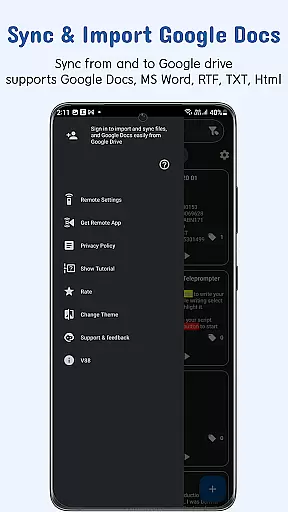
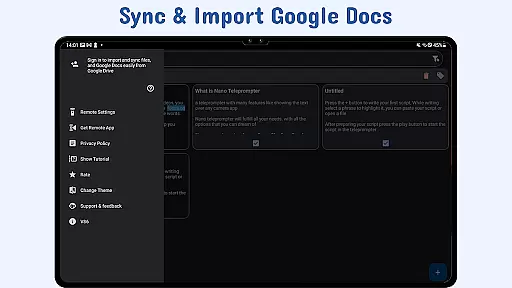
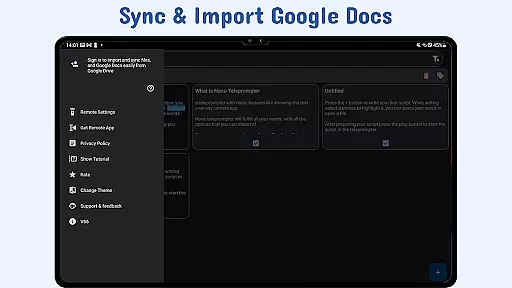
Another key advantage is the real-time Google Drive sync functionality. Users can create, edit, and manage scripts directly in Google Drive, with automatic updates reflected in the app. Supported file formats include Google Docs, MS Word, RTF, TXT, and HTML, offering flexibility in script preparation. With customizable text settings, gesture controls, and remote support, Nano Teleprompter provides a comprehensive solution for all teleprompting needs.
The app is particularly beneficial for content creators, educators, and professionals who rely on scripted delivery. Its intuitive interface and powerful features ensure a smooth experience, allowing users to focus on their performance rather than the technology behind it.
Nano Teleprompter stands out with its robust set of features tailored for productivity-focused users. One of its most notable capabilities is the floating teleprompter widget, which offers complete flexibility during recordings. Users can adjust the widget's size and position on the screen, ensuring it doesn't interfere with the camera frame while providing easy readability.
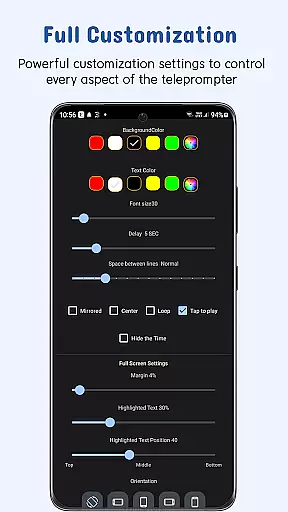
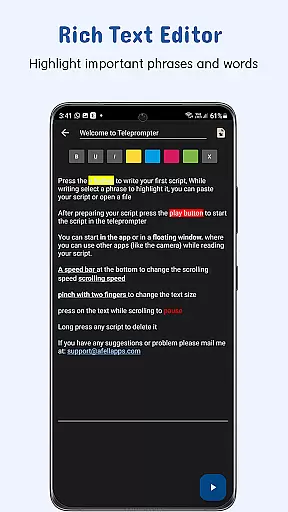
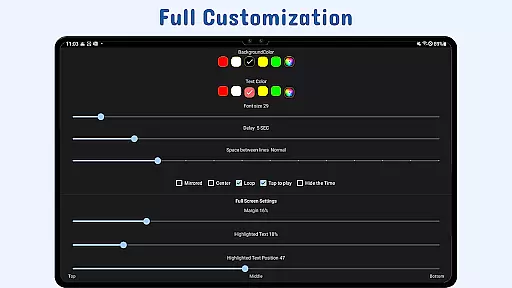
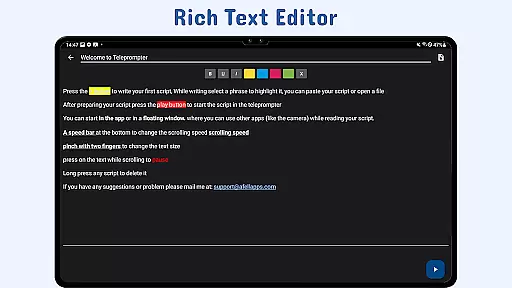
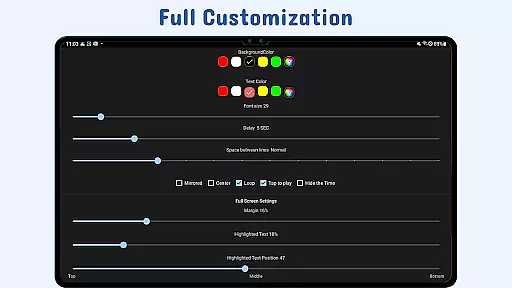
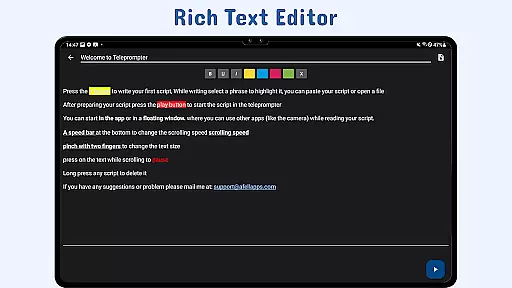
The app also excels in customization options. Users can modify text size, color, background opacity, margins, and line spacing to suit their preferences. Additionally, the ability to highlight key phrases helps emphasize important parts of the script. Gesture controls add another layer of convenience, allowing users to zoom in on text or resize the widget with simple pinch and drag motions.
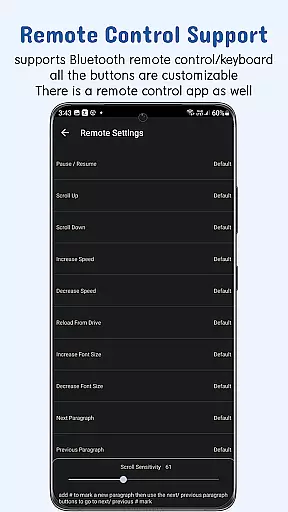
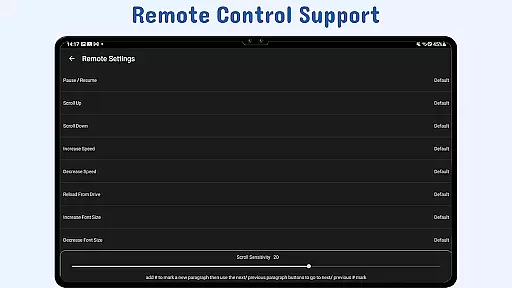
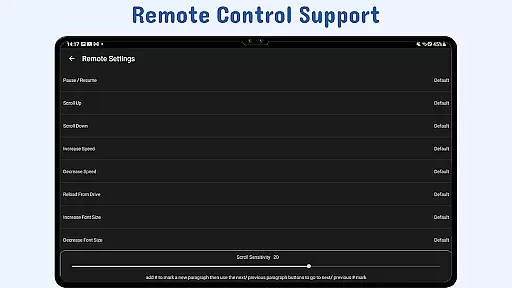
Remote control support further enhances usability by enabling hands-free operation. Users can configure remote buttons to pause, resume, scroll, adjust speed, and navigate through the script effortlessly. Combined with quick script access and cross-device syncing via Google Drive, these features make Nano Teleprompter an indispensable tool for anyone requiring reliable teleprompting solutions.
At the heart of Nano Teleprompter lies its robust core task management system, designed to streamline your workflow. This feature allows users to create, edit, and manage scripts directly through Google Drive, ensuring that all content is up-to-date and readily accessible.
The app's real-time sync functionality means any changes made in Google Drive are instantly reflected within Nano Teleprompter, providing a seamless experience for users who rely on cloud-based document management. This ensures that whether you're crafting a speech or preparing video content, your most current script is always at your fingertips.
Moreover, Nano Teleprompter supports various file formats such as Google Docs, MS Word, RTF, TXT, and HTML, offering unparalleled flexibility in how you prepare and present your material. This versatility not only simplifies the preparation process but also enhances productivity by allowing users to work with their preferred tools.
Cross-device synchronization is a pivotal feature of Nano Teleprompter, enabling users to maintain consistency and reliability across multiple devices. By leveraging Google Drive, the app ensures that your scripts are backed up and accessible wherever you go, providing peace of mind and enhancing productivity.
This synchronization process is not only about backing up files but also about ensuring that every device you use is updated with the latest changes. Whether switching from a desktop to a mobile device or sharing content with a colleague, Nano Teleprompter guarantees that everyone is on the same page, literally and figuratively.
Furthermore, this reliable cross-device support empowers users to work flexibly, without being tied to a single device or location. It fosters collaboration and ensures that whether you're live streaming, recording, or presenting, your content is always synchronized and ready for action.
User-friendly interface
Real-time cloud syncing
Customizable text options
Remote control compatibility
Cross-device accessibility
Limited offline functionality
Premium feature costs
Occasional sync delays
Learning curve for new users
Dependent on Google services

Direct Chat without saving contacts & Dual WA Account on Single Device
 4.70
4.70
A simple, portable logger for POTA, SOTA, Field Day, and more
4.2
Remotely view listen control and record cameras.
3.70
⏰ Finally a timer app which can run multiple timers simultaneously on your watch
3.90
Find and delete junk files & block unwanted notifications & manage files
3.70
* block pre-roll ads, pop-up and forced redirect ads * Samsung certification app
4.00
A beautiful digital clock with autostart and many other functions
4.70
To do list widget with a notebook organizer, checklist, simple shopping list
4.60
Intelligent AI Assistant
4.10
8 custom complications. Custom Time Fonts. Beautiful color schemes. A++ Design.
5.00
Multilingual translator for text, voice, and image translation!
4.90
Android Wallet Password Manager
4.80
Protect and view your important info on your phone and tablet with eWallet®
4.80
Secure, fast, open-source, VNC and SSH Remote Desktop for Windows, Linux and Mac
4.70
Functional QR scanner and barcode reader that requires little storage space.
4.60
Subscribe to Webcal & .ics calendars and keep them up-to-date!
4.50
Device's storage information in a simple and clear graphical form (infographics)
4.10
Activate Two Factor Authentication (2FA or Multi OTP), Password manager and more
4.10
IP Camera Viewer - Android TV : RTSP Surveillance camera viewer for Android TV
4.4


User Reviews