
My Invisalign is a comprehensive application designed specifically for individuals undergoing orthodontic treatment with Invisalign clear aligners. This app serves as an all-in-one platform that supports users throughout their smile transformation journey. With My Invisalign, patients can access detailed information about their treatment plans, simulate potential outcomes with SmileView, and even locate nearby dental professionals for consultations.
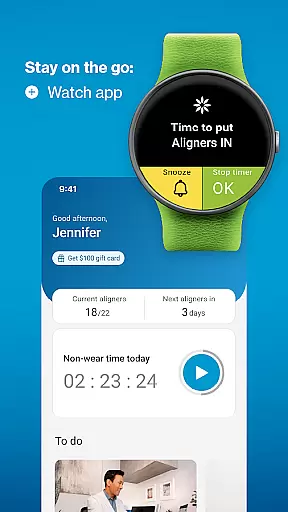
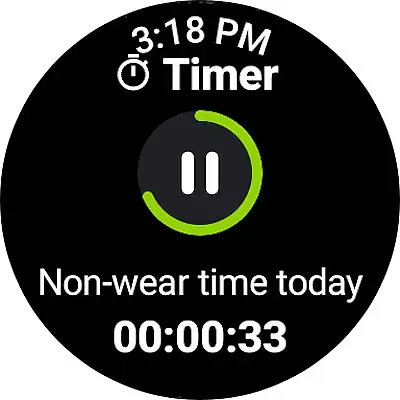
The app's standout feature is its ability to enhance patient engagement through various tools. Users can monitor their progress with features like the custom aligner tracker, receive timely reminders for aligner changes, and maintain a personalized treatment calendar. Additionally, the integration with Wear OS devices allows for seamless tracking directly from the user's smartwatch, making it easier than ever to stay on top of one's treatment schedule.
For those considering Invisalign treatment, the app offers valuable resources such as educational content and a smile simulation tool. Current patients benefit from features that facilitate communication with their doctors, including virtual care options and ClinCheck plan viewing. These functionalities not only streamline the treatment process but also empower users to actively participate in achieving their desired results.
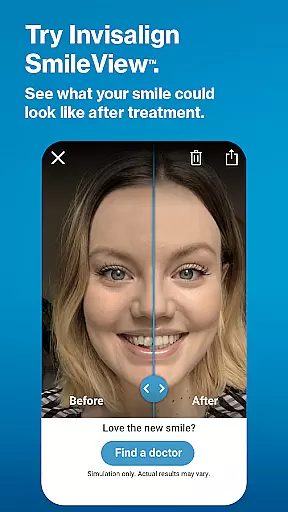
My Invisalign stands out with its diverse range of specialized features tailored for both prospective and current Invisalign patients. One of the key highlights is the SmileView simulation tool, which allows users to visualize their potential new smile and share these simulations with others. This interactive feature provides a tangible glimpse into the benefits of Invisalign treatment, helping individuals make informed decisions about their orthodontic care.
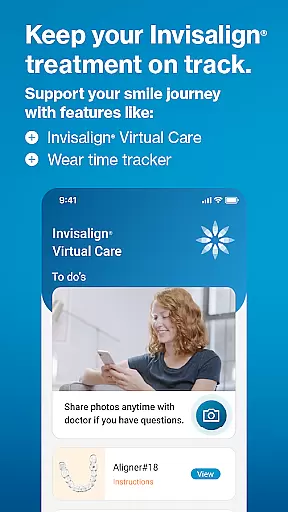
For patients already undergoing treatment, the app offers advanced functionalities such as ClinCheck treatment plan viewing and Invisalign Virtual Care. These features, available by doctor's invitation, enable seamless communication between patients and their orthodontists. The app also includes comprehensive tracking systems, allowing users to monitor their aligner wear time through daily timers and visual calendars. Furthermore, the integration with Wear OS devices extends the app's capabilities to smartwatches, providing convenient access to aligner tracking and reminders.
Additional notable features include a referral program that rewards users with gift cards when they refer friends who begin treatment, and a progress documentation system that lets patients capture and share their transformation journey through videos and photos. The app also facilitates appointment scheduling and management through its personal smile concierge service and customizable treatment calendar, ensuring users stay organized throughout their treatment process.
Companion app integration is essential for users who want a seamless experience between their mobile devices and wearables. The My Invisalign app excels in this area by ensuring that all your treatment data is synchronized across platforms.
By connecting your Wear OS device to the My Invisalign app, you gain access to real-time aligner tracking. This feature allows you to monitor your progress directly from your smartwatch, making it more convenient to stay on top of your treatment plan.
The synchronization extends to notifications and reminders as well. Whether it's time to change your aligners or attend a consultation, you'll receive timely alerts on both your phone and watch. This ensures you never miss an important step in your journey to a better smile.
Overall, the companion app integration enhances user engagement by providing a unified platform where patients can manage every aspect of their Invisalign treatment efficiently and effectively.
Device compatibility is crucial for ensuring that applications run smoothly across different hardware configurations. The My Invisalign app supports a wide range of Wear OS devices, allowing users to take full advantage of its features regardless of their specific smartwatch model.
With comprehensive support for various Wear OS devices, users can enjoy consistent performance and reliability. This broad compatibility means that whether you have a newer or older model, you can still benefit from the app's core functionalities like aligner tracking and notifications.
In addition to supporting multiple devices, the app also offers customization options tailored to each device's capabilities. This ensures an optimal user experience, leveraging the unique strengths of each smartwatch to provide the best possible service.
Ultimately, the My Invisalign app's commitment to Wear OS/device compatibility guarantees that every user can seamlessly integrate the app into their daily routine, enhancing their overall treatment experience.
User-friendly interface
Comprehensive progress tracking
Virtual care options
Smartwatch integration
Educational resources
Limited ClinCheck access
Doctor invitation required
Premium feature lock-in
Occasional syncing issues
High system requirements

A customizable Christmas watch face for Wear OS with a countdown.
 4.20
4.20
WTW M17 is a premium and luxurious hybrid watch face
4.70
Beautiful, colorful and practical watch face. For Wear OS devices.
5.00
Stylish digital watch face for Wear OS devices with customizable features
4.5
The ultimate destination for kids ages 3-8 to explore the Marvel Universe!
4.30
The #1 source of faces for your smartwatch!
4.00
Viewer for Wyze/Yi/Eufy/Arlo/ONVIF/RTSP/P2P IP cams w/ adv. features & DIY DVR
4.00
Hybrid Vibrant Health Watch Face for Wear OS
4.4
Your local weather forecast, storm tracker, radar maps & live weather news
3.40
Christmas Theme Watch Face for Wear Os
5.00
The most customizable hybrid watch face. For Wear OS 5.0, API 34+ and later
4.70
Beautiful artistic animated digital watch face, with a customizable layout!
4.40
A white realistic classic analog watch face with many customization options.
4.40
Watch face for Wear OS.
4.20
Let's celebrate Thanksgiving - Wear Os watch face
4.20
Animated video-game inspired “secret agent” simulation, right on your wrist!
4.20
Snowflake Rose Gold Watch Face - Digital, modern, & sleek with GYRO effect.
4.10
A watch face that fuses motorsport precision with contemporary smartwatch design
4.3
Simple Analog-Digital Watchface For Wear OS 3.0 and Up Smartwatches
4.3


User Reviews