
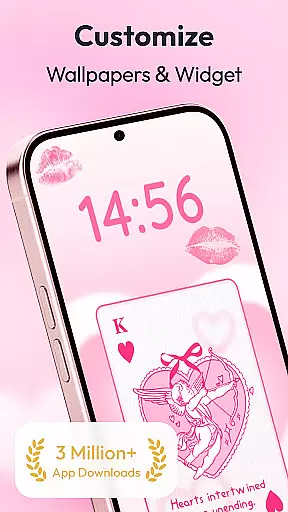
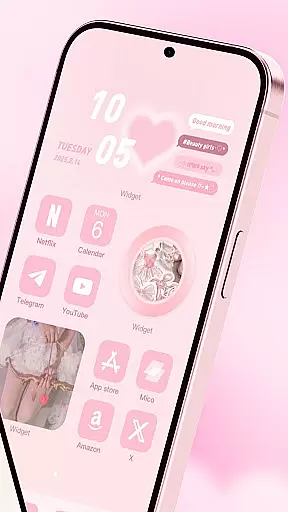
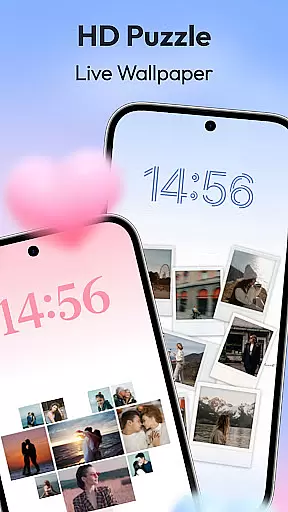
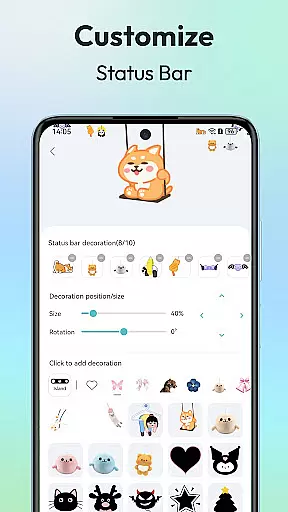
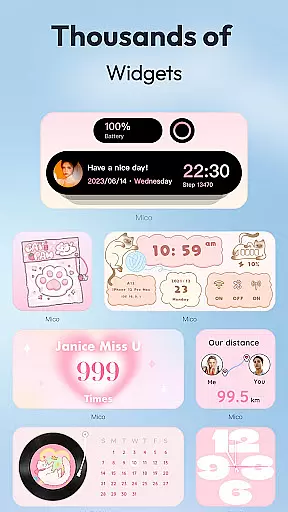
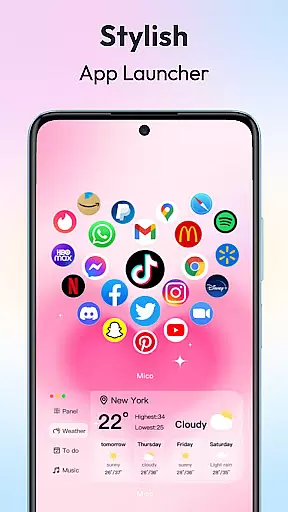
Mico is a comprehensive personalization app that transforms your mobile device into a creative canvas. With over 1000 customization tools, it offers users the ability to design their dream home screen with unique widgets and live wallpapers. The app provides a wide range of aesthetic options including couple and battery widgets, 4K live wallpapers, and various customization tools.
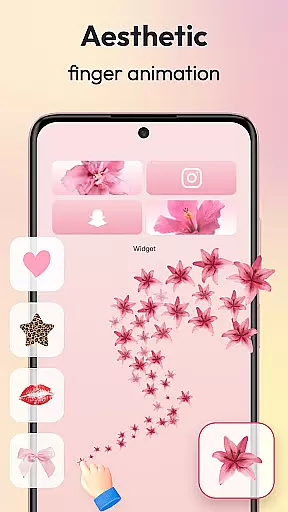
Users can personalize their phone screens with practical functions like photo frames, music players, and creative animations. Mico also features advanced tools such as the Widgify Tool for DIY widgets, AI-powered filters for portrait wallpapers, and smart layout engines for one-tap style presets. These features allow users to create a truly personalized and unique 'iScreen' experience.
The app's versatility extends to its lock screen magic, offering dynamic widgets and health tracking dashboards. Whether you're looking to improve efficiency or simply express your personal style, Mico provides the tools necessary to customize your device to fit your lifestyle. Its cross-platform sync feature even allows for style transfer between iOS and Android devices.
Mico stands out with its extensive array of features designed to enhance personalization. The app includes over 1000 creative widgets, ranging from practical functions to purely aesthetic enhancements. Users can access tools like WidgetSmith and Widgify, which allow for the creation of custom widgets from favorite images or themes.
In addition to its widget offerings, Mico provides a 4K Live Wallpaper Maker. This feature enables users to transform personal photos or artistic designs into vibrant wallpapers. With daily updated collections spanning manga, anime, landscapes, and more, there's a wallpaper for every taste. The inclusion of AI-powered filters adds depth effects for portrait wallpapers, elevating the customization experience.
Mico also excels in lock screen customization with dynamic widgets and smart text designers. Users can enjoy motivational quotes, editable typography, and real-time health dashboards. The Pro Customization Tools further enhance this experience with DIY widget builders and smart layout engines, ensuring that each user's home screen is not only personalized but also highly functional.
Customization is at the heart of personalizing your digital experience, and Mico offers an extensive suite of options to make your device truly yours. With over 1000 creative widgets, the app allows you to add practical functions, photos, panels, and even cute battery indicators to your home screen. These widgets are not just limited to static images; they include dynamic elements like music players and creative animations that bring your aesthetic 'iScreen' vision to life.
Mico's customization tools extend beyond simple widgets. The app includes a feature called Widgify, which lets you turn your favorite things into widgets, thus offering endless possibilities for personalization. Whether it's a Locket Widget that balances security with personalized freedom or top widgets designed by world-class designers, Mico provides high-quality options that cater to various tastes and preferences.
The true power of Mico lies in its Themify Design and Photo Widget features. Themify Design enables you to apply custom themes and wallpapers with a single tap, including popular options like the Labubu theme or TikTok wallpapers. Meanwhile, the Photo Widget supplies a plethora of stylish photo frames, ranging from cute pets to retro game consoles and movie film styles, ensuring that your home screen reflects your unique personality and interests.
Theme compatibility is crucial for users who want a cohesive look across their devices, and Mico excels in this area by providing seamless integration of themes and wallpapers. The app boasts a vast collection of 4K live wallpapers and DIY wallpaper options, allowing you to transform your favorite photos or artistic designs into vibrant, eye-catching backgrounds. From scenic landscapes to beloved movie clips, Mico makes it possible to personalize your home screen like never before.
In addition to static and video wallpapers, Mico leverages AI-powered filters and depth effects to enhance portrait wallpapers, making them more lifelike and engaging. The app also supports focus mode matching, which automatically switches wallpapers based on the time or your location, ensuring that your device always looks fresh and relevant to your current context.
Mico doesn't stop at wallpapers; it offers a comprehensive set of Pro Customization Tools that ensure complete theme compatibility. With the DIY Widget Builder, Smart Layout Engine, and access to 2000+ icon packs, you can achieve a consistent and polished look across all elements of your device's interface. Whether you prefer retro pixel art, neon glow effects, or marble textures, Mico provides the tools necessary to create a harmonious and visually appealing theme that resonates with your personal style.
User-friendly interface
Extensive customization options
Cross-platform compatibility
Daily updated content
AI-powered enhancements
Some features may require premium access
Advanced tools could overwhelm beginners
Highly detailed options might slow down older devices
Occasional bugs in new updates
Limited offline functionality

Sparkle your screen with Glitter Wallpapers For Girls and Cute Backgrounds!
 4.80
4.80
A launcher for Samsung Good Lock and Good Guardians modules without ads
4.70
Dark icon pack based on One 8
4.80
Customizable screen pets that play, climb, and keep you company.
4.50 4.50
4.50
Customize your home screen with stunning themes, blur, widgets & icons.
4.60
Crystal-clear, square icon provides a sleek and sophisticated visual upgrade
4.00
Transform your phone with stunning video wallpapers and a unique, personal touch
3.80
Customize phone with anime themes, 3D icons, aesthetic widgets & wallpapers
4.80
100+ Stylish Fonts, Emojis, Symbols keyboard for Instagram & TikTok!
4.80
A Colorful and Minimal icon pack in an Outline Style - Over 13,600 icons!
4.70
Glass style colourful icons with a One UI look and feel
4.60
Ultra realistic high quality analog watch face for Wear OS.
4.60
Zip lock screen with magic wallpaper to decorate your phone with fun zipper lock
4.60
Turn text & photos into stunning AI videos, art, and creative visual stories.
4.50
App Icon Changer & Shortcut Creator. Customize your icons without any watermarks
4.30
Unique Fonts, typefaces and stylish text. Fonts for Instagram, Whatsapp & others
4.20
Turn your lock screen into fun with smile live wallpapers & animated wallpapers!
2.50
Modern Glass Icon Pack with glossy icons, clean minimal theme & aesthetic style
4.5


User Reviews