
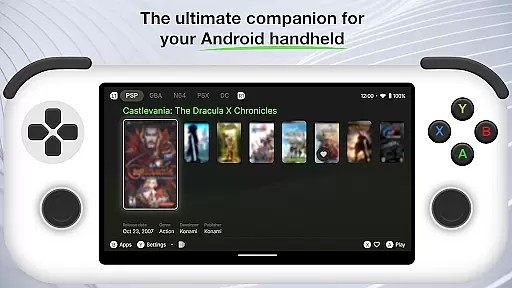
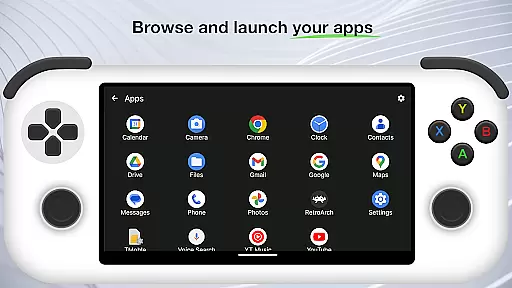
Beacon Game Launcher is an innovative Android launcher specifically designed for retro gaming enthusiasts. This application allows users to organize and launch their classic game collections with ease.
The app's key feature is its ability to integrate with various emulators, enabling direct game launching. It also automatically enhances your game library by scraping cover art and metadata, creating a visually appealing and well-organized collection.
Ideal for gamers who want to relive the nostalgia of classic titles, Beacon Game Launcher provides a seamless way to access and manage your retro games on Android devices.
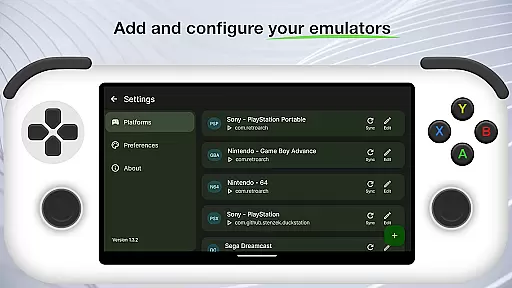
Beacon Game Launcher offers several notable features that enhance the retro gaming experience. The app supports integration with multiple emulator types, allowing users to consolidate their game libraries in one place.
A standout feature is the automatic scraping of game information. When you add games to your library, the app retrieves cover art and metadata, creating a professional-looking collection without manual input.
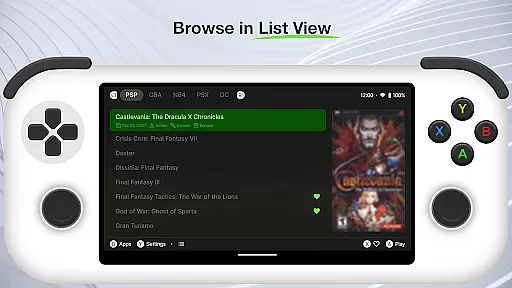
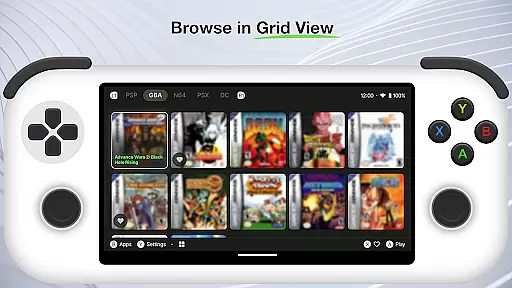
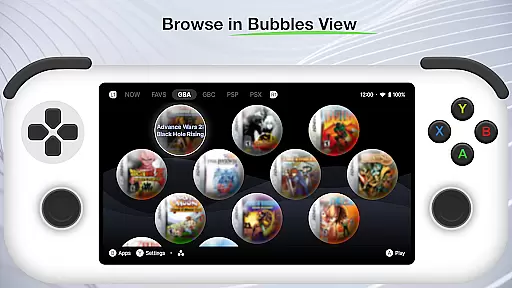
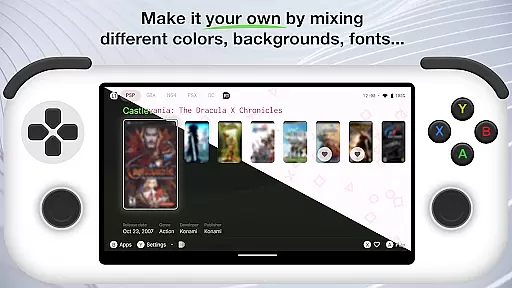
The launcher interface is customizable and optimized for easy navigation. Users can quickly sort, filter, and launch their favorite classic games while maintaining a clean and organized digital shelf.
Customization is at the heart of Beacon Game Launcher, allowing users to tailor their gaming experience. This Android launcher provides a versatile platform for classic gaming enthusiasts to organize and access their game library with ease.
The app supports adding various emulators, giving users the freedom to choose their preferred platforms. By curating a personal retro game collection, players can relive the nostalgia of their favorite titles while discovering new ones.
Beacon enhances user engagement by automatically fetching cover art and metadata, enriching the visual appeal and information depth of each game entry. This feature not only beautifies the interface but also makes game identification intuitive and enjoyable.
Theme compatibility in Beacon Game Launcher ensures that users can enjoy a cohesive visual experience across their gaming library. The app's design accommodates various themes, allowing for seamless integration with different emulator styles and aesthetics.
By focusing on theme flexibility, Beacon enables gamers to maintain a consistent look and feel throughout their retro gaming sessions. This attention to visual detail enhances immersion and keeps the focus on the gaming content itself.
Moreover, the launcher's adaptive theming enriches the overall user experience, making it easy to switch between different visual styles without losing functionality or aesthetic coherence. This versatility caters to diverse user preferences and enhances personal expression.
User-friendly interface
Automatic metadata retrieval
Multiple emulator support
Customizable layout options
Regular feature updates
No built-in emulator functionality
Limited to retro gaming use
Metadata accuracy varies
Requires manual library setup
Android-only compatibility

3D, live, and moving wallpapers & themes in 4K and HD for your device.
 4.50
4.50
Fingerprint Lock Screen & Live Animations with 4K Wallpapers as Live Wallpaper
4.40
Prank your friends with realistic broken screen and cracked HD effects!
4.5
Wallpaper HD 4K Live - Thousands of high-quality Anime backgrounds for you.
4.80
Unique Fonts, typefaces and stylish text. Fonts for Instagram, Whatsapp & others
4.20 4.10
4.10
Adaptive Dot Style IconPack with Light & Dark Theme.
3.70
350+ widgets with a premium glass-style finish, perfect for home & lock screens.
4.70
Your home screen, just the way you like it.
3.80
Stunningly Different look with Line Icons and Neon Colors
4.60
Customize your home screen with stunning themes, blur, widgets & icons.
4.60
A light in the dark, a unique style and an andless cutomization!
4.30
Your home screen, just the way you like it.
4.30
Magic fluids wallpaper 4D: Relax with stunning fluid simulation wallpaper app
4.20
More than 3000+ themes and 9000+ wallpapers for everybody!
4.10
Realistic animated snow on your wrist, with 10 images landscapes to choose from
4.00
Design your screen with unique, vibrant clocks
3.80
Your go to Weather App & Home Screen. Get your weather at a swipe of a finger!
3.80 3.50
3.50


User Reviews