
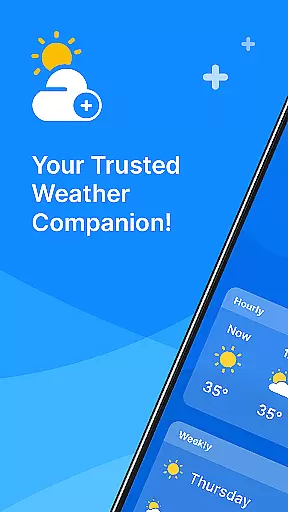
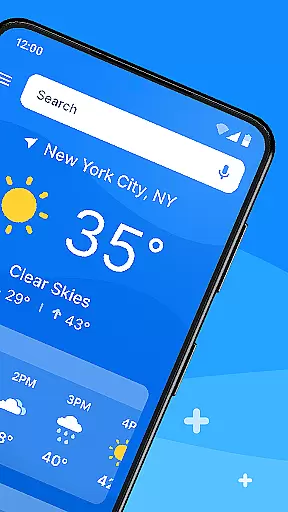
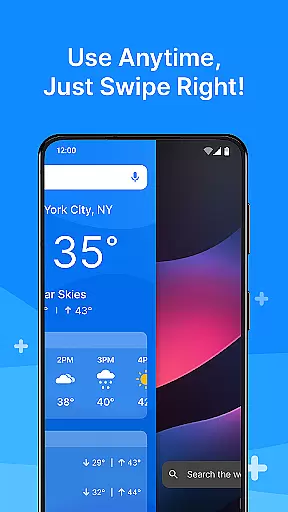
All Weather Mode is a comprehensive weather application designed to keep users informed about current and forecasted weather conditions. The app provides real-time updates, detailed forecasts, and location-based reporting, ensuring you are always prepared for the day ahead. With an intuitive home screen layout, it offers quick access to essential weather information such as temperature, sunrise and sunset times, humidity, wind speed, and visibility.
Whether planning daily activities or preparing for outdoor adventures, All Weather Mode equips you with the necessary tools to make informed decisions. Its robust features include 7-day forecasts, hourly updates, and precipitation percentages, all powered by reliable sources like Yahoo. The app's clean design and easy navigation make it an ideal choice for anyone seeking accurate and accessible weather data.
All Weather Mode stands out with its array of sophisticated features tailored to meet diverse user needs. One key highlight is the Intuitive Home Screen Layout, which simplifies access to vital weather details through customizable shortcuts. This ensures that users can swiftly obtain their required weather reports without unnecessary searching.
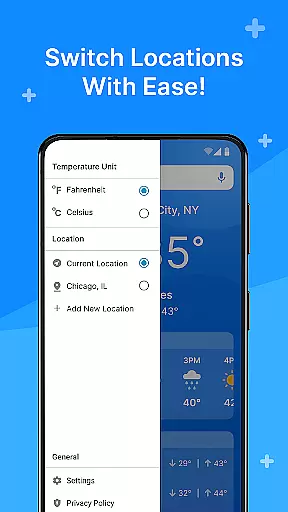
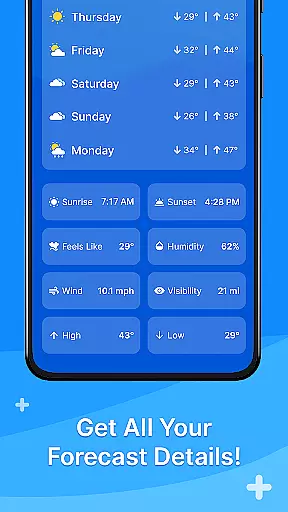
The app excels in Real-Time Weather Reporting, delivering up-to-the-minute information on temperature, feels-like temperatures, humidity, wind speed, and more. Detailed Forecasts provide a 7-day outlook with daily highs and lows, empowering users to plan confidently. Additionally, Location-Based Weather functionality allows tracking multiple locations, making it invaluable for travelers or those concerned about loved ones in different areas.
Another notable feature is the Sunrise and Sunset Times, helping users schedule outdoor activities around daylight hours effectively. These rich functionalities ensure that All Weather Mode remains a go-to solution for staying updated on weather changes while offering a seamless user experience.
Weather Mode: Weather Launcher stands out with its diverse customization options that cater to various user preferences. The app offers an intuitive home screen layout, allowing users to personalize their experience by arranging quick-swipe shortcuts for easy access to weather forecasts.
Beyond the home screen, users can tailor their weather reporting to include real-time data such as temperature, sunrise, sunset, feels-like temperatures, humidity levels, wind speed, visibility, and more. This level of personalization ensures that you receive the most relevant information for your current and saved locations.
The detailed 7-day forecasts come with daily temperature highs and lows, empowering you to plan your week confidently. With robust hourly forecasts providing precipitation percentages and hour-by-hour updates, Weather Mode supports timely decision-making tailored to your schedule.
Additionally, location-based weather features let you add multiple locations, ensuring you're always informed about the weather in areas important to you. Whether it's for travel or checking on loved ones, this customization option adds a layer of convenience and care.
Theme compatibility is at the heart of Weather Mode: Weather Launcher, offering a visually cohesive experience across devices. The app boasts a clean and intuitive design that aligns seamlessly with various themes, enhancing usability without compromising aesthetics.
Powered by Yahoo, the robust search functionality integrates smoothly into the overall theme, maintaining consistency while delivering accurate weather information. Quick-swipe shortcuts are thoughtfully designed to match the app's theme, providing a fluid and engaging user interface.
Users will appreciate how sunrise and sunset times are presented within the thematic framework, allowing for optimal planning of outdoor activities based on daylight hours. This harmonious blend of form and function ensures that all features, from local weather reports to multi-location tracking, feel native to the appu2019s environment.
With its theme-compatible design, Weather Mode: Weather Launcher not only provides essential weather data but does so in a manner that feels familiar and comfortable, making it your go-to weather app for staying informed with style and ease.
User-friendly interface
Accurate forecasting
Real-time updates
Customizable home screen
Multi-location tracking
Limited free features
Occasional ads
Heavy on battery
Requires constant updates
Some data inaccuracies

Vertically oriented rectangular icons
 4.70
4.70
A light in the dark, a unique style and an andless cutomization!
4.30
Ultra realistic gold analog watch face with lots of customization options.
4.50 4.50
4.50 3.50
3.50
300+ Beautifully crafted widgets inspired by OneUI.
4.60
Customize phone with anime themes, 3D icons, aesthetic widgets & wallpapers
4.80
Transform your phone with stylish zipper lock themes and 4D live wallpaper
4.10
Cool custom fonts & keyboard themes! Symbols & font changer for Instagram
4.50
One 8 icons glass color version
4.80
Enjoy a variety of amazing live wallpapers and colorful EDGE lighting borders!
4.80
Handcrafted pixel art icons, widgets & wallpapers
4.60 4.50
4.50
Fingerprint Lock Screen & Live Animations with 4K Wallpapers as Live Wallpaper
4.40
The definitive Icon pack maker and editor
4.30
Create unique, fun emojis with Funny Emoji Maker! Unlimited creativity!
4.00
Ultimate widget creator. Design custom widgets for a truly unique home screen!
3.90
HappyLighting is a Bluetooth lamp control software.
3.40
Capture moments that pass like a storm, second by second.
4.4


User Reviews