
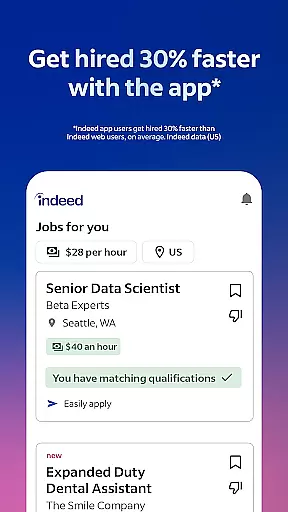



Indeed Job Search is a leading job search application that connects job seekers with employment opportunities across various industries. With over 12 jobs added every second, the app provides an extensive database of job listings, including roles posted on other job search platforms. The app's smart search filters allow users to quickly narrow down their options based on preferences and work experience.
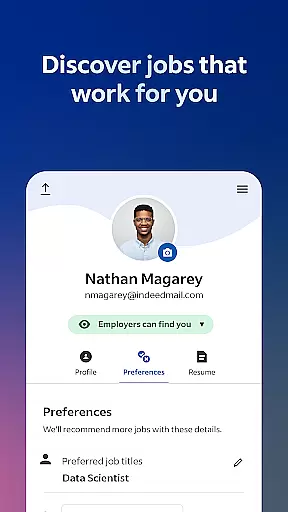
One standout feature is the ability to upload your resume or use Indeed's resume builder to create a professional profile visible to potential employers. The app also offers advanced functionality such as application tracking, employer notifications, and access to company reviews and salary information. Whether you're casually browsing or urgently applying, Indeed ensures you have the tools needed to find work that meets your needs.
Indeed Job Search is particularly useful for individuals seeking flexible work arrangements, such as remote jobs, freelance gigs, or part-time positions. By providing comprehensive resources like salary insights and workplace reviews, the app empowers users to make informed decisions about their career paths. Its user-friendly interface and robust features make it an essential tool for modern job seekers.
Indeed Job Search stands out due to its rich set of features tailored to streamline the job hunting process. The app's comprehensive database includes millions of job postings from various sources, ensuring users have access to the widest range of opportunities. Smart search filters enable users to refine results by location, job type, salary expectations, and more, making it easier to find relevant positions quickly.
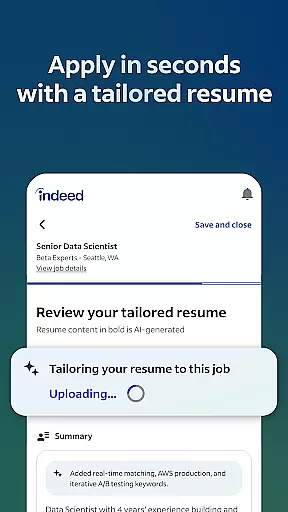
A key innovation is the resume builder tool, which allows users to create polished resumes directly within the app. This feature not only saves time but also increases the chances of being noticed by recruiters. Additionally, the app tracks job applications and sends notifications when employers respond, keeping users informed throughout the hiring process. Another valuable feature is the inclusion of over 700 million company ratings and 1.1 billion searchable salaries, helping candidates understand workplace environments and compensation packages before applying.
Indeed's commitment to flexibility is evident in its specialized filters for remote work, freelance jobs, and part-time positions. These options cater to the growing demand for non-traditional work arrangements. Furthermore, the app integrates seamlessly with third-party accounts for easy login and supports cross-device usage, ensuring a smooth experience regardless of how users access the platform. These features collectively enhance the efficiency and effectiveness of job searches.
Indeed Job Search offers collaborative work features that streamline the job application process for both job seekers and employers. The app allows users to upload their resumes or utilize Indeed's resume builder, presenting their best qualifications to potential employers efficiently.
For job seekers, the ability to save and apply with a single resume significantly reduces repetitive tasks during the application process. This feature ensures that users can focus on tailoring their applications to specific roles rather than rewriting basic information repeatedly.
Employers benefit from Indeed's comprehensive platform by receiving structured, high-quality applications that are easy to review and assess. The app also notifies job seekers when their applications have been read or responded to, fostering transparent communication between both parties.
This streamlined collaboration not only enhances user experience but also increases the likelihood of successful matches between job seekers and employers, making Indeed an essential tool in today's competitive job market.
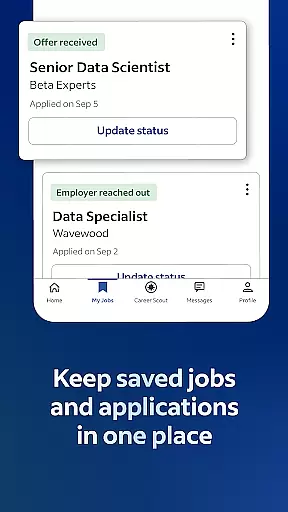
Indeed Job Search excels in task management by providing tools that help users organize and track their job search activities effectively. With millions of jobs added daily, the app ensures that users can easily monitor their applications and maintain an overview of their progress.
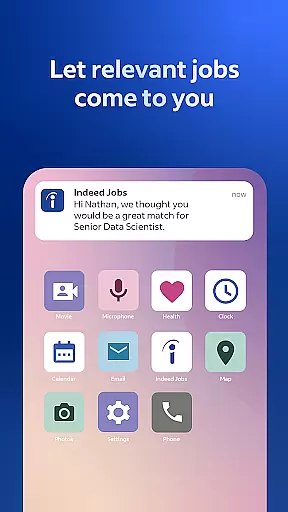
Job seekers can keep track of every application submitted through the app, ensuring no opportunity is overlooked. Notifications alert users when employers respond to their applications, allowing them to respond promptly and manage their time efficiently.
In addition to tracking applications, Indeed offers insights into companies through over 700 million ratings and reviews. Users can leverage this data to prioritize applications based on company reputation and employee satisfaction.
By combining robust application tracking with valuable company insights, Indeed empowers users to manage their job search strategically, ultimately leading to more informed decisions and better career outcomes.
User-friendly interface
Extensive job database
Smart search filters
Resume builder tool
Employer response tracking
Limited offline functionality
Occasional irrelevant matches
Privacy concerns with data sharing
Premium features require subscription
Ads can be intrusive

Completed Course Lectures on how to use IBM Maximo in Maintenance issues
 4.4
4.4
Ask Accio anything about business. Alibaba-backed, built by experts, not just AI
4.60
Find flexible, hourly jobs hiring near you in restaurant, retail & hospitality!
4.00
Paychex Flex - Save Time and Stay Connected
4.60
All document reader, pdf viewer app, read docs & excel files
3.80
Deliver and earn money
4.30
Build a store in minutes with our full suite of AI tools. Start for free!
4.20
USPS Mobile®Access USPS.com’s most popular tools on-the-go.
4.70
Job search app that finds jobs for you! Takes the work out of looking for a job!
4.90
Use Generative Summary to understand your rental or insurance docs in seconds.
4.70
Recover what matters — quickly and easily.
4.70
All your team communication in one place
4.70
Measure distances, surfaces and draw plans in seconds with CamToPlan!
4.40
A secure, all-in-one team collaboration app
4.30
Formerly Facebook Ads Manager. Manage and create ads on the go.
4.20
Scan Business Cards & Conference Badges - Capture Leads at Events & Tradeshows
4.20
Simple, Fast & Lightweight
3.90
Windows App allows you to connect to remote PCs and virtual apps.
3.70
viewing and sharing of PDFs
3.60


User Reviews