
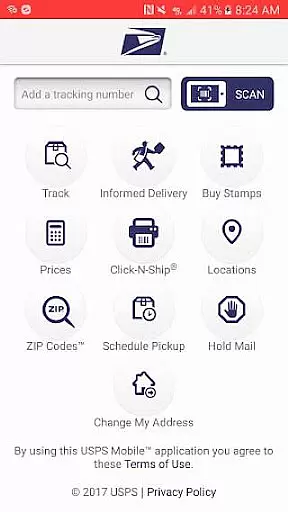
USPS Mobile® is a comprehensive business tool designed to streamline postal services for users on the go. This application brings essential USPS.com® functionalities to your fingertips, allowing you to calculate shipping prices, locate Post Office™ locations, look up ZIP Codes™, and schedule pickups. The app also enables you to manage mail holds and provides access to Informed Delivery® for digital tracking of incoming packages and mail.
A standout feature is its compatibility with newer Android devices and the resolution of previous bugs, ensuring a smoother user experience. Whether you're managing personal shipments or handling business logistics, USPS Mobile® offers practical solutions such as nicknaming shipments, setting up delivery alerts, and scanning shipping labels using your device's camera.
This app proves invaluable for businesses and individuals who require reliable postal service management. From calculating postage costs for domestic and international shipping to providing mapped directions to postal facilities, it enhances productivity and convenience. The ability to digitally preview incoming mail and track packages makes it an indispensable tool for staying organized and informed.
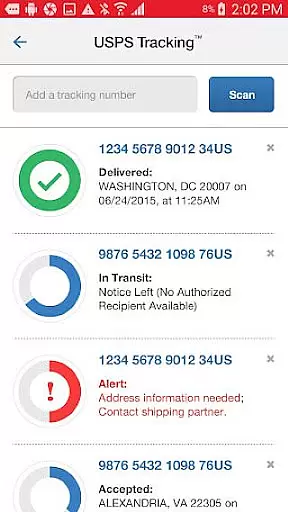
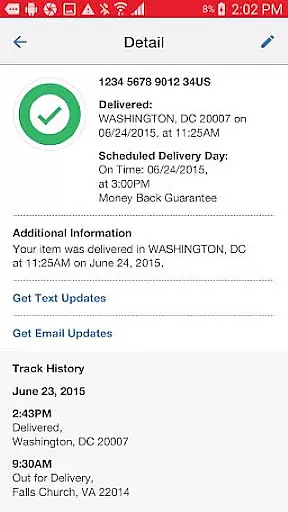
USPS Mobile® stands out with its diverse range of features tailored for both personal and business use. One of the key highlights is the ability to check the status of various shipments, including Priority Mail®, Priority Mail Express®, and Certified Mail®. Users can assign nicknames to their shipments and opt for text and email notifications that keep them updated on delivery statuses, ensuring timely receipt of important packages.
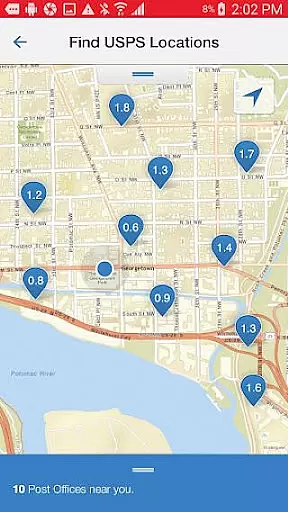
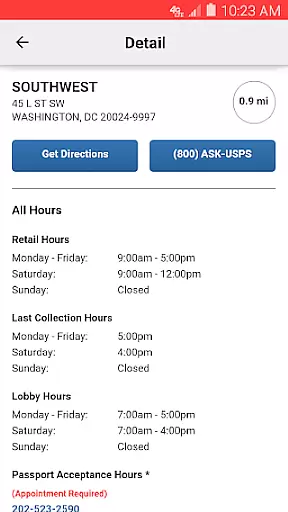
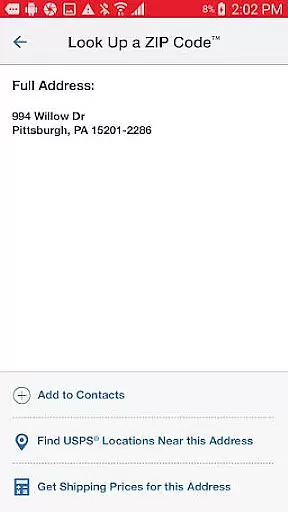
The app also excels in providing logistical support through its locator services. By leveraging your device's GPS, it identifies nearby Post Office™ locations, Self-Service Kiosks (APC®), and collection boxes. It displays these options on a map along with operational hours and last collection times, offering driving, walking, or transit directions. Additionally, the ZIP Code™ lookup functionality supports addresses across the U.S. and Canada, making it versatile for international correspondence.
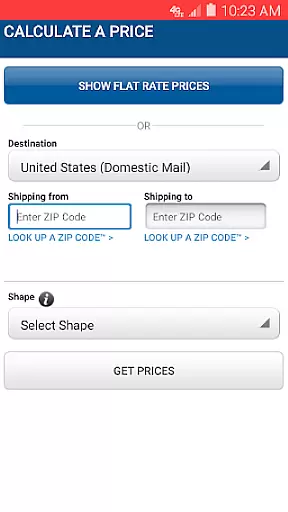
For those needing to manage outgoing mail, the app facilitates scheduling free next-day pickups and calculating shipping prices with retail or online pricing options. Extra services can be added, and totals are displayed for transparency. The integration with Informed Delivery® allows users to track packages and preview incoming mail digitally, enhancing mail management efficiency.
In the context of business applications, collaborative work features are essential for enhancing team productivity and communication. The USPS Mobileu00ae app supports these features by enabling users to nickname their shipments and sign up for text and email alerts. This functionality ensures that all stakeholders are informed about the delivery status of various shipments, thus facilitating better coordination.
The app allows businesses to manage their shipping operations more efficiently by providing updates on Priority Mailu00ae, Priority Mail Expressu00ae, Certified Mailu00ae, and other delivery services. Users can easily track the progress of their shipments, which is crucial for planning and executing business operations that depend on timely deliveries.
Moreover, the ability to schedule a free next-day pickup service adds another layer of convenience for businesses. By having their Letter Carrier pick up shipments from their home or office during regular mail delivery, companies can streamline their logistics processes without needing to visit a Post Officeu2122 in person.
Overall, these collaborative work features embedded within the USPS Mobileu00ae app not only improve operational efficiency but also contribute significantly to customer satisfaction by keeping everyone in the loop regarding important shipment details.
Effective task management is vital for businesses to maintain organization and ensure timely completion of tasks. The USPS Mobileu00ae app offers robust task management capabilities through its comprehensive suite of tools designed to simplify shipping and mailing operations. Users can calculate Domestic or International Prices, find USPSu00ae Locations, look up ZIP Codesu2122, and schedule pickups, all from their mobile devices.
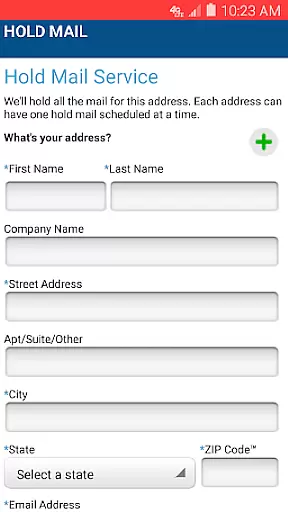
One standout feature is the ability to request Hold Mail Service while away, ensuring that mail is securely held at the local Post Officeu2122 until the user returns. This service helps businesses manage their correspondence effectively, preventing any loss or unauthorized access to sensitive information.
Additionally, the app's integration with Informed Deliveryu00ae allows users to track packages and digitally preview incoming mail. This feature provides businesses with a clear overview of their upcoming mail, helping them prioritize tasks and allocate resources accordingly.
By leveraging these task management features, businesses can optimize their workflows, reduce manual effort, and focus on strategic initiatives that drive growth and success.
User-friendly interface
Comprehensive tracking system
Convenient pickup scheduling
Accurate ZIP Code lookup
Integrated mail management
Limited to USPS services
Occasional GPS inaccuracies
Requires internet connection
No iOS version available
Some features have limitations

Find jobs and make money fast with JobStack.
 4.60
4.60
Windows App allows you to connect to remote PCs and virtual apps.
3.70
Find the right fit, faster.
4.70
Take the stress out of storage with the all-in-one app to manage your space.
3.70
Amazon A to Z is the place to manage your work-life at Amazon.
4.50
Find work, shifts and gigs near you. Jobs lasting a few hours to a few months.
4.30
Grow your business and connect with more people with Meta Business Suite.
4.60
From Gone to Back Again — In Just a Few Taps
4.50
Access All PDF Files
3.40
The MyWalmart App is available for all associates in stores.
4.70
Ask Accio anything about business. Alibaba-backed, built by experts, not just AI
4.60
Paychex Flex - Save Time and Stay Connected
4.60
Find jobs near you and temp work in minutes, from your phone.
4.50
The revolutionary flexible staffing platform
4.40
Say hello to the mobile work experience built to help you thrive at work.
4.30
Build a store in minutes with our full suite of AI tools. Start for free!
4.20
The Penny Puss app with DG penny finder
4.10
The All-in-One File Manager for Phone, TV, Watch, Cars, XR / VR, Chromebook
4.10
Get your benefits on-the-go.
3.80


User Reviews