
Slack is a leading business communication platform designed to streamline team collaboration and enhance productivity. This powerful tool consolidates all workplace communication into one place, allowing users to create dedicated channels for different projects and teams. With support for real-time messaging, file sharing, and seamless integration with over 2,600 third-party applications, Slack creates a centralized hub for efficient workflow management.
The application's standout feature is its ability to integrate various work processes into a single interface. Users can conduct video meetings, collaborate on documents, and manage tasks without switching between multiple applications. Slack also incorporates AI capabilities to help teams find information quickly through smart search functions and automated meeting notes. These features make it an essential tool for businesses looking to maintain organized communication while scaling their operations.
Slack is particularly valuable for remote teams and companies with multiple departments that need to coordinate across different locations. By providing a structured environment for both synchronous and asynchronous communication, it enables teams to stay connected regardless of time zones or physical locations. The platform's versatility makes it suitable for businesses of all sizes, from startups to enterprise-level organizations.
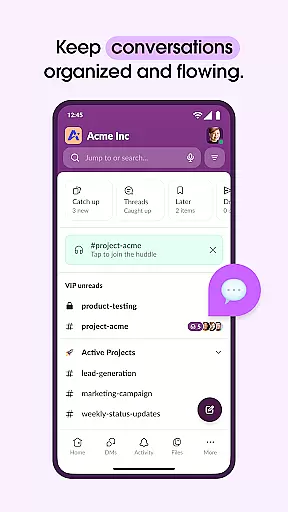
Slack distinguishes itself through its comprehensive feature set tailored for modern business needs. One of its core strengths is the channel-based communication system, where each project or team can have its own dedicated space for discussion and collaboration. This organizational structure keeps conversations focused and easily accessible, preventing important information from getting lost in crowded inboxes.
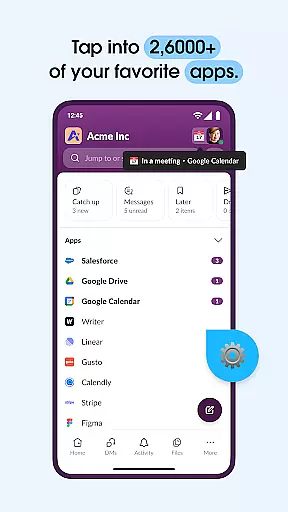
The platform's integration capabilities are another key advantage. With support for over 2,600 third-party applications, including popular tools like Google Drive, Salesforce, and Dropbox, Slack becomes more than just a messaging app – it transforms into a complete productivity suite. Users can approve requests, manage calendars, and update file permissions without leaving the platform. The addition of AI-powered features enhances these capabilities further, enabling intelligent search functions and automated meeting documentation.
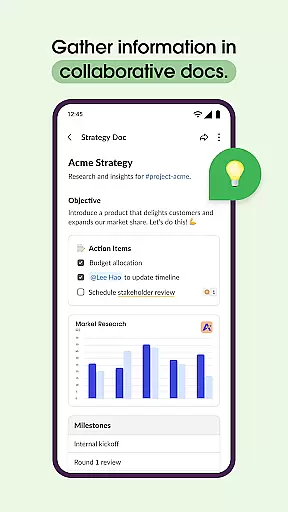
Advanced functionality extends to project management as well. Slack offers templates for setting up projects, shared document collaboration, and task tracking systems. While some premium features require upgrading to paid plans, even the standard version provides robust tools for maintaining productive team interactions. The platform's flexibility allows businesses to customize their workspace according to their specific operational requirements.
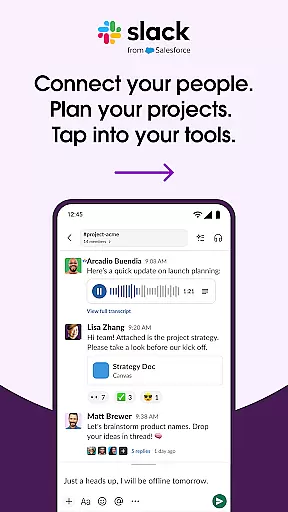
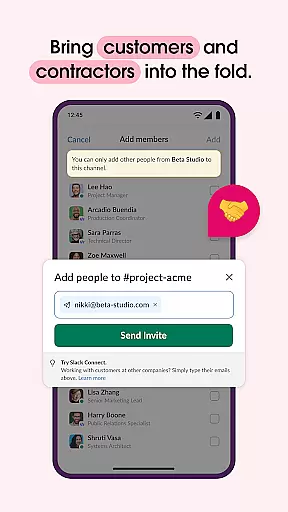
Collaboration is at the heart of Slack's design, enabling teams to work together seamlessly regardless of location. The platform offers dedicated channels for every project, ensuring that discussions, documents, and decisions are organized and accessible.
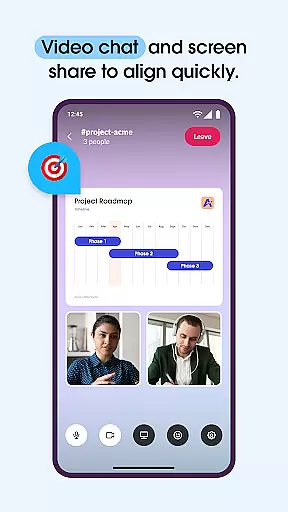
Slack allows direct video chats and screen sharing within its interface, facilitating real-time communication and collaboration on projects. Users can also record and send audio or video clips when text-based communication is insufficient, making it easier to convey complex ideas clearly and efficiently.
For project management, Slack provides templates that help set projects up for success. These customizable templates, along with shared docs and task assignment tools, ensure that teams can track progress, assign tasks, and meet milestones effectively.
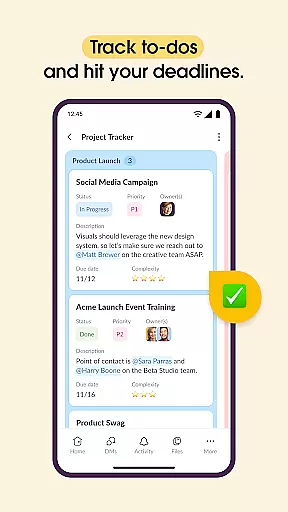
Effective task management is crucial for productivity, and Slack excels in this area by integrating various tools that keep teams on track. With Slack, users can create to-do lists, assign tasks, and establish deadlines directly within project channels.
The platform supports integration with over 2,600 apps such as Google Drive, Asana, and Zendesk, enhancing task management capabilities. This means users can approve requests, manage calendars, and update file permissions without leaving Slack, streamlining workflows significantly.
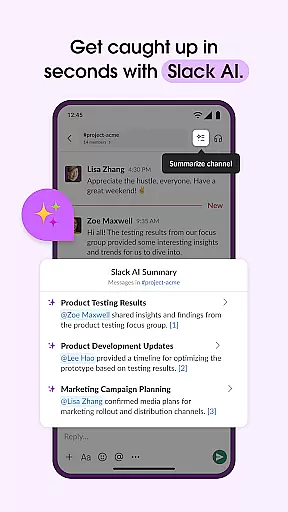
Additionally, Slack's AI-powered search and Slack AI add-on further boost task management efficiency. Users can quickly find files, messages, and other important information while AI takes meeting notes, allowing team members to focus on their work rather than administrative tasks.
User-friendly interface
Extensive app integration
Robust search capabilities
Reliable video conferencing
Customizable workspaces
Paid advanced features
Mobile limitations
Learning curve
Occasional bugs
Pricey for small teams

AI-powered document scanner with auto enhance for perfect PDFs.
 4.60
4.60
TurboScan turns your phone into a full-featured PDF document scanner.
4.80
Paychex Flex - Save Time and Stay Connected
4.60
One marketplace. Hundreds of services. Unlimited possibilities. All on Fiverr.
4.40
From Gone to Back Again — In Just a Few Taps
4.50
Collaborate seamlessly with Google Chat, part of Google Workspace
4.50
Smarter career moves start here. AI job alerts, insights & the right tools.
4.20
No more passwords, easier sign-in, and greater protection for your accounts.
4.60
We help people get jobs
4.70
Ask Accio anything about business. Alibaba-backed, built by experts, not just AI
4.60
Ship, Track, Find a Location or Get a Quote with UPS. Anytime. Anywhere.
4.60
Find work, shifts and gigs near you. Jobs lasting a few hours to a few months.
4.30
Formerly Facebook Ads Manager. Manage and create ads on the go.
4.20
enjoy effortless PDF reading anytime, anywhere
3.90
All document reader, pdf viewer app, read docs & excel files
3.80
Windows App allows you to connect to remote PCs and virtual apps.
3.70
viewing and sharing of PDFs
3.60
Delivery Track App - Tracking with Fedex, USPS, UPS, DHL. Monitor your Orders.
3.20
Find part-time earning opportunities near you that pay within days.
3.20


User Reviews