
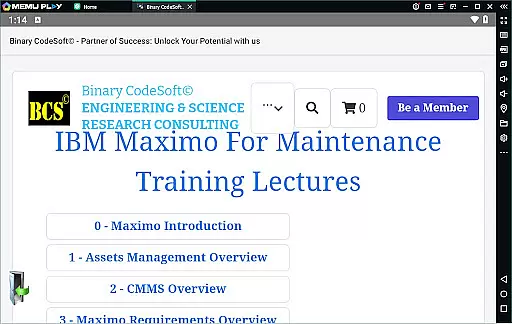
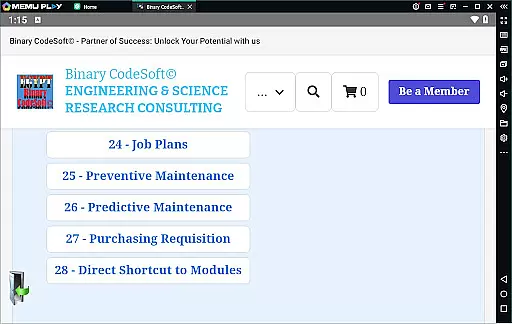
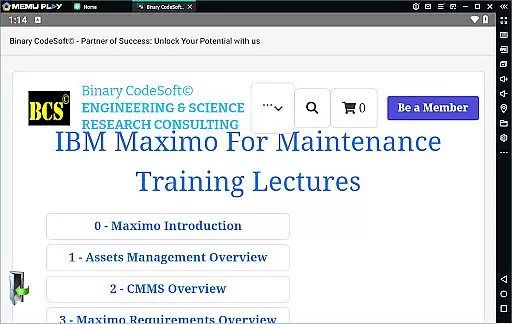
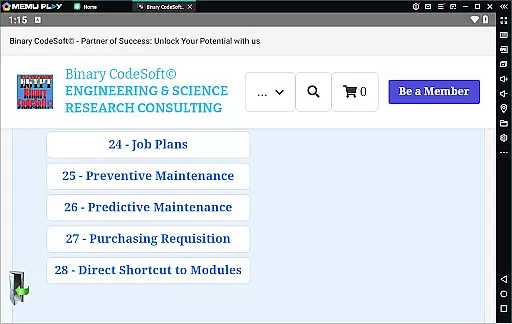

BCS©-Maximo Maintenance course is a comprehensive business application designed to educate users on maintenance operations and IBM Maximo. The app covers various aspects of maintenance strategies, planning, scheduling, and associated costs. It provides detailed insights into IBM Maximo's features, including asset management, CMMS, implementation, and advanced functionalities like dynamic job plans and predictive maintenance.
The app also includes practical guidance on using Maximo for shutdown planning, creating 7-day and monthly plans, managing work orders, and exporting data to MS Excel or MS Project files. With additional tips on purchasing, shortcuts, and planning techniques, this app serves as an essential tool for maintenance professionals looking to enhance their skills and streamline operations using IBM Maximo.
BCS©-Maximo Maintenance course offers a rich set of features tailored for maintenance professionals. One key feature is the detailed introduction to maintenance operations, covering different strategies, planning, scheduling, and cost analysis. This ensures users understand both the theoretical and practical aspects of effective maintenance.
Another standout feature is the in-depth coverage of IBM Maximo, including its new features and implementation processes. Users can learn about asset management, CMMS, locations, assets, work orders, job plans, preventive and predictive maintenance, and dynamic job plans. The app also provides valuable tools for shutdown planning, multi-record task execution, and maintaining queries on top, making it indispensable for forward-thinking planners.
Effective collaboration is essential for modern business applications, and the BCSu00a9-Maximo Maintenance course excels in this area. The application provides comprehensive tools for managing maintenance operations through a collaborative framework.
Users can create and manage work orders, job plans, and preventive maintenance schedules collectively. This ensures that all team members are on the same page, reducing errors and increasing productivity. The course covers dynamic job plans and modifications, allowing teams to adapt quickly to changing requirements.
Moreover, the application supports multi-record task execution and direct shortcuts to modules, streamlining workflows and ensuring that critical tasks are easily accessible. These features foster a collaborative environment where team members can efficiently execute their responsibilities.
By integrating these collaborative work features, the BCSu00a9-Maximo Maintenance course not only enhances team productivity but also ensures that maintenance management is both efficient and effective, leading to better overall business outcomes.
Task management is a cornerstone of the BCSu00a9-Maximo Maintenance course, providing users with robust tools to handle complex maintenance operations. The application allows detailed planning and scheduling, which is crucial for effective task management.
With functionalities covering maintenance costs, work orders, and job plans, users can meticulously plan and execute tasks. The course includes preventive and predictive maintenance strategies, ensuring that tasks are not only managed but optimized for future operations.
Additionally, the application offers advanced planning features such as listing PMs that do not generate work orders and following up on important items using reports. These capabilities ensure that users can stay one step ahead in their planning processes.
Overall, the task management features of the BCSu00a9-Maximo Maintenance course empower businesses to maintain high standards of operation, reduce downtime, and improve asset management, resulting in significant cost savings and enhanced operational efficiency.
User-friendly interface
Comprehensive content
Practical examples
Advanced features
Professional guidance
Limited to Maximo
No interactive modules
Text-heavy
Basic UI design
Requires prior knowledge

All Your Gig Work. One App.
 4.30
4.30
ANDROID'S TOP MOBILE OFFICE - Word, Excel, PowerPoint and PDF at your fingertips
4.50
Earn crypto with secure cloud mining. Monitor, track & withdraw easily
4.40
Manage work life on the go
4.50
A secure, all-in-one team collaboration app
4.30
Grow your business and connect with more people with Meta Business Suite.
4.60
Start earning fast. Apply Today.
4.80
Find part-time earning opportunities near you that pay within days.
3.20
The app that lets you deliver with Amazon.
4.50
FaxCover - Create fax cover pages. Works with any app or fax machine.
4.90
Permission Guard is a security app that helps you manage app permissions.
4.80
All your team communication in one place
4.70
The revolutionary flexible staffing platform
4.40
One marketplace. Hundreds of services. Unlimited possibilities. All on Fiverr.
4.40
All-in-one Mobile solutions for employees & managers to succeed at work
4.30
Say hello to the mobile work experience built to help you thrive at work.
4.30
Smarter career moves start here. AI job alerts, insights & the right tools.
4.20
Work happy with AI Companion
4.10
All document reader, pdf viewer app, read docs & excel files
3.80


User Reviews