
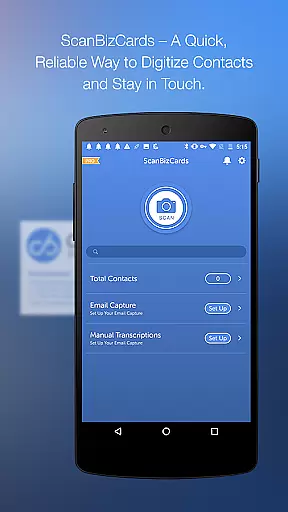
In today's interconnected business environment, collaborative work features are essential for maximizing productivity and ensuring seamless communication. ScanBizCards Premium excels in this area by integrating advanced collaboration tools that cater to modern professionals.
The app allows users to connect their email accounts for signature capture, automatically finding and updating contacts from incoming emails. This feature not only saves time but also ensures that your address book remains up-to-date without manual input, promoting efficient teamwork.
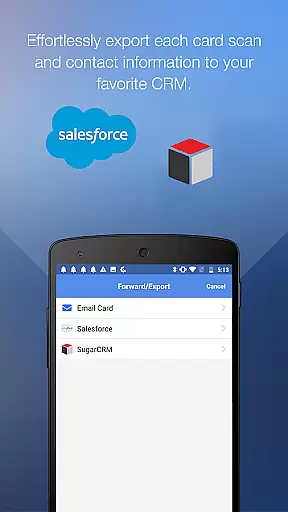
Furthermore, the ability to export unlimited business cards to Salesforce CRM is a game-changer for sales teams. By syncing trade show leads directly to CRM platforms, team members can access the latest contact information, facilitating coordinated efforts and follow-ups.
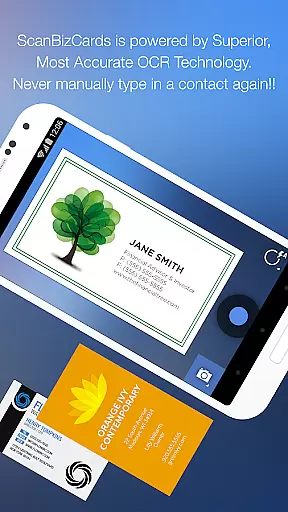
With its batch scanning capability, ScanBizCards enables users to process multiple business cards quickly. This feature is particularly beneficial during conferences and events, where capturing numerous contacts efficiently is crucial for team collaboration and lead generation.
Effective task management is vital for organizing and prioritizing work responsibilities. ScanBizCards Premium offers robust task management features designed to streamline contact handling and improve overall efficiency.
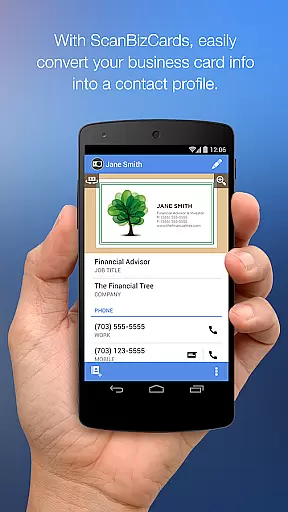
Users can easily snap or import photos of business cards, scan the card details, and review the extracted information alongside the card image. This streamlined process ensures accuracy and allows for quick editing, making contact management more efficient.
The app supports creating personal notes for each card and organizing them with custom folder names. These organizational tools help users manage their tasks effectively, ensuring that important contacts and notes are readily accessible when needed.
Additionally, ScanBizCards facilitates task completion by enabling users to add new contacts to their address book or merge them with existing entries seamlessly. With support for exporting to various CRMs like SugarCRM, users can integrate their task management workflow across different platforms, enhancing productivity and coordination.

Ask Accio anything about business. Alibaba-backed, built by experts, not just AI
 4.60
4.60
The Penny Puss app with DG penny finder
4.10
Create curriculum vitae, a professional cover letter creator and resume designer
4.80
Earn crypto with secure cloud mining. Monitor, track & withdraw easily
4.40
Your employer must have UKG Ready software configured for Mobile.
4.60
Take the stress out of storage with the all-in-one app to manage your space.
3.70
Paychex Flex - Save Time and Stay Connected
4.60
All-in-one Mobile solutions for employees & managers to succeed at work
4.30
No more passwords, easier sign-in, and greater protection for your accounts.
4.60
BuildCalc - the easiest AND the most advanced construction calculator app.
4.80
All Your Gig Work. One App.
4.30
A secure, all-in-one team collaboration app
4.30
Deliver and earn money
4.30
FX Plus adds media, networking, and cloud capabilities to FX File Explorer.
4.10
The All-in-One File Manager for Phone, TV, Watch, Cars, XR / VR, Chromebook
4.10
Simple, Fast & Lightweight
3.90
enjoy effortless PDF reading anytime, anywhere
3.90
viewing and sharing of PDFs
3.60
Find part-time earning opportunities near you that pay within days.
3.20


User Reviews