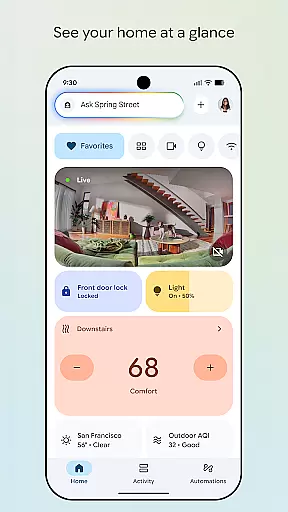
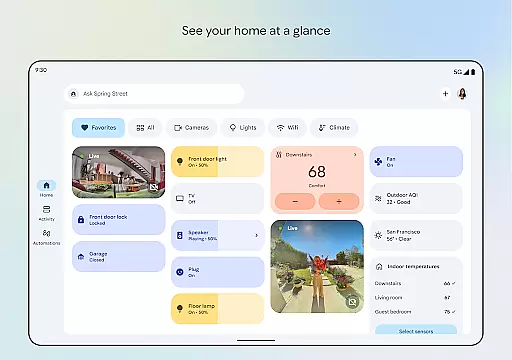
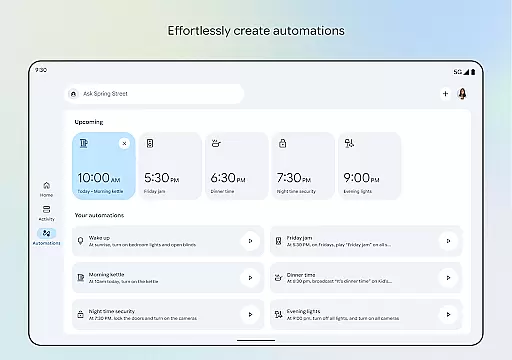
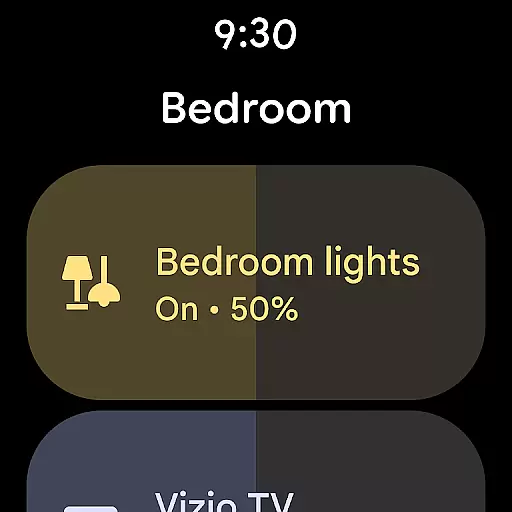

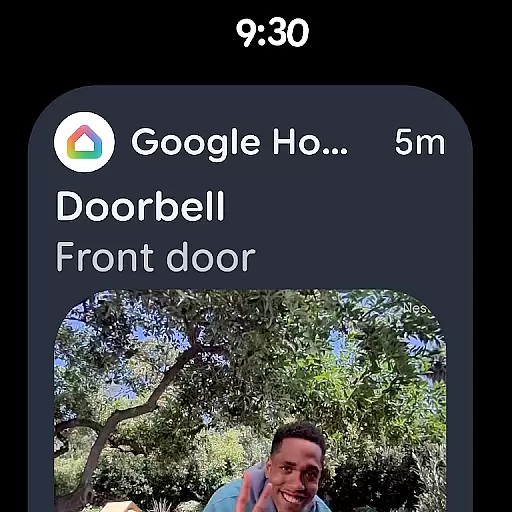
Google Home is a comprehensive smart home management application designed specifically for Android Wear devices. This app allows users to seamlessly control and monitor their smart home devices directly from their wearable technology. With an intuitive interface, users can view the status of their home at a glance, including security cameras, thermostats, and lighting systems.
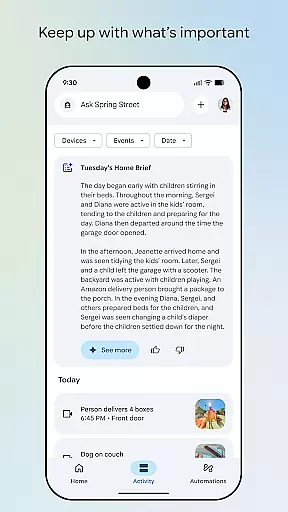
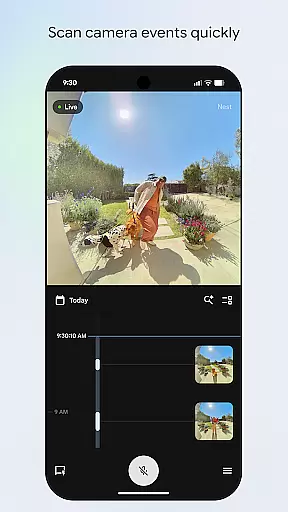
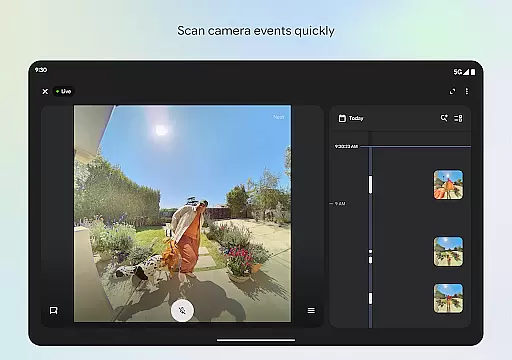
The app's updated design offers streamlined organization, enabling users to group their devices into customizable dashboards for easy navigation. Whether you're checking in on your home security or adjusting your thermostat remotely, Google Home provides real-time updates and notifications. The camera live view and history feature allows users to quickly scan through events, ensuring they never miss important activities happening within their home.
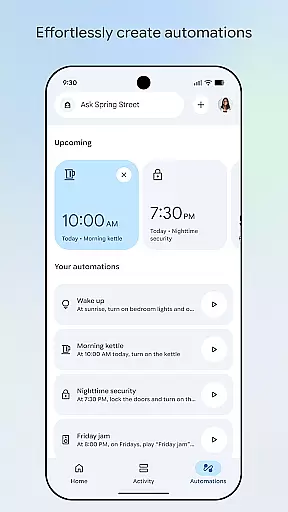
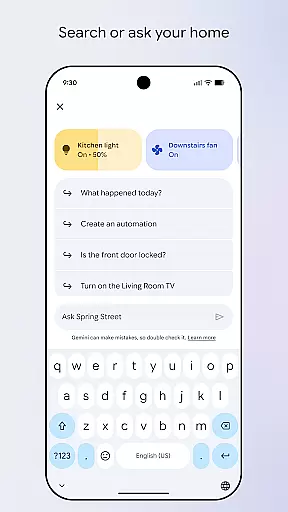
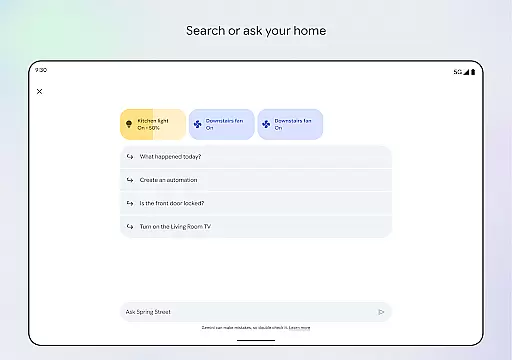
Designed for convenience and efficiency, Google Home also integrates with Gemini for Home, allowing users to control their devices using simple voice commands. This innovative functionality transforms how users interact with their smart homes, making daily tasks more accessible than ever before.
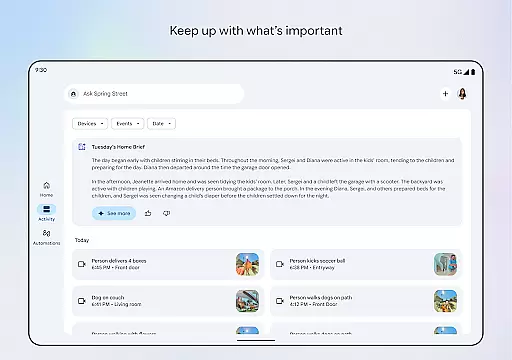
Google Home stands out with its robust set of features tailored for smart home management on Android Wear. One of its key functionalities is the ability to provide users with a comprehensive overview of their home's status. This includes real-time updates on security cameras, door locks, and environmental controls like thermostats and lighting systems. The app's redesigned interface ensures that all critical information is easily accessible and well-organized.
A significant advantage of Google Home is its enhanced camera live view and history interface. Users can swiftly browse through recorded events, making it easier to stay informed about their home's security. Additionally, the app supports voice commands via Gemini for Home, enabling hands-free control over various smart devices. This feature allows users to perform tasks such as dimming lights or locking doors simply by speaking their requests.
Furthermore, Google Home offers customizable dashboards where users can group similar devices together for efficient management. This flexibility ensures that each user can tailor the app to fit their specific needs and preferences. With these advanced capabilities, Google Home not only simplifies smart home management but also enhances the overall user experience by providing timely updates and seamless device integration.
Companion app integration is essential for seamless device management and control. Google Home ensures that your wearable devices work in harmony with your home ecosystem.
The app provides real-time synchronization between your Android Wear devices and home automation systems. This allows users to receive instant notifications and control their smart home devices directly from their wrist.
With the Google Home app, users can access important home information at a glance. The companion app integration enables quick actions such as adjusting thermostats or checking security cameras without needing to reach for a phone.
This level of integration enhances convenience and accessibility, making smart home management more efficient and user-friendly.
Device compatibility is crucial for ensuring that your Android Wear devices work seamlessly with the Google Home ecosystem. The app supports a wide range of Wear OS devices, providing users with flexibility in their choice of wearables.
Google Home is designed to offer comprehensive compatibility, allowing users to connect multiple devices effortlessly. This includes smartwatches running on Wear OS, which can be easily paired and managed through the app.
By supporting various devices and platforms, Google Home ensures that users can enjoy a consistent experience across different products. This compatibility extends to third-party devices, enhancing the overall versatility of the app.
Ultimately, this compatibility empowers users to create a personalized and interconnected smart home environment tailored to their specific needs and preferences.
User-friendly interface
Real-time home monitoring
Voice command support
Customizable dashboards
Enhanced security features
Limited device compatibility
Region-specific features
Occasional connectivity issues
Requires stable internet
Premium feature costs

Wear Os Watch Face - Animated Snow Effect & Christmas Lights
 4.0
4.0
Precision analog watch face with 7 complications and style options
4.2
Contemporary digital watch face with five complications
4.3
Stunning modern digital watch face with 7 complications and strong contrast
4.2
Digital, flexibly customizable watch face. For Wear OS 5.0, API 34+ and later.
5.00
sleep, alarm, snoring, stress, healing, focus, sound therapy, circadian rhythm
4.10
Track your active life in one place and share the journey with friends.
4.40
Back up your contacts & access them anywhere
4.30
Toyota app currently supports 2010 or newer vehicles (2018 or newer for Hawaii).
4.50
Be an elegant and classy secret agent, with this carefully detailed watch face
4.70
To-Do List: daily schedule planner, task organizer, to do reminder app, calendar
4.60
Retro digital watch face with customizable colors and a unique lighting effect
4.60
MyNISSAN® lets you remotely control your car from your phone.*
4.50
Reliable phone calls with spam protection, caller ID and more helpful features
4.40
A white realistic classic analog watch face with many customization options.
4.40
The ultimate destination for kids ages 3-8 to explore the Marvel Universe!
4.30
A customizable Christmas watch face for Wear OS with a countdown.
4.20
Watch face for Wear OS.
4.20
Your music, your playlists, and more—offline and unlimited.
4.20


User Reviews