
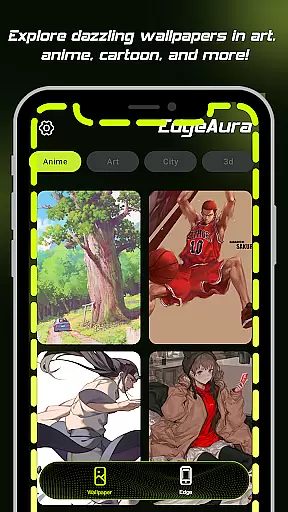
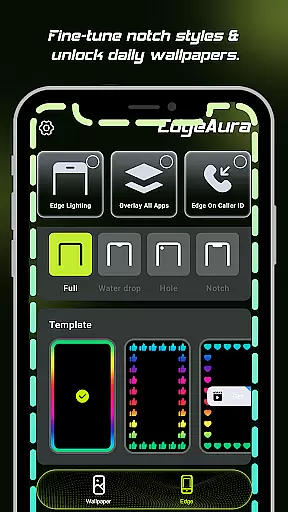
EdgeAura is a personalization app that enhances your device's visual appeal with stunning edge glow effects and dynamic live wallpapers. The app allows users to customize their phone screens with a vibrant aura of light that elegantly outlines the edges, making each device uniquely eye-catching.
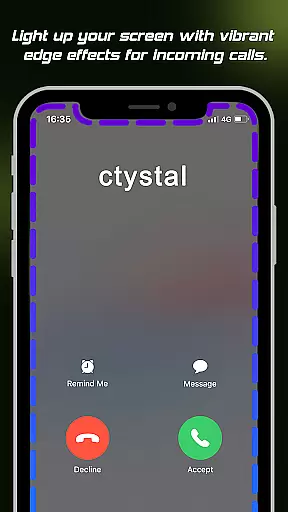
The standout feature of EdgeAura is its dynamic edge glow, which can be personalized in terms of color, width, and intensity. This floating overlay effect works seamlessly over other applications, ensuring an immersive experience without disrupting normal phone usage. Additionally, the app provides incoming call alerts through glowing screen edges, adding both functionality and style.
With an extensive collection of high-quality, animated live wallpapers, EdgeAura enables users to refresh their home and lock screens instantly. Whether you're looking to personalize your device or seeking a modern notification system, EdgeAura offers a comprehensive solution for a brilliant, glowing personality on your phone.
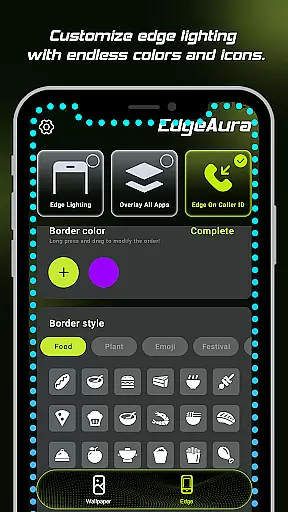
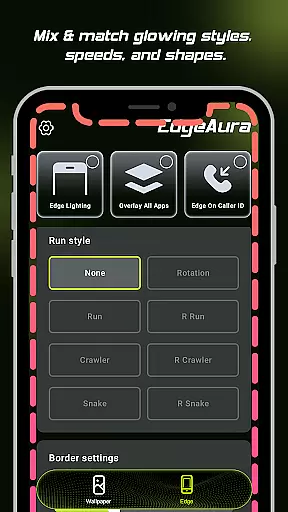
EdgeAura boasts several key features that set it apart in the realm of personalization apps. One of its main attractions is the Dynamic Edge Glow, which frames the screen with a smooth, colorful glow. Users have the freedom to adjust the color, width, and intensity of this glow, allowing for a highly customized visual experience tailored to individual preferences.
In addition to its aesthetic appeal, EdgeAura includes a Floating Overlay Effect that ensures the glow remains present across all applications. This creates a continuous visual experience without interfering with regular phone functions. Another innovative feature is the Incoming Call Alert, where the screen edges light up with a chosen color when receiving calls, offering a visually striking notification method.
Furthermore, EdgeAura offers an Extensive Live Wallpaper Collection. Users can explore and apply a wide variety of high-quality, animated live wallpapers from a regularly updated library. These wallpapers instantly refresh both home and lock screens, providing endless opportunities for personalization and ensuring your device always looks vibrant and new.
EdgeAura offers a rich array of customization options that allow users to personalize their device's visual experience extensively. The app provides dynamic edge glow effects which can be tailored in terms of color, width, and intensity, ensuring that each user can craft a look that perfectly aligns with their personal style and chosen wallpapers.
Beyond the basic adjustments, EdgeAura supports an extensive live wallpaper collection. Users can explore and apply a wide variety of high-quality, animated live wallpapers from a regularly updated library. This feature ensures that both home screens and lock screens can be refreshed instantly, keeping the device's appearance lively and engaging.
The ability to customize is not just about aesthetics; it also extends to functionality. For instance, the edge glow effect is designed to react to various activities on the device, such as incoming calls. Users can choose specific colors for call alerts, making notifications not only visually striking but also personalized to their taste.
Overall, EdgeAura transforms a standard device into a personalized gadget. By offering diverse customization options, it enhances user engagement and satisfaction, providing a uniquely vibrant and immersive experience that reflects individual preferences and styles.
Theme compatibility is a crucial aspect of any personalization app, and EdgeAura excels in this domain by ensuring its features work seamlessly across different themes and applications. The floating overlay effect is engineered to integrate smoothly with other apps, preserving the integrity of the visual experience without interfering with normal phone use.
EdgeAura leverages the Android Accessibility Service to detect screen content and application windows accurately. This allows the app to draw the glow effect around the edges precisely, regardless of the theme or application currently in use. Such precision ensures that the elegant glow effect remains consistent and visually appealing, maintaining the deviceu2019s aesthetic appeal at all times.
In addition to supporting various themes, EdgeAura is designed to respect user consent and privacy. The app does not collect, transmit, or store personal data, ensuring that theme compatibility does not come at the expense of user security. This commitment reassures users that while they enjoy a customized and cohesive visual experience, their personal information remains protected.
By focusing on seamless integration and respecting user privacy, EdgeAura guarantees that its stunning visual enhancements are compatible with a wide range of themes and applications. This compatibility enriches the overall user experience, allowing individuals to enjoy a consistently beautiful and innovative visual environment on their devices.
Highly customizable
Unique visual effects
Enhances device aesthetics
User-friendly interface
Regular updates
Requires accessibility permission
May drain battery faster
Limited to Android devices
Premium features cost extra
Some features may not work on all devices

Classic analogue watch face. For wear os devices.
 4.60
4.60
Vertically oriented rectangular icons
4.70
Ultra realistic high quality analog watch face for Wear OS.
4.60
Realistic animated snow on your wrist, with 10 images landscapes to choose from
4.00
Prank your friends with realistic broken screen and cracked HD effects!
4.4
Embrace the Night. Unleash the power of darkness with Raven Dark Icon Pack
4.60
Your go to Weather App & Home Screen. Get your weather at a swipe of a finger!
3.80
Adorable pets roam and play right on your phone screen!
3.30
Magic fluids wallpaper 4D: Relax with stunning fluid simulation wallpaper app
4.20
300+ Beautifully crafted widgets inspired by OneUI.
4.60
Stylish Pink Cute Hippo keyboard with 10000+ customized keyboard themes!
4.60
Turn text & photos into stunning AI videos, art, and creative visual stories.
4.50
Themes - Widget & Wallpaper: Customize home screen, icon changer w unique themes
4.30
The definitive Icon pack maker and editor
4.30
Unique Fonts, typefaces and stylish text. Fonts for Instagram, Whatsapp & others
4.20
Unleash Your Creativity and Connect with Loved Ones with Lockscreen Drawing!
4.20
Crystal-clear, square icon provides a sleek and sophisticated visual upgrade
4.00
Create unique, fun emojis with Funny Emoji Maker! Unlimited creativity!
4.00
Custom edge gestures for volume control, brightness, apps, and shortcuts.
4.1


User Reviews