
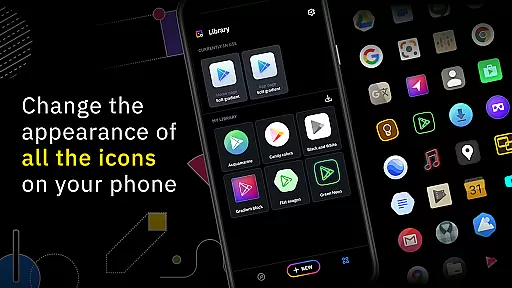
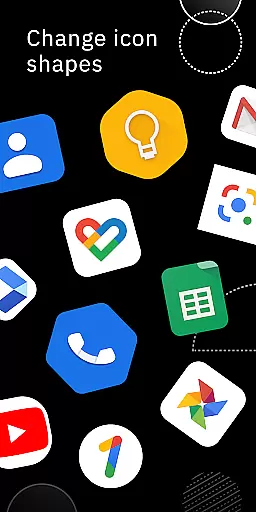
Icon Pack Studio is a powerful personalization tool that allows users to create custom icon packs tailored to their preferences. With an intuitive interface, the app enables you to design icons from scratch or modify existing ones with advanced editing features such as resizing, moving elements, and applying filters like shadows and textures.
The app stands out by ensuring compatibility with almost any launcher, though it's optimized for Smart Launcher. It also supports importing and tweaking other icon packs installed on your device, making it versatile for various customization needs. Whether you're looking to refresh your home screen or achieve a specific aesthetic, Icon Pack Studio offers the tools to make it happen.
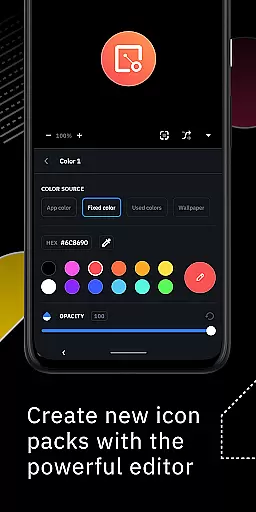
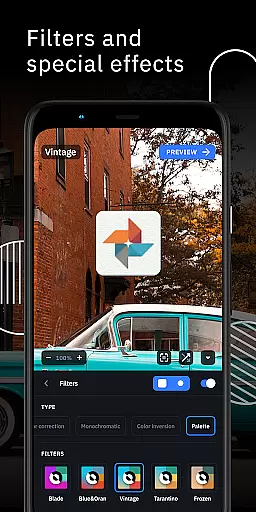
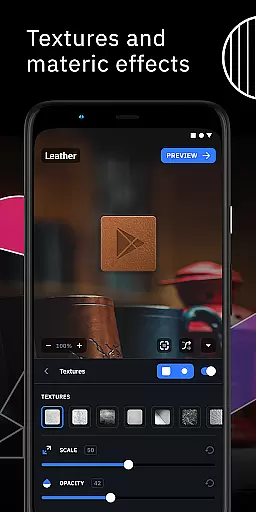
One of the standout features of Icon Pack Studio is its advanced editor, which provides precise control over every element of your icons. You can adjust sizes, positions, and apply professional-grade filters such as lights, shadows, and textures. The inclusion of special effects like bezels adds a polished look to your creations.
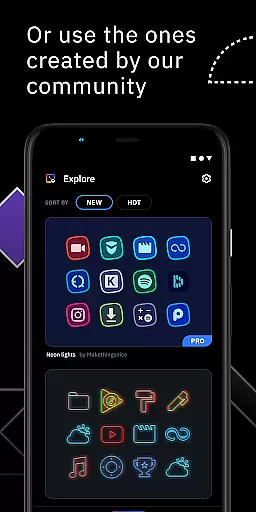
Another remarkable aspect is the community-driven platform where thousands of custom icon packs are uploaded daily. This feature not only inspires creativity but also offers a vast library of ready-to-use designs. Additionally, the ability to import and tweak any installed icon pack enhances its utility, allowing for endless personalization possibilities.
Finally, the app ensures broad compatibility with most popular launchers, although some exclusions exist. This makes it a flexible choice for users seeking to personalize their Android experience without being limited by their launcher choice.
Icon Pack Studio offers an extensive range of customization options, allowing users to create icon packs that perfectly fit their home screens. The advanced editor is a powerful tool within the app, enabling users to resize and move any element of their custom icons with precision.
With special filters such as lights, shadows, textures, and bezels, users can add professional touches to their designs. This level of detail ensures that each icon not only meets personal aesthetic preferences but also maintains visual consistency across the home screen.
The ability to import and tweak any installed icon pack from version 2 onwards adds another layer of versatility. Users are not limited to creating from scratch; they can modify existing icon packs to better suit their needs or preferences.
This comprehensive suite of customization features empowers users to personalize their devices like never before, making Icon Pack Studio a standout choice for those seeking complete control over their smartphone's appearance.
Theme compatibility in Icon Pack Studio is designed to work seamlessly with Smart Launcher and supports a wide array of other popular launchers. This ensures that no matter which launcher you prefer, your custom icon pack will display correctly, maintaining the intended look and feel across different platforms.
Tested with launchers such as Nova Launcher, Action Launcher, Lawnchair Launcher, and many others, IPS provides reliable performance and visual consistency. This broad compatibility means users can switch between launchers without losing the integrity of their personalized themes.
Although there are some unsupported launchers like Xperia Home Launcher and Pixel Launcher, the vast majority of popular options on the market are covered. This makes it easier for users to enjoy a cohesive aesthetic experience regardless of their choice of launcher.
By focusing on compatibility with most major launchers, Icon Pack Studio guarantees that its users can apply their creations universally, enhancing the overall appeal and utility of the app for theme enthusiasts.
Highly customizable
User-friendly interface
Extensive filter options
Strong community support
Broad launcher compatibility
Some launchers unsupported
Advanced features may overwhelm beginners
Limited use for non-Android devices
Requires time investment for quality results
Premium features come at a cost

Classic analogue watch face. For wear os devices.
 4.60
4.60
Ultra realistic high quality analog watch face for Wear OS.
4.60
Dark icon pack based on One 8
4.80
100+ Stylish Fonts, Emojis, Symbols keyboard for Instagram & TikTok!
4.80 4.50
4.50 3.50
3.50
Your home screen, just the way you like it.
4.30
Amazing letter fonts in your messages and social statuses
4.70
Custom ringtones songs, music ringtones for Android phones
4.60
Winter's Journey: digital watch face for Galaxy Watch & Wear OS
4.80
Gun Chase - Let the chase begin.
4.80
Enjoy a variety of amazing live wallpapers and colorful EDGE lighting borders!
4.80
Vertically oriented rectangular icons
4.70
A minimalist productivity launcher. One-hand-friendly. Zero ads.
4.70
Bring adorable pets to life on your screen. Playful, interactive and full of fun
4.60
Embrace the Night. Unleash the power of darkness with Raven Dark Icon Pack
4.60
Ultra realistic gold analog watch face with lots of customization options.
4.50
Customizable screen pets that play, climb, and keep you company.
4.50 4.50
4.50


User Reviews