
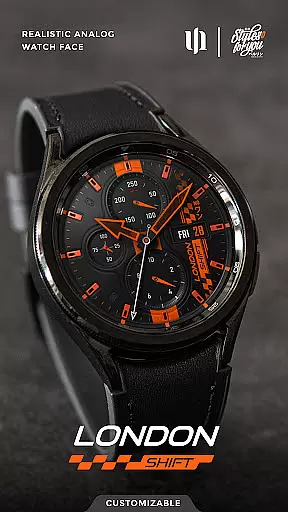
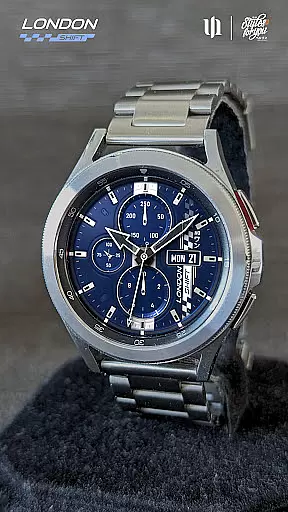
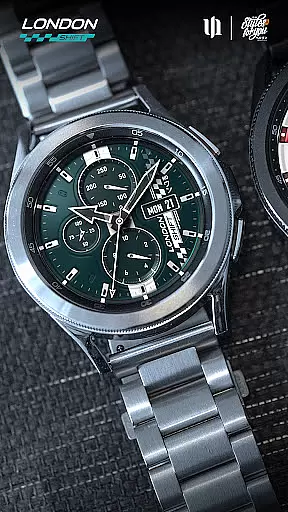
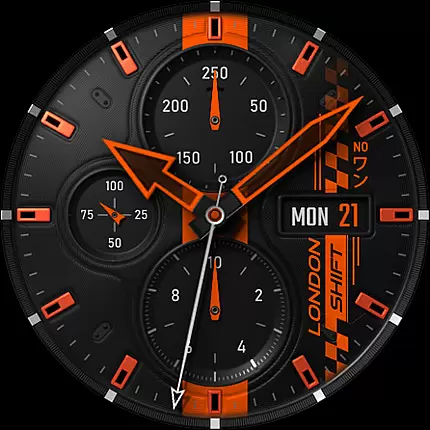
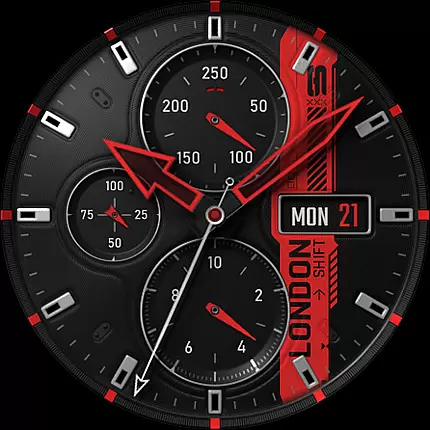
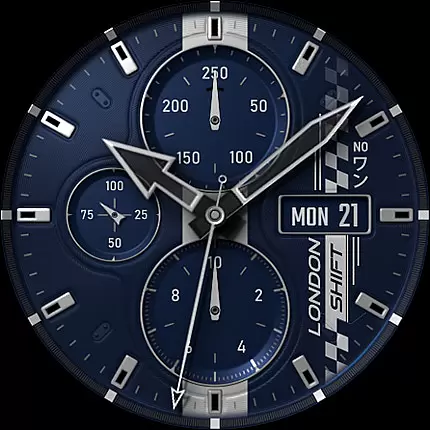
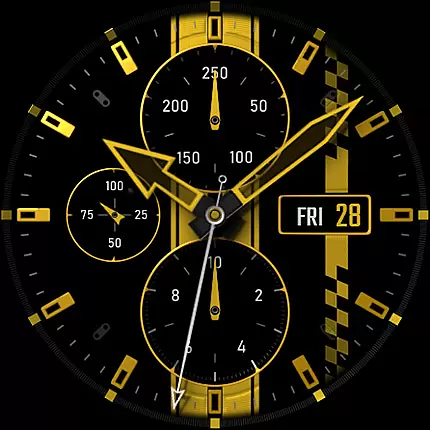
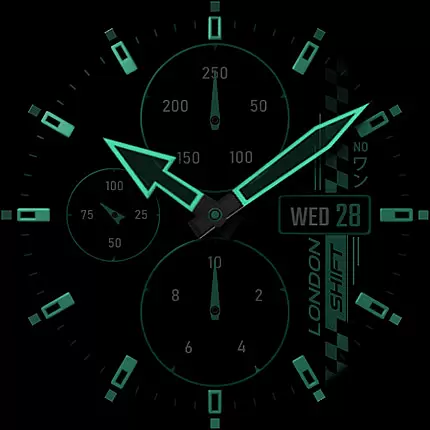
S4U Shift - Analog watch face is a premium Wear OS watch face designed for smartwatches running Wear OS 5 or higher. This highly customizable analog dial offers an ultra-realistic watch experience with its 3D effects and multiple color options, making it ideal for users seeking both functionality and style.
Key features include day, date, battery status, heart rate display, and an analog pedometer. The always-on display (AOD) provides four dimming options to balance visibility and battery life. With seven customizable shortcuts, users can access favorite widgets effortlessly. Compatible devices include Samsung Galaxy Watch series, Google Pixel Watch, and other Wear OS 4+ smartwatches.
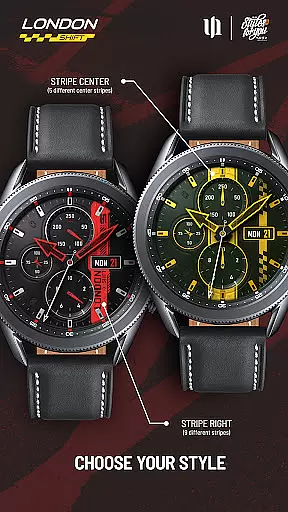
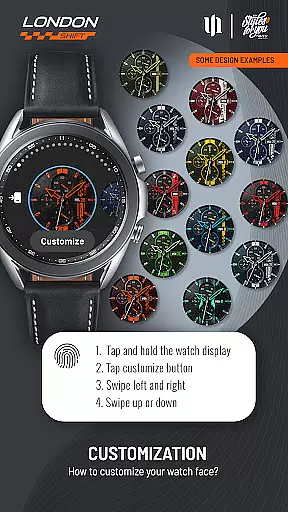
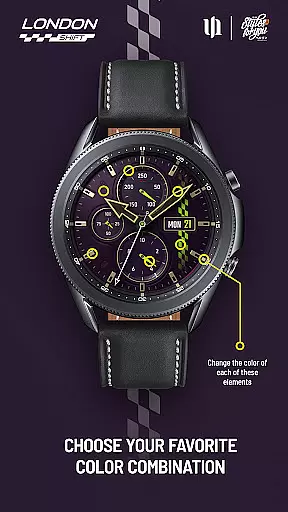
The S4U Shift watch face stands out with its extensive customization capabilities. Users can personalize over ten design elements including background, hands, indexes, and dials border, with up to thirteen color options for certain components. The unique 3D effect creates a lifelike impression of wearing a traditional analog watch.
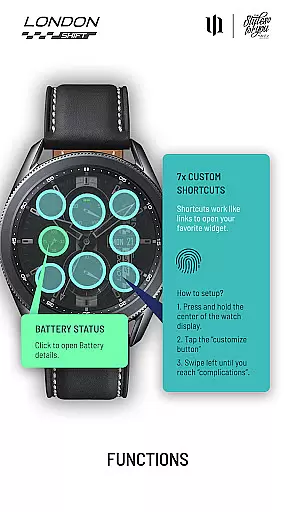
Functionality is enhanced through interactive features such as tapping the battery indicator to view details and setting health measurement intervals directly from the watch settings. Seven customizable shortcuts allow quick access to preferred widgets. Additionally, the AOD synchronization ensures seamless transitions between active and low-power modes while offering multiple brightness settings to suit user preferences.
Customization is at the heart of the S4U Shift - Analog watch face, offering users an extensive range of personalization options to tailor their smartwatch experience. With multiple color options available for various elements such as Background, Hands Main, and Index Main, users can adjust the appearance to match their style or mood.
The level of detail in customization extends to specific parts of the watch face, including stripes, dials border, and even the always-on display (AOD). Each element has numerous styles and colors to choose from, ensuring that no two watch faces need look alike. This vast array of choices empowers users to create a unique and personalized timepiece that stands out.
Adjusting these settings is straightforward thanks to an intuitive interface. Users simply press and hold on the watch display, then swipe left or right to switch between customizable items. Swiping up or down changes the color or style of each item, providing tactile control over every detail. Such accessibility ensures that all wearers can easily modify their watch face without hassle.
This emphasis on customization not only enhances aesthetic appeal but also allows for functional personalization. For instance, setting up shortcuts by customizing complications enables quick access to favorite widgets. By prioritizing both form and function, S4U Shift ensures that its analog watch face meets diverse user needs while maintaining high-quality design standards.
The S4U Shift - Analog watch face is designed with theme compatibility as a key feature, ensuring seamless integration across Wear OS devices running version 5 or higher (Wear OS API 34+). This includes popular models like Samsung Galaxy Watch series, Google Pixel Watch 1u20133, and other Wear OS 4+ smartwatches. Such broad device support guarantees that users can enjoy consistent performance regardless of their hardware choice.
Compatibility extends beyond just operating systems; it encompasses visual themes too. The ultra-realistic analog design adapts well to different screen sizes and resolutions without losing fidelity. Whether viewed on smaller displays like those found on classic versions or larger ones typical of newer models, clarity remains uncompromisedu2014a testament to thoughtful engineering focused on universal usability.
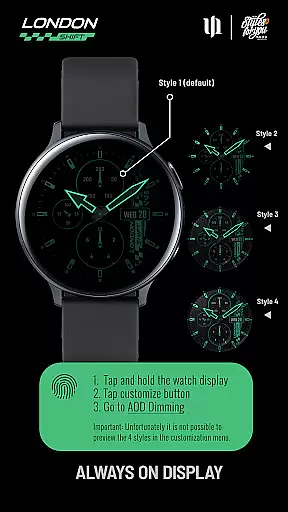
Moreover, synchronization between normal view and AOD modes exemplifies another layer of theme coherence within this application. Users benefit from four dimming options tailored specifically for battery conservation and preventing burn-in effectsu2014features particularly beneficial for OLED screens prevalent among modern smartwatches today. These considerations highlight how technical aspects are harmonized with user experience goals throughout development.
Should any issues arise during installation or operation despite wide-ranging compatibility measures, comprehensive support resources are readily accessible via email contact provided by the developer. Additionally, detailed instructions included within the app guide users through troubleshooting steps effectively. Thus, robust theme compatibility coupled with attentive customer service underscores S4U Shift's commitment towards delivering reliable yet stylish wearable technology solutions.
Ultra-realistic design
Massive customization
Interactive features
Seven shortcuts
Compatibility with Wear OS
Limited device support
No AOD preview
Battery concerns with AOD
Complex setup
Premium cost

Wear Os Watch Face - Seasonal - Animated Snow Effect - 9 Animals
 4.20
4.20
Bring adorable pets to life on your screen. Playful, interactive and full of fun
4.60
The definitive Icon pack maker and editor
4.30
Run multiple accounts of the same app on a single device
4.10 4.50
4.50
Yandex Browser — stylish and secure, with voice search and data compression
4.40
300+ widgets inspired by Material You and Material 3 expressive design.
4.60
Modern Glass Icon Pack with glossy icons, clean minimal theme & aesthetic style
4.0
Emoji Maker app - Design custom emojis and effortlessly blend them with Mixer
3.80
Gun Chase - Let the chase begin.
4.80
300+ Stunning and well-designed widgets inspired by NOTHING.
4.70
Classic analogue watch face. For wear os devices.
4.60
Make your phone look simple & luxury, like iDevice
4.60
Zip lock screen with magic wallpaper to decorate your phone with fun zipper lock
4.60
Transform your phone with Launcher iOS 26 - Smooth & elegant iOS experience
4.50
Themes - Widget & Wallpaper: Customize home screen, icon changer w unique themes
4.30
More than 3000+ themes and 9000+ wallpapers for everybody!
4.10
Your go to Weather App & Home Screen. Get your weather at a swipe of a finger!
3.80
Prank your friends with realistic broken screen and cracked HD effects!
4.0


User Reviews