
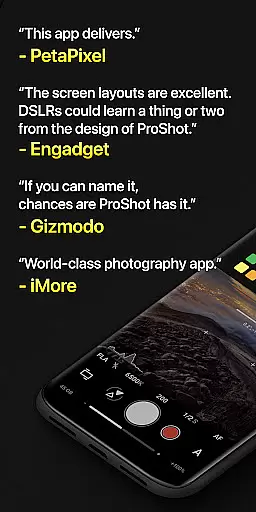
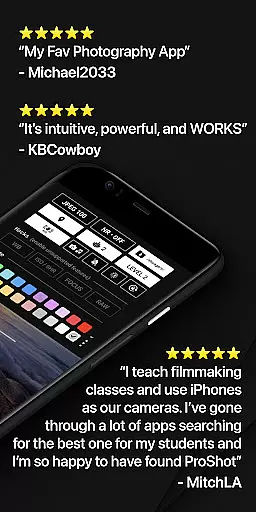
ProShot is a professional-grade photography and filmmaking application designed for Android users who demand full control over their mobile photography experience. This app offers an extensive suite of manual controls akin to those found on DSLR cameras, including options for shutter speed, ISO, white balance, and focus adjustments. With support for RAW (DNG), JPEG, and HEIC formats, ProShot caters to both amateur enthusiasts and seasoned professionals.
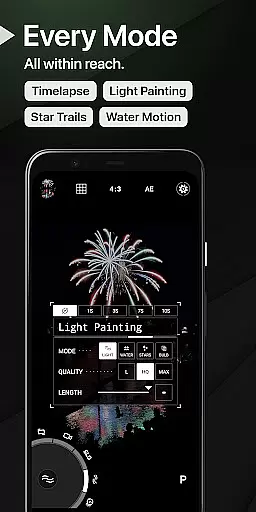
Beyond its core functionality, ProShot introduces innovative features such as Light Painting modes for capturing star trails and water effects, Bulb mode for long exposures, and advanced video capabilities up to 8K resolution. The app's intuitive interface includes Dual Dial controls for swift setting adjustments and a customizable accent color to match user preferences. Whether you're shooting stills or recording high-quality video with LOG/FLAT profiles, ProShot ensures that your creative vision is fully realized without compromising on quality or flexibility.
The app also emphasizes privacy by not collecting or transmitting personal data, making it a secure choice for photographers concerned about data security. Compatible with various devices and continuously updated, ProShot represents a comprehensive solution for mobile photography and videography, empowering users to capture stunning images and footage directly from their smartphones.
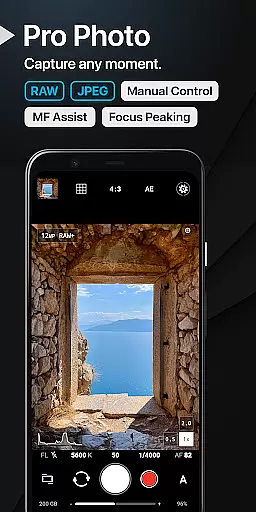
ProShot stands out in the realm of mobile photography apps due to its unparalleled feature set tailored for professional use. At its heart lies the robust implementation of the camera2 API, which enables precise manual control over every aspect of image capture. Users can switch between Auto, Program, Manual, and Custom modes seamlessly, adjusting exposure settings like ISO priority, shutter speed, and white balance with ease. The inclusion of RAW (DNG) support alongside JPEG and HEIC formats provides unparalleled post-processing flexibility.
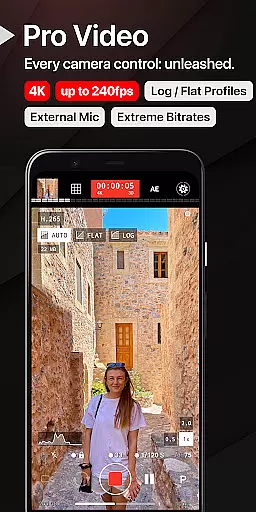
In addition to its photographic prowess, ProShot excels in videography with capabilities extending up to 8K resolution and extreme bitrate options. It supports industry-standard frame rates from 24 FPS to 240 FPS, along with LOG and FLAT color profiles for enhanced dynamic range. Unique functionalities such as Timelapse, Light Painting, and Bulb mode offer creative avenues previously unavailable on mobile platforms. Furthermore, the app integrates practical tools like histograms, focus peaking, and zero-lag bracket exposure, ensuring optimal results under any condition.
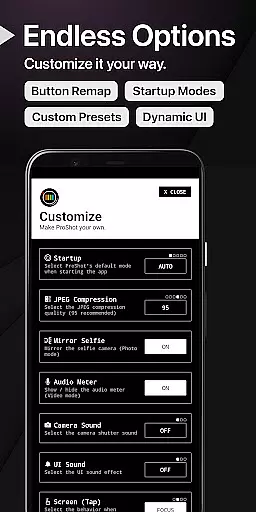
Usability enhancements abound within ProShot, featuring customizable UI elements, dual dial navigation, and shortcuts for essential functions like GPS tagging and screen brightness adjustment. A dedicated customization panel allows users to tailor startup modes, remap volume buttons, and define filename formats according to their workflow needs. By combining these powerful features with a commitment to user privacy—no personal data collection or transmission—ProShot delivers a premium mobile photography experience that rivals traditional DSLRs while fitting comfortably in your pocket.
Real-time capture and preview functionality is essential for photographers who need to see exactly what their camera is capturing before taking the shot. ProShot offers a sophisticated real-time preview system that leverages the full capabilities of the Android camera2 API, ensuring users can adjust settings like ISO, shutter speed, and white balance with immediate visual feedback.
The application provides a dual-dial interface that allows users to swiftly navigate through camera settings while maintaining a live view of their subject. This ensures that photographers can make precise adjustments without losing sight of the moment, which is crucial when shooting in dynamic environments. Whether capturing fast-moving action or adjusting for changing light conditions, ProShot's real-time preview keeps you in control.
For videographers, ProShot extends its real-time capabilities into video mode, where all photo settings are available alongside video-specific controls such as frame rate and LOG color profiles. The ability to monitor audio levels and video file size in real time further enhances the user's ability to produce professional-quality content without the need for additional equipment.
This seamless integration of real-time capture and preview empowers users to leave their bulky DSLRs at home, confident that ProShot can deliver high-quality results on par with professional-grade cameras. With features like zero-lag bracket exposure and manual focus assist, ProShot ensures that every shot is as intended, providing both amateur and seasoned photographers with the tools they need to excel.
While ProShot does not specifically market itself as an AI beauty enhancement tool, it excels in offering natural-looking image enhancements that preserve the authenticity of the original photograph. The application provides a suite of manual controls and post-processing options that allow users to fine-tune their images without relying on heavy-handed filters or effects.
ProShot's approach to enhancement focuses on giving users the power to adjust key parameters such as sharpness, noise reduction, and tone mapping. These adjustments ensure that each photo maintains its natural qualities while benefiting from subtle improvements that enhance overall image quality. Photographers can customize JPEG quality settings and choose between different noise reduction levels to strike the perfect balance between clarity and realism.
In addition to its manual controls, ProShot supports advanced formats like RAW (DNG) and HEIC, enabling photographers to capture images with maximum detail and dynamic range. This flexibility allows for more natural post-processing, as users can work with higher-quality source material that retains more information than standard JPEGs. The result is an enhanced image that remains true to the original scene.
By prioritizing user control and offering a wide array of customization options, ProShot ensures that any enhancements made to photos are both intentional and natural. This philosophy aligns with the needs of discerning photographers who value authenticity and seek to produce images that reflect their unique vision without artificial embellishments.
Full manual controls
RAW photo support
Advanced video features
Privacy-focused design
Customizable interface
Complex for beginners
High system requirements
Limited free features
No social sharing
Premium price tag

A collection of tools and reference tables for DPs, ACs, DITs and Operators.
 4.70
4.70
Remote control of the phone camera from your Wear OS smartwatch
3.70
AI photo editor with hair editor, retouch tools, hair color changer & filters!
4.50
Take videos and pictures with the popular TikTok TIME WARP SCAN filter.
4.60
Light-weight Media Gallery app for Android made with Jetpack Compose
4.60
The #1 app for B&W film developing featuring an advanced darkroom timer.
4.10
Gallery Slideshow is slideshow maker app for slideshow from your gallery photos.
3.90
AI-powered video creator by MiniMax - Where ideas meet cinema
4.20
Unlock the full potential of your DJI drone with Litchi
4.50
Pro version: AR sun/moon tracker for any date. Tool for photographers & planners
4.90
Gallery show photo, video, slideshow, is perfect 3D effect private photo albums.
4.80
Add Watermark - Sign your pictures with a text or logo. Effective, quick, easy!
4.50
Transform photos into videos! Create realistic or anime-style images easily!
4.50
Use AI Video Generator to turn your words to ai generated videos.
4.50
Create AI Photos, Improve and restore quality of blurry, old or damaged pics.
4.20
Create & Edit with AI: AI Remove, Enhance, Retouch, Filter
4.10
Photo editor: face & body editor, beauty cam, filters and quality enhancer.
4.00
Turn photos into cartoons & avatars! - Photo Editor, Cartoon Face!
3.90
Be your best in every shot! Fix, edit and retouch your face in selfies & photos.
3.70


User Reviews