
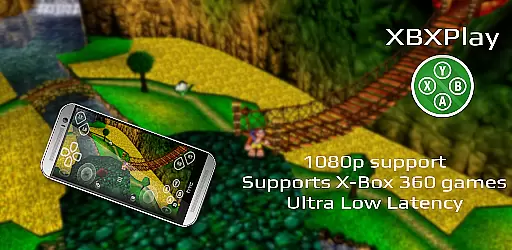
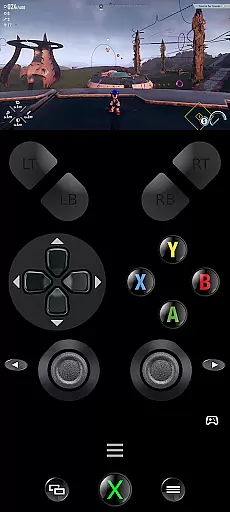
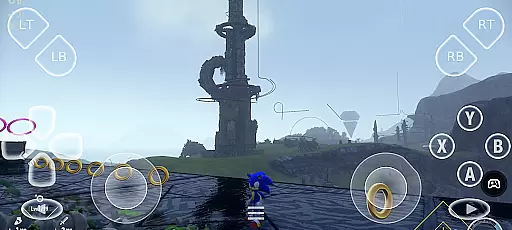
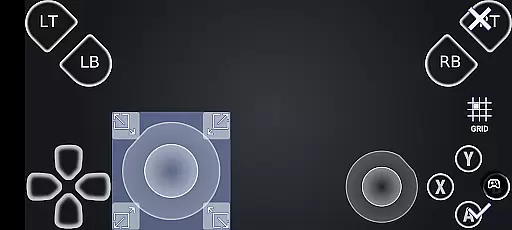
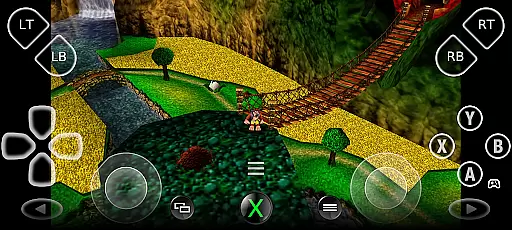
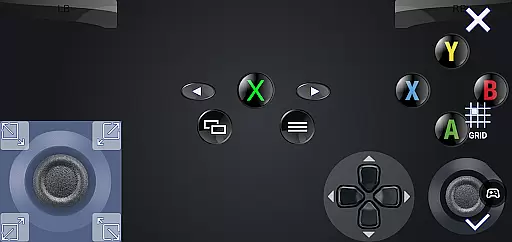
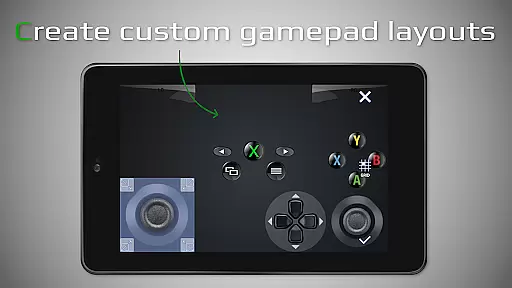
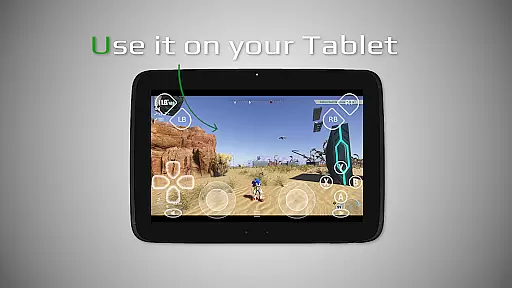
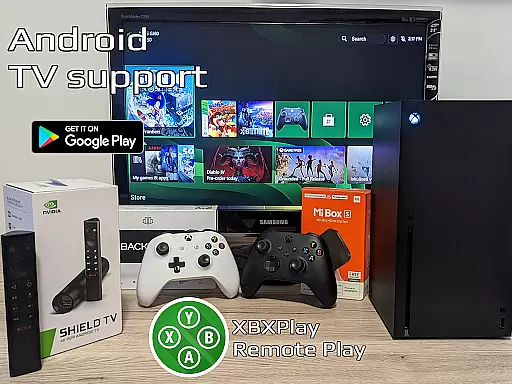

XBXPlay is a powerful remote control application designed specifically for X-Box Series X/S, X-Box One (X/S), and even X-Box 360 consoles. The app allows users to stream their favorite games in full 1080p resolution directly to their mobile devices, providing an exceptional remote gaming experience. With advanced features like customizable onscreen gamepad layouts, manual bitrate adjustments, and support for third-party controllers, XBXPlay ensures optimal performance and flexibility. Whether you're at home or away, the app's low-latency streaming technology and compatibility with both Wi-Fi and mobile data connections make it easy to enjoy console-quality gaming on the go.
One of the standout features of XBXPlay is its ability to enhance gameplay through innovative functionalities such as picture-in-picture mode, multi-window support, and USB-OTG connectivity. These tools allow gamers to multitask efficiently while maintaining a seamless connection to their console. Additionally, XBXPlay supports older X-Box 360 games, expanding its usability beyond modern titles. This makes it an ideal solution for users who want to maximize their gaming options without being tied to their living room setup. By offering a versatile and high-performance remote play experience, XBXPlay caters to both casual players and hardcore gamers alike.
XBXPlay stands out in the realm of remote gaming applications due to its comprehensive feature set tailored for diverse user needs. A key highlight is the app's support for 1080p streaming, which delivers crisp and clear visuals that enhance the overall gaming experience. Unlike the official X-Box Remote Play app, XBXPlay provides additional functionalities such as manual bitrate adjustments, enabling users to fine-tune video quality based on their internet speed. This ensures minimal lag and smooth gameplay, even when connected via mobile data networks. Furthermore, the inclusion of customizable onscreen gamepad layouts allows players to create personalized control schemes that suit specific games, improving precision and comfort during extended play sessions.
Another significant advantage of XBXPlay is its extensive hardware compatibility and optimization. The app supports third-party controllers, native USB-OTG functionality, and various Android-specific features like picture-in-picture mode and multi-window support. These capabilities not only expand the range of devices that can be used with the app but also enhance multitasking potential. For example, users can continue watching a streamed game in a small window while browsing other apps or taking notes. Additionally, XBXPlay functions as a virtual gamepad for X-Box consoles, adding another layer of versatility. With recommendations for dual-core CPUs, 5GHz Wi-Fi, and stable internet connections, the app ensures that users can achieve the best possible performance across different setups.
XBXPlay excels in delivering accurate and effective core functionalities that cater to remote gaming needs. The app supports 1080p streaming, ensuring that users experience high-quality visuals without limitations. This resolution support is crucial for gamers who demand clarity and detail in their gameplay.
One of the standout features is the ability to play X-Box 360 games on newer consoles, expanding the range of games accessible to users. With manual bitrate adjustments, XBXPlay allows players to optimize their streaming quality based on their internet connection, reducing latency and enhancing the overall gaming experience.
The inclusion of a customizable onscreen gamepad layout offers flexibility and convenience, especially when a physical controller is not available. Gamers can tailor the touch controls to fit specific game requirements, ensuring precision and responsiveness during gameplay sessions.
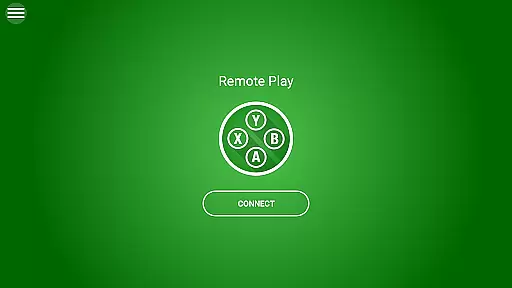
A simple and intuitive interface is vital for any tool app, and XBXPlay delivers this through its user-friendly design. Upon launching the app, users are greeted with a clean layout that emphasizes ease of access to essential features, making it straightforward for even novice users to navigate.
The app provides full-screen support without black bars, maximizing the viewing area and offering an immersive experience. This design choice ensures that users can focus entirely on their games without distractions, contributing to a seamless interaction between the player and the console.
Additionally, XBXPlay includes picture-in-picture mode and multi-window support, which are particularly useful for multitasking. These features allow users to manage other tasks on their device while maintaining control over their gaming session, showcasing the app's commitment to providing both powerful functionality and an intuitive user experience.
Full HD Streaming
Customizable Controls
Low Latency Performance
Wide Device Compatibility
X-Box 360 Game Support
No Microphone Support
Firmware Dependency
Internet Speed Sensitivity
Limited Official Endorsement
Complex Setup for Beginners

 4.10
4.10
Connect instantly to a fast, encrypted VPN with one tap
4.60
A recovery soft,it features photo recovery, video recovery, file recovery.
3.40
FV File Manager Pro, Fast and powerful file manager for Android
4.60
card-reader app
2.20
A non-root local ADB shell client. READ BELOW!
3.40
Navigate with Ease and Style
4.90
Connect wirelessly to your computer to watch movies, browse the web, play games
5.00
Enhance your Beats
3.70
Learn the vast amount of system information about device and monitor it's state
4.70
Mirror your screen to Chromecast and Android TV - Super fast and simple
4.60
Planner and Tracker for Stardew Valley
4.60
Forza Tuning Calculator App for Forza Horizon 5, Motorsport and Earlier Titles
4.40
Clean up large files and similar photos, fast and easy to use
4.40
App that Recover your pictures, videos or files after you delete them.
4.20
MS-DOS in your pocket. Play old DOS games anywhere you are ;)
4.10
A convenient photo, video, and file recovery tool.
4.00
Create your own custom widget with endless possibilities
3.90
Unlock your Essential Key. Create custom shortcuts to your favorite apps!
4.4


User Reviews