
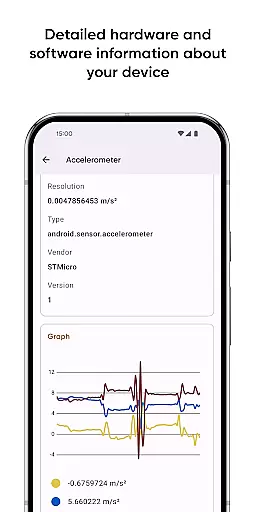
Castro Premium is a comprehensive device monitoring tool that provides real-time performance tracking and detailed system information. The app offers an extensive collection of data points, including processor statistics, battery monitoring, memory usage, network data consumption, and sensor readings with helpful graphs.
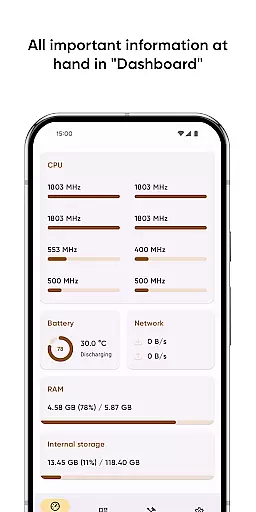
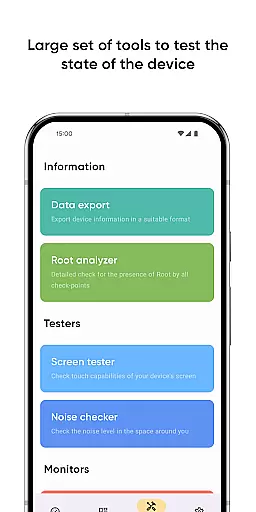
In addition to its robust monitoring capabilities, Castro features a user-friendly Dashboard that consolidates essential metrics such as CPU usage, battery status, network activity, and memory load. Power users can take advantage of advanced tools like Data Export, Screen Tester, and Noise Checker. With the Premium version, users gain access to deeper customization options, specialized widgets, and additional monitoring features.
This application is particularly useful for tech enthusiasts and professionals who need to keep a close eye on their device's health and performance. By providing actionable insights and customizable tools, Castro empowers users to optimize their device usage and troubleshoot potential issues effectively.
Castro Premium distinguishes itself through its wide array of monitoring tools and customization options. The app provides detailed processor statistics for both CPU and GPU, along with comprehensive battery monitoring that tracks power consumption patterns and predicts remaining life.
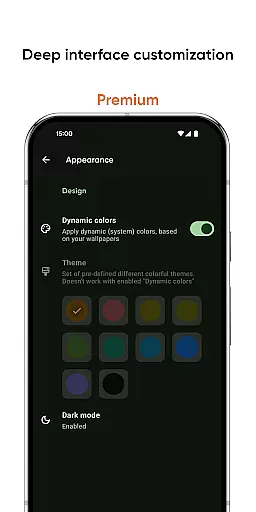
One of the standout features is the real-time sensor data visualization, which includes temperature monitoring and various environmental sensors. The Premium version takes functionality further by offering deep interface customization, allowing users to personalize colors and themes according to their preferences.
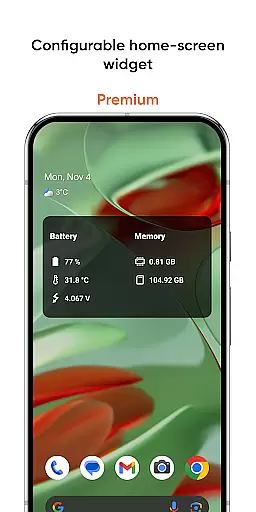
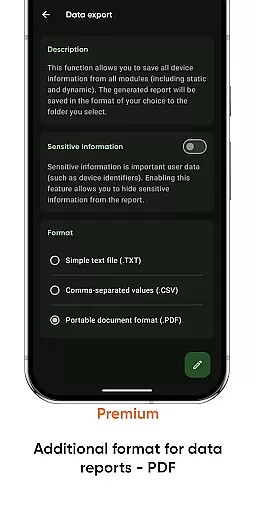
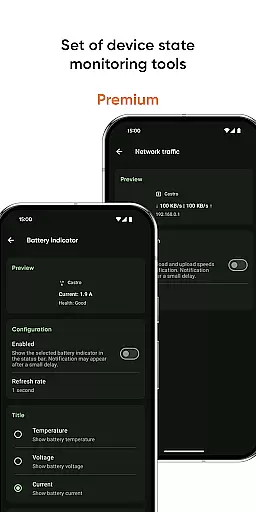
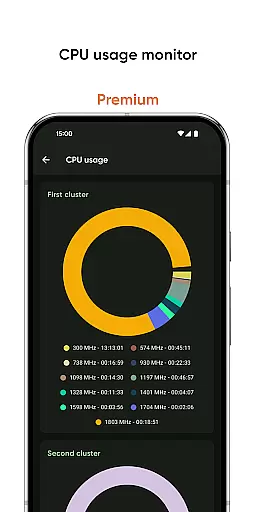
Additional professional-grade tools include configurable home-screen widgets that display crucial information at a glance, network traffic speed monitoring, and CPU usage tracking. Users can also export detailed reports in PDF format, making it easier to share technical information with support teams or analyze historical data trends.
Castro Premium stands out in the Tools category by offering highly accurate and effective core functionalities that cater to users who need detailed insights into their device's performance. The app provides comprehensive statistics on processor usage, including both CPU and GPU metrics, which are crucial for understanding how computational resources are utilized.
In addition to processor statistics, Castro offers robust monitoring tools for battery consumption, memory usage, and data transmission via Wi-Fi and mobile networks. These features allow users to keep a close eye on resource allocation and optimize their device's efficiency. Real-time sensor data is also presented with useful graphs, making it easier for users to interpret complex information at a glance.
The true value of Castro lies in its ability to present this wealth of information without overwhelming the user. With the Dashboard feature, users can access a concise overview of critical metrics such as CPU usage, battery status, network activity, and memory load. This ensures that even those who aren't interested in granular details can still benefit from the app's powerful monitoring capabilities.
A key aspect of any successful tool is an intuitive and straightforward interface, and Castro Premium excels in this area. Despite the depth and complexity of the information provided, the app maintains a clean and user-friendly design that makes navigation effortless. Users can easily switch between different sections, such as processor statistics, battery monitoring, and memory usage, without feeling lost or confused.
For those seeking even more control over their experience, Castro offers deep customization options available to Premium users. These include various color schemes and themes that allow users to tailor the interface to their personal preferences. Such flexibility not only enhances usability but also makes regular monitoring tasks more enjoyable.
Furthermore, additional tools like the Screen Tester and Noise Checker add layers of functionality without complicating the interface. Each tool is designed with simplicity in mind, ensuring that users can perform tests and checks quickly and efficiently. Overall, Castro Premium strikes an excellent balance between providing advanced features and maintaining an accessible, intuitive interface.
Comprehensive monitoring tools
Real-time performance tracking
Customizable interface options
Useful technical utilities included
Detailed system information reports
Premium features require subscription
Interface may overwhelm beginners
Advanced tools need technical knowledge
Some features duplicate system functions
Extensive permissions required

Complete kernel toolbox with features to manage and tweak your rooted device
 4.30
4.30
Enjoy smooth gameplay with Game Booster
4.90
An open-source APK explorer for Android!
4.10
Forza Tuning Calculator App for Forza Horizon 5, Motorsport and Earlier Titles
4.40
Create your own live wallpaper or check out thousands already made presets
3.90
Bedrock Together: Join any bedrock server on Xbox/PS
4.80
Screen Mirroring for Roku Sticks, Roku TCL TV and Roku Hisense TV
4.50
Introducing Smart Printer, your ultimate destination for printing solutions!
4.00
Enhance your Beats
3.70
Connect wirelessly to your computer to watch movies, browse the web, play games
5.00
WiFi Signal Strength Meter help you detect WiFi Signal Strength in real time.
4.80
Fast Video Downloader, Movie Downloader, Torrent Downloader & Adblock Browser
4.70
Mirror your screen to Chromecast and Android TV - Super fast and simple
4.60 4.50
4.50
Effortlessly run ADB commands directly on your device without a PC.
4.20 4.10
4.10
MS-DOS in your pocket. Play old DOS games anywhere you are ;)
4.10
Detect hidden spy camera with advanced scanning {{ Premium version }}
4.00
A recovery soft,it features photo recovery, video recovery, file recovery.
3.40


User Reviews