
LADB is a powerful local ADB shell tool designed for Android developers and power users. The app bundles an ADB server within its libraries, enabling wireless debugging without requiring a USB connection. By leveraging Android's Wireless ADB Debugging feature, it allows seamless communication between the server and client on the same device.
One of the key features of LADB is its ability to simplify the pairing process through assisted pairing or manual setup. Users can manage their Wireless Debugging connections directly from the app interface. This makes it particularly useful for debugging tasks or executing ADB commands locally. With proper setup, LADB provides a reliable way to interact with your device’s system without additional hardware.
The app is especially valuable for developers who need quick access to ADB functionalities while maintaining flexibility in their workflow. Its compatibility with split-screen mode ensures efficient multitasking during configuration. However, users should note that certain third-party apps like Shizuku may conflict with LADB’s functionality, requiring careful troubleshooting when issues arise.
LADB offers several advanced features tailored for Android power users. First, it includes an integrated ADB server that eliminates the need for external tools or USB connections. This server communicates directly with the local device using Android's Wireless ADB Debugging capability, streamlining the debugging process significantly.
Another notable feature is its support for both assisted and manual pairing modes. Assisted Pairing simplifies the initial setup by guiding users through the necessary steps, while Manual Pairing provides a reliable alternative for cases where automatic detection fails. Additionally, LADB supports multitasking via split-screen mode, allowing users to configure settings and copy pairing codes efficiently.
For troubleshooting purposes, LADB includes options to clear app data and reset Wireless Debugging connections. These features help resolve common connectivity issues quickly. While the app does not collect user data, it emphasizes privacy by ensuring all operations remain confined to the local device. Overall, LADB stands out as a versatile tool for anyone needing robust ADB access without compromising convenience.
LADB u2014 Local ADB Shell offers a unique approach to Android debugging by bundling an ADB server within the app itself. This allows developers and power users to execute ADB commands directly on their device without requiring a computer connection.
The application's core functionality centers around its ability to establish a local ADB connection using Android's Wireless ADB Debugging feature. By pairing the device through a specific port and pairing code, users can access the full range of ADB shell commands directly from their mobile device.
This implementation proves particularly valuable for developers who need to troubleshoot or modify system settings while away from their development environment. The app maintains the integrity of traditional ADB operations while adapting them for local execution.
Despite some compatibility issues with other similar tools like Shizuku, LADB provides a reliable and self-contained solution for local device management. Its effectiveness is further enhanced by the developer's commitment to maintaining the application through regular updates and support channels.
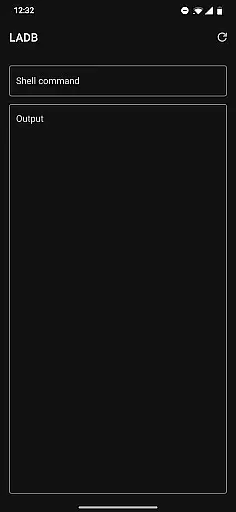
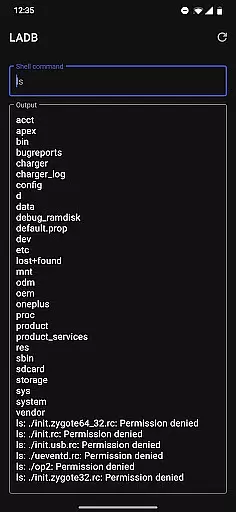
The interface design of LADB focuses on providing straightforward access to complex ADB functionalities without overwhelming users. The main screen presents essential connection information and quick access to command input fields.
While the initial setup process requires careful attention to detail u2013 particularly when establishing the Wireless Debugging connection u2013 the app provides clear instructions and maintains an uncluttered workspace for executing commands. The recommended split-screen view with Settings helps streamline this process.
For troubleshooting and maintenance tasks, the interface organizes necessary functions logically, allowing users to easily clear app data or remove wireless connections when needed. This thoughtful arrangement of features contributes to a more intuitive user experience.
Although the app doesn't include elaborate graphical elements or visual effects, its minimalist approach ensures that users can focus on their debugging tasks without unnecessary distractions. The straightforward presentation of information supports both novice and experienced users in achieving their technical objectives efficiently.
Integrated ADB server
Wireless debugging
Assisted pairing
Manual pairing option
Privacy-focused design
Incompatible with Shizuku
Requires reboot after uninstall
Occasional pairing issues
No offline updates
Limited official builds

 4.50
4.50
Remote for Roku, Fire TV, Samsung TV, LG TV, Android TV, Chromecast and VIZIO TV
4.20
HD Video player and downloader for all formats, fast & smooth 4K video playback.
4.60
Quickly & easily calculate the spacing of handrail balusters
4.20
Amateur Radio app for APRS: Track friends, exchange messages, get tactical info.
3.90
ADB support Android 4.X-Android 13(Support wireless pair mode).No root required!
4.70
Signal Strength, Mobile, Wifi, Speed Test, Bad Signals, Cellular, 5G, LTE, 4G
4.20
Connect wirelessly to your computer to watch movies, browse the web, play games
5.00
Screen Mirroring with sound for Samsung TV, LG TV, Sony TV, Smart TV and Browser
4.20
Enjoy smooth gameplay with Game Booster
4.90
Best leveling tool for your Android device. Hang paintings like a pro.
4.90
Bedrock Together: Join any bedrock server on Xbox/PS
4.80
Remote Play with FSR upscaling, low latency & full controller support
4.80
The one-and-only remote control for PC, Mac, and Linux
4.70
HD Camera captures every special moment.
4.60 4.50
4.50
With videos, electrical calculators, and built-in ebook, Ugly’s has your answer.
4.50
Clean up large files and similar photos, fast and easy to use
4.40
Making emulation easy for everyone!
4.30


User Reviews