
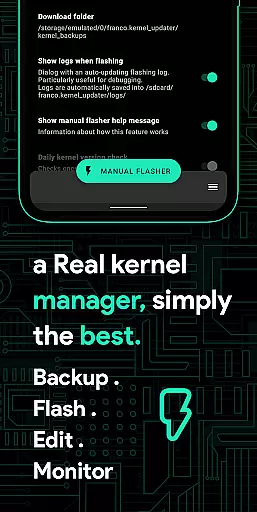
Franco Kernel Manager is a comprehensive toolbox designed for rooted Android devices, offering an extensive range of features to optimize and manage your device's kernel. This app caters to both novice users and experts alike, providing tools for performance enhancement, battery optimization, and system customization.
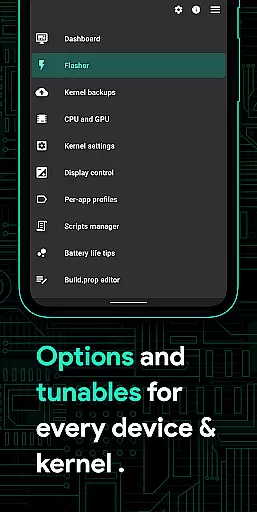
With Franco Kernel Manager, you can flash mods without needing a custom recovery, monitor detailed battery statistics, and tweak various system settings such as CPU frequencies, GPU settings, and display controls. The app also supports per-app profiles, allowing tailored configurations for different applications, ensuring optimal performance based on usage scenarios.
This powerful tool empowers users to supercharge their devices by offering advanced functionalities like build.prop editing, automatic night shift, and system health monitoring with real-time metrics. Whether you're looking to boost performance or extend battery life, Franco Kernel Manager provides the necessary tools in an easy-to-use interface.
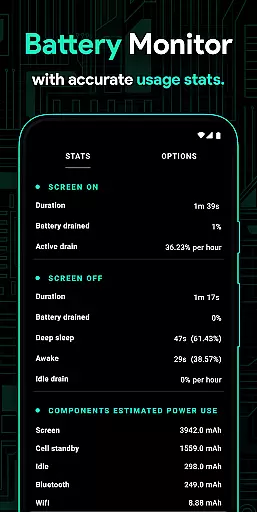
Franco Kernel Manager stands out with its rich feature set tailored for comprehensive device management. One notable feature is the Battery Monitor notification, which provides detailed insights into power consumption patterns, charging time estimates, and more, helping users optimize their device's energy efficiency.
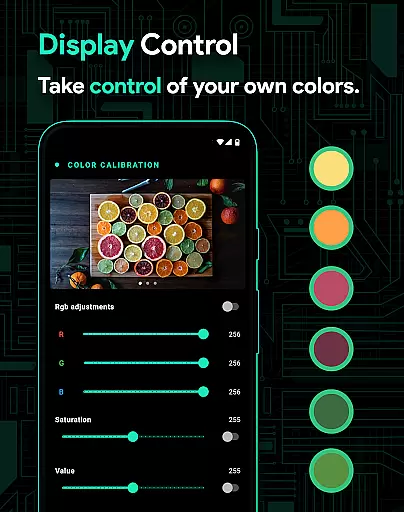
The app includes advanced customization options such as display color temperature presets, support for Adreno Idler, GPU boost, and multi-cluster CPU management. Users can create per-app profiles that adjust settings like CPU frequency, Wi-Fi status, and location mode based on specific app usage, enhancing both performance and battery savings.
Additionally, Franco Kernel Manager offers developer-friendly tools like a kernel logger viewer, custom tunables, and script management. These features, combined with light and dark theme compatibility and automatic High Brightness Mode toggling, make it an indispensable tool for users seeking granular control over their device's kernel and overall functionality.
Franco Kernel Manager offers a comprehensive suite of tools designed to enhance kernel management with precision and efficiency. The app provides detailed battery stats, including power consumption metrics for individual components like WiFi, screen, and signal, ensuring users can accurately monitor their device's energy usage.
With features such as auto-flash kernels and Magisk modules, the app eliminates the need for custom recovery environments, streamlining the process of modifying and optimizing device performance. This functionality is crucial for both novice and expert users who seek to supercharge their devices without the complexity traditionally associated with kernel management.
The inclusion of powerful battery-saving tips and display color temperature presets demonstrates the app's commitment to delivering practical solutions that cater to a wide range of user needs. These features not only improve device longevity but also enhance user comfort during prolonged use.
Ultimately, Franco Kernel Manager empowers users by providing them with precise control over their device settings, from CPU frequencies to GPU boosts. This level of detail ensures that every tweak contributes effectively to the overall performance and stability of the device, making it an indispensable tool for rooted Android users.
The interface of Franco Kernel Manager is crafted to ensure ease of use while maintaining access to advanced features. Despite its rich feature set, the app remains intuitive, offering straightforward navigation that caters to users of all expertise levels. This balance between complexity and usability is vital for ensuring that even less knowledgeable users can manage their kernels effectively.
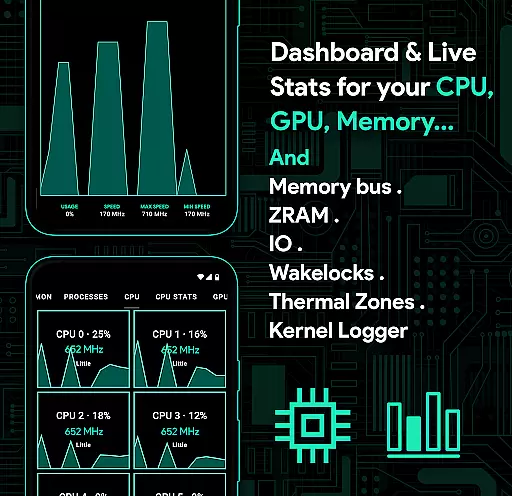
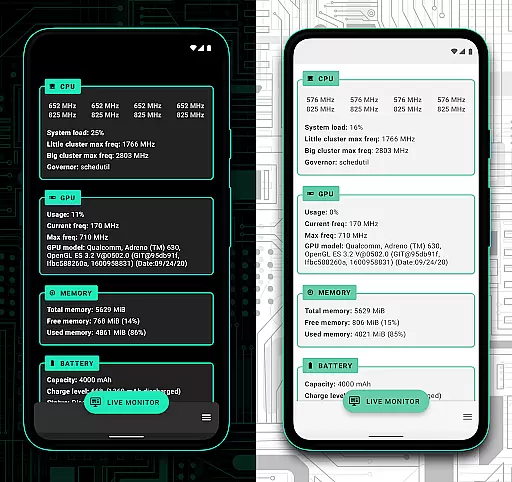
One standout feature is the System Health section, which presents real-time data on CPU, GPU, RAM, and thermal zones through a visually appealing UI. This design choice not only simplifies the monitoring process but also makes it engaging for users to track their device's performance metrics without feeling overwhelmed by technical jargon.
Additionally, the app includes light and dark themes compatible with the latest Android versions, enhancing readability and reducing eye strain. Such thoughtful design elements contribute significantly to the overall user experience, making daily interactions with the app pleasant and productive.
By prioritizing interface simplicity, Franco Kernel Manager ensures that users can quickly access essential functions like per-app profiles and automatic night shift settings. This intuitive layout allows users to focus on optimizing their device's performance rather than struggling with complicated menus, ultimately leading to a more satisfying and efficient user experience.
Comprehensive feature set
User-friendly interface
Advanced customization options
Efficient battery monitoring
Per-app profile management
Requires root access
Complex for beginners
Limited use on non-rooted devices
Some features may void warranty
Potential stability issues

 4.50
4.50
Easily install aab(Android App Bundle) files on your Android device with our app
4.80
Learn the vast amount of system information about device and monitor it's state
4.70
Fluid navigation gestures for all of us!
4.30
Family Locator, Share location, StayConnect with your family in real time
3.90
Create your own live wallpaper or check out thousands already made presets
3.90
With videos, electrical calculators, and built-in ebook, Ugly’s has your answer.
4.50
Quickly check the frequency of the Earth
4.30
Create your own custom widget with endless possibilities
3.90
Bedrock Together: Join any bedrock server on Xbox/PS
4.80
Excellent scientific calculator with symbolic algebra, integrals, derivatives
4.80
Optimize your WiFi network, turn your phone into Wifi Analyzer
4.70
The one-and-only remote control for PC, Mac, and Linux
4.70
App to pay for FUTO Keyboard
4.60 4.50
4.50
Mirror your screen to Fire TV - Super fast and simple
4.40
Clean up large files and similar photos, fast and easy to use
4.40
Making emulation easy for everyone!
4.30
Carry a FTP server in your pocket and avoid USB cables for file transfer
4.20


User Reviews