
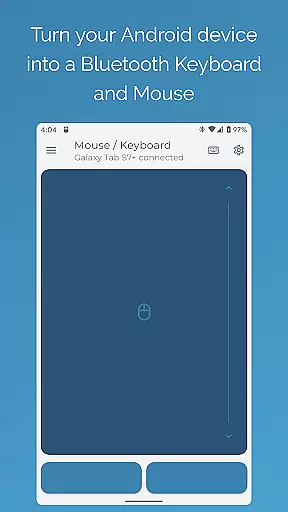
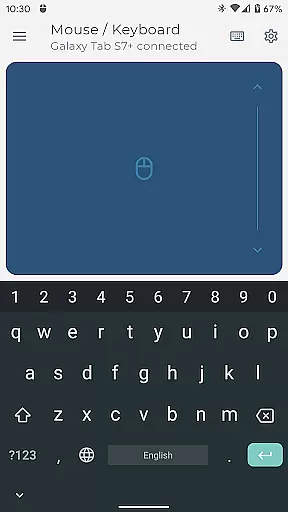
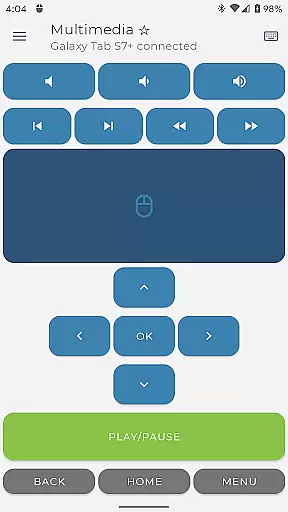
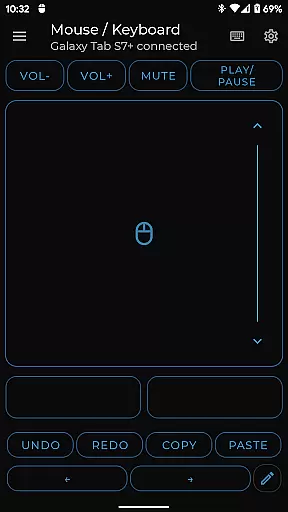

Bluetooth Keyboard & Mouse Pro revolutionizes the way you interact with your devices by turning your Android phone into a versatile remote control tool. This powerful app allows you to seamlessly operate your computer, tablet, or media center without the need for additional software or server connections. With its direct Bluetooth connectivity, you can enjoy instant response times while maintaining a private and secure connection.
The app offers an impressive range of functionalities including precision control with a responsive keyboard, mouse, and multi-touch trackpad. It also features specialized modes like Keep-Alive / Jiggler Mode to prevent your computer from sleeping, and Presenter Mode for confident slide navigation during presentations. Whether you're managing multimedia playback or scanning barcodes, this app provides the tools needed to enhance productivity and streamline tasks across various platforms.
Designed for professionals who require reliable and efficient device management, Bluetooth Keyboard & Mouse Pro is compatible with multiple operating systems such as Windows, iOS, Android, Chrome OS, and more. Its universal compatibility ensures that users can take full advantage of its capabilities regardless of their preferred platform.
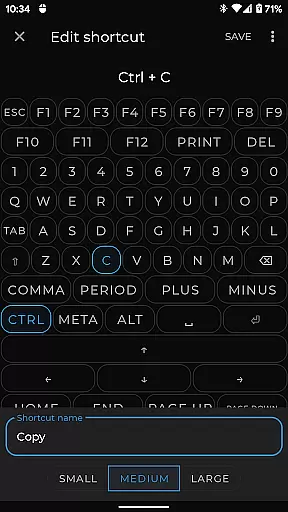
Bluetooth Keyboard & Mouse Pro stands out with its comprehensive set of features designed to elevate your workflow. The app includes Precision Control which offers a highly responsive keyboard, mouse, and multi-touch trackpad with intuitive scrolling capabilities. This ensures smooth navigation and efficient input across all connected devices.
For professionals who need to maintain an active status on communication platforms, the Keep-Alive / Jiggler Mode prevents computers from sleeping or locking during long tasks. Additionally, the Full PC Keyboard feature allows users to type efficiently with a standard layout and switch between over 100 international language layouts instantly. The Presenter Mode empowers users to command presentations confidently, navigating slides and controlling pointers with ease.
Other notable features include Multimedia Control for managing playback and volume, Integrated Scanner for streamlining data entry, Voice & Clipboard Sync for quick text input, and Custom Layouts tailored to specific applications. These innovative tools collectively provide a robust solution for enhancing productivity in diverse work environments.
Bluetooth Keyboard & Mouse Pro delivers exceptional core functionality through its versatile and precise control options. The app transforms your Android device into a powerful Bluetooth-enabled keyboard, mouse, and presentation tool without requiring additional software or server connections.
The application ensures instant response times with its direct Bluetooth connection, offering users a private and secure way to interact with their devices. Whether you're controlling a computer, tablet, or media center, the app provides unparalleled versatility for both personal and professional use.
Key features include Precision Control with an intuitive multi-touch trackpad, Keep-Alive Mode to prevent devices from sleeping during critical tasks, and Full PC Keyboard support with over 100 international language layouts. These tools collectively enhance productivity by streamlining workflows and ensuring seamless transitions between tasks.
By integrating advanced functionalities like Presenter Mode, Multimedia Control, and Voice-to-Text input, the app caters to diverse user needs. This comprehensive feature set underscores the app's commitment to delivering accurate and effective solutions for remote device management.
Bluetooth Keyboard & Mouse Pro excels in providing an intuitive and user-friendly interface that simplifies complex tasks. The app's design emphasizes ease of use, allowing users to quickly adapt to its various functions without a steep learning curve.
Central to its appeal is the highly responsive keyboard and multi-touch trackpad, which mimic the natural feel of traditional input devices. Users can effortlessly navigate their computers or tablets with familiar gestures and controls, enhancing their overall experience.
Additional features such as Custom Layouts and integrated QR code scanning demonstrate the app's focus on catering to specific user requirements while maintaining operational simplicity. These options enable users to tailor the interface according to their unique workflows or applications.
With universal compatibility across multiple operating systemsu2014including Windows, iOS, Android, and Chrome OSu2014the app ensures broad accessibility without compromising on intuitive design principles. This balance of functionality and simplicity makes Bluetooth Keyboard & Mouse Pro an ideal choice for both novice and experienced users seeking efficient remote control solutions.
Instant Bluetooth connection
Versatile device control
Private and secure usage
Efficient workflow enhancement
Wide OS compatibility
Premium features locked
Complex setup process
Limited free functionality
Occasional connectivity issues
High battery consumption

 4.50
4.50
Change your GPS location instantly. Simulate routes anywhere in the world.
4.90
Connect instantly to a fast, encrypted VPN with one tap
4.60
Save any video in HD - paste the link, download fast and watch offline.
4.2
Enjoy smooth gameplay with Game Booster
4.90
Quickly & easily calculate the spacing of handrail balusters
4.20
Bedrock Together: Join any bedrock server on Xbox/PS
4.80
Undelete and recover your lost or deleted files with DiskDigger!
3.40
Fast Video Downloader, Movie Downloader, Torrent Downloader & Adblock Browser
4.70
Powerful collection of electronics tools and reference.A must for any enthusiast
4.90
App to pay for FUTO Keyboard
4.60
Just swipe the edge to do something!
4.40
Mirror your screen to Fire TV - Super fast and simple
4.40
Complete kernel toolbox with features to manage and tweak your rooted device
4.30
Fluid navigation gestures for all of us!
4.30
An easy-to-use calculator designed to save time calculating and bending conduit
4.30
Signal Strength, Mobile, Wifi, Speed Test, Bad Signals, Cellular, 5G, LTE, 4G
4.20
MS-DOS in your pocket. Play old DOS games anywhere you are ;)
4.10
Smart and comfortable browsing experience.
3.80


User Reviews